

Project description
Generative AI (Gen AI) models such as Large Language Models (LLMs) have become important because of their ability to generate insights and personalized feedback. AI-based coaching is becoming more recognized for improving well being across various domains. At the same time, technology advancements are making us reimage how coaching can be delivered. For example, Edge Gen AI is a topic that is creating more interest for AI researchers because of the ability to get Generative AI capabilities being executed locally on edge devices as compared to costly cloud services. However, not all edge applications require the huge computation, size and processing power like LLMs. For this reason, engineers developed Small Language Models (SLMs) to make Gen AI models more accessible by reducing the models size and computational requirements while retaining useful language understanding and generation capabilities. For comparison, GPT-3 has 175 billion parameters and requires 350GB of storage space for the weights, while Qwen 3.5 used in this project has 0.8 billion parameters, requires 507MB of storage; and you can chat with it! This project demonstrates how we can combine modern hardware and optimized software such as TinyML models and Small Language Models to create sustainable AI powered behavioral coaching assistants that run on cost effective hardware such as an Arduino UNO Q. It uses a perception layer (lightweight object detection model) to observe activities and the detections are stored over time into a simple observations list. Afterwards, the system periodically summarizes observations into a simple activity-descriptive text that is provided to an SLM for generating a short behavioral recommendation such as “Drink more water and use coffee less frequently”. Summarizing the observations enables us to reduce the amount of information passed to the SLM, reducing the prompt size and computation time. In this case, the perception and language models serve different roles: Perception layer (What is happening?) → Behavioral memory layer (Summarize what has been happening over time) → Small Language Model (Provide wellness-based recommendation)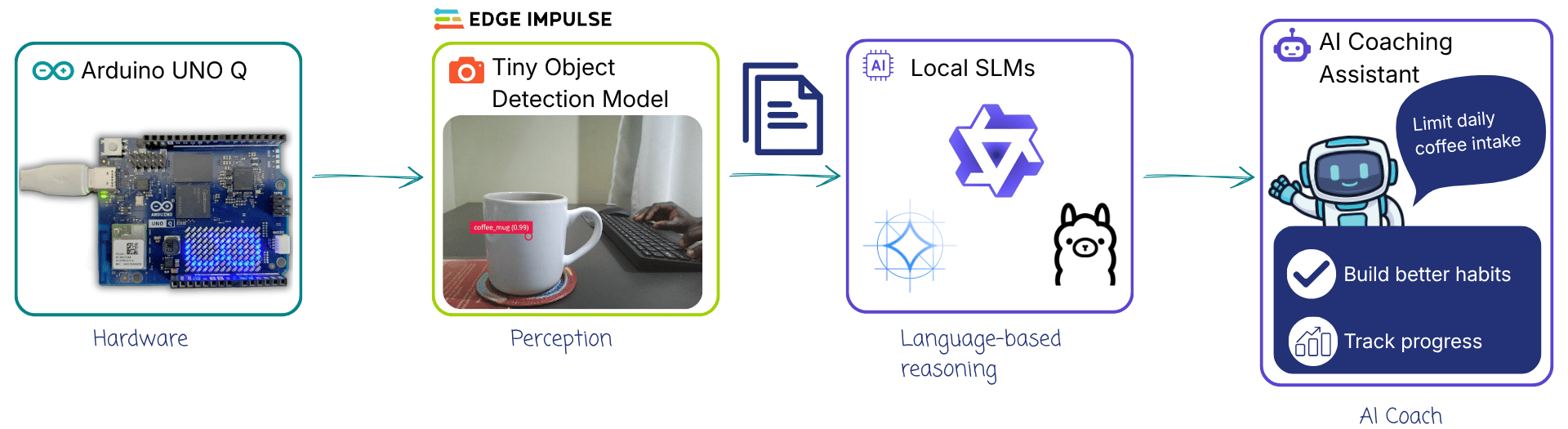
[!NOTE] I focused on object detection and temporal aggregation of observations counts rather than consumption tracking. For example, the application does not determine if a glass of water was picked, consumed and returned with less water. This is the same case for coffee mugs: detecting a mug does not mean that coffee was consumed. The perception model simply detects visible objects and records the observation. In future, there is need to advance the activity recognition to distinguish the presence of an object and interactions with it.
Components and hardware configuration
- Arduino® UNO Q: either the 2GB or 4GB variant.
- USB camera
- USB-C® hub adapter with external power
- A power supply (5 V, 3 A) for the USB hub
- Personal computer with internet access
- Edge Impulse Studio
- Arduino App Lab
- Local Small Language Models in App Lab (Qwen, LLama, Gemma)
Step 1: Setup your UNO Q
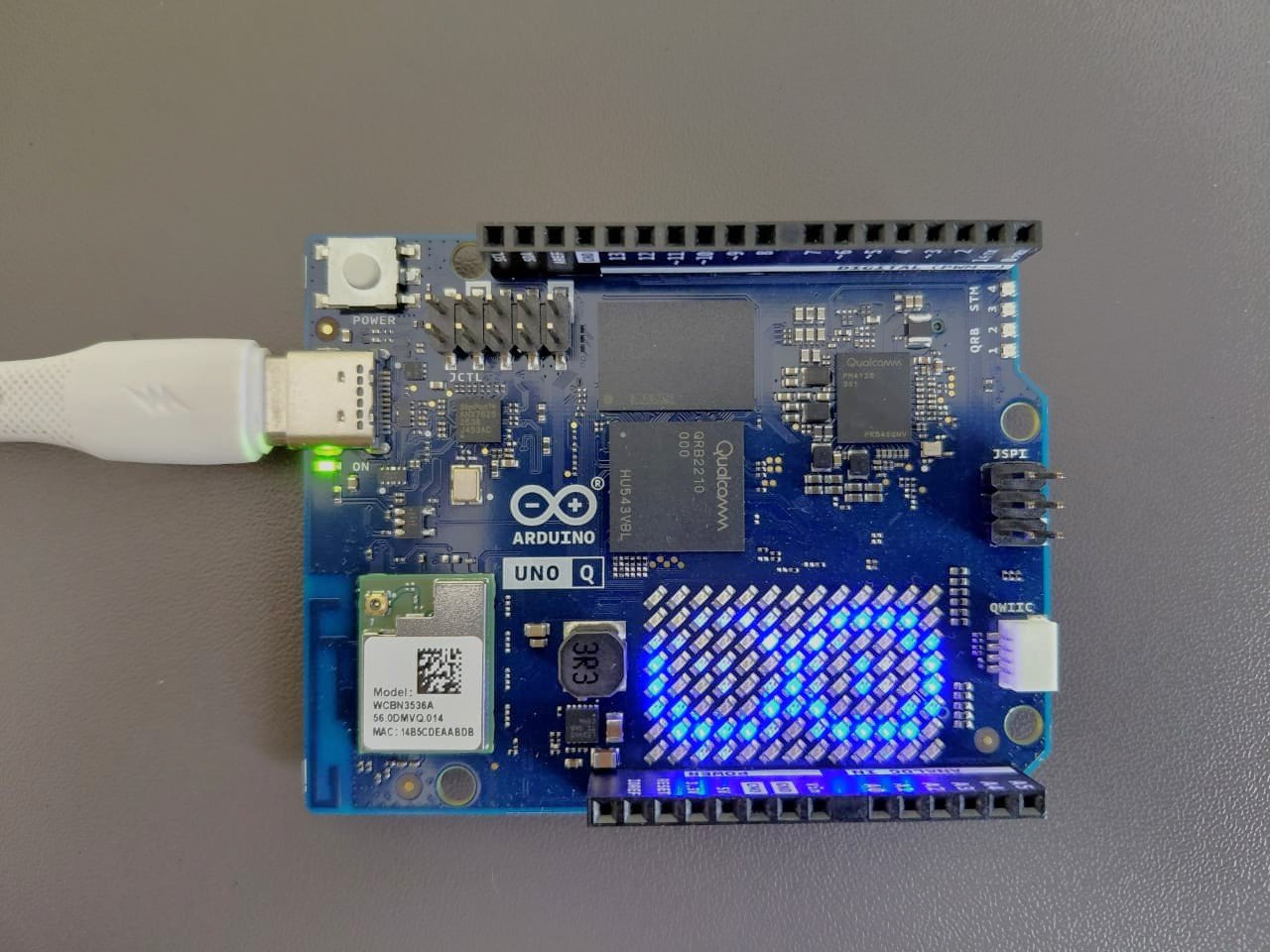
First connect a USB-C Hub to the UNO Q. Next, connect a USB webcam to the Hub and power the system through the Power Delivery slot. Before working with the UNO Q for the first time, we need to setup the Linux system through the App Lab.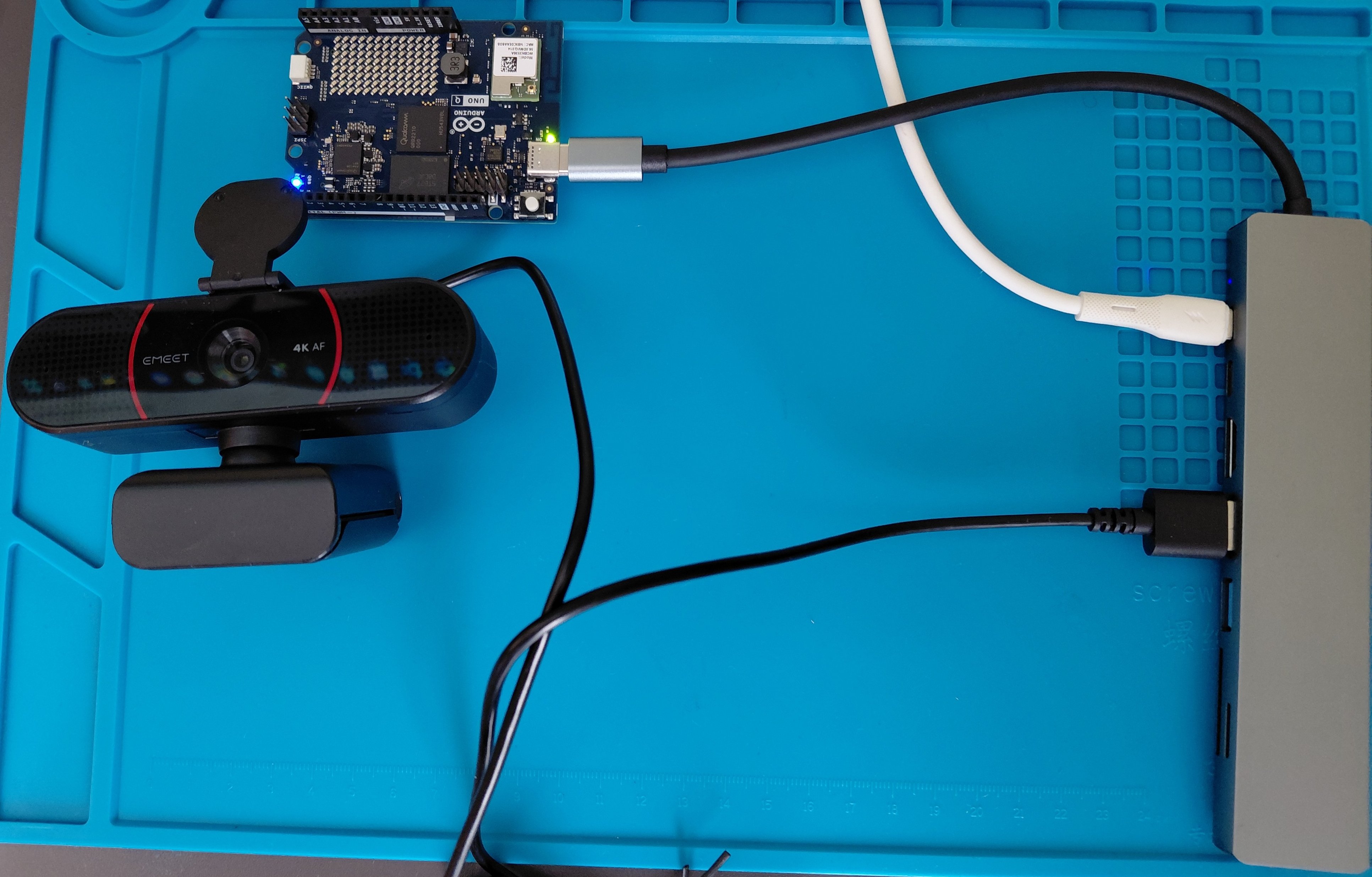
Step 2: Train an object detection model with Edge Impulse
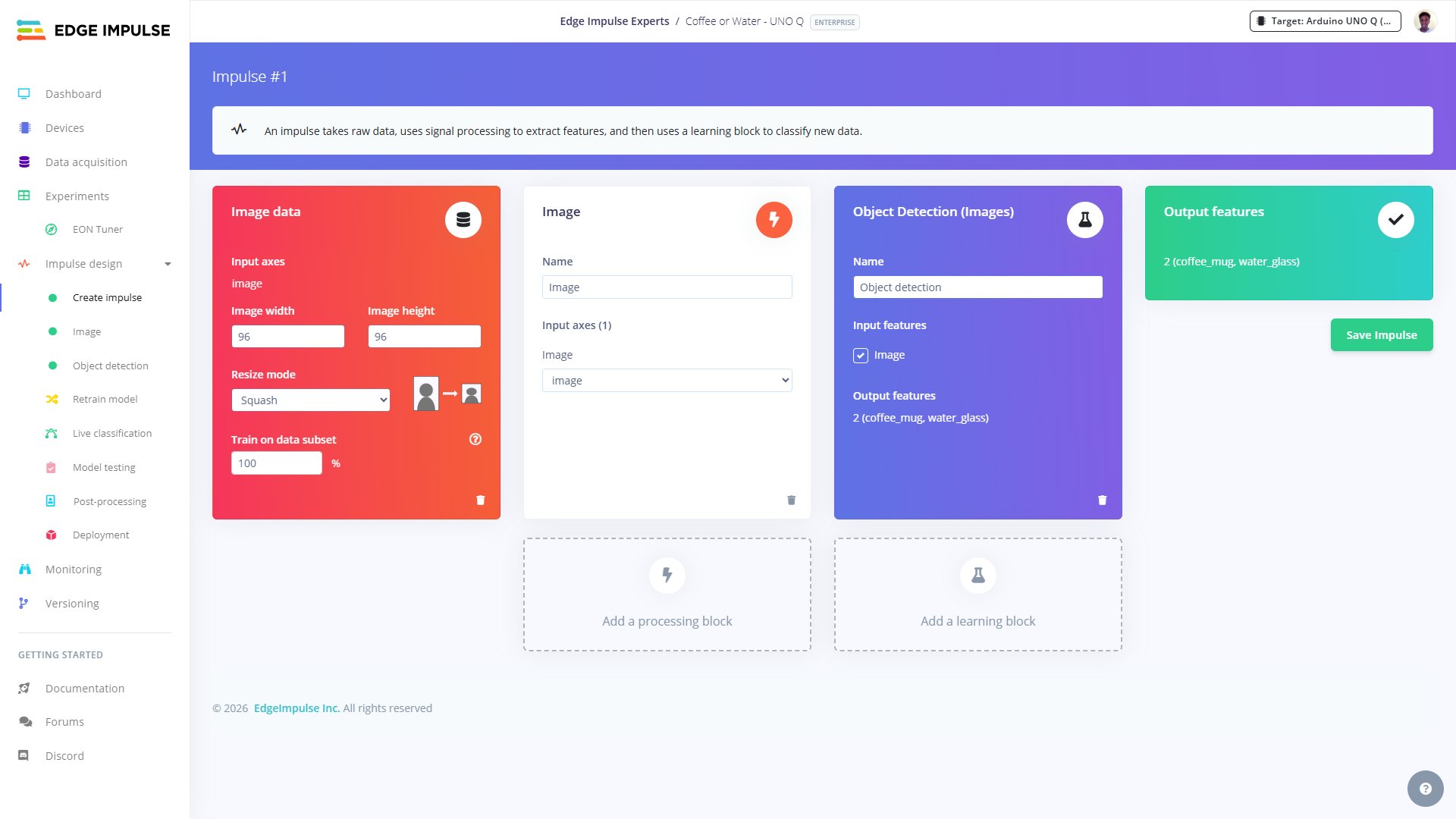
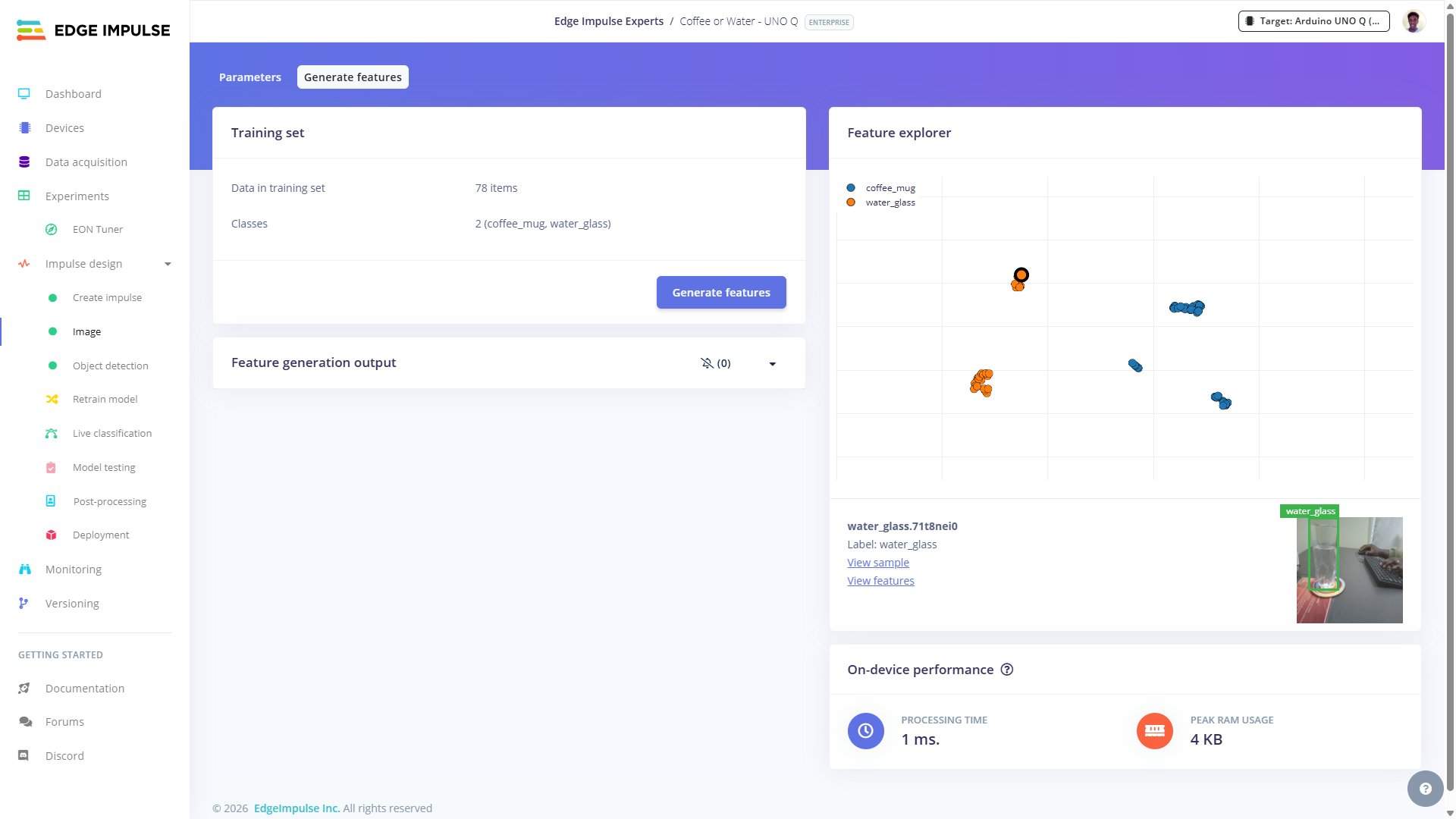
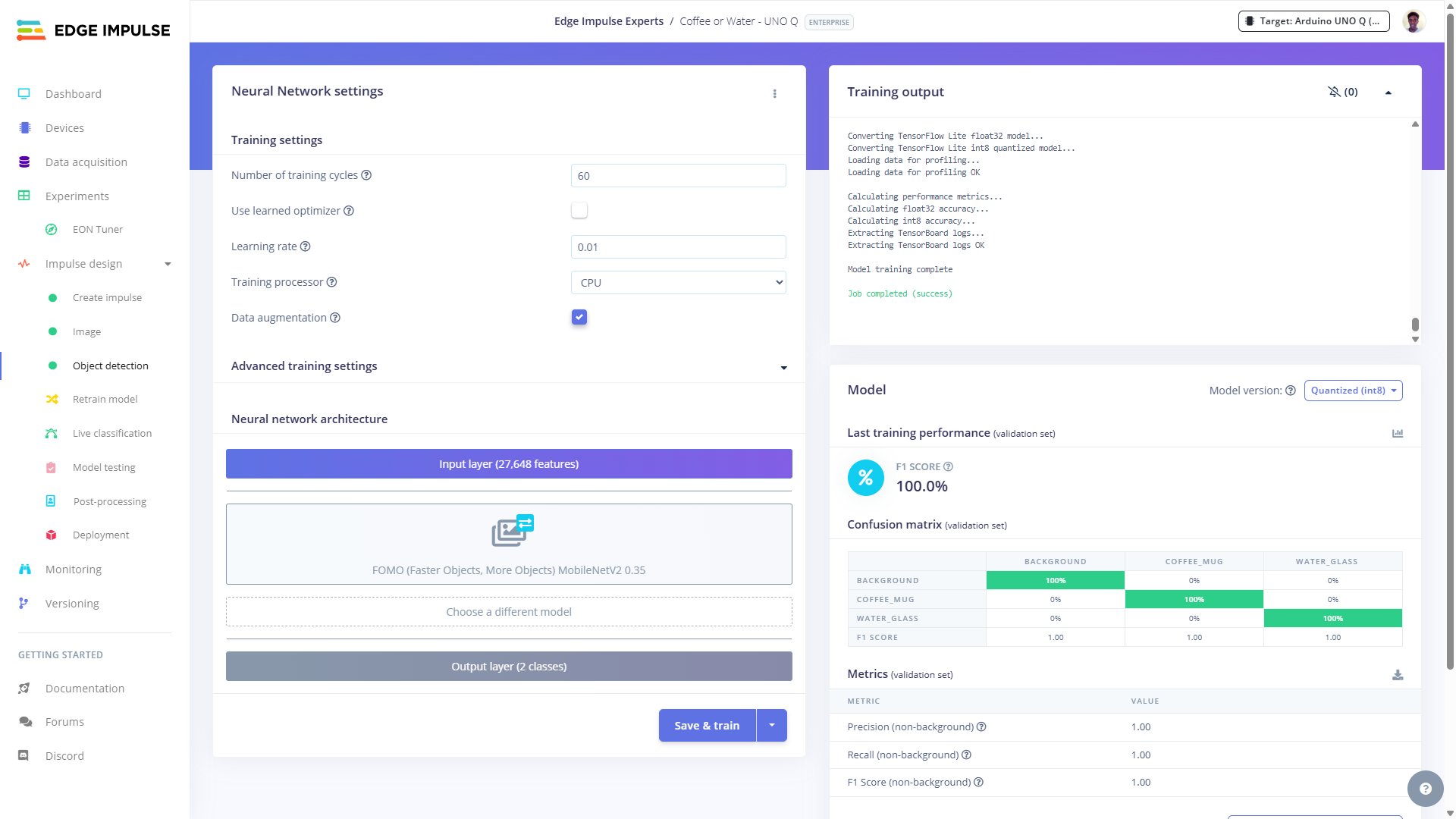
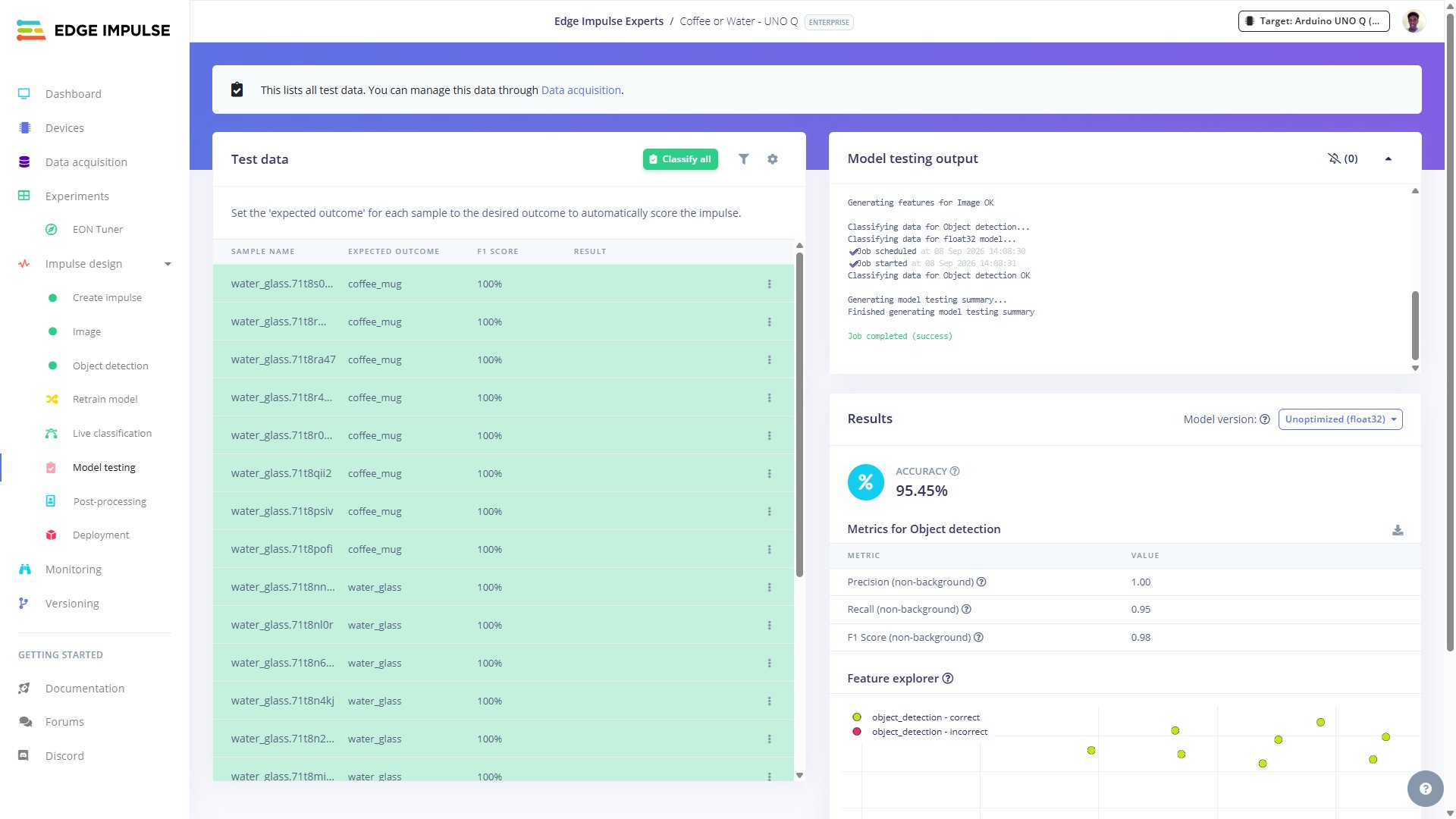
For the perception layer, I used the Edge Impulse platform to train and deploy a lightweight object detection model to the UNO Q. Depending on the use case, you can use a model for image classification, sound classification, motion classification, anomaly detection, etc.; and reconfigure the app to process the corresponding input. We need to first collect data (images, audio recordings, motion, etc.) for training the model. I collected 100 images of a glass of water and a coffee mug on my desk. The dataset was split into 78 images for model training and the remaining 22 for testing.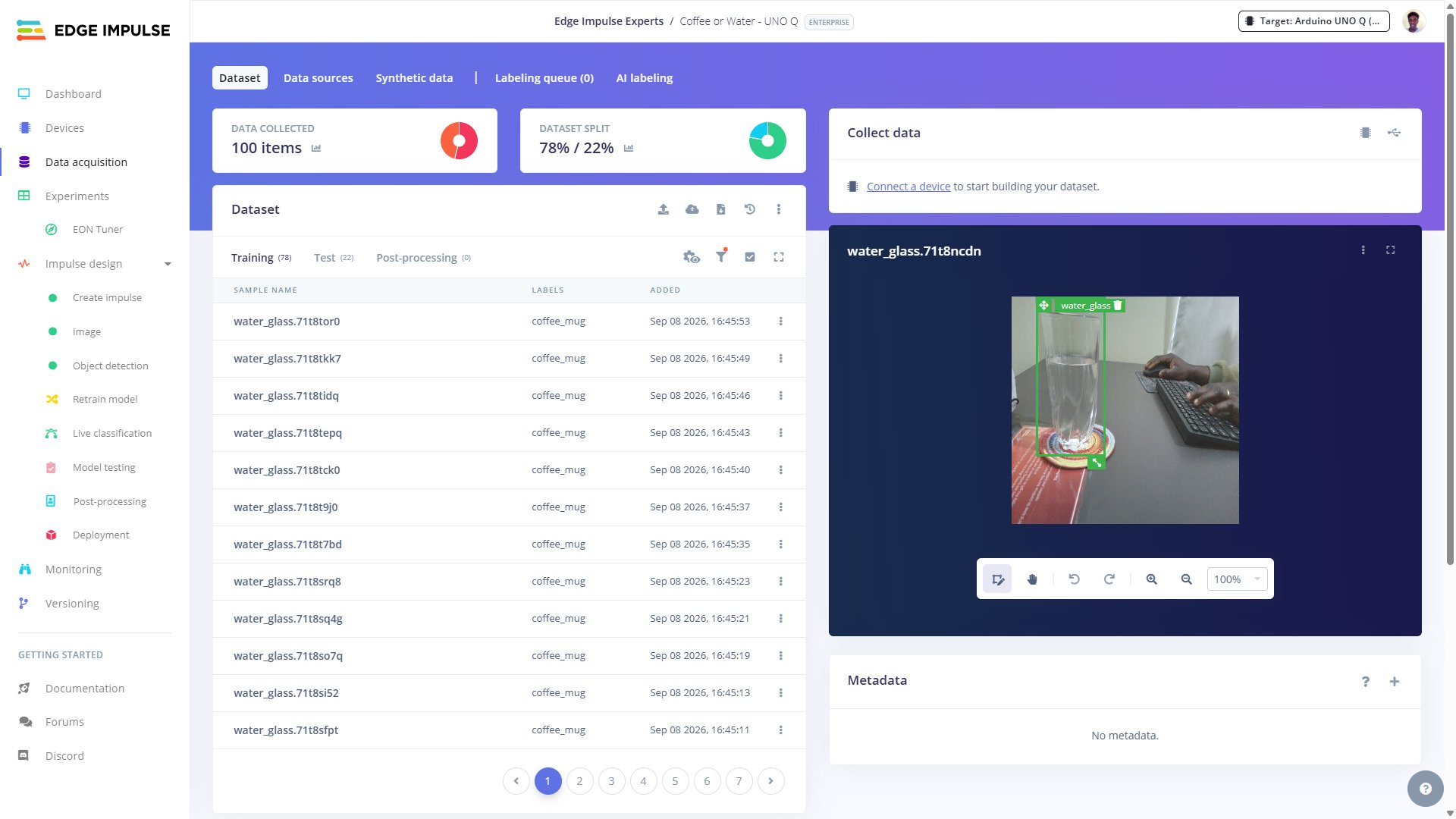
Step 3: Deploy detection model
Deploying the object detection model to an Arduino UNO Q is relatively simple. SSH into your UNO Q and clone this GitHub repository into the/home/arduino/ArduinoApps/ directory. This repository contains an Arduino App Lab project that implements the AI behavioral coaching assistant.
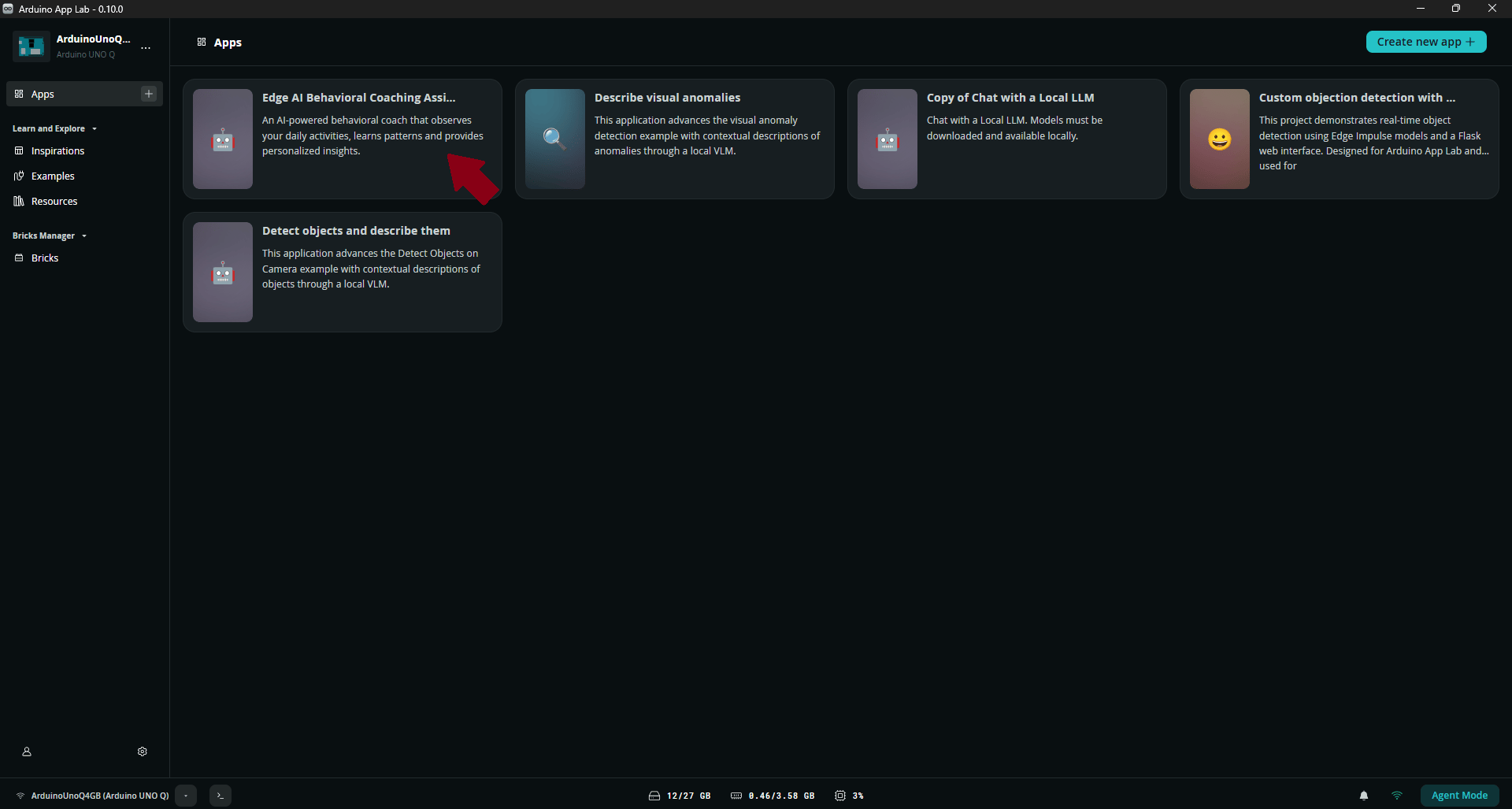
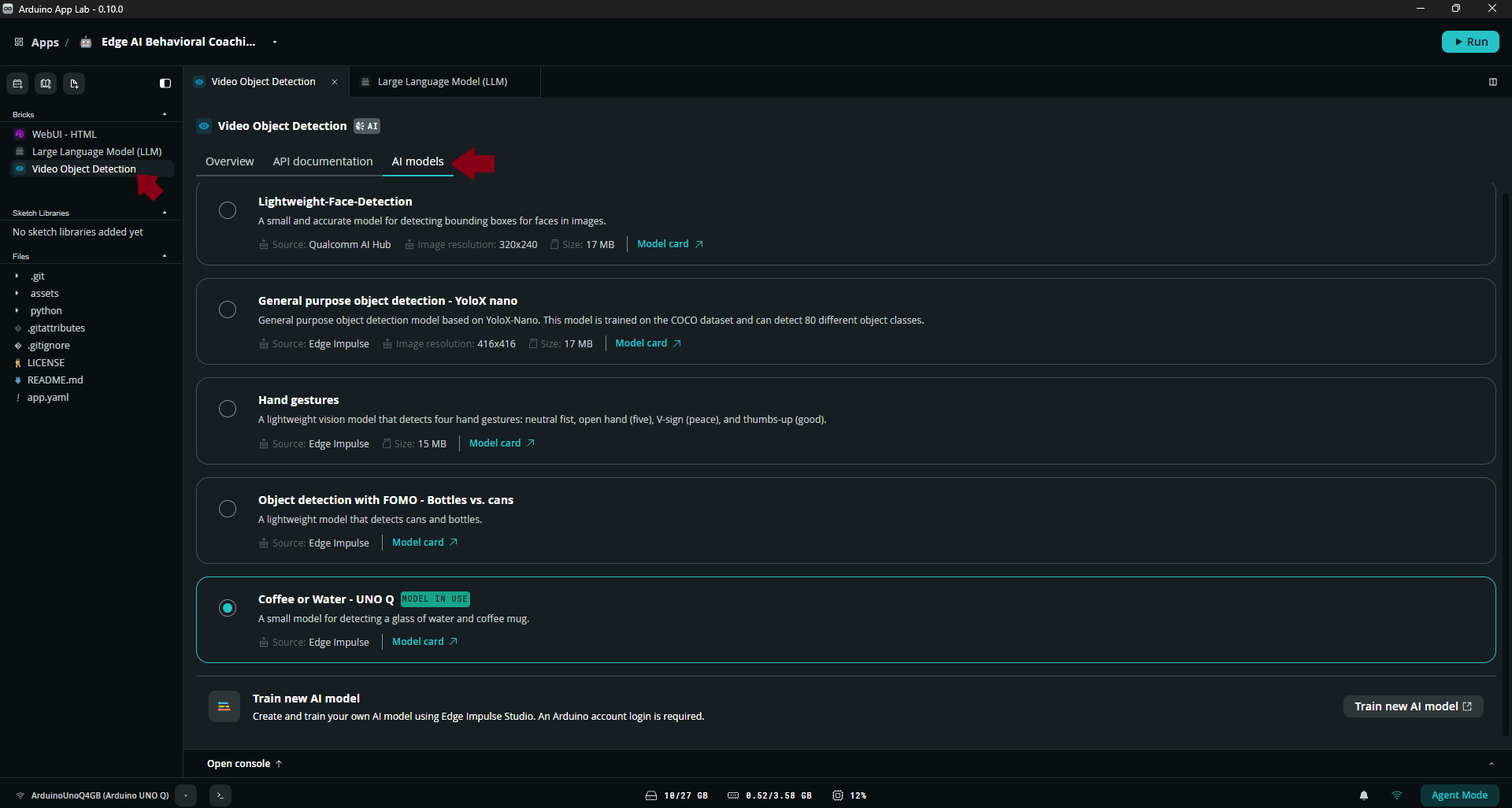
Step 4: Install a Small Language Model
Remember we had two cascaded models in our pipeline: a perception model (object detection for my case), and a Small Language Model. Technically, developing the first model takes the most time because SLMs are already trained for general language based tasks. Still in the new App Lab project, click the ‘Large Language Model (LLM)’ brick and navigate to the ‘AI models’ tab. Download and select one of the available models. For this project, I used Qwen 3.5 0.8B because it is relatively small and can generate a response more quickly. Other supported models such as Gemma 3 1B can also be used depending on your hardware and use case.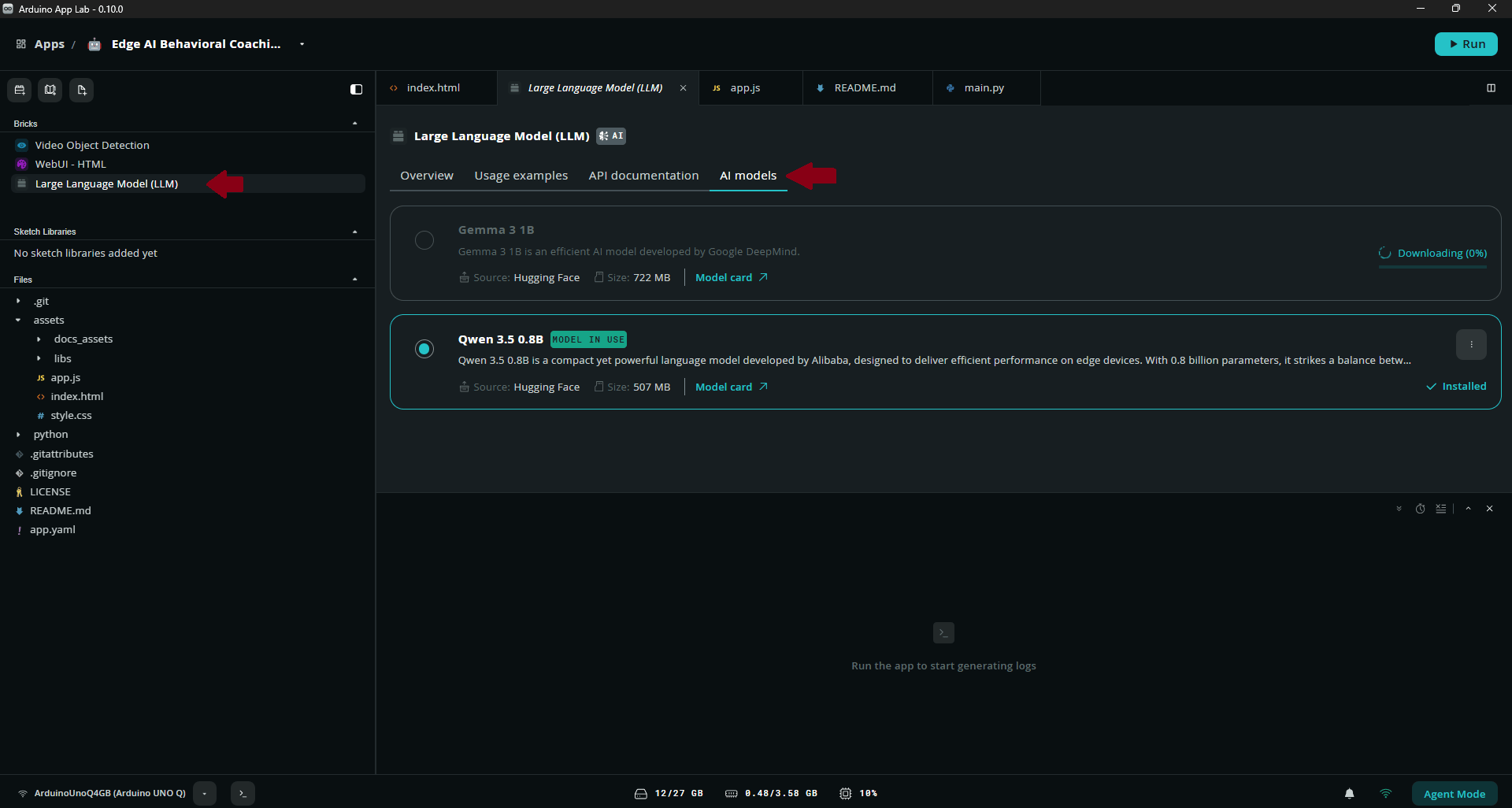
Application design
The application is programmed in Python with a main.py script managing the main processes: capturing frames from a camera, object detection, behavioral monitoring, prompting the SLM, and displaying the results for each process on a Web UI. A simple behavioral memory list is maintained using the label of object detections. Each detected object is stored as a dictionary containing the predicted label and timestamp. For example:Step 5: Run the AI coach
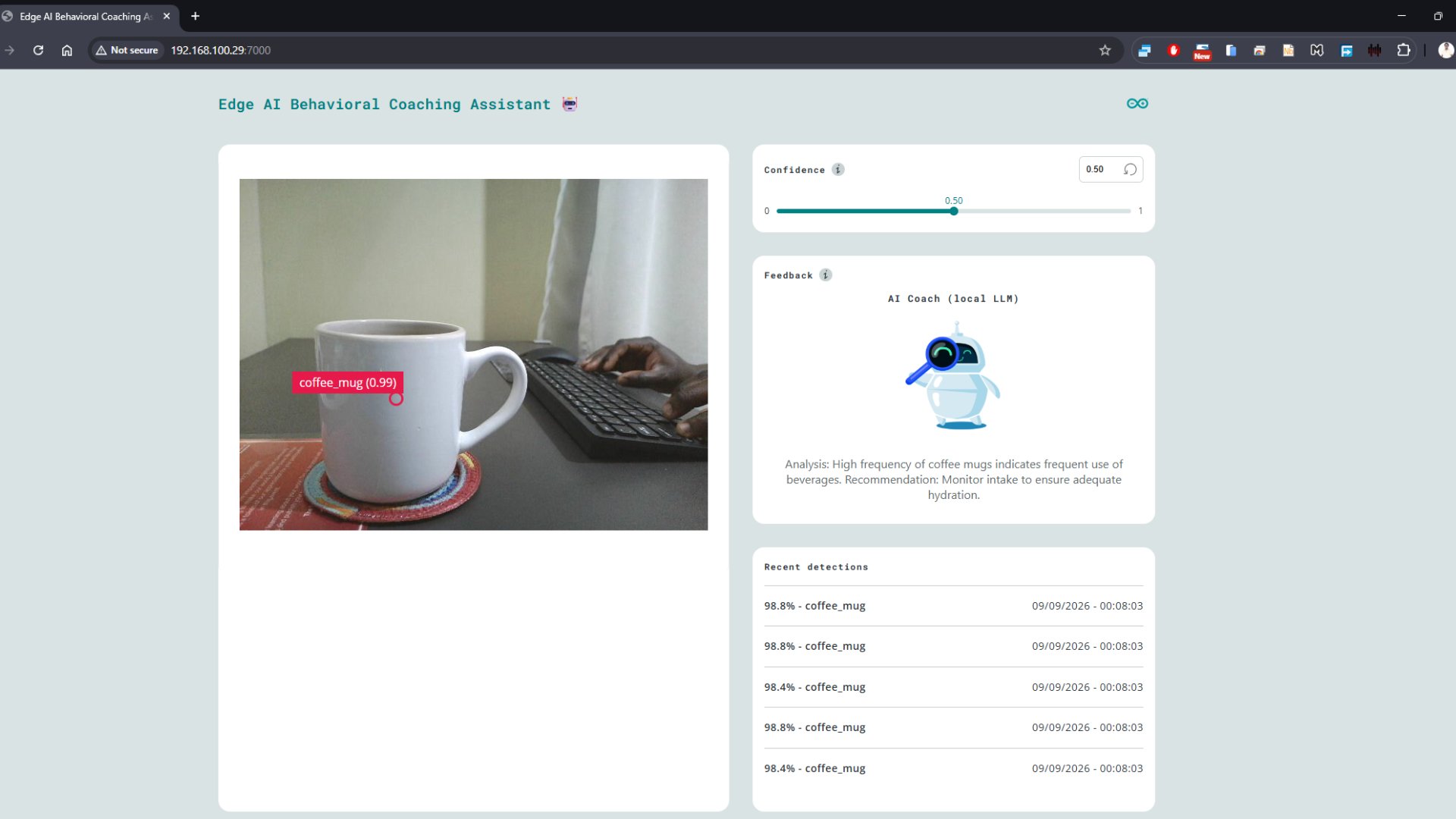
Start the application by clicking the ‘Run’ button on App Lab. Running the application for the first time will take some seconds since the system needs to download the necessary Docker images. Once this is finished the application’s container will be started and the Web UI will automatically open in a browser. You can also open the Web UI manually in a browser by setting URL to the local IP address of your Arduino UNO Q and port 7000.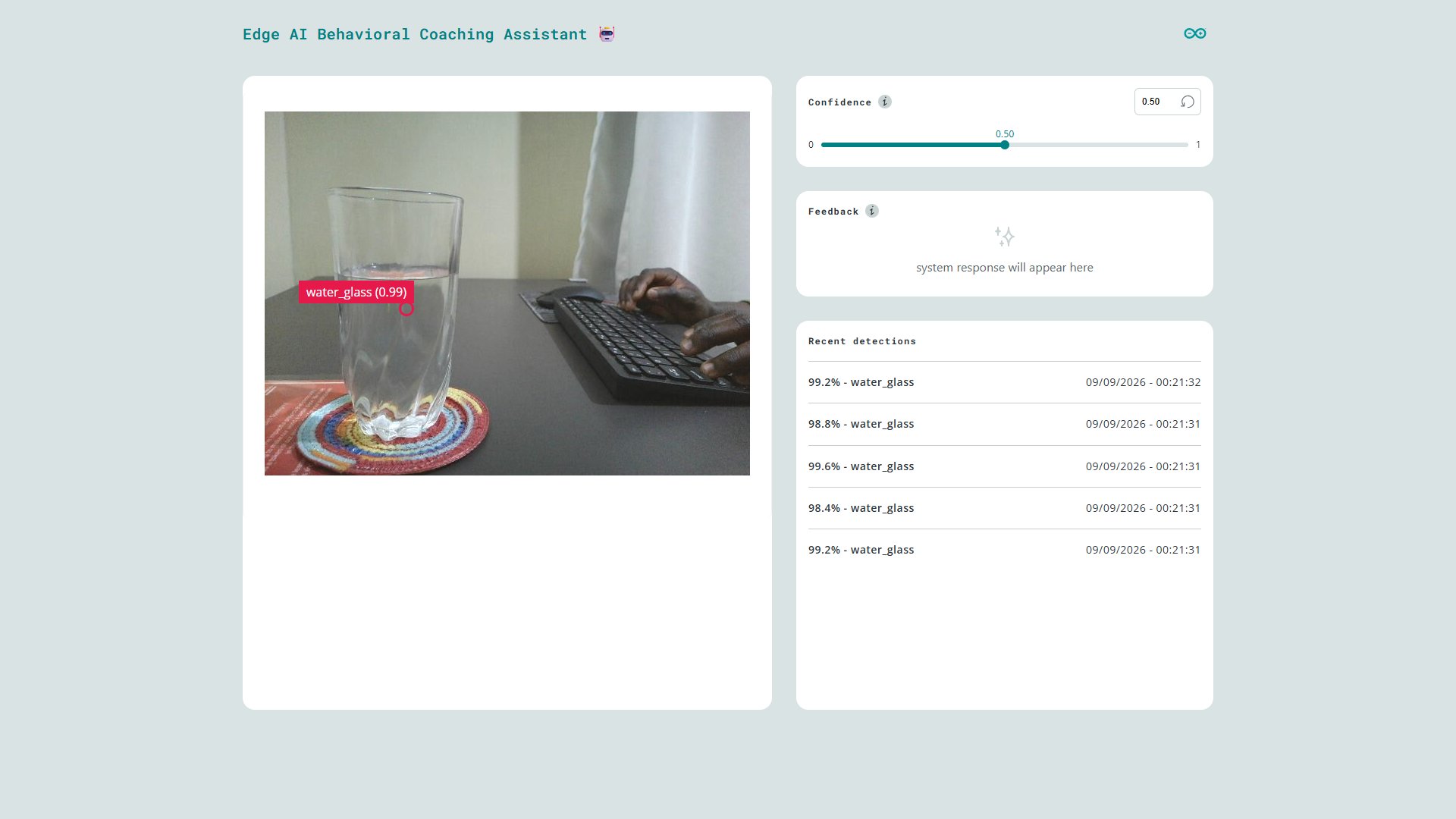
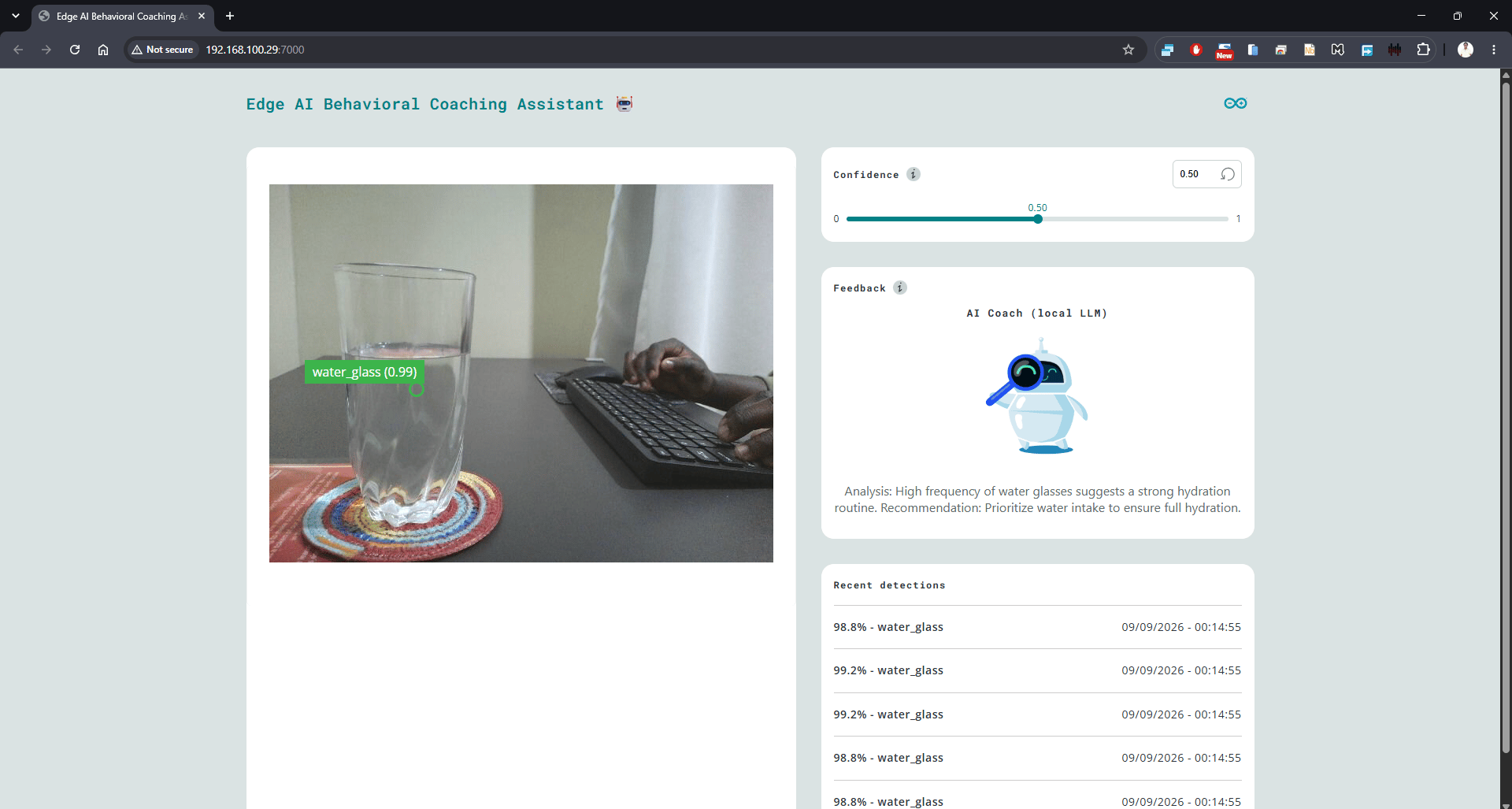
AI_COACHING_INTERVAL_SECONDS variable in main.py) the SLM generates a recommendation based on the observations since the previous coaching cycle. Below is a snapshot of a response from the AI coach when a glass of water was detected more frequently. Though small, the language model has both an understanding of the relationship between water and health, plus vocabulary such as ‘hydration routine’. The response time from Qwen 3.5 was around 60 seconds, with peak CPU utilization approximately 95% while RAM consumption was 1.25GB out of the available 3.58GB.
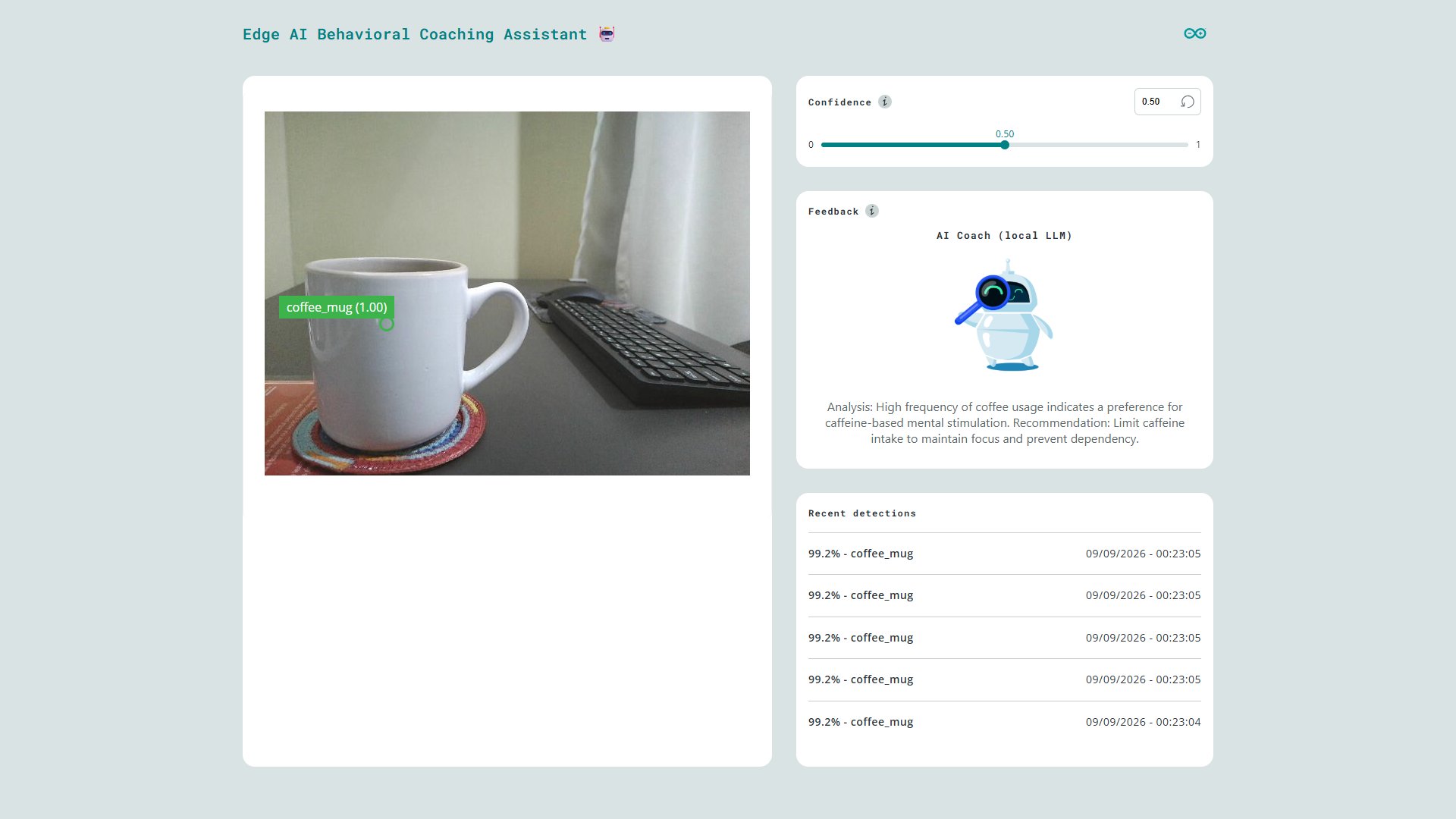
Too much coffee
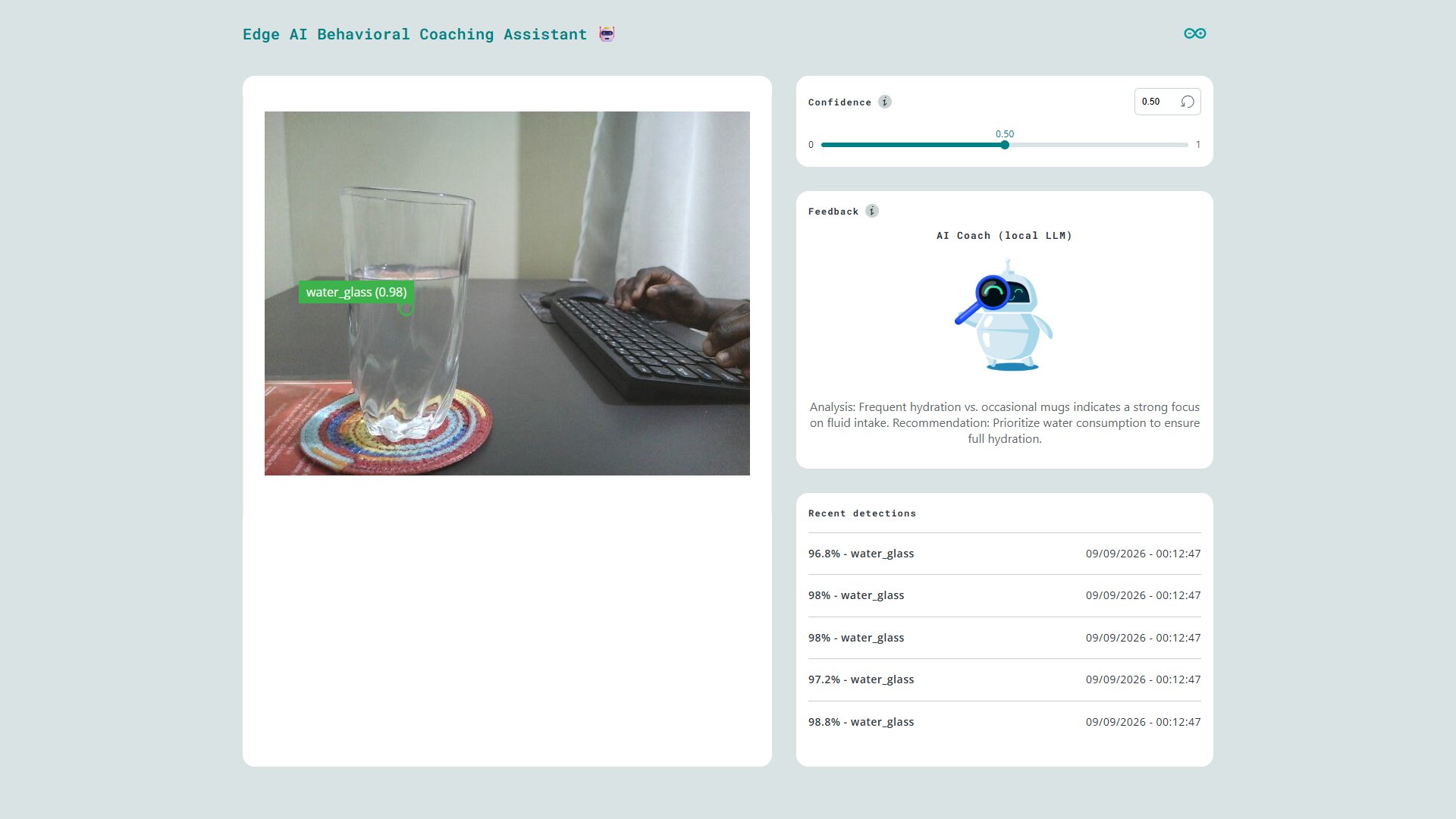
Coffee or water
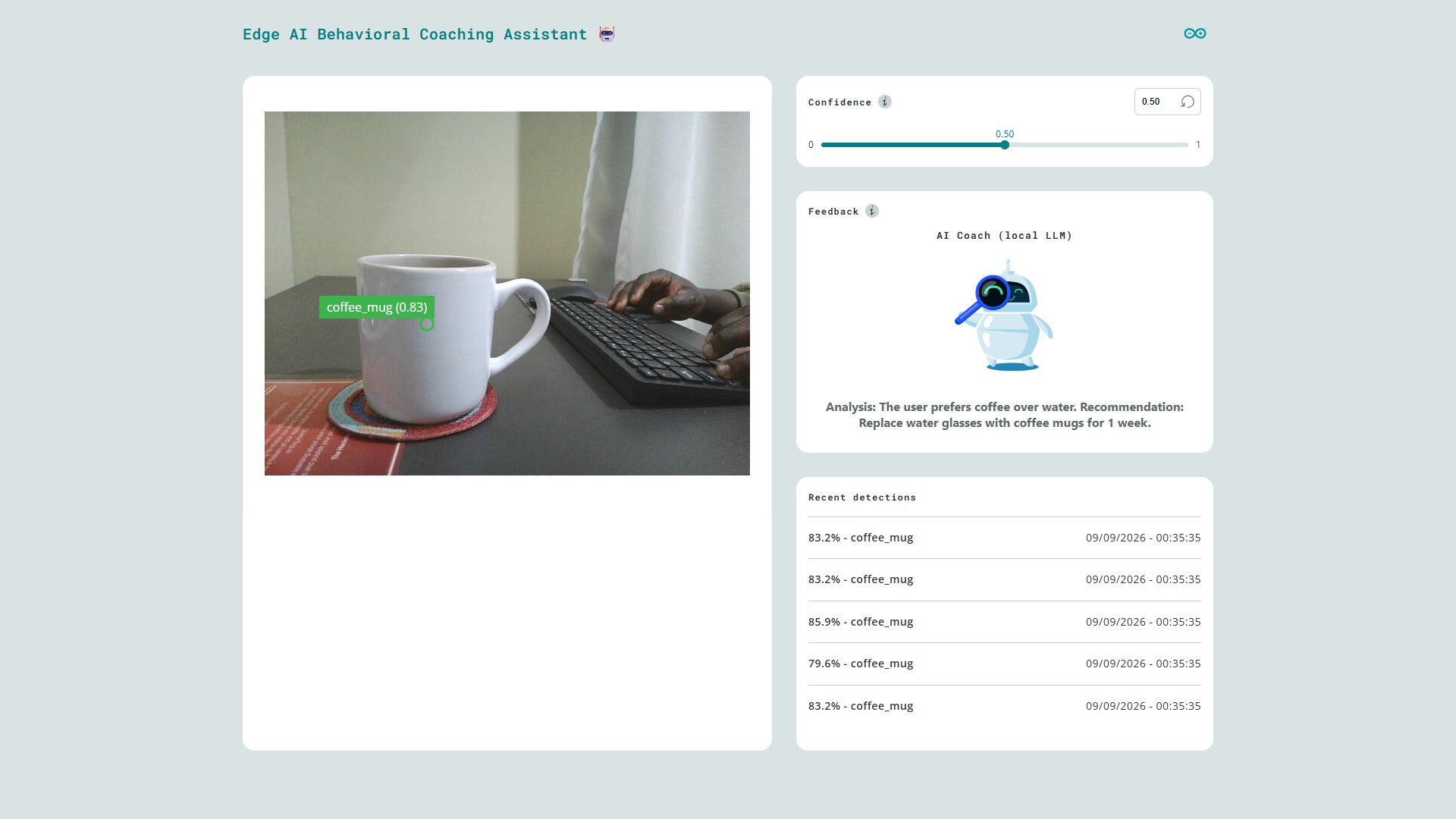
Bad recommendation