

Project description
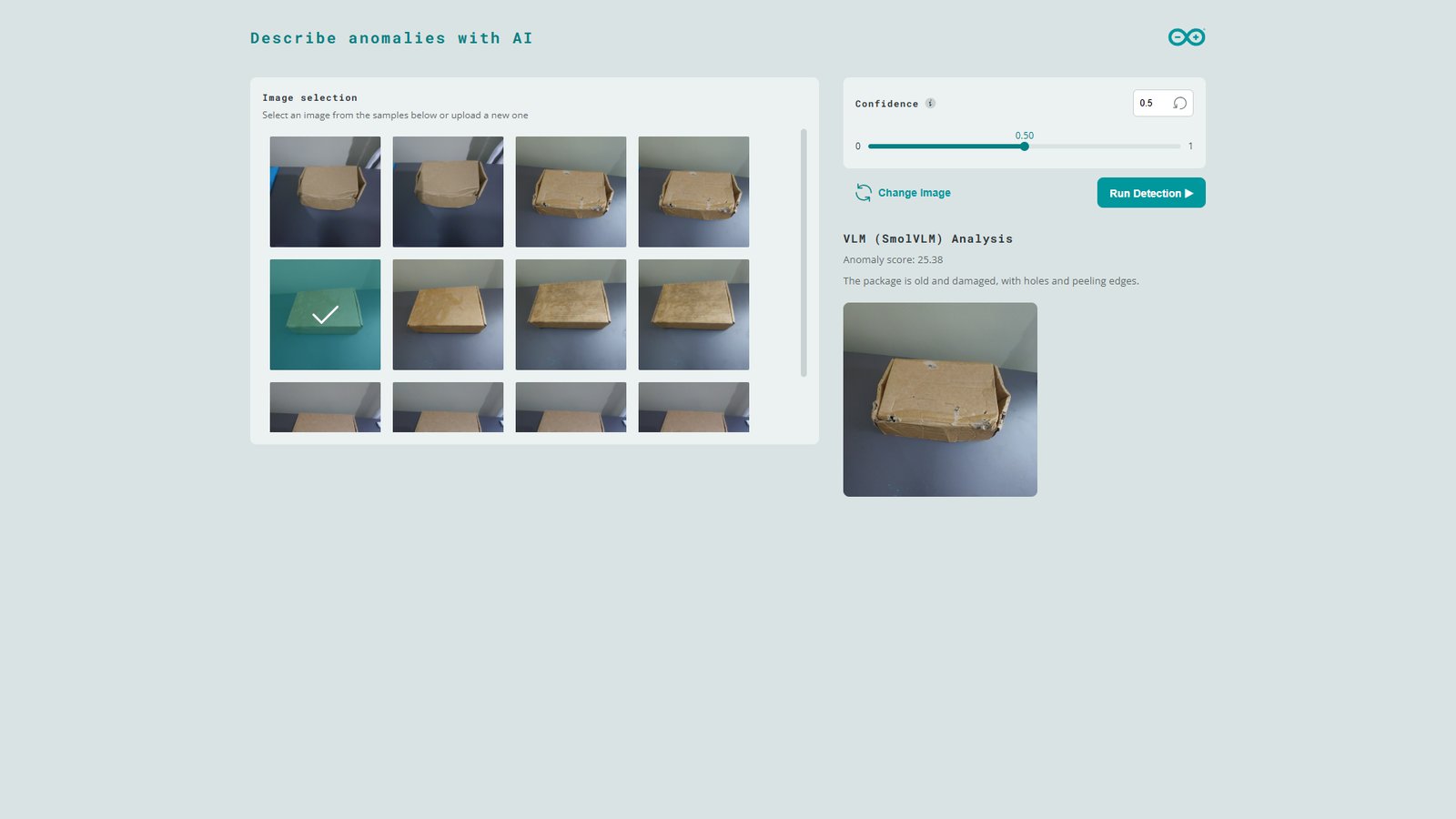
Convolutional neural network (CNN) based image classification algorithms or human inspection have been the two main methods used by manufacturers for product inspections. This strategy is changing as Vision Language Models (VLMs) are offering a more advanced alternative. Additionally, companies are integrating AI agents into their procedures and combining this with VLMs improves automation. What went wrong with traditional Machine Learning models, you may ask? First, they require a lot of data for training, which is a challenging and resource-demanding task. Second, these models do not react well to changes in the inference environment such as different background, lighting or contrast. Given their training on larger and diverse datasets, large language models (LLMs) like VLMs have emerged as a solution for advanced intelligence of Computer Vision applications. They can produce reasonable outcomes through natural language and this makes them suitable for knowledge-driven tasks. Software developments in the embedded AI field have enabled rapid AI development and deployment allowing developers to bring AI solutions to the world quickly. With platforms such as Edge Impulse, these tasks have been simplified, enabling us to rapidly create efficient AI solutions. The Arduino UNO Q has the same form factor as the classic Arduino UNO, but it packs more performance from it’s Linux system and a fast precise STM32 microcontroller. In one of my previous projects, I showcased how we can run VLMs on the UNO Q. To demonstrate the use of vision language models in production inspection, the project presents a logistical use case whereby package goods are analyzed for defects such as dents, tears or liquid spills, prior to shipping. Since the VLM model is resource-demanding, we would require expensive hardware for real-time response. However, we can first quickly examine packages for visual abnormalities using a lightweight model. When this visual anomaly detection model identifies an abnormality, a SmolVLM-500M VLM is used to further analyze the image. The response from the VLM can assist human inspectors on decision-making, or it can be given to AI agents that can automatically adjust operational parameters such as robot handling forces if the packages are seen to have dents. The visual anomaly detection and VLM models all run locally on the UNO Q. The result has been packaged as an Arduino App Lab project.Components and hardware configuration
Hardware components:- Arduino® UNO Q: either the 2GB or 4GB variant
- USB-C® cable for powering the UNO Q
- Arduino App Lab
- Edge Impulse Studio
Step 1: Setup your UNO Q
Before working with the UNO Q for the first time, we need to setup the Linux system through the App Lab. Arduino have documented the necessary steps in the user manual.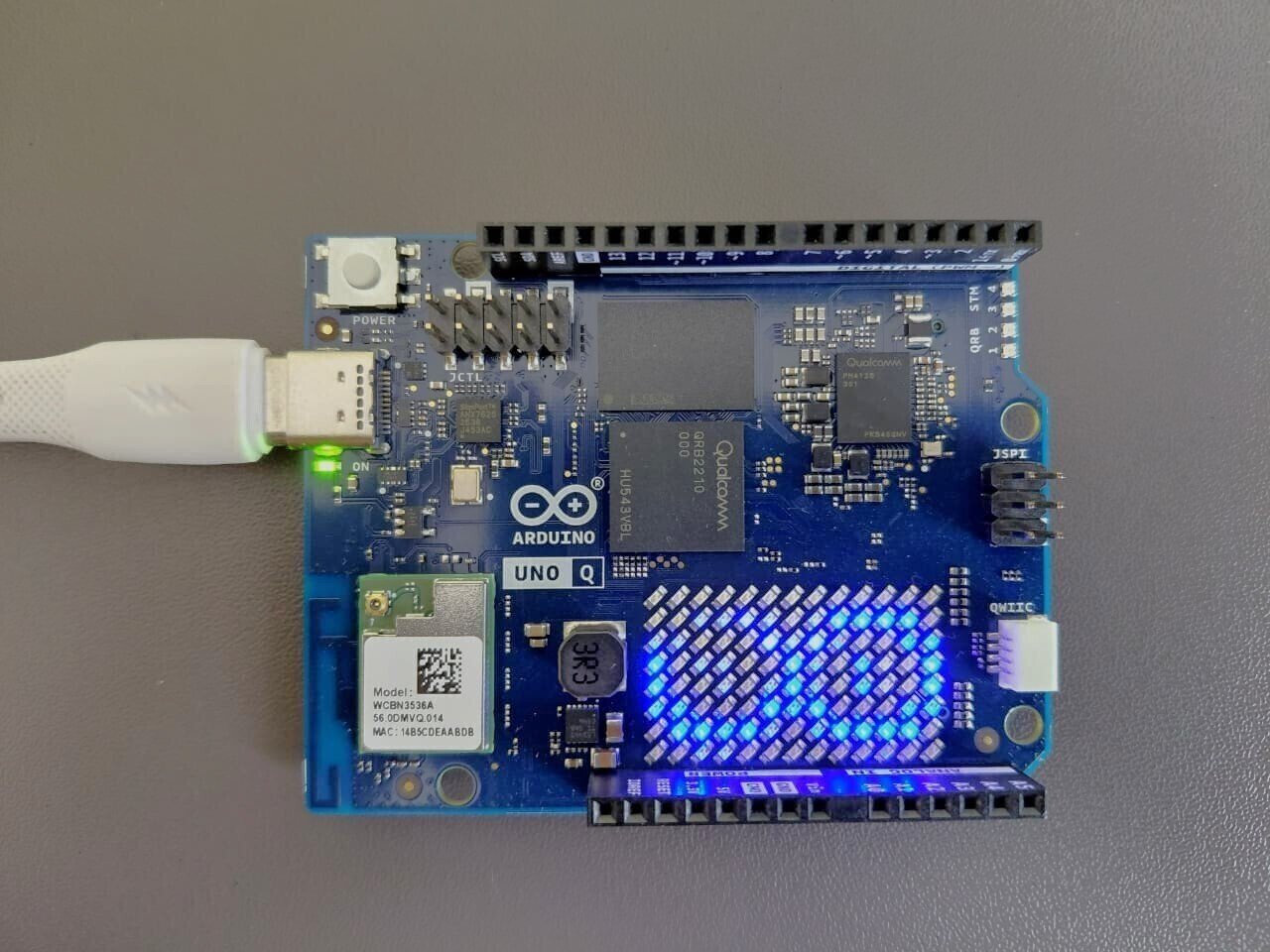
Step 2: Train a custom model with Edge Impulse
Note that as from version 0.5.0 of the App Lab, Edge Impulse model integration has been added to App Lab. This impressive feature allows you to train models from the Studio and deploy them to your App Lab project with a click of a button from the Deployment page. However, for today I will showcase how to configure the UNO Q to load the model from Edge Impulse. We will start with a pretrained model that detects anomalies in packaging boxes. You can access the project with this URL: Anomaly detection for packaging quality assurance.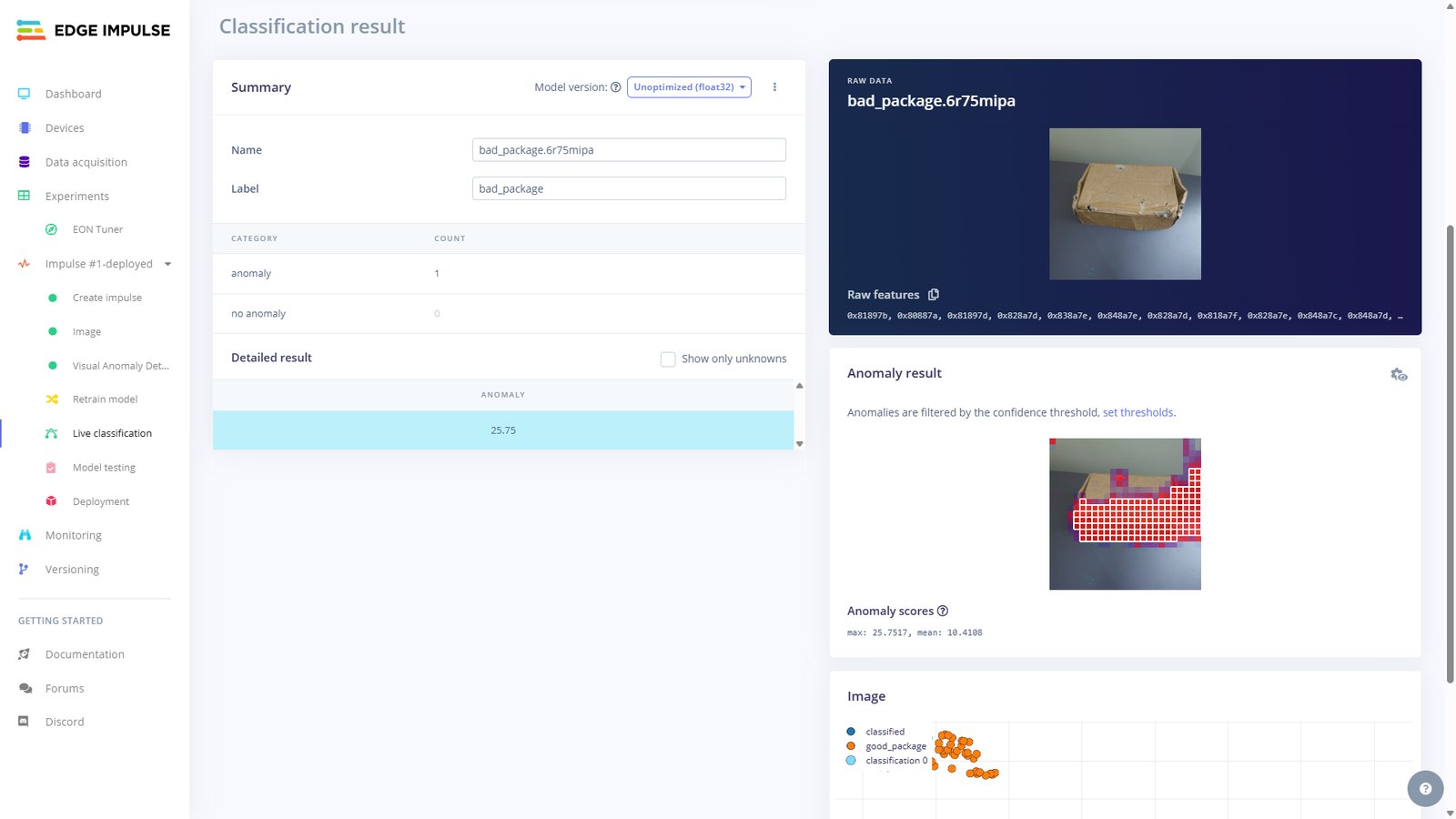
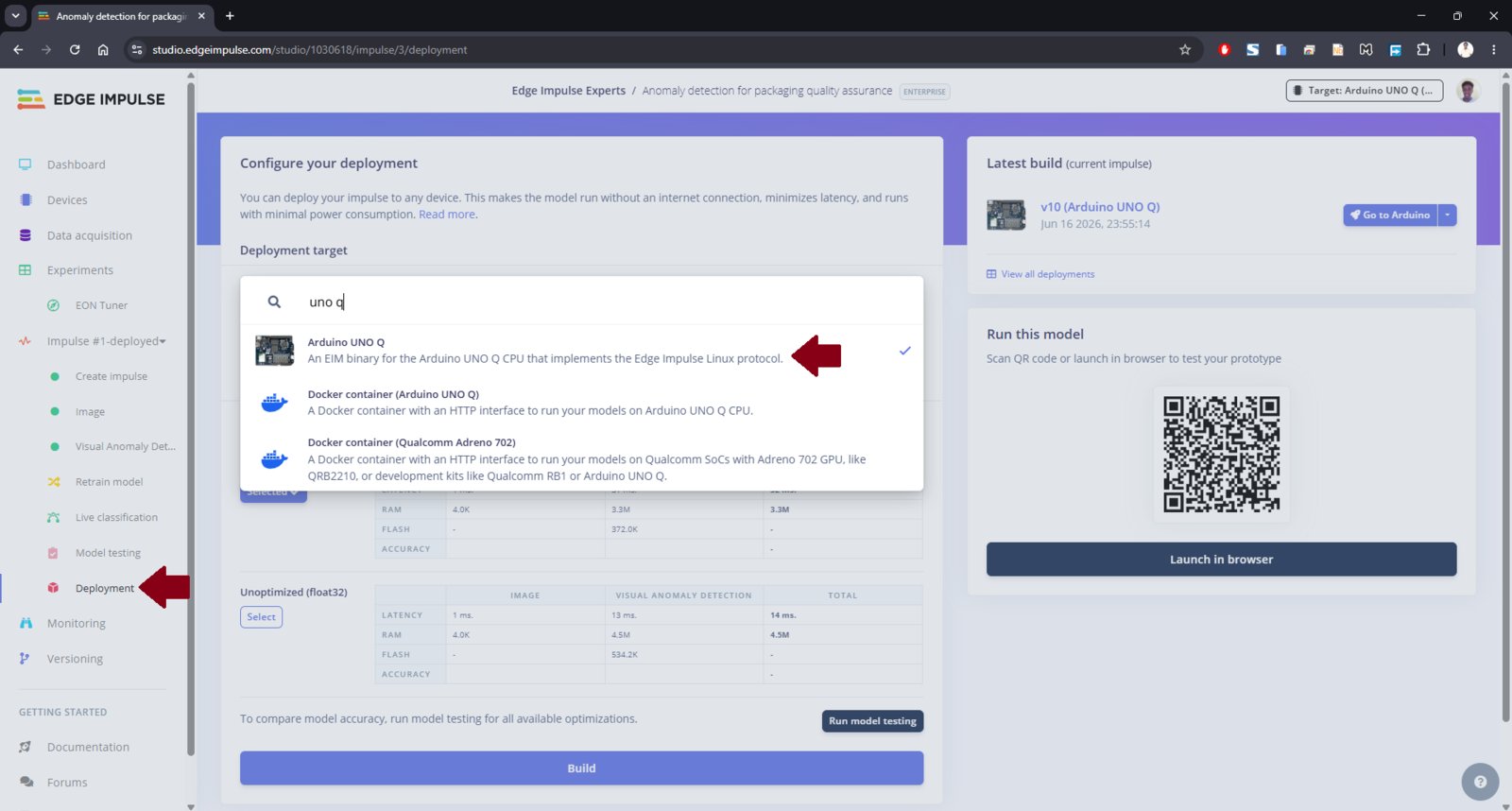
anomaly-detection-packages-impulse1.eim. Note that Edge Impulse Studio allows you to create multiple Impulses for experimentations such as tweaking processing blocks, model architectures, etc. In this case, it is a good practice to tag the exported model files.
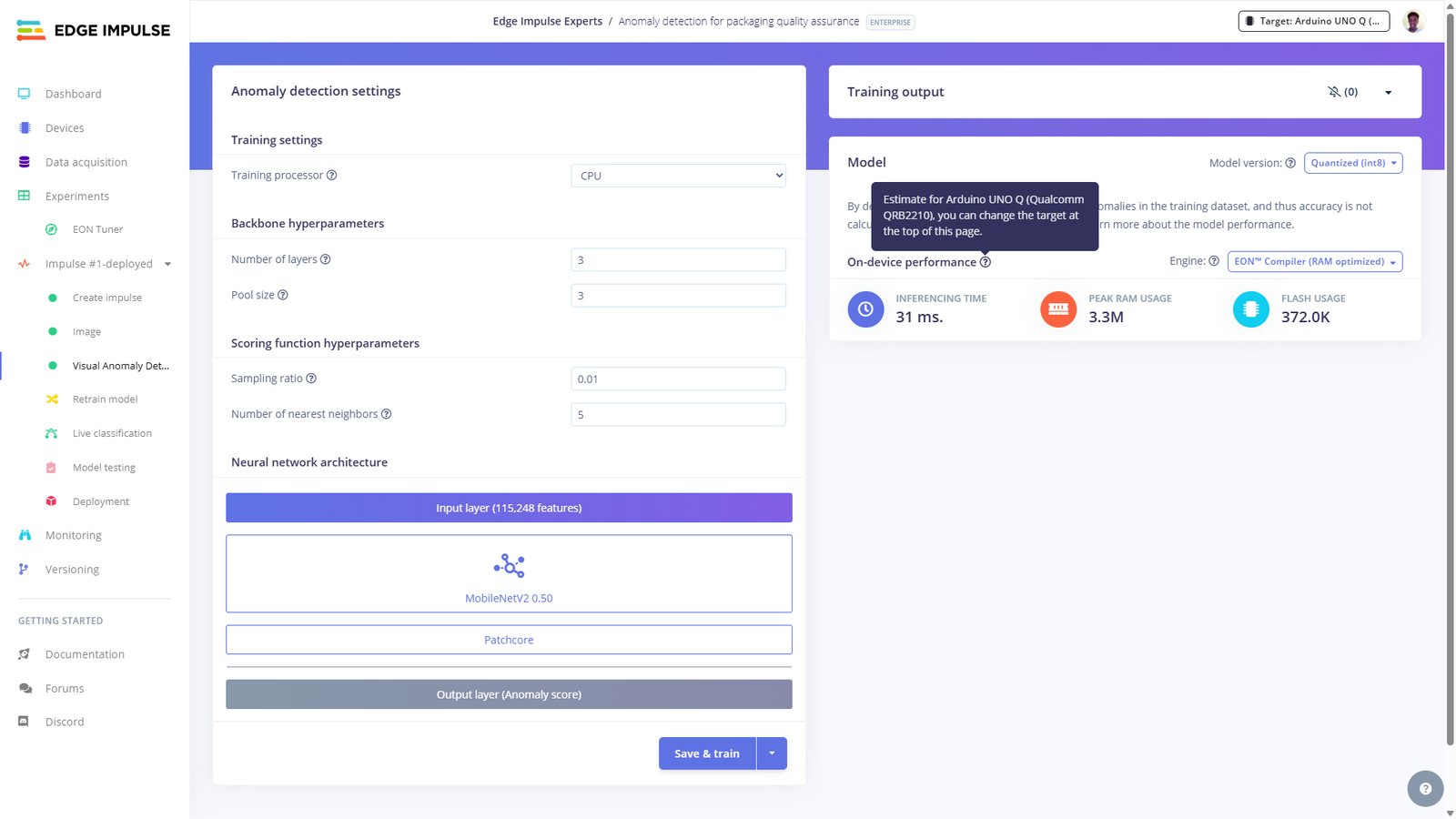
Our first model in the cascading architecture is ready! On Edge Impulse Studio, we can see that for this model the on-device inferencing time is just 31ms on the UNO Q, with peek RAM usage of 3.3MB while flash usage is 372KB. Thanks to the impressive resources on the UNO Q and the model optimization, it is able to effortlessly run on device with plenty of room left for the SmolVLM reasoning.
Step 3: Copy anomaly detection model to UNO Q
On your personal computer, use SCP, VS Code’s remote SSH extension or software such as WinSCP to copy the anomaly-detection-packages-impulse1.eim (or as per your filename) file to the following directory on the UNO Q:/home/arduino/.arduino-bricks/models/custom-ei/. For example, I named this folder as ‘ei-model-1030618-1’ (1030618 is the Studio project ID). Once created, navigate to it and create a model.yaml file (that is, /home/arduino/.arduino-bricks/models/custom-ei/your folder name/model.yaml). Paste the following content in the YAML file:
Step 4: Copy the VLM application to App Lab
On your personal computer, clone the GitHub repository:vlm_anomaly_threshold defines the least anomaly value to trigger the SmolVLM-500M model to be loaded and prompted with a text defined by vlm_prompt. In a Vision-Language Model (VLM), a prompt consists of text inputs and visual inputs (such as images or video frames). These are then converted into tokens which are numerical chunks of data that the AI processes.
Open app.yaml file and replace ei-model-1030618-1 with the model id defined in the model.yaml file.
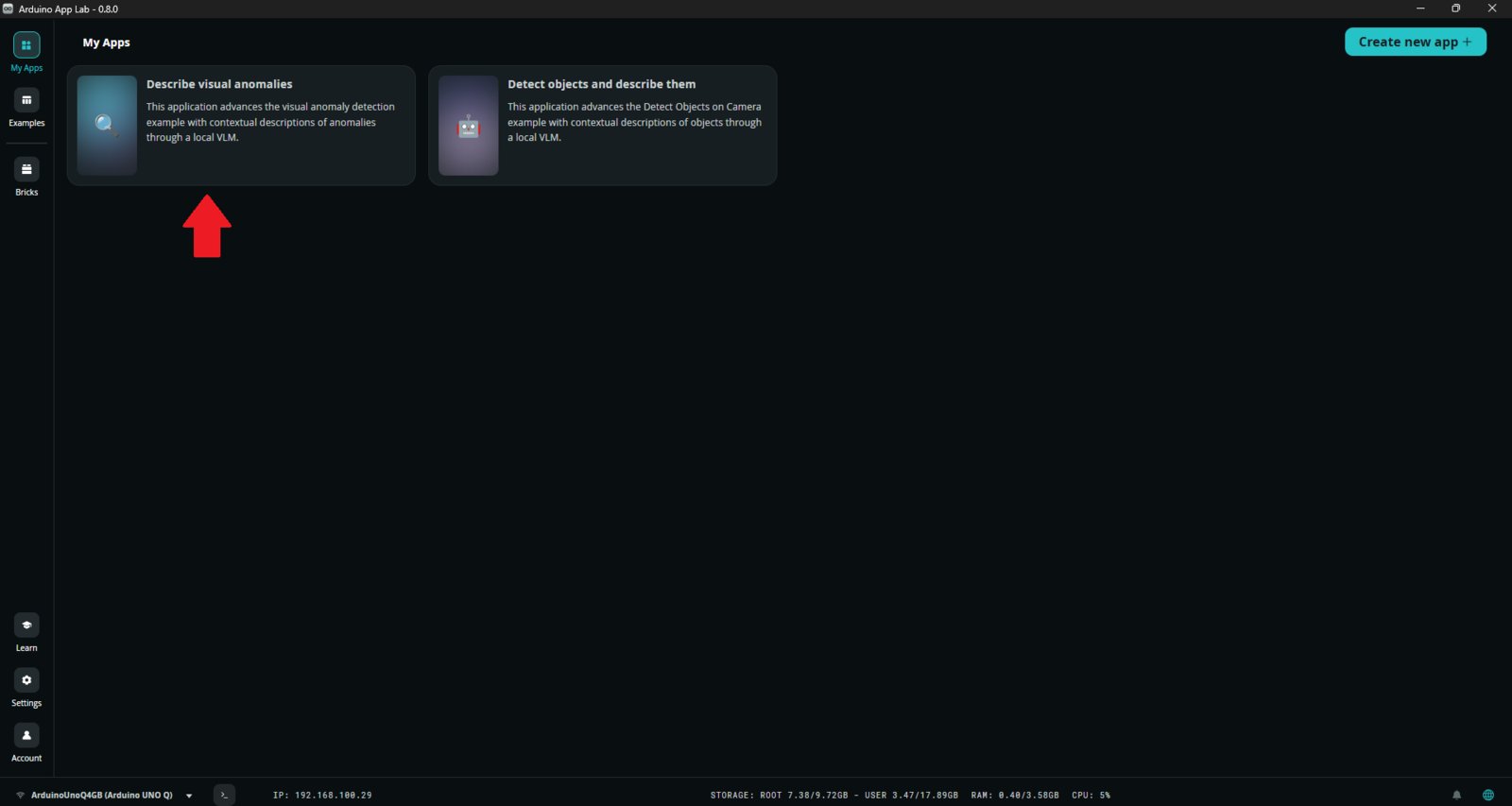
Afterwards, use SCP, VS Code’s remote SSH extension or software such as WinSCP to copy the updated repo to the /home/arduino/ArduinoApps/ directory on your UNO Q. Once this is completed, open App Lab and you should see the application listed in the ‘My Apps’ section.
Step 5: Run the application
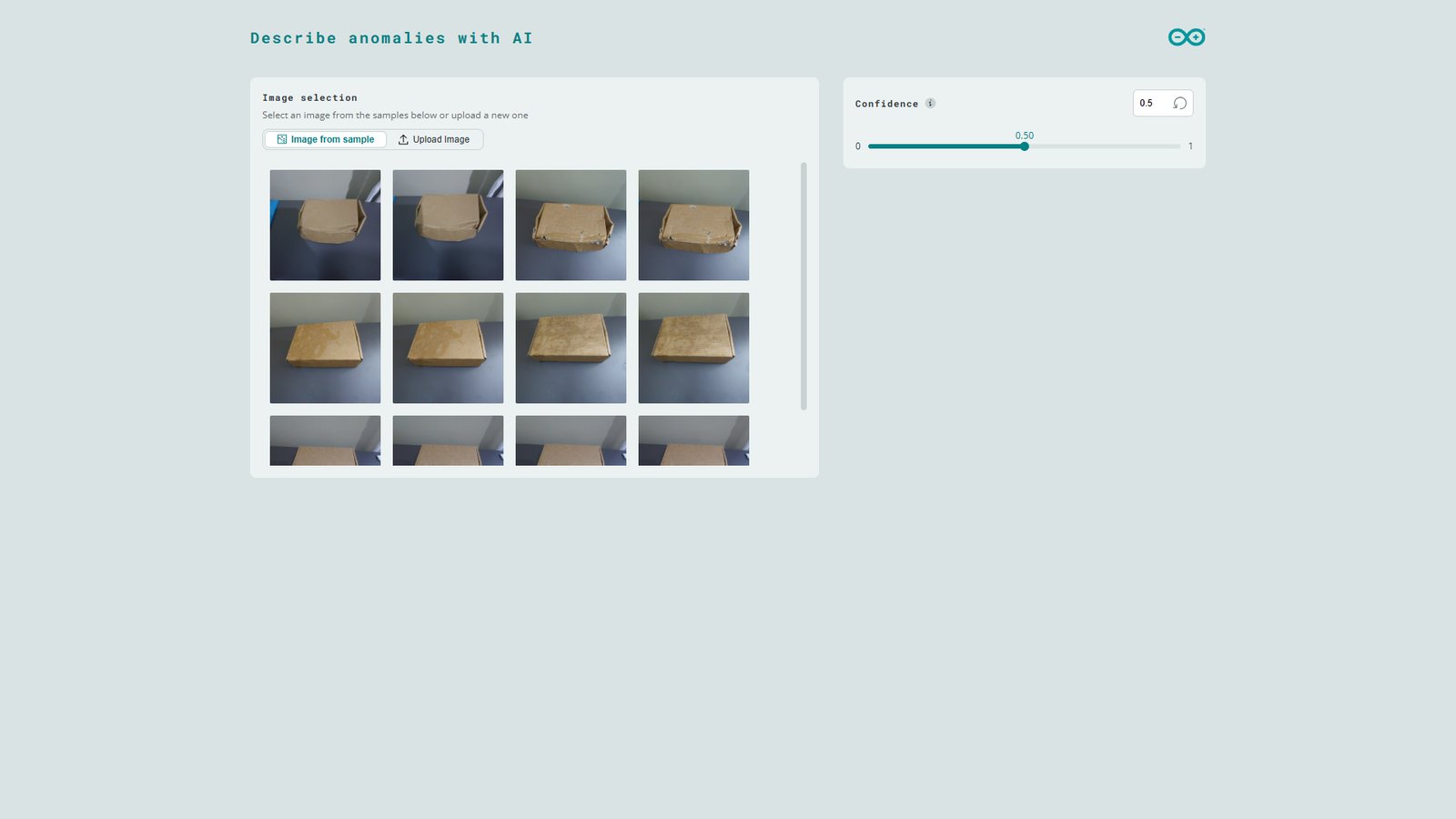
On App Lab, click the application and launch it with the ‘Run’ button. Starting the application for the first time will take some seconds since the system needs to pull necessary Docker images. Once this is finished the application container will be started and the app will automatically open in the web browser. You can also open the Web UI manually on the browser by setting URL to the local IP address of the UNO Q and port 7000. There are two ways of selecting an image for processing:- Image from sample: Select from pre-loaded test images located in the img folder.
- Upload Image: Upload your own JPG or PNG image file (maximum of 500 KB) using drag-and-drop or file selection.
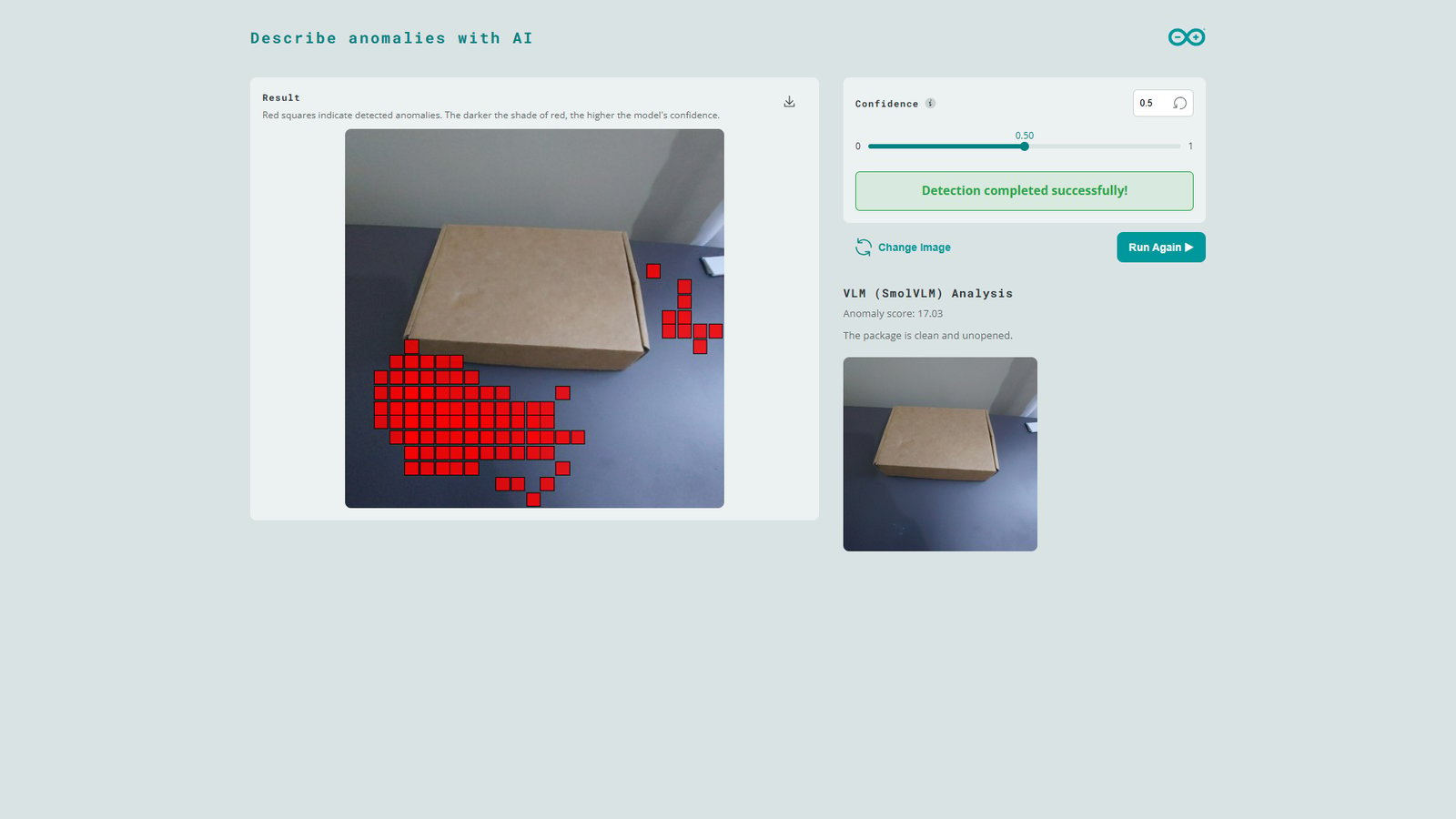
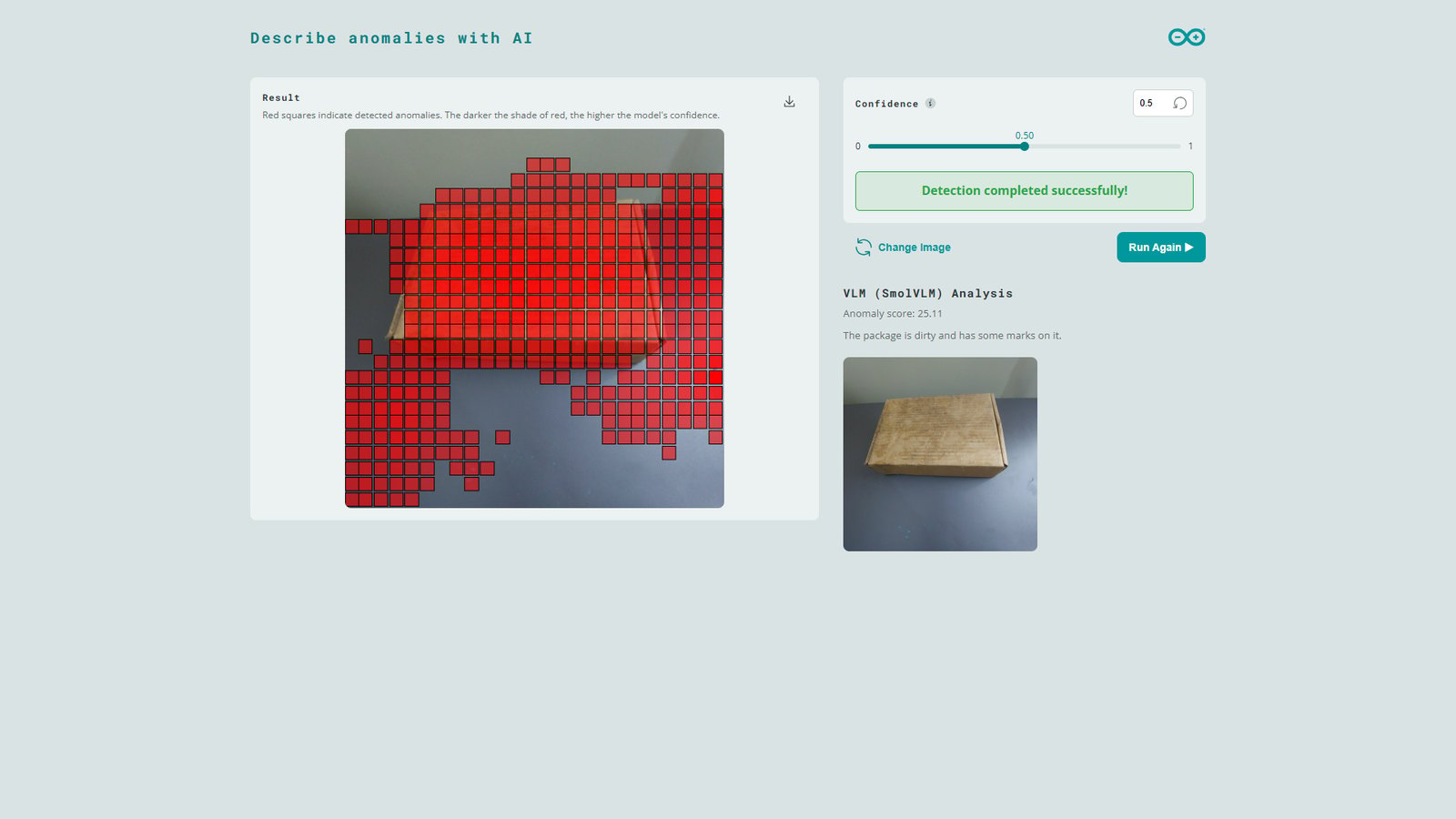
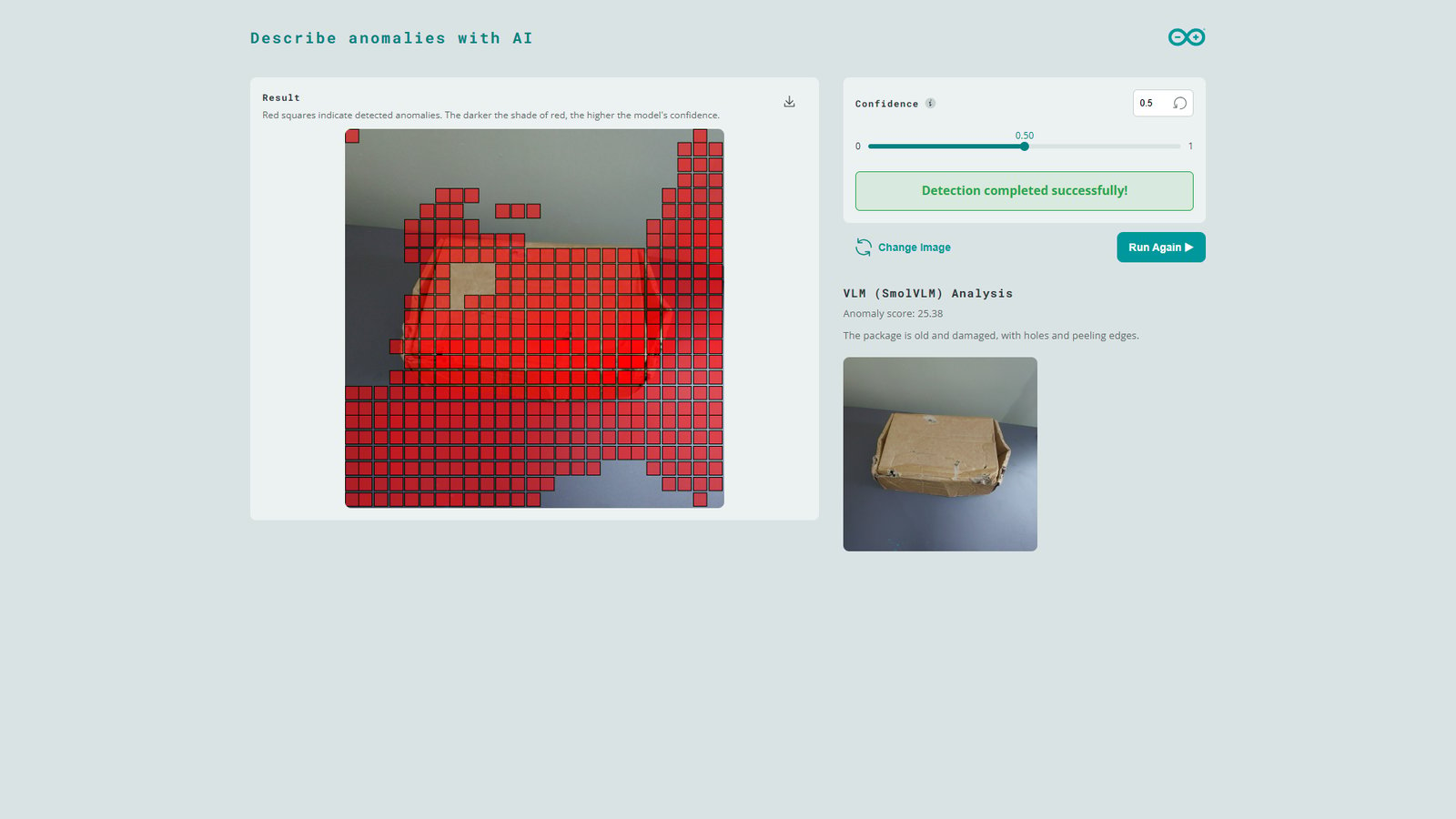
vlm_anomaly_threshold, the SmolVLM-500M model is loaded and prompted to describe the image. Note that this VLM processing takes some time (around 29 seconds) and the UNO Q’s CPU utilization peeks to 99%. Once the VLM processing is completed, the Web UI will show response from the model as well as the image processed by the VLM (without red square markers).
As noted earlier, Machine Learning models such as our anomaly detection model are sensitive to variations in the inference images (background, lighting, etc.). In the test image shown below, the package is similar to the ones used in training but minor changes in the scene shadows cause the model to flag parts of the background as anomalies. However, when the same image is further analyzed by the SmolVLM-500M model, it determines that the package is in good condition. This natural response can be valuable for AI workflows such as downstream AI agents that make decisions and avoid false alarms.
model_path and mmproj_path to point to the downloaded SmolVLM-256M files.