

Introduction
Not all technologies evolve at the same pace. Today we have fully autonomous vehicles such as Tesla and Waymo, yet many commercial alarm systems still rely on a single sensing modality: the Passive Infrared (PIR) sensor. A PIR sensor detects motion by measuring changes in infrared radiation emitted by surrounding objects. When a warm body moves across its field of view, the sensor produces a voltage change that can be interpreted as motion. While PIR sensors are inexpensive and widely deployed, they are also prone to false positives caused by environmental temperature fluctuations, electrical noise, reflections, or other sources of interference. Can a more reliable asset protection system be built combining computer vision, environmental sensing, and an AI agent running entirely on a low-cost single-board computer? This prototype is trained to recognize a valuable object (in this case, my old Omega wristwatch) using a custom object detection model created with Edge Impulse. A camera continuously monitors the watch while additional sensors provide context about the environment:- PIR motion sensor
- RCWL-0516 microwave human presence sensor
- MLX90614 infrared temperature sensor
- Log the event
- Notify maintenance personnel
- Notify local security
- Contact the authorities
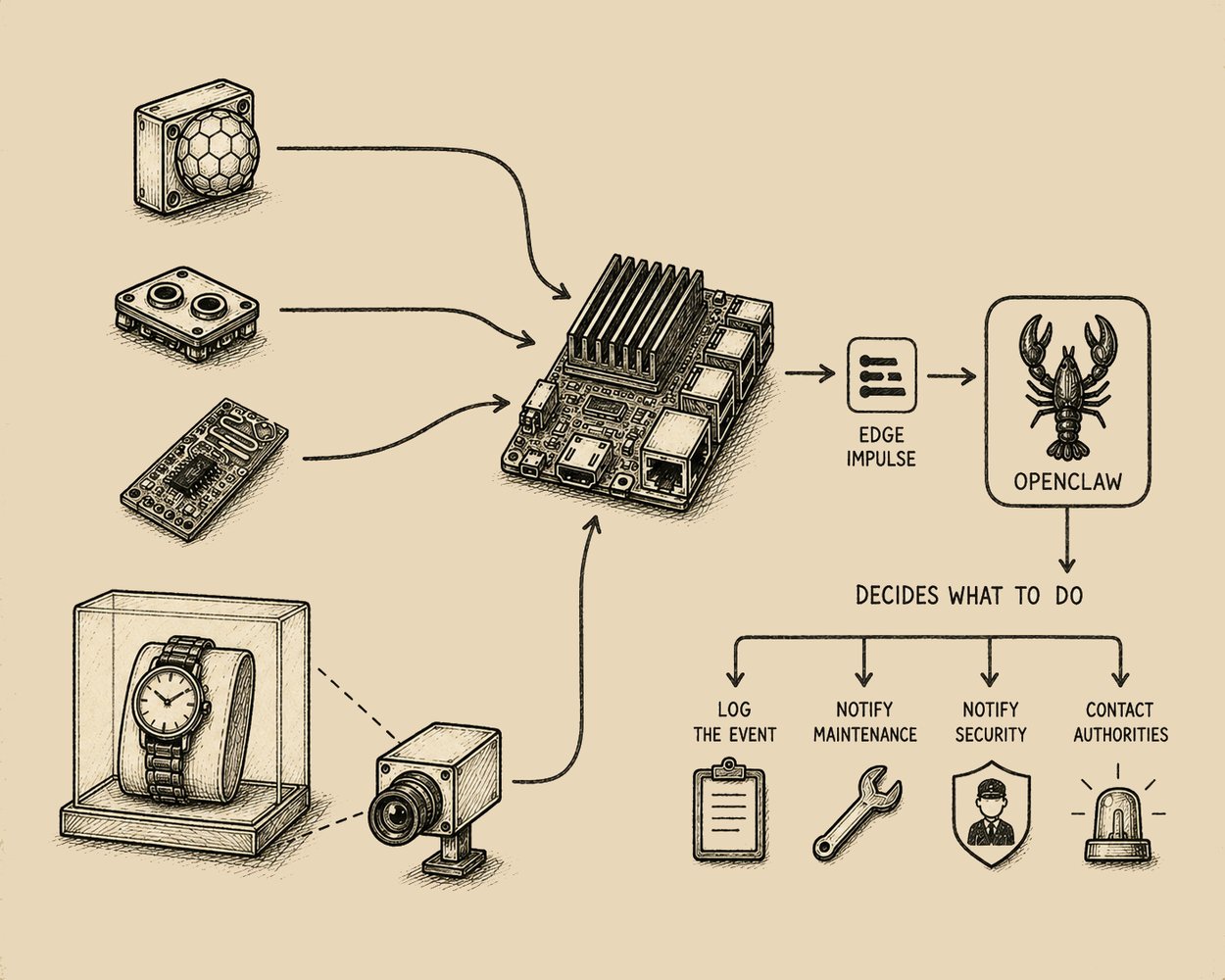
Prototype overview
System Architecture
The prototype combines three major components:- Edge Impulse for object detection
- OpenClaw as the reasoning and decision-making agent
- A Python orchestration layer responsible for sensor acquisition and inference execution
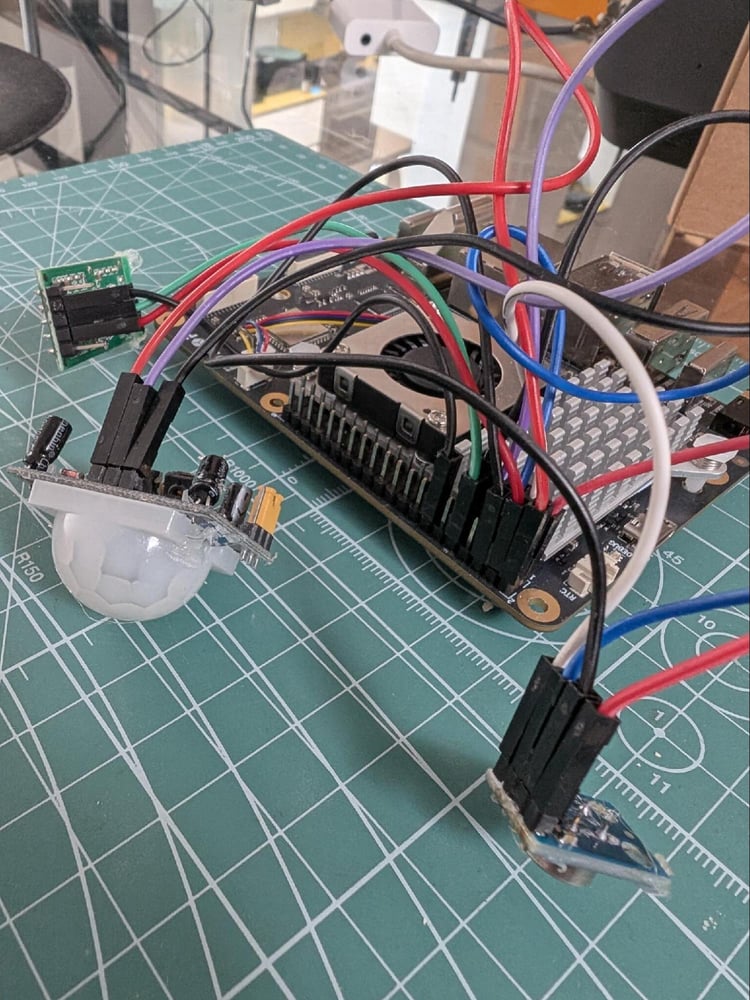
Rubik Pi 3 hardware
Hardware
Rubik Pi 3
The Rubik Pi 3 is a powerful development board based on the Qualcomm Dragonwing™ QCS6490 platform. It is one of the first Raspberry Pi-style boards designed around a Qualcomm AI architecture, bringing edge AI capabilities to a compact and developer-friendly form factor.Specifications
- Qualcomm Dragonwing QCS6490
- Dimensions: 100 mm × 75 mm
- AI performance: up to 12 TOPS
- Hexagon NPU
- Adreno 643 GPU
- 8 GB LPDDR4x RAM
- 128 GB UFS 2.2 storage
Parts List
- Thundercomm Rubik Pi 3
- Active cooler
- USB-C Power Delivery supply (12 V, 3 A)
- Logitech USB webcam
- PIR motion sensor
- RCWL-0516 microwave sensor
- MLX90614 infrared temperature sensor
- 20 Dupont jumper wires
More About the Sensors
PIR: Detects motion by measuring changes in infrared radiation emitted by surrounding objects. RCWL-0516 microwave sensor: Unlike the PIR sensor, this is an active sensor that sends out a pulse of energy and detects changes in the return signal. It detects “any movement” from “any object” and does not rely on heat, making it more reliable in hot environments. MLX90614 infrared temperature sensor: It generates two temperature measurements: an object temperature and an ambient temperature. The object temperature is the non-contact measurement ‘observed’ from the sensor, while the ambient temperature measures the temperature on the die of the sensor. By monitoring the wristwatch’s surface temperature and comparing it with the ambient temperature, the MLX90614 can detect when a person touches, removes, or attempts to tamper with the exhibit.Circuit
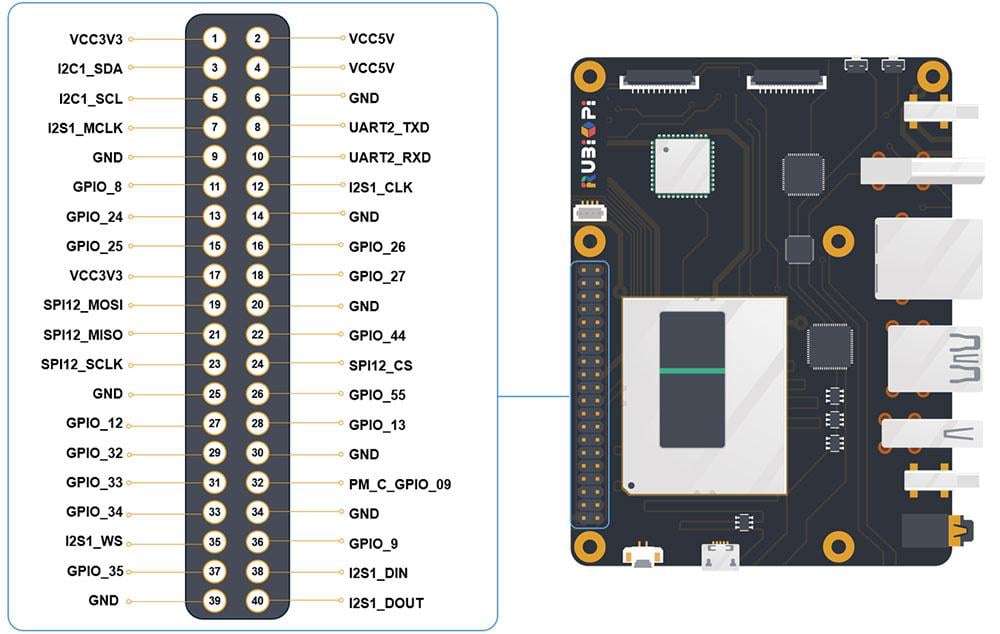
Circuit
Temperature MLX90614 sensor SCL to GPIO 5 (540), SDA to GPIO 4 (551) PIR sensor OUT to GPIO 105 (652) MW Sensor RCWL-0516 OUT to GPIO 11 (558)
Wiring diagram
Enclosure
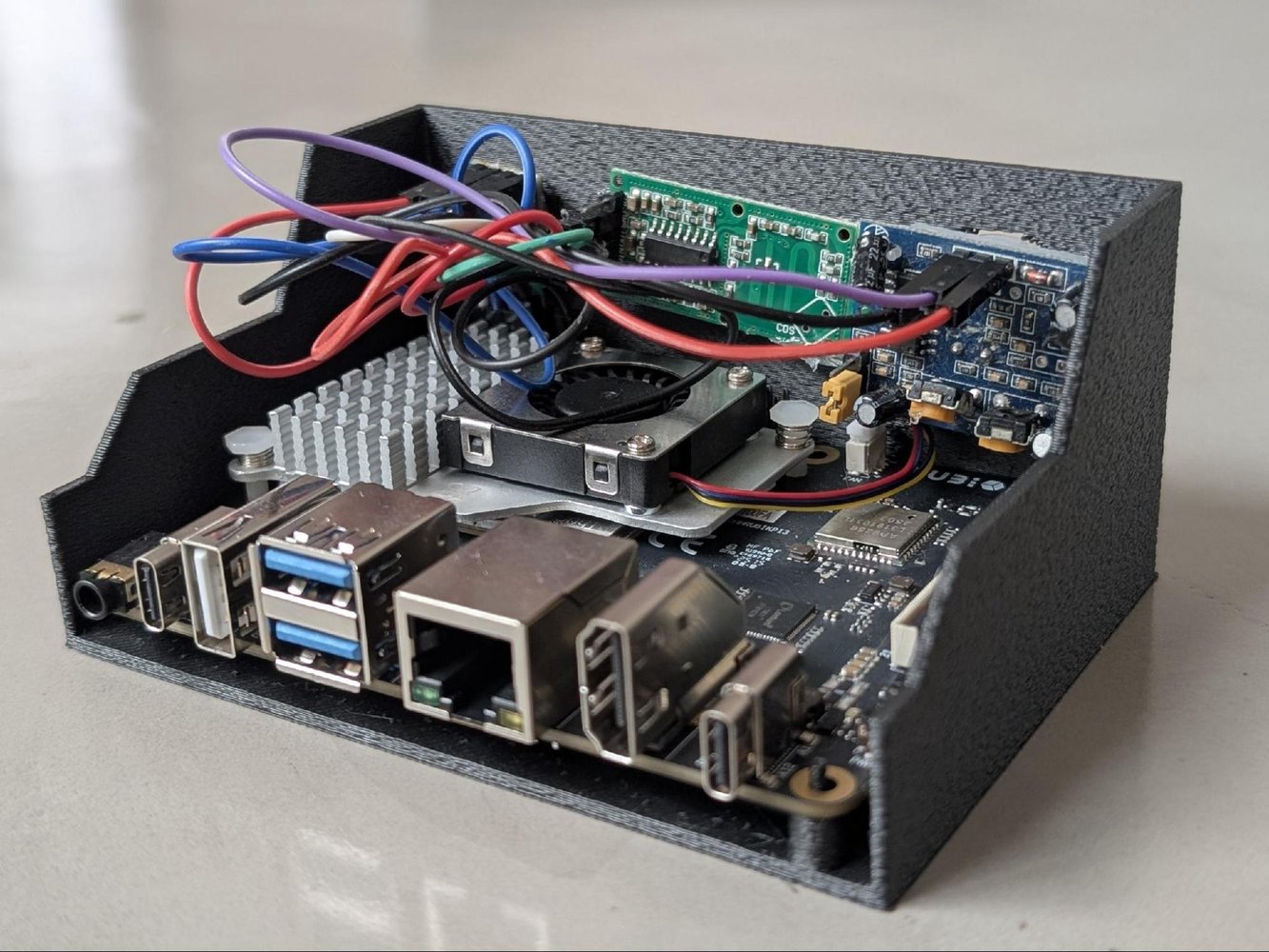
I have designed 2 parts for 3d printing. One support for the 3 sensors and a cover for the USB Camera. Print in PLA with Support.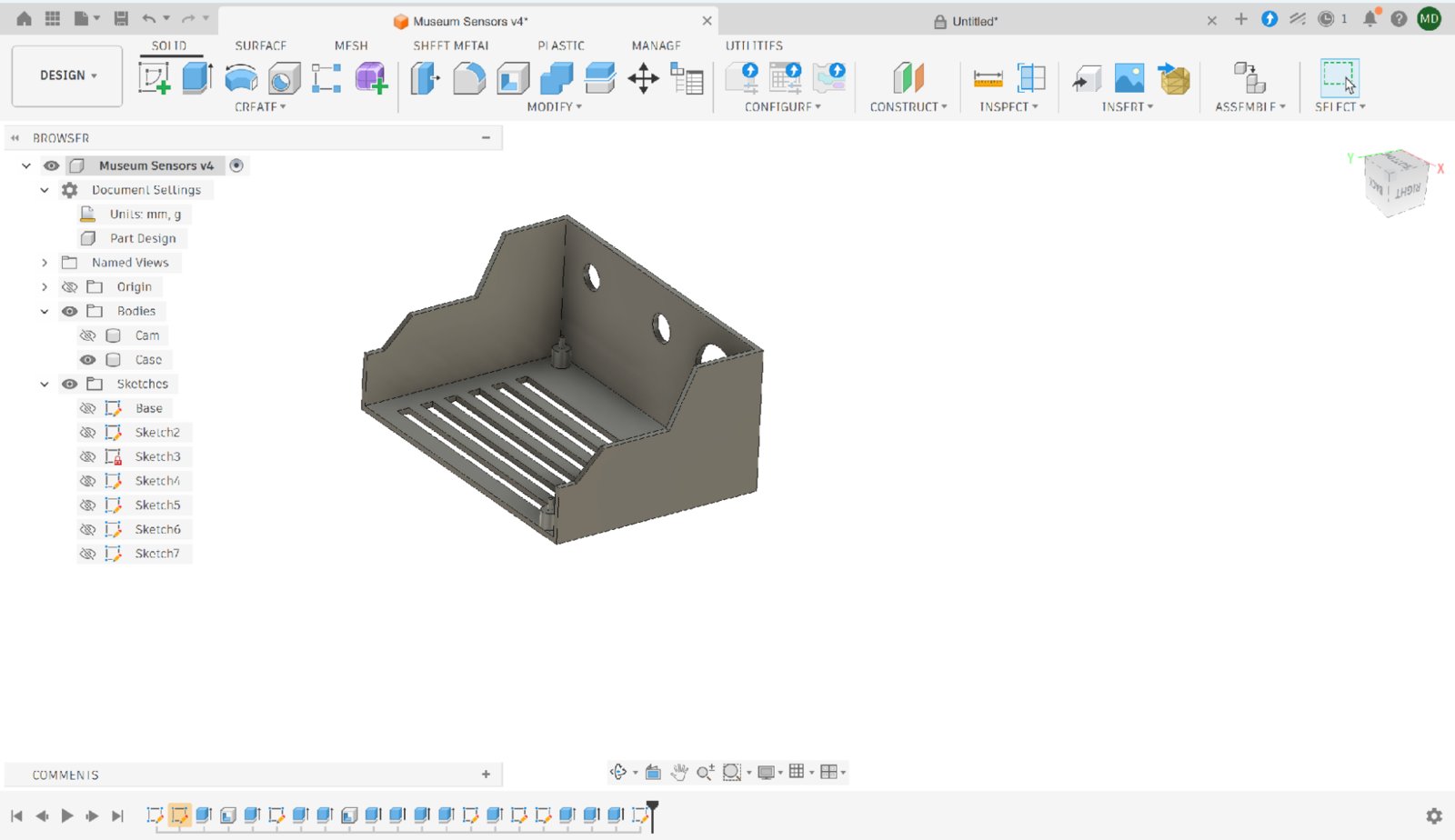
Enclosure design
Software Installation
Connect the power supply, USB webcam, and Ethernet cable to the Rubik Pi 3. Check the assigned IP address and connect to the Rubik Pi through SSH using any SSH client such as PuTTY. The default Ubuntu credentials were:user: ubuntu pass: ubuntu
This project was developed using Canonical Ubuntu. Qualcomm Linux images may use different default credentials such as root / rubikpi.
Next, install Edge Impulse and the required dependencies:
Edge Impulse
The idea is to train a computer vision model of my old Omega Dynamic and deploy the model into the Rubik Pi so it will be able to tell whether the watch is in front of the camera and also the coordinates. So if the watch is moved for any reason, that information will be also fed to the AI agent along with 3 sensors data. For the entire machine learning cycle, I will use the Edge Impulse platform, which simplifies everything, from data acquisition to testing and deployment. Sign up at https://www.edgeimpulse.com/ Create a new project Set up bounding boxes as the labeling method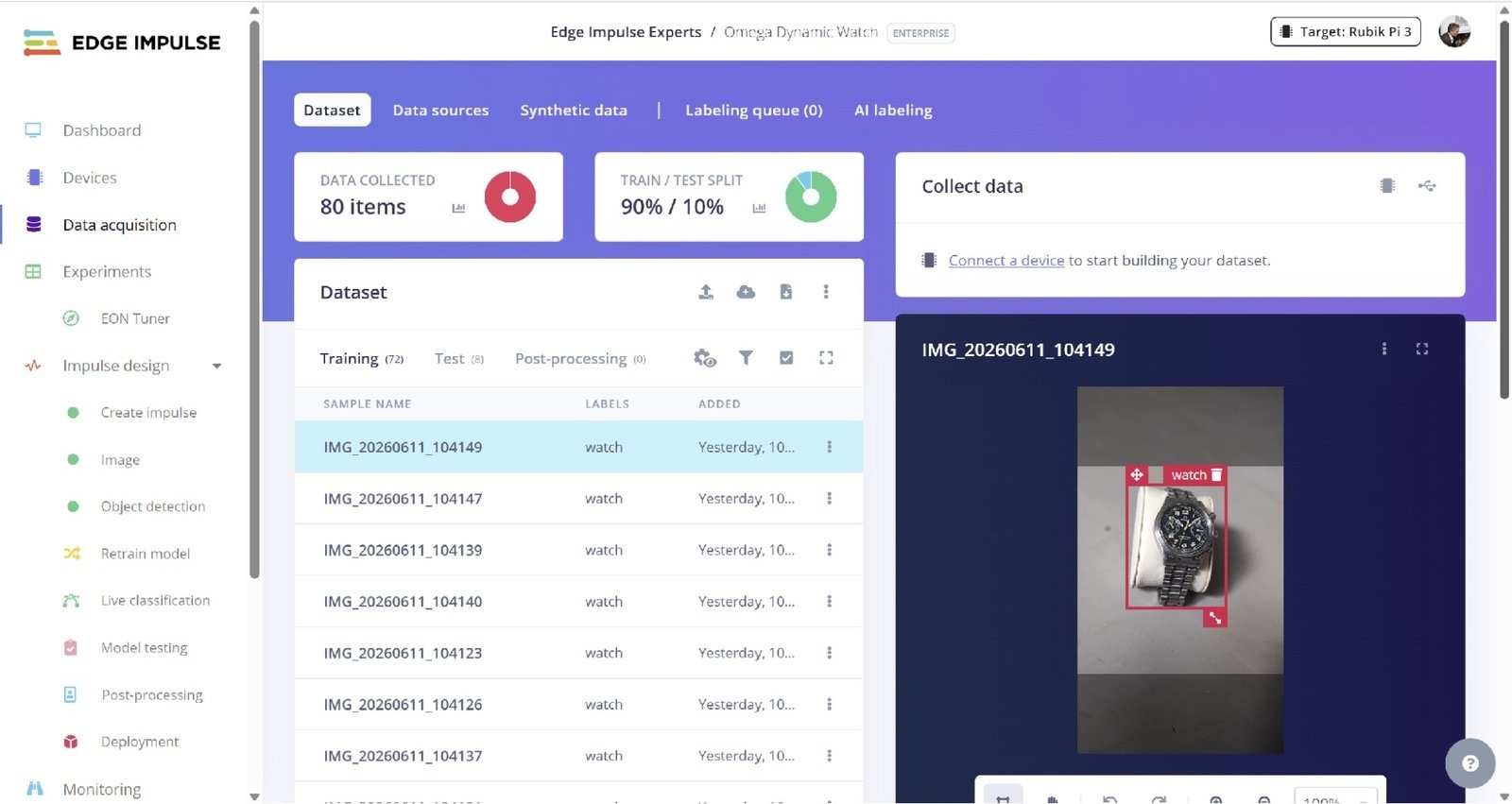
Edge Impulse data acquisition
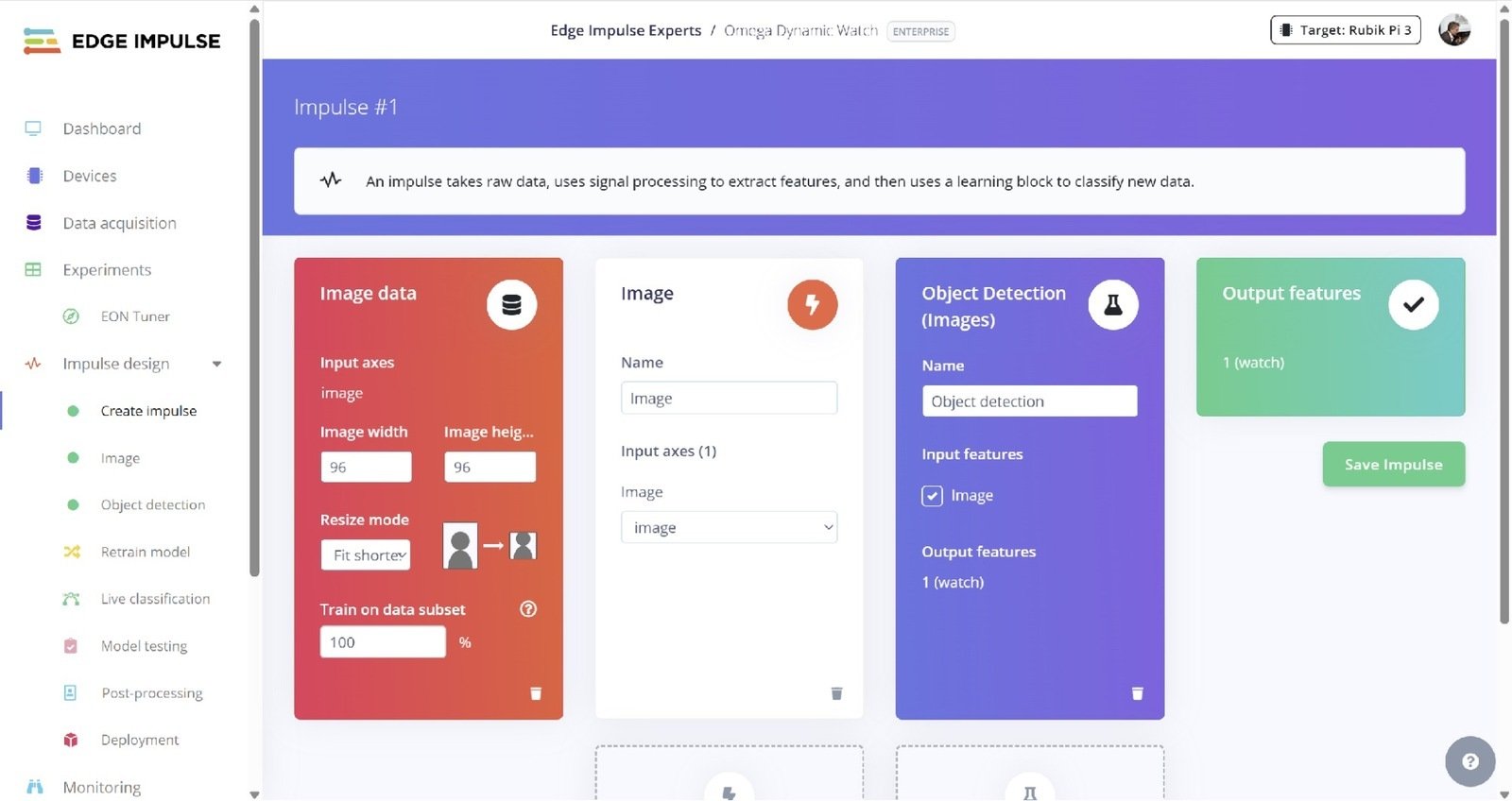
Edge Impulse impulse design
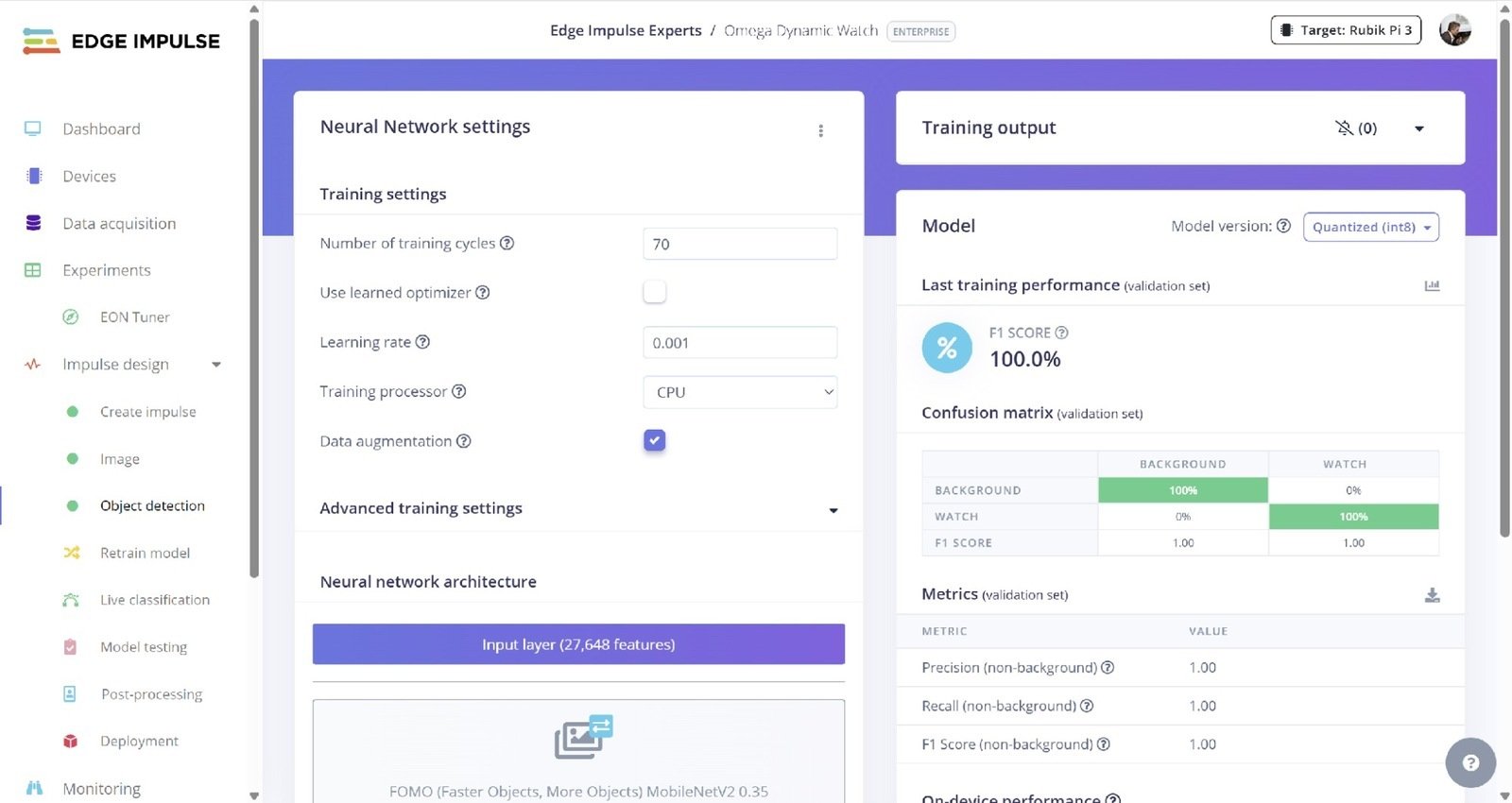
Edge Impulse training
sudo edge-impulse-linux-runner
Log in to Edge Impulse and select the quantized model
Note: You can download either the quantized version and the float32 versions of your model, but the Qualcomm NN accelerator only supports quantized models. If you select the float32 version, the model will run on CPU.
Point the camera at the asset and make sure that it is being recognized. In my case I got 2ms inferences, which is amazing for a compact hardware such as the Rubik Pi 3.
Example:
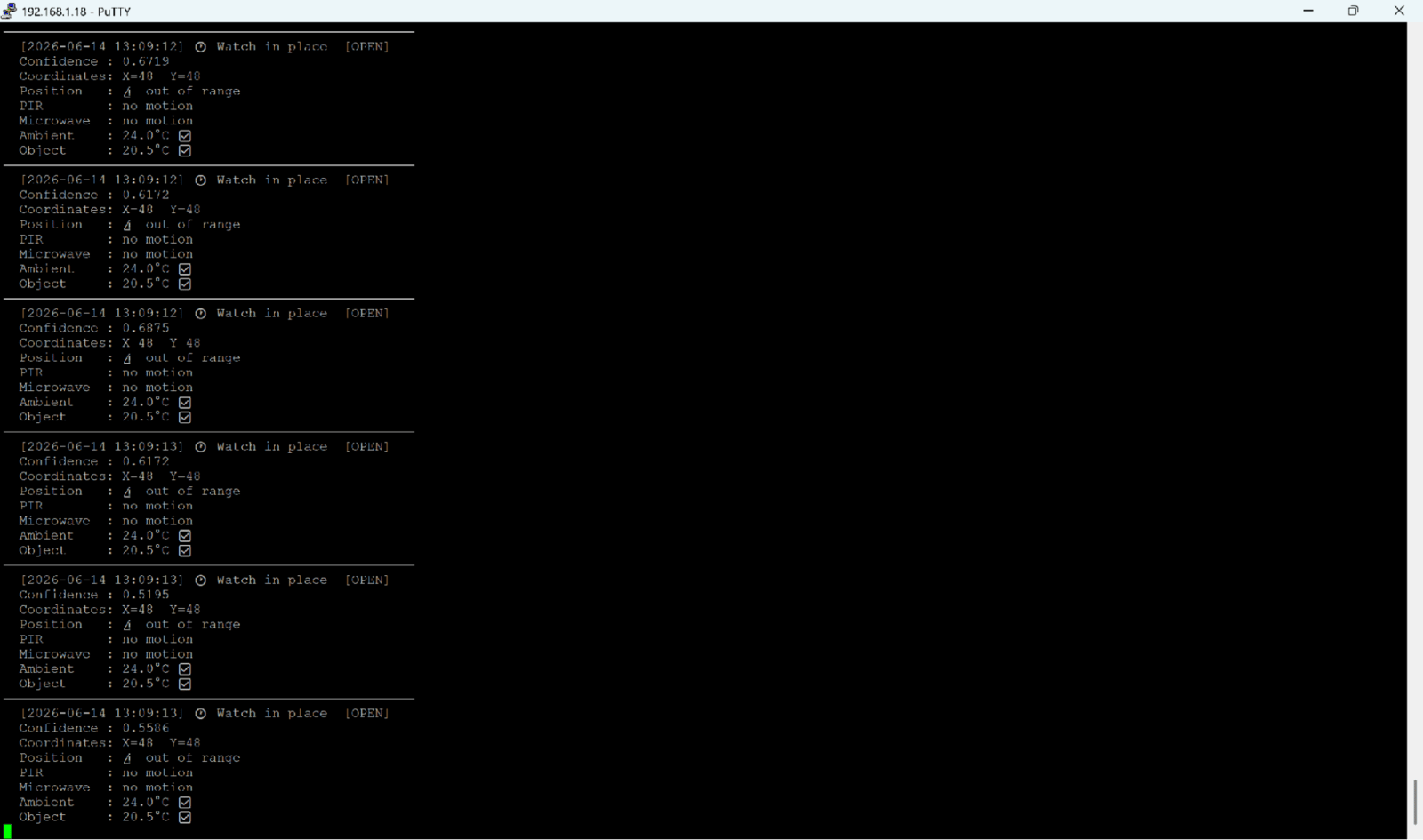
Testing results on device
OpenClaw
To install OpenClaw runcurl \-fsSL https://openclaw.ai/install.sh | bash
During the onboarding process you can configure any model/provider. I used OpenAI ChatGPT/Codex
You can also configure a Telegram or WhatsApp channel.
For Telegram, you will need a token and then pair it with:
openclaw pairing approve telegram XXXXX
Finally, copy the skill to
Code Settings
Open the runner.py Python script and edit the following settings: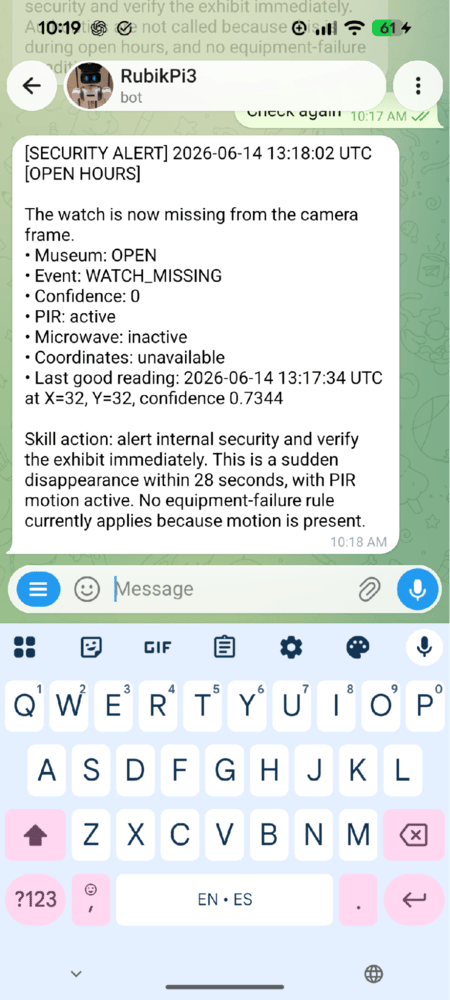
Code settings output
Operation
Now you can just write to the Agent using Telegram in natural language or ask the Agent to make routine inspections.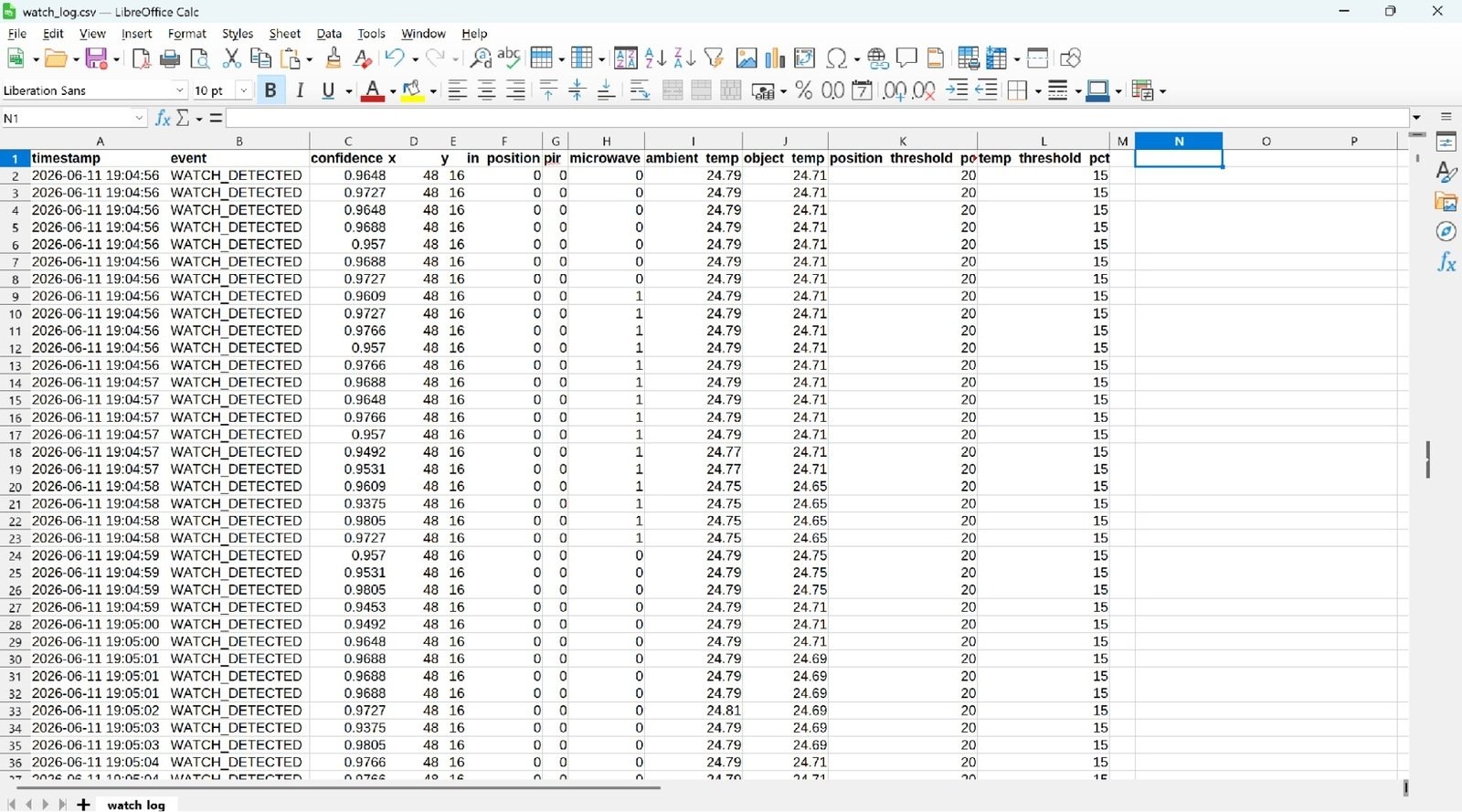
Operation
Troubleshooting
If the runner shows no output on screen, check the output.txt, it could be that the runner requires login, usb cam not recognized, etcFinal Notes
Asset security should not be limited to a PIR sensor and a manually monitored camera. As edge AI hardware becomes more powerful and accessible, sophisticated asset protection is no longer reserved for large institutions. It can be developed, customized, and deployed by makers, researchers, and small organizations alike.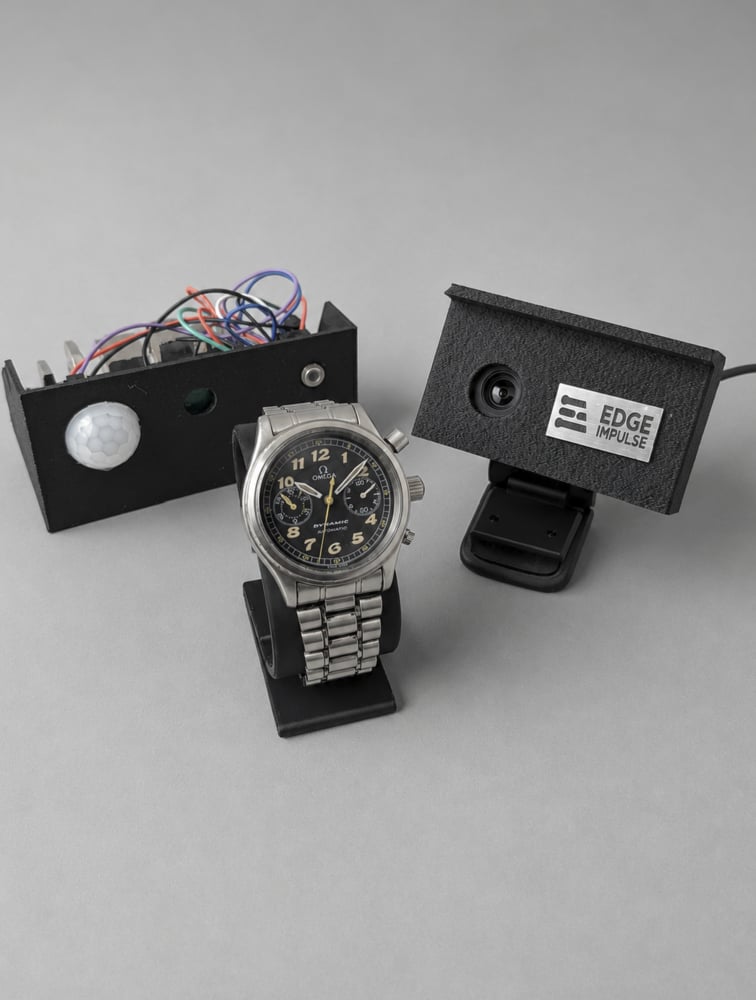
Final notes