

Project description
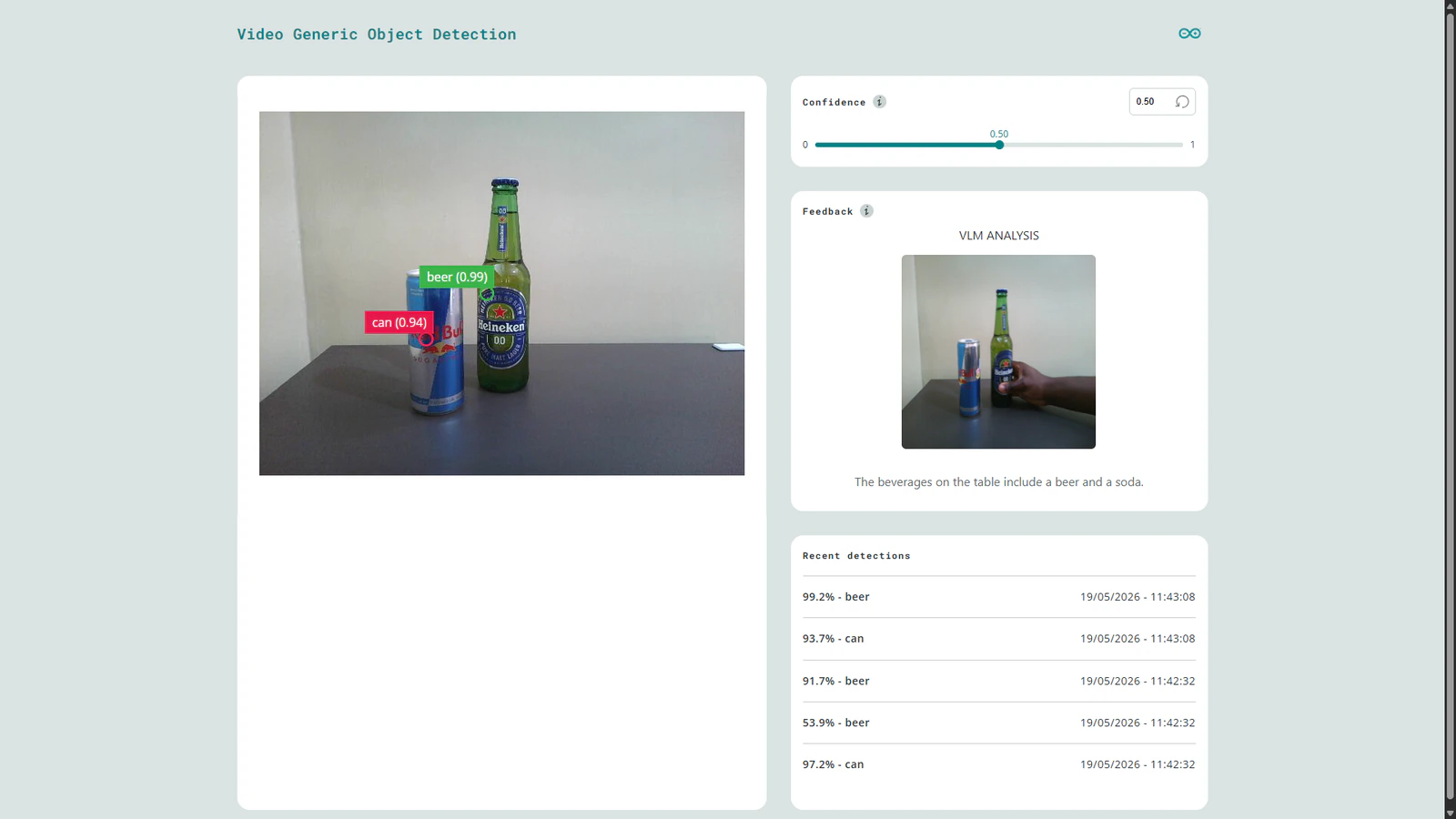
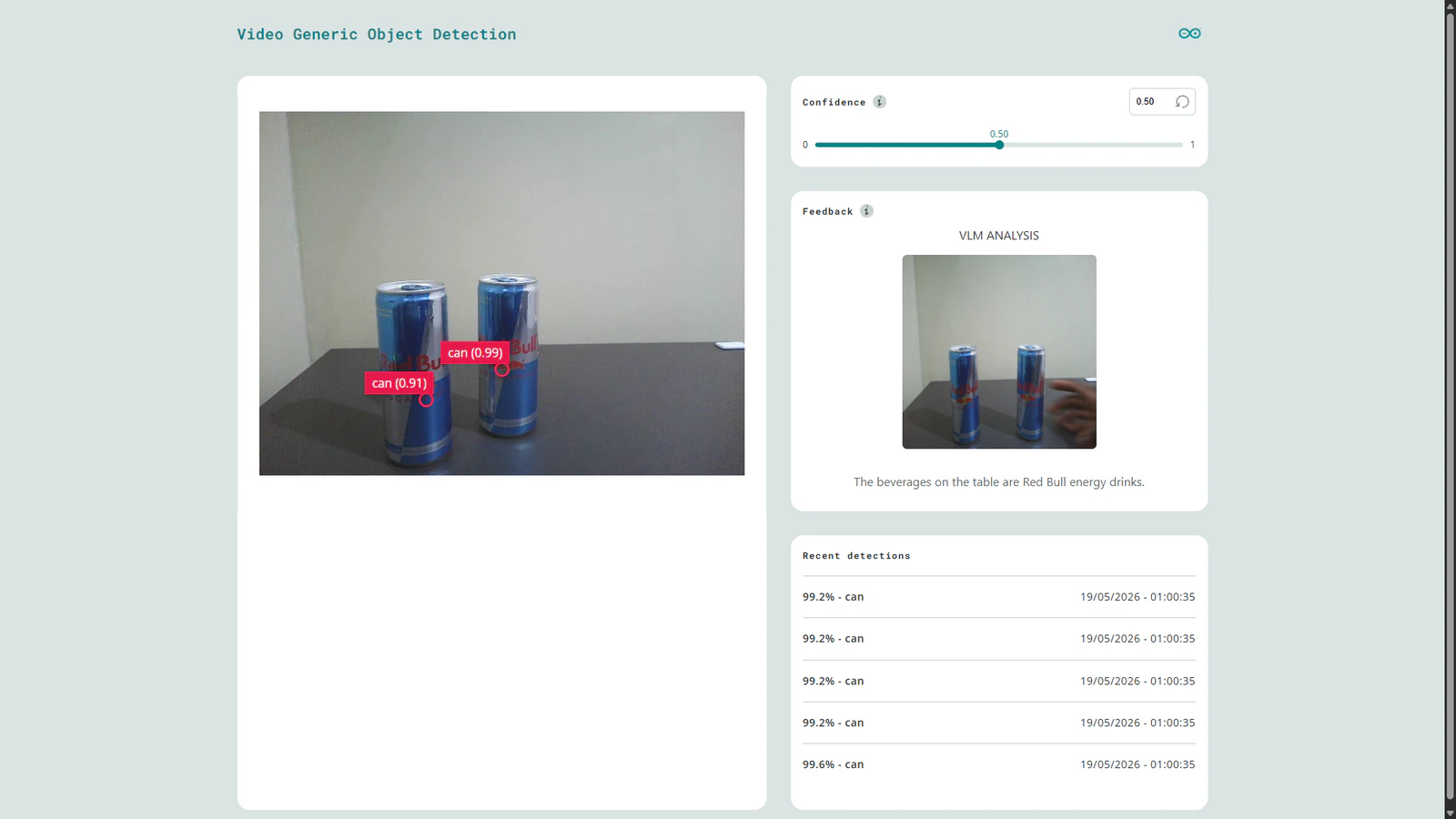
Model cascading is an interesting technique whereby multiple models are linked sequentially to create a more powerful AI system. In this approach, each model performs a specialized task such as object detection and passes its output to another model or execution layer. For example, in a AI-powered parking lot management system, a lightweight model can detect cars and pass bounding boxes to another model that gives more data about a car such as its color, registration number, or even describe if it is parked properly. Generative AI models such as LLMs and VLMs are driving a shift in AI by advancing systems from basic classification to rich contextual descriptions. Software developments in the embedded AI field have enabled rapid AI development and deployment enabling developers to bring AI solutions to the world quickly. With platforms such as Edge Impulse, these tasks have been simplified, enabling us to rapidly create efficient AI solutions. The next challenging task for developers would be running Gen AI models on resource constrained devices. In this case, the target deployment device are not powerful CPU+GPU baked system, but rather small, low power and cost effective devices such as the Arduino UNO Q. This new board has the same form factor as the classic Arduino UNO, but it packs more performance from it’s Linux system and a fast precise STM32 microcontroller. As an enthusiast in Edge AI, I have been working on bringing seamless deployment of VLMs to the UNO Q. This has been explored before but my goal was to integrate the models with the new Arduino App Lab software. This is a unified environment for creating Arduino Apps for the new generation of dual-brain Arduino boards. The software lets developers focus on the application logic and compose your project by stacking together ready to use Arduino Bricks (modules). To demonstrate this VLM integration, the project leverages the classic bottles vs can example from Edge Impulse using the lightweight FOMO object detection model. Now suppose we want to accurately detect when any kind of beer is on the table. Instead of retraining the FOMO model with each beer image in the world, we can further analyze the detections with a VLM. In this application, when FOMO identifies a beer, the camera frame is passed to a SmolVLM-500M model running locally on the UNO Q. The model then generates contextual descriptions such as “The beverages on the table are beer and coke” or even “The beverage on the table is a can of Red Bull”. This demonstrates how VLMs can extend Computer Vision applications from simple detection to a richer visual understanding without continuously retraining models. Running this custom application is as simple as cloning the repository to your App Lab and clicking the ‘Run’ button.Components and hardware configuration
Hardware components:- Arduino UNO Q (either the 2GB or 4GB)
- USB-C Hub with power delivery
- USB webcam
- Cans of soda/energy drink and a bottle of beer
- Arduino App Lab
- Edge Impulse Studio account
Step 1: Setup your UNO Q
Before working with the UNO Q for the first time, we need to setup the Linux system through the App Lab. Arduino have documented the necessary steps in the user manual. Once you have successfully completed this, we can setup the board for video object detection. First connect a USB-C Hub to the board. Next, connect a USB webcam to the Hub and power the system through the Power Delivery slot.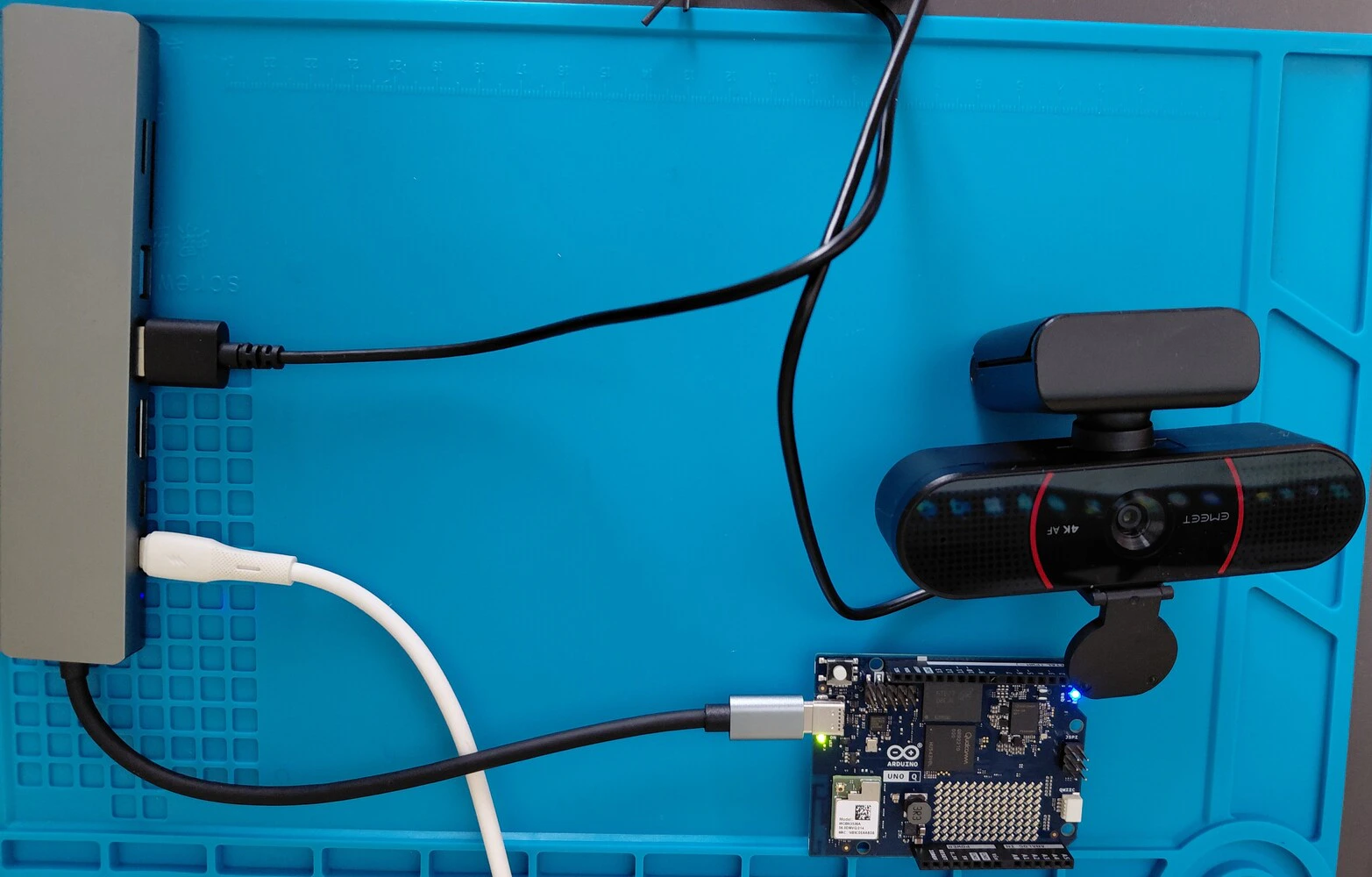
Step 2: Train a custom TinyML model with Edge Impulse
Note that as from version 0.5.0 of the App Lab, Edge Impulse model integration has been added. This impressive feature allows you to train optimized models from the Studio and deploy them to your App Lab project with a click of a button from the Deployment page. However, for today I will showcase how to configure the UNO Q to load the model from Edge Impulse. As mentioned, we will start with a pretrained model that detects beer bottles and cans. You can access the project with this URL: Object detection with FOMO - Bottles vs. cans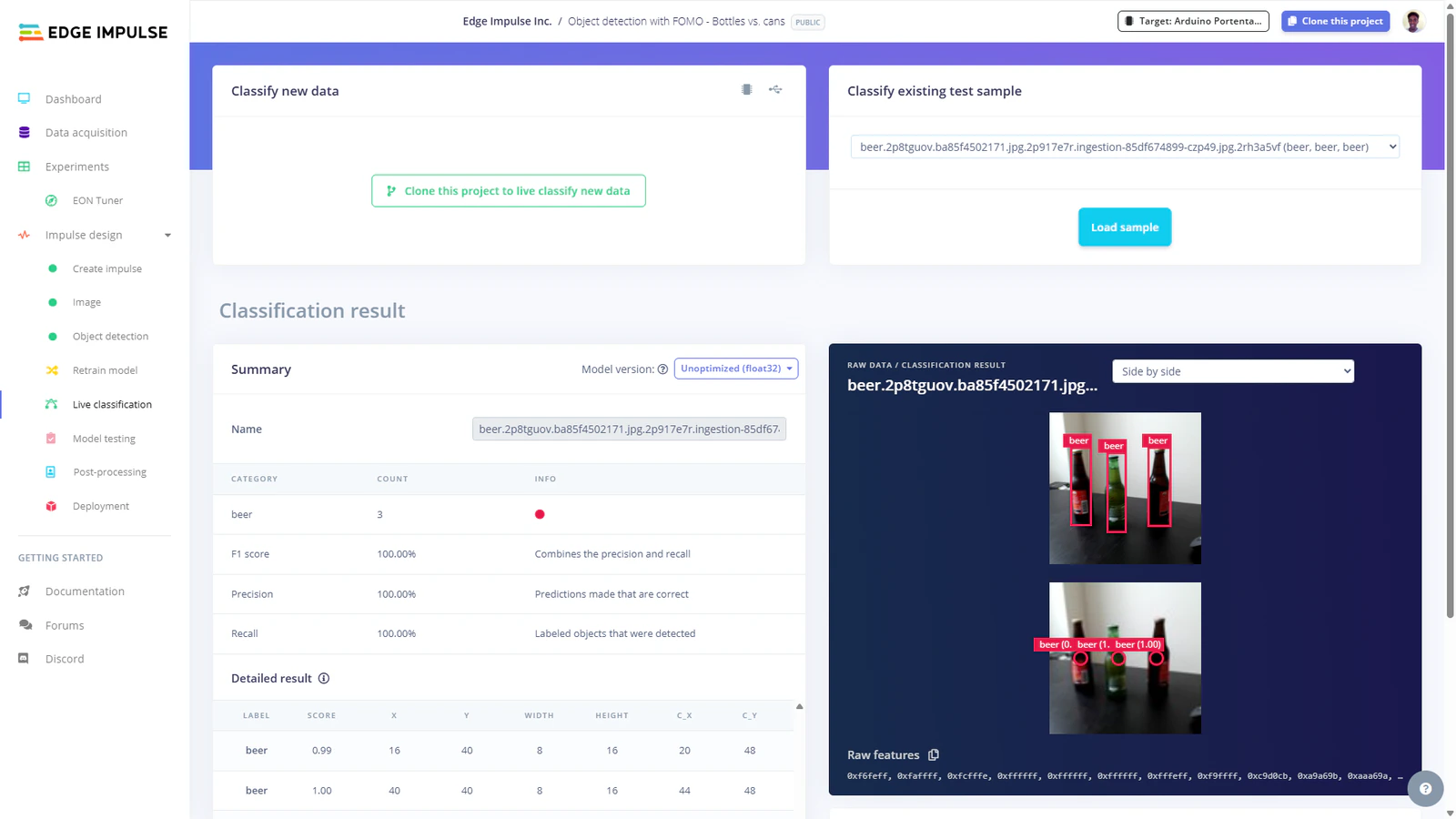
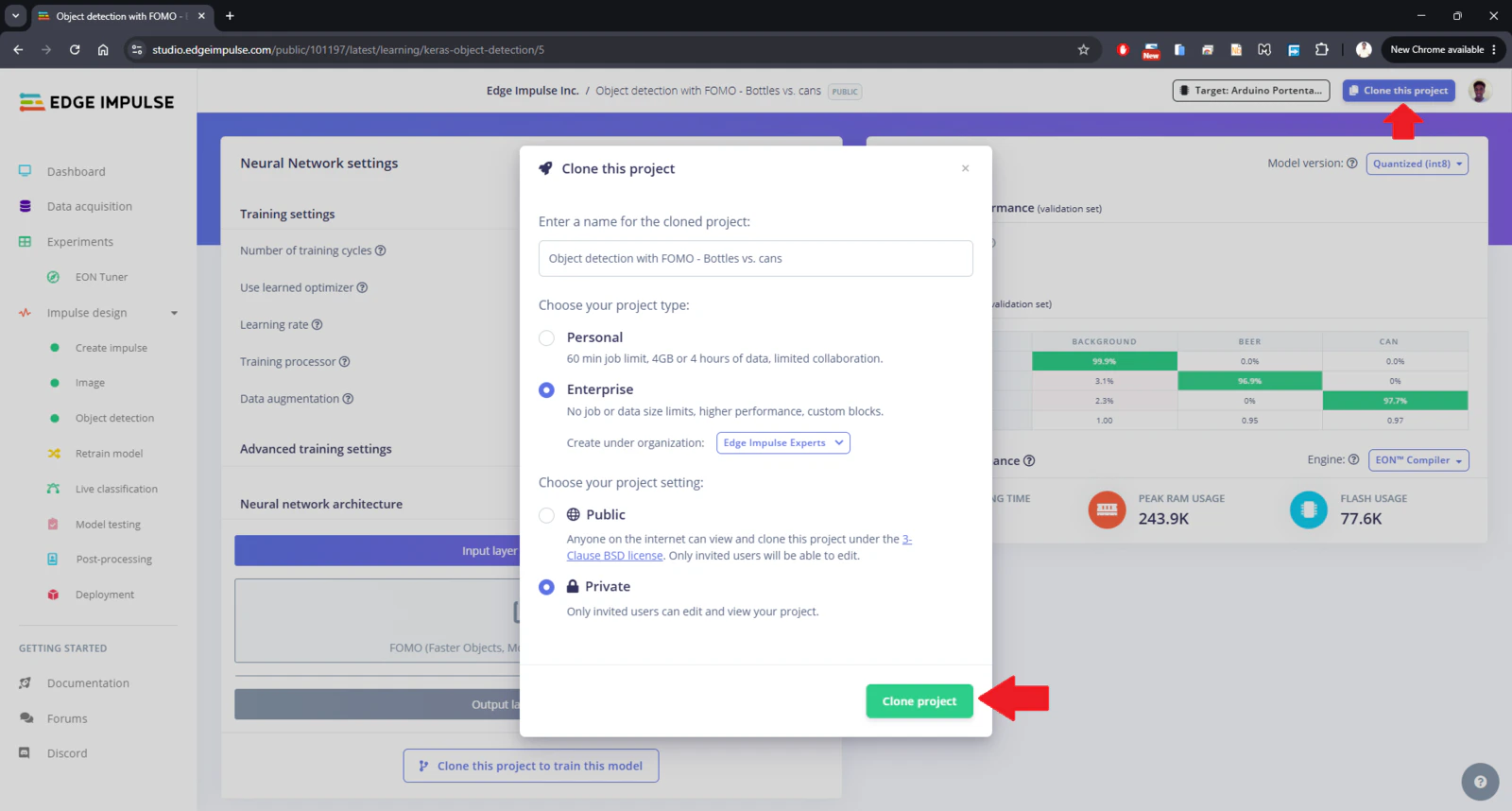
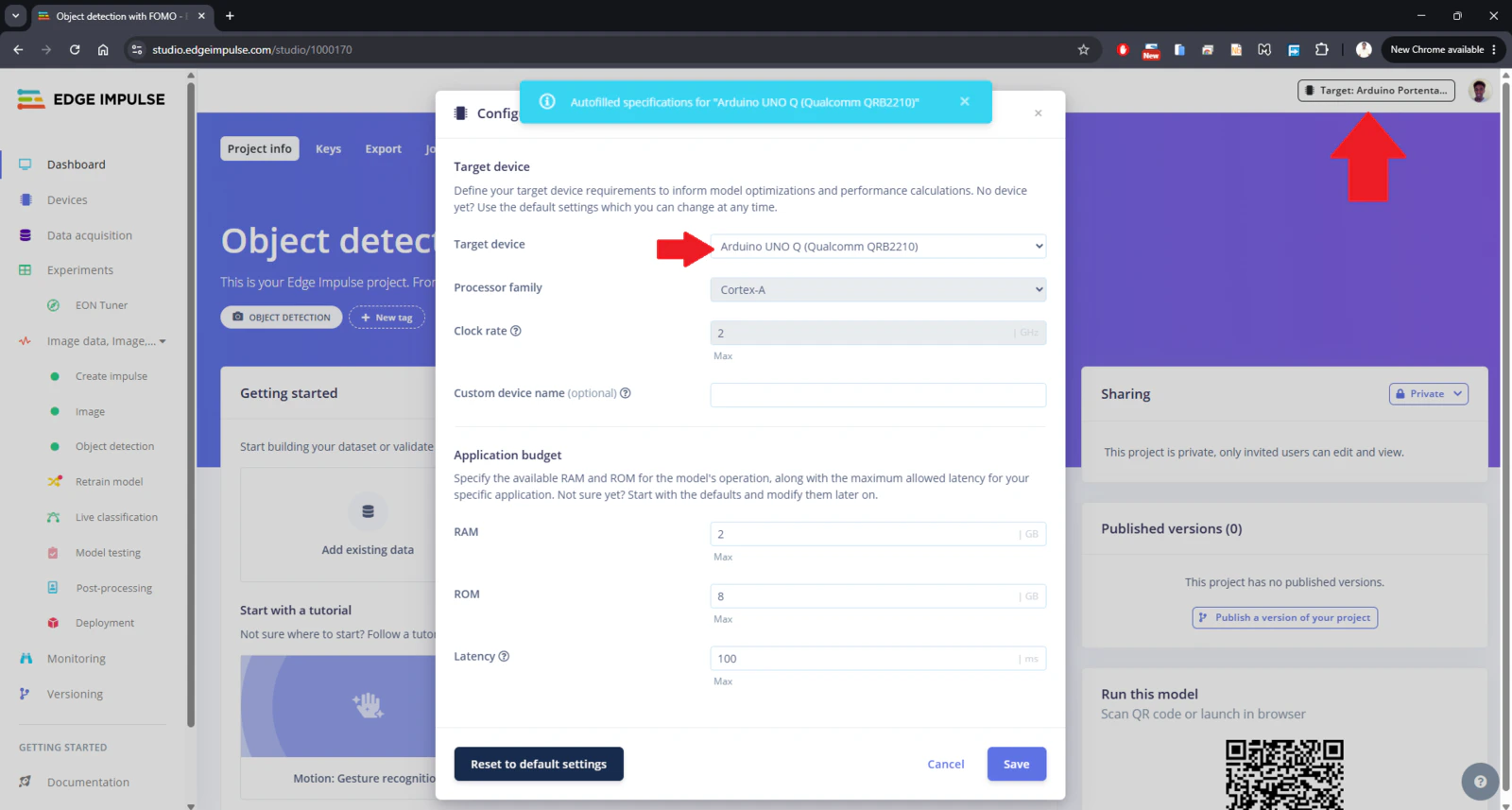
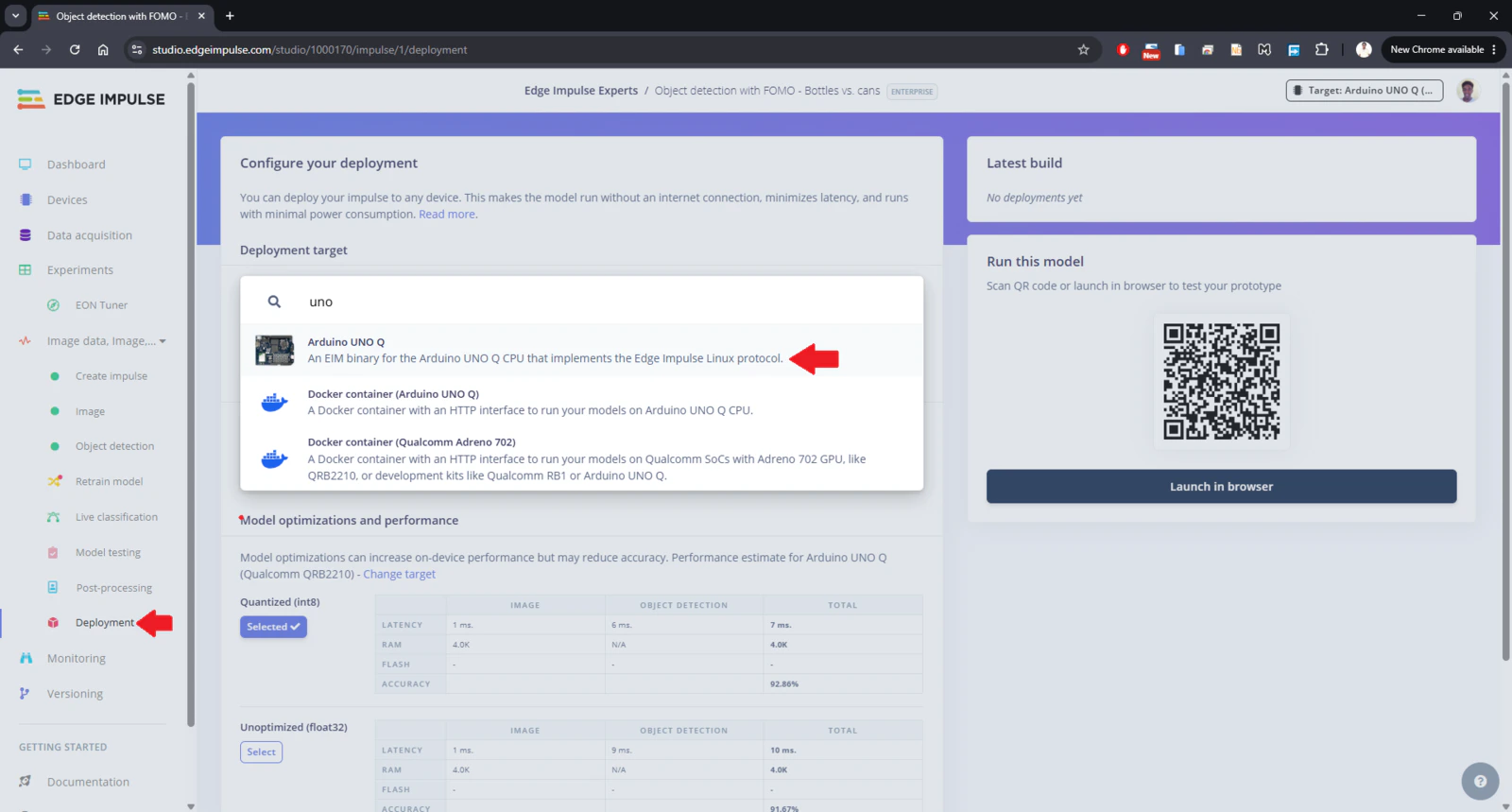
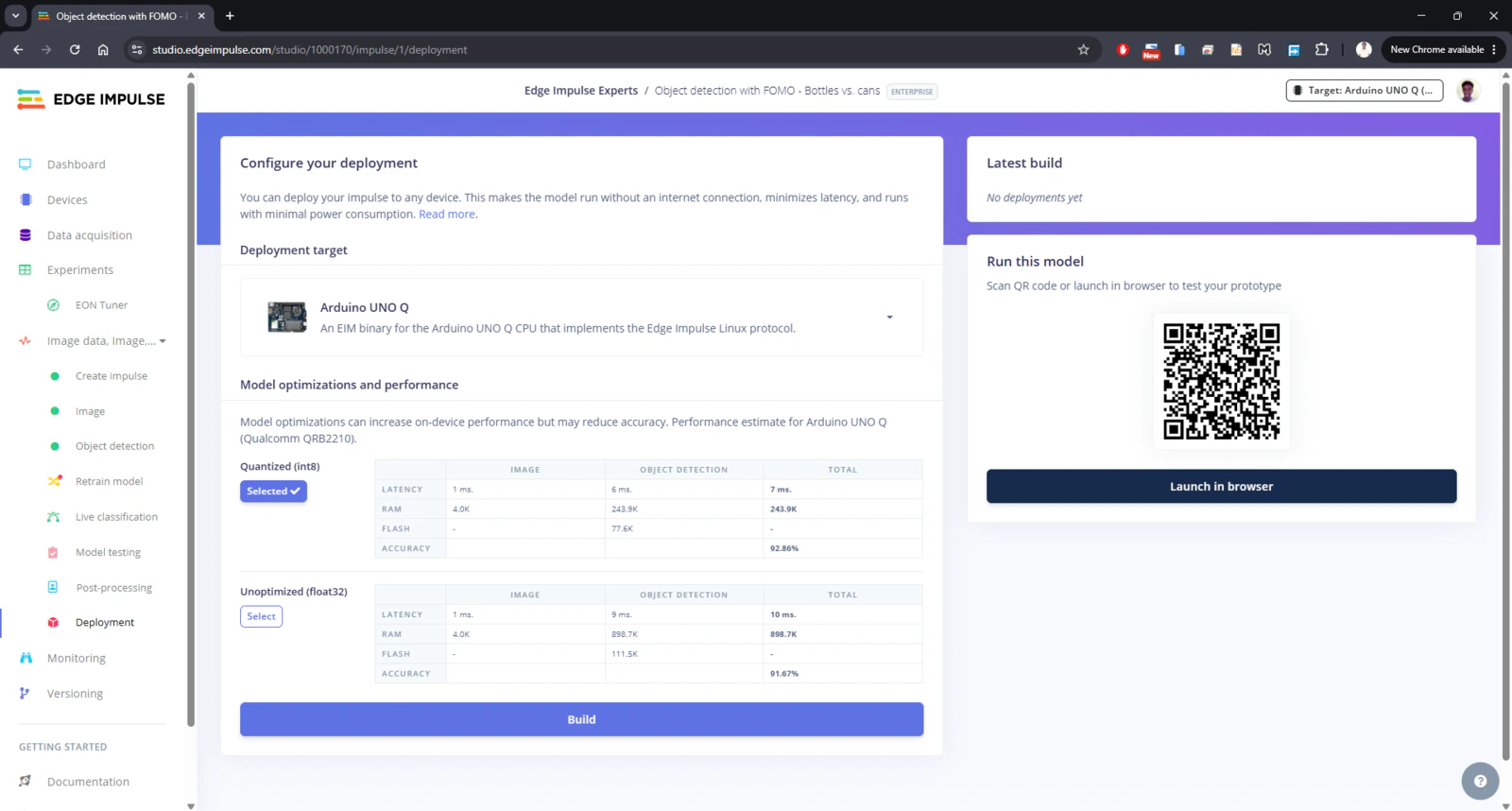
model.eim.
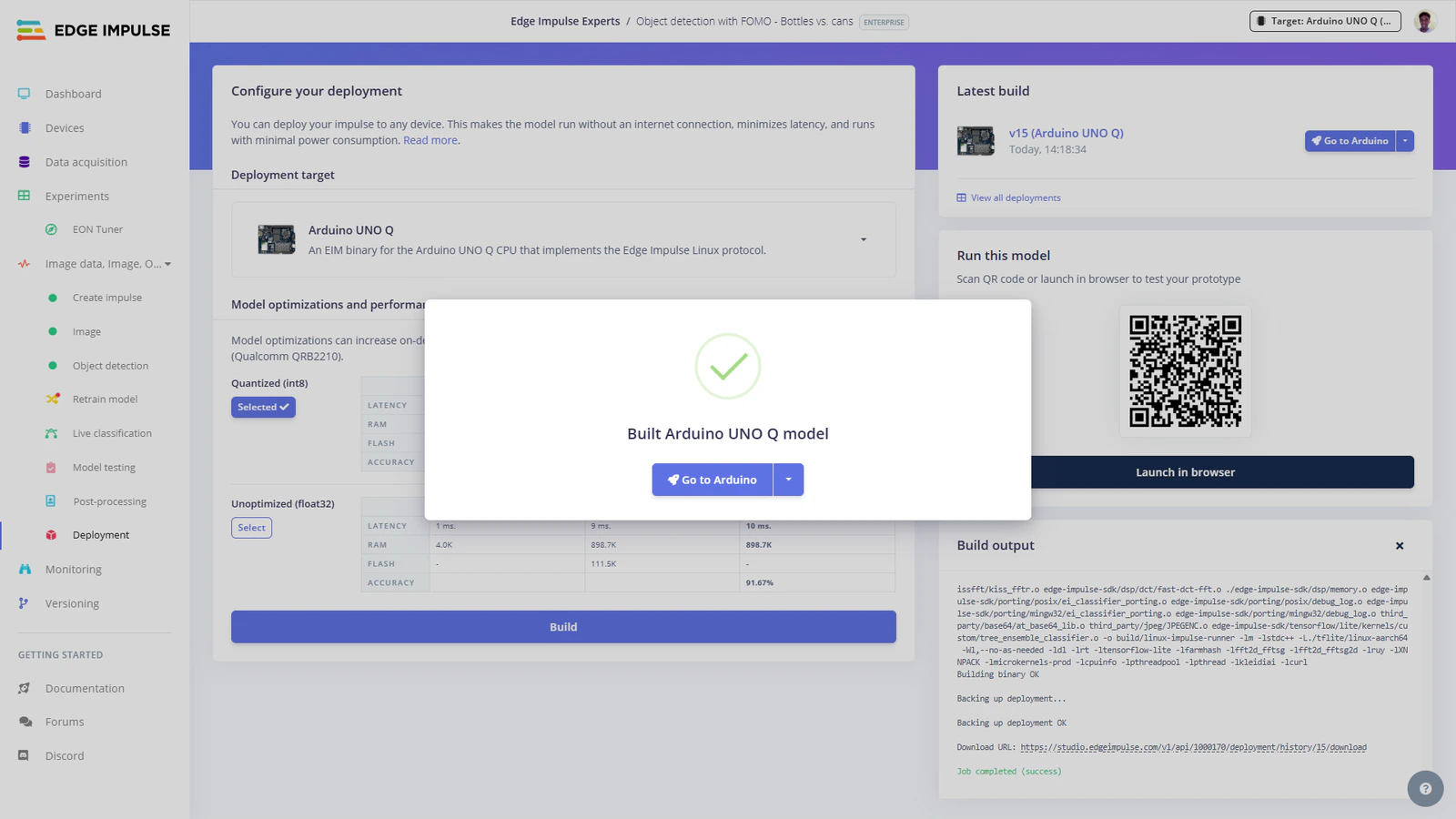
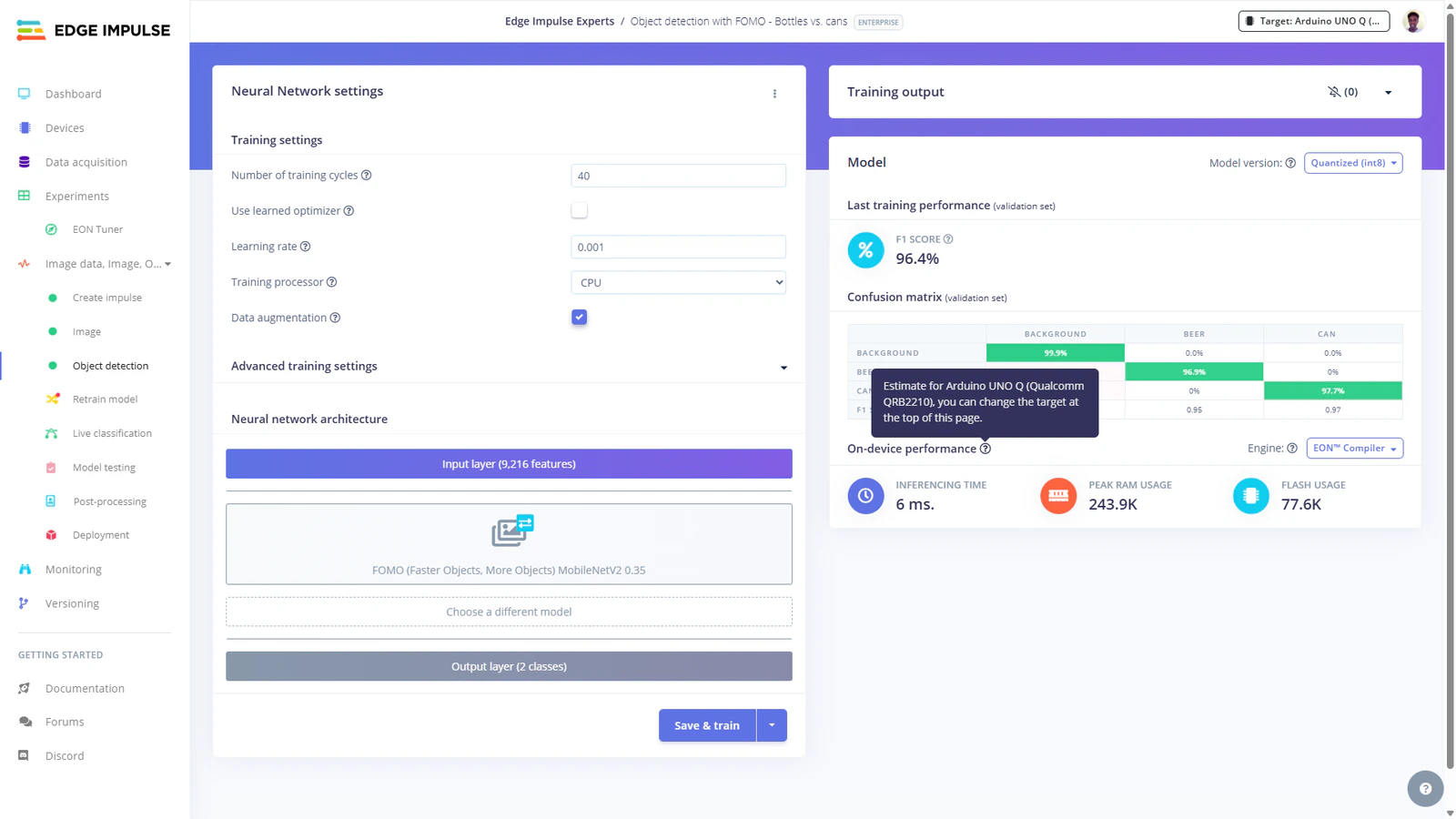
Step 3: Copy TinyML model to UNO Q
On your personal computer, use SCP, VS Code’s remote SSH extension or software such as WinSCP to copy the model.eim file to the following folder on the UNO Q:/home/arduino/.arduino-bricks/models/custom-ei/ directory. For example, I named my folder as ‘ei-model-1000170-1’. Next, create a model.yaml file in this folder and paste the following in it:
Step 4: Copy the VLM application to App Lab
On your personal computer, clone the GitHub repository:models folder of this repo.
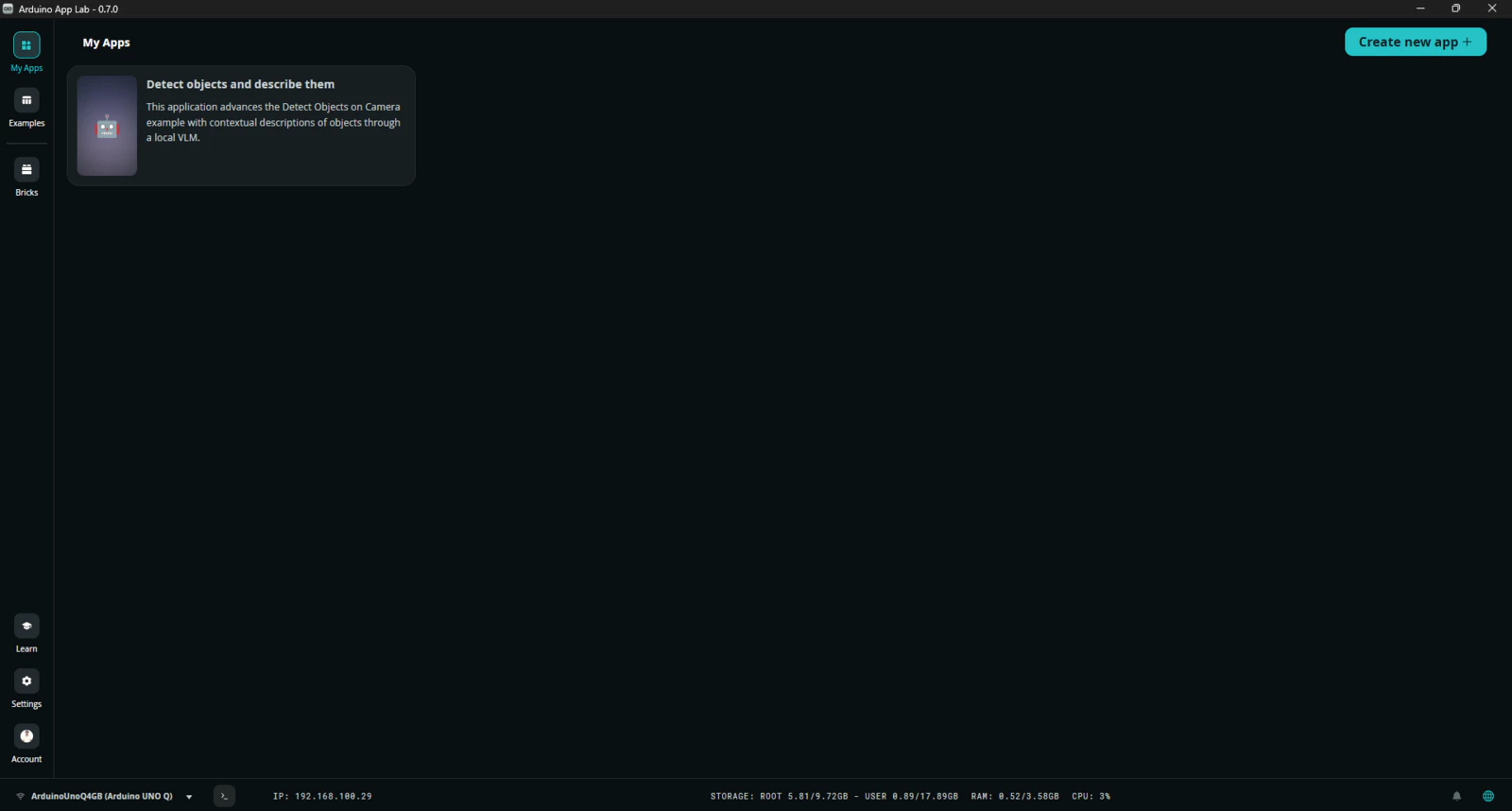
Afterwards, use SCP, VS Code’s remote SSH extension or software such as WinSCP to copy the repo to the /home/arduino/ArduinoApps/ folder on your UNO Q. Once this is completed, open App Lab and you should see the application listed in the ‘My Apps’ section.
vlm_prompting_label defines the class which when detected will trigger the VLM to be loaded and prompted with a text defined by vlm_prompt. To reduce computational data, a frame is first resized before passing it to the SmolVLM-500M model. In a Vision-Language Model (VLM), a prompt consists of text inputs and visual inputs (such as images or video frames). These are then converted into tokens which are numerical chunks of data that the AI processes.
Step 5: Run the application
On App Lab, click the application and launch it with the ‘Run’ button. Starting the application for the first time will take some seconds since the system needs to pull necessary Docker images. Once this is finished the application container will be started and the app will automatically open in the web browser. You can also open the Web UI manually on the browser by setting URL to the local IP address of the UNO Q and port 7000.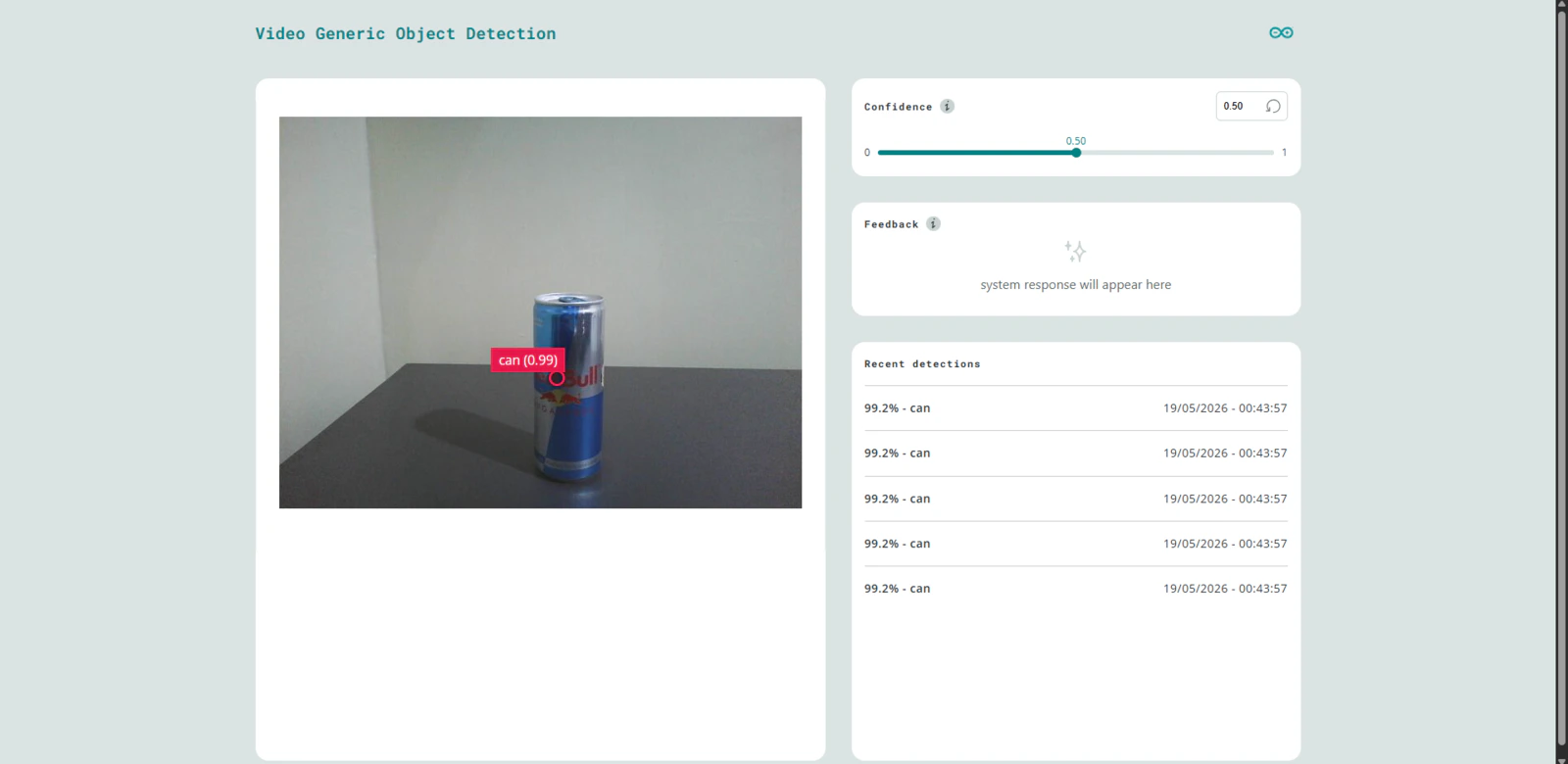
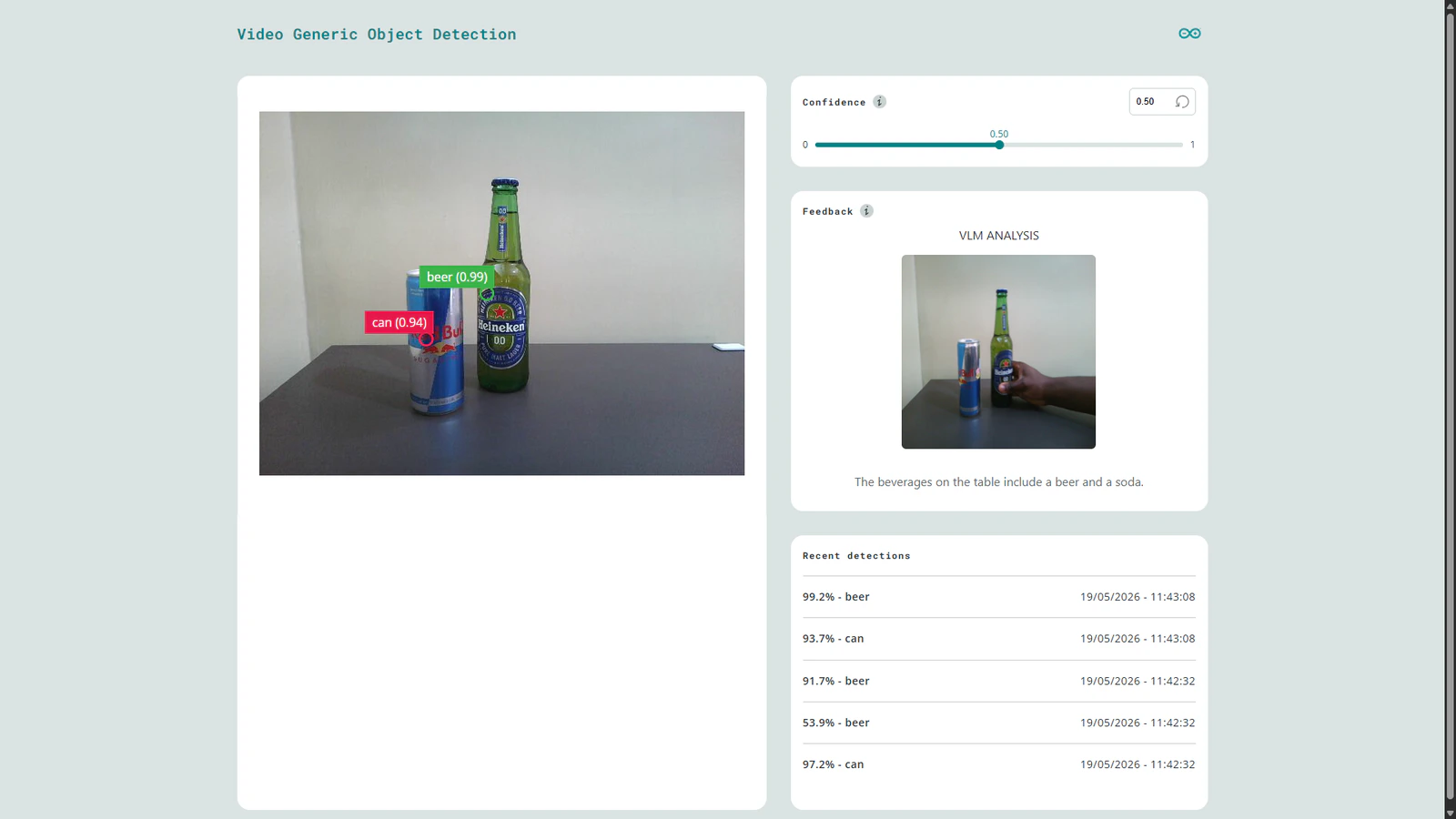
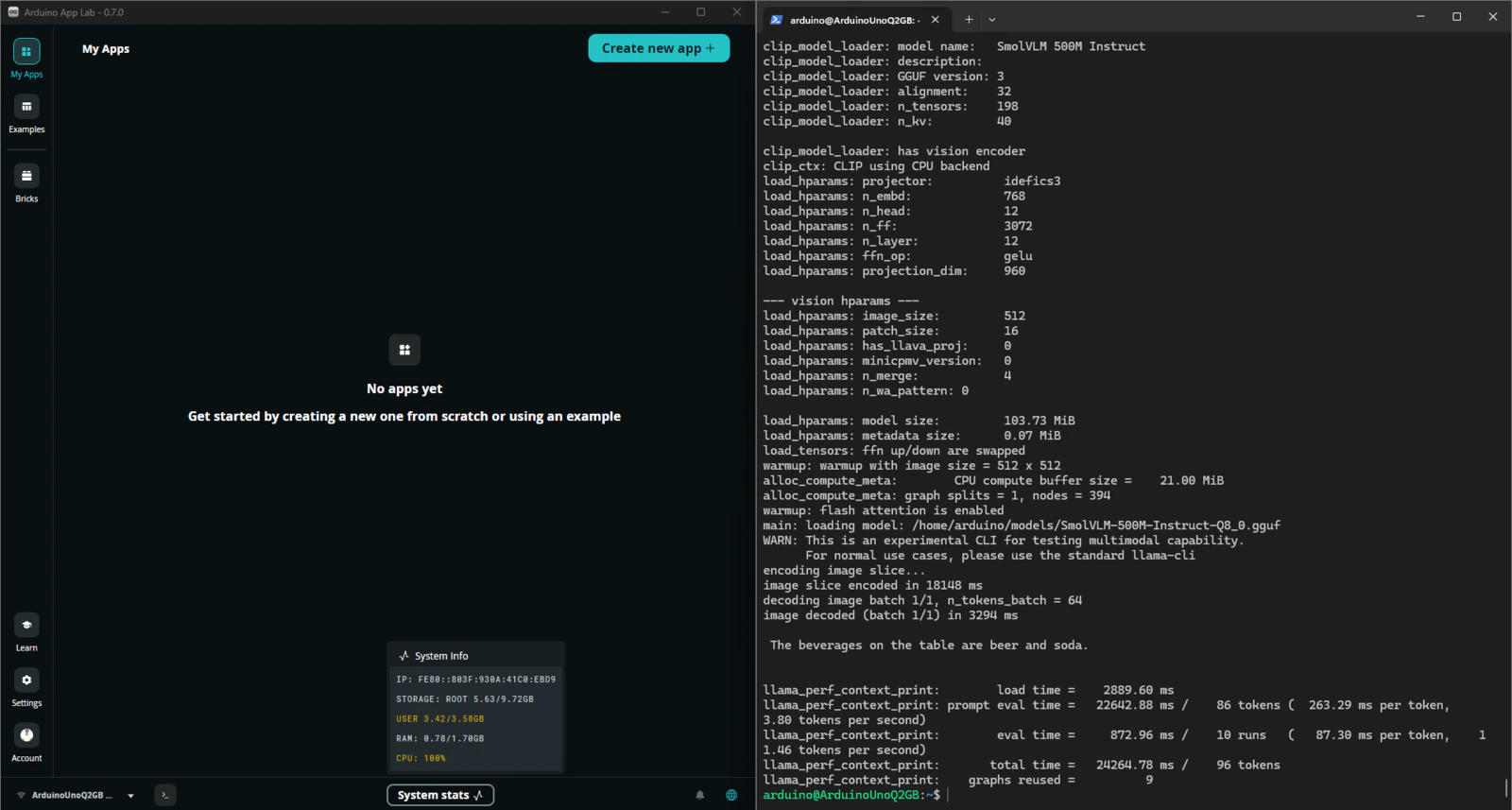
SmolVLM-500M performance evaluation (2GB vs 4GB UNO Q)
The performance evaluation of SmolVLM-500M on the UNO Q 2GB and 4GB variants showed near identical inference speeds. The prompt evaluation rates was 4.08 and 3.96 tokens/second respectively and total inference times of approximately 22.3 and 23.3 seconds. Interestingly, the vision encoder dominated more than 90% of the compute time across both boards, showing that the bottleneck is the CPU during the image encoding as compared to the available memory (RAM).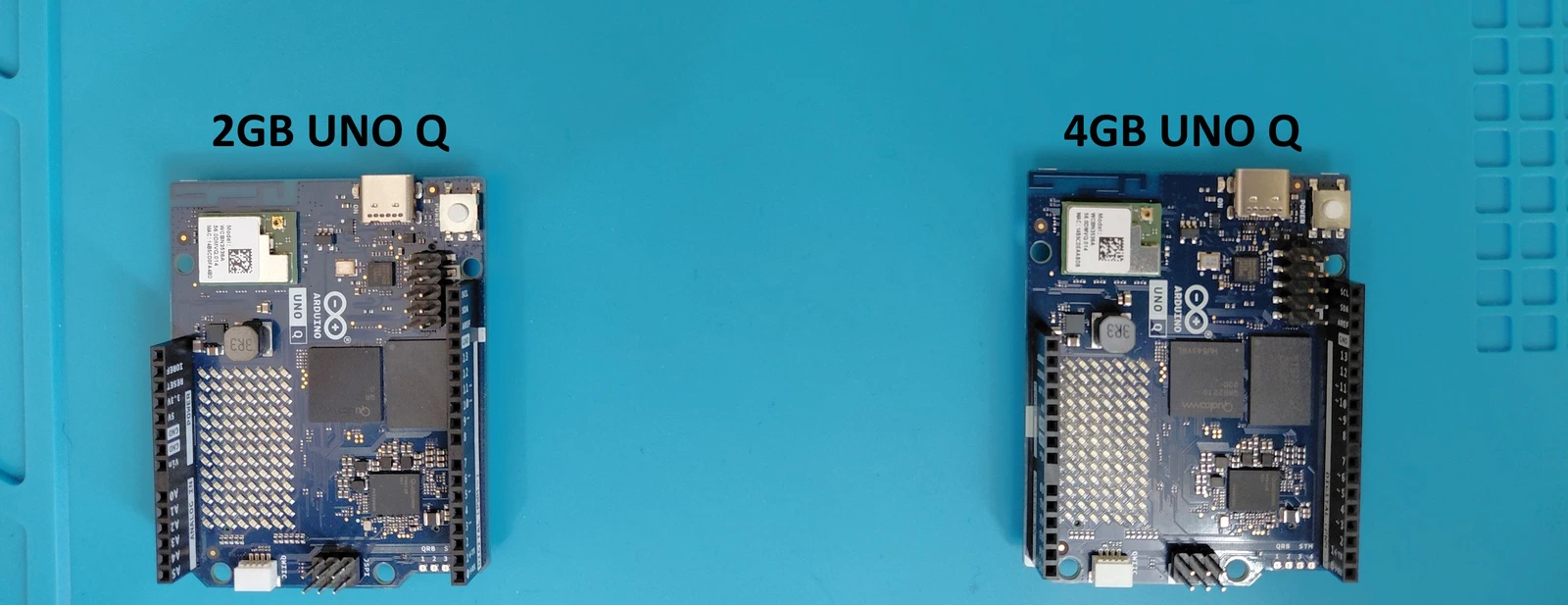
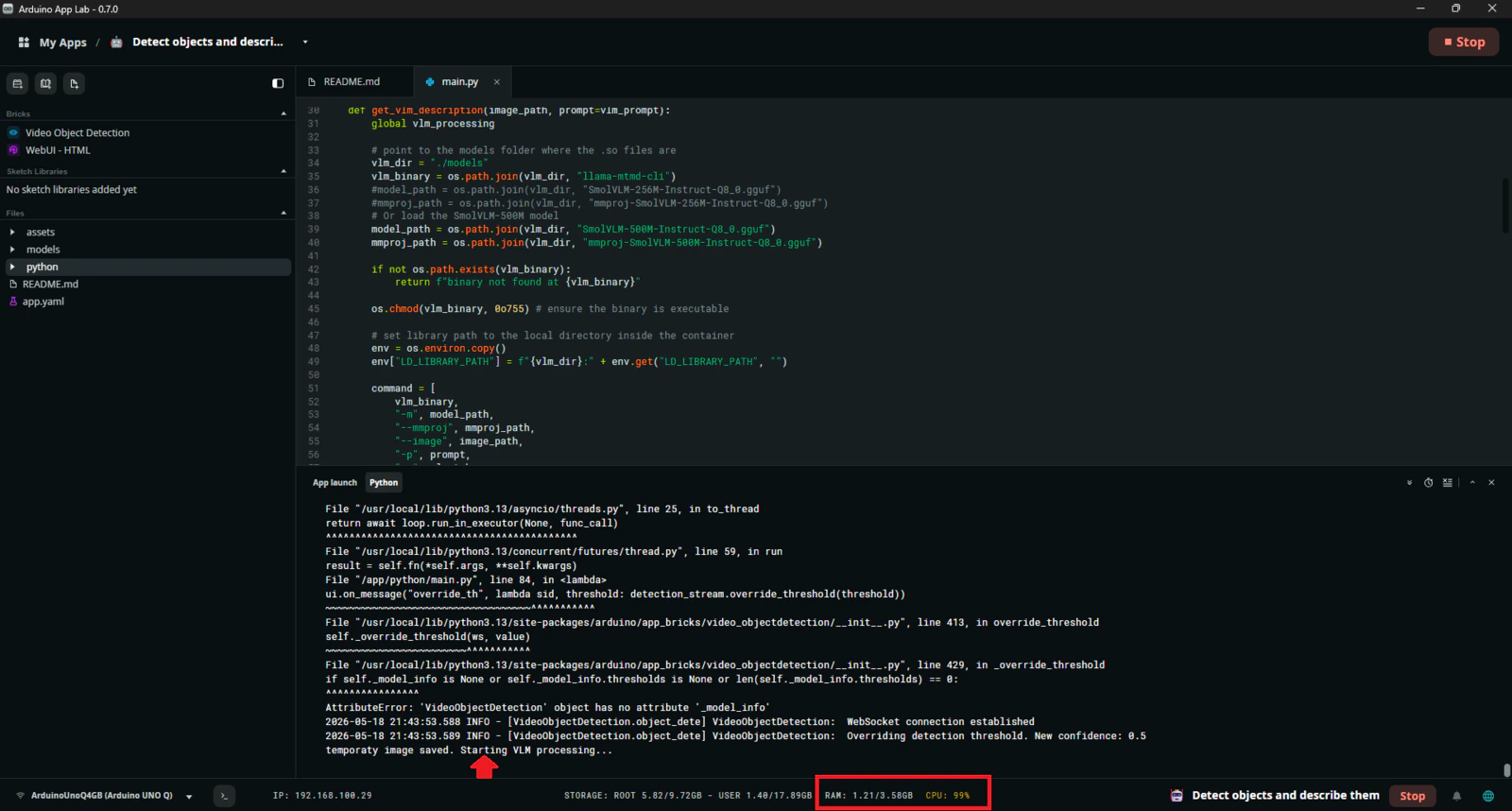
models folder: mmproj-SmolVLM-256M-Instruct-Q8_0.gguf and SmolVLM-256M-Instruct-Q8_0.gguf. Next, in main.py update model_path and mmproj_path to point to the downloaded SmolVLM-256M files.