

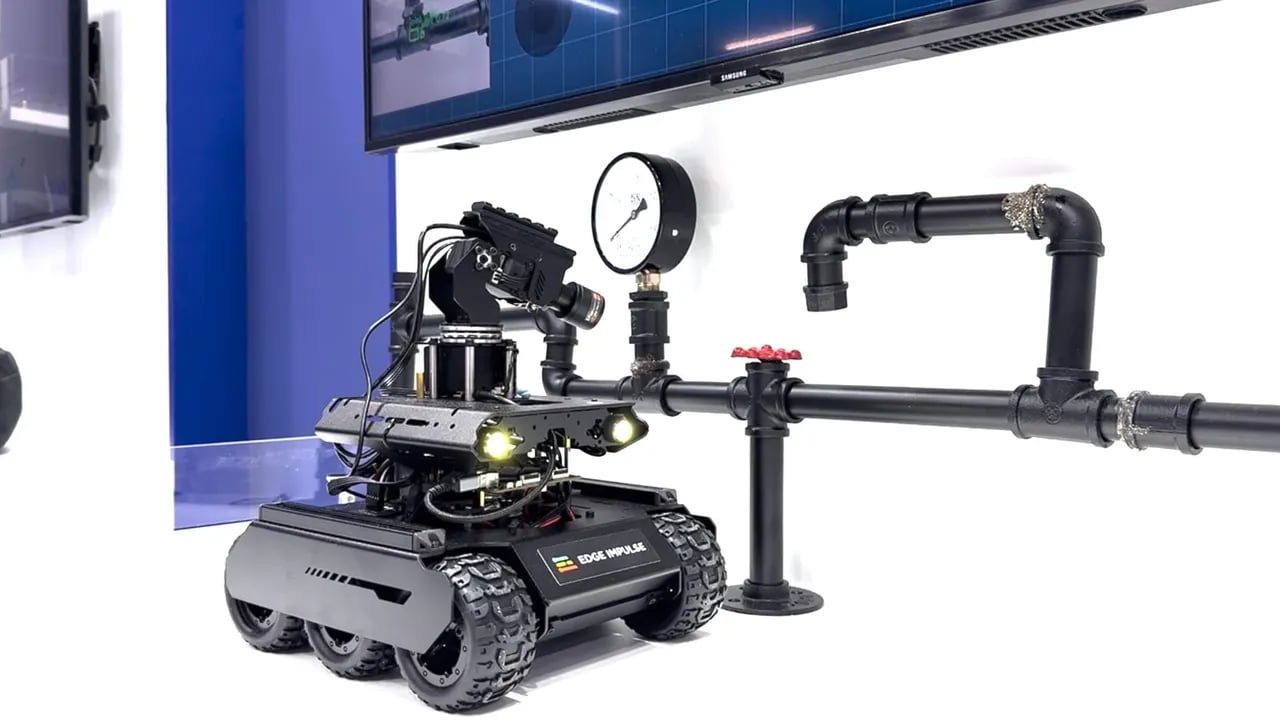
Inspection rover demoed with a Waveshare UGV-style base, pan/tilt gimbal, and two-stage Edge Impulse perception pipeline.
This tutorial is based on Moe Sani’s Embedded World 2026 inspection-robot demo. Read the full build story: A Look Inside my Edge AI Inspection Robot (ROS 2-Native).
Problem statement
Inspection in industrial settings such as pipelines, refineries, utilities, and infrastructure has several constraints:- Hazardous or awkward access: Manual inspection can put people in unsafe or difficult-to-reach environments.
- Inconsistent data capture: Operators may collect images from different angles, distances, and lighting conditions.
- Limited connectivity: Field sites may have restricted, intermittent, or intentionally isolated networks.
- Audit requirements: Every decision should be traceable, repeatable, and reviewable after the run.
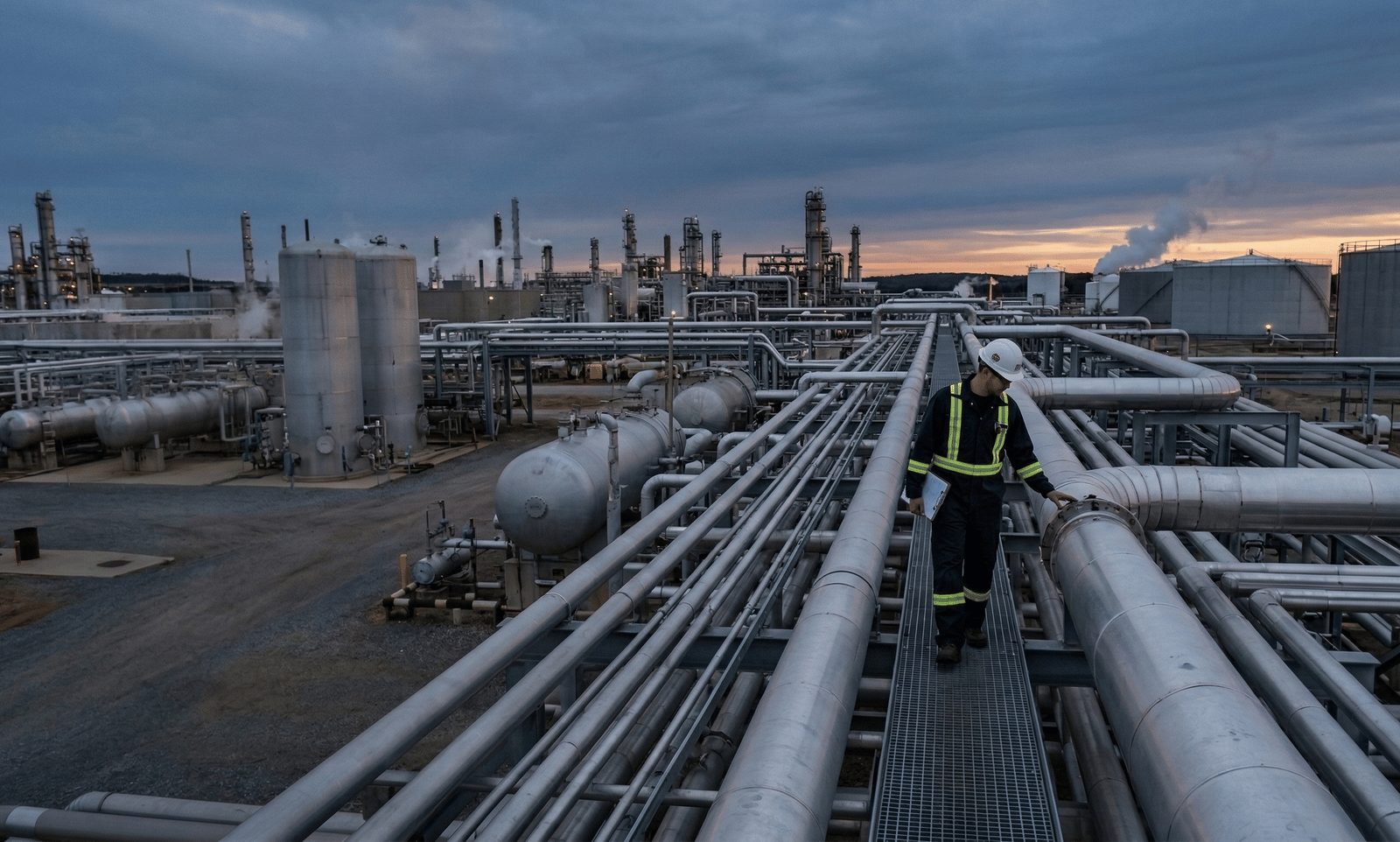
Many inspection tasks still require expert personnel in hazardous or difficult-access environments. A robot can standardize data capture and keep people away from risk.
System architecture
Hardware minimum
- Mobile base: A rover with reliable velocity control, such as a Waveshare UGV-class platform.
- Gimbal: A 2-DOF pan/tilt mechanism for aiming the close-up camera.
- Cameras: A wide-view camera for search and a close-up camera for inspection.
- Compute: Linux edge hardware capable of running ROS 2 and Edge Impulse Linux inference.
- Safety controls: Emergency stop, command watchdog, conservative speed limits, and a manual override path.
Perception pipeline
A two-stage perception design separates search from inspection:
This approach keeps the robot efficient. The detector can run continuously or during short search windows, while higher-resolution anomaly scoring only runs after the gimbal has moved to a candidate point.
ROS 2 architecture
The system is designed to feel native in ROS 2: perception publishes standard messages, mission logic orchestrates long-running behaviours as Actions, safety gating sits between mission logic and the motor driver, and visualization is a separate consumer.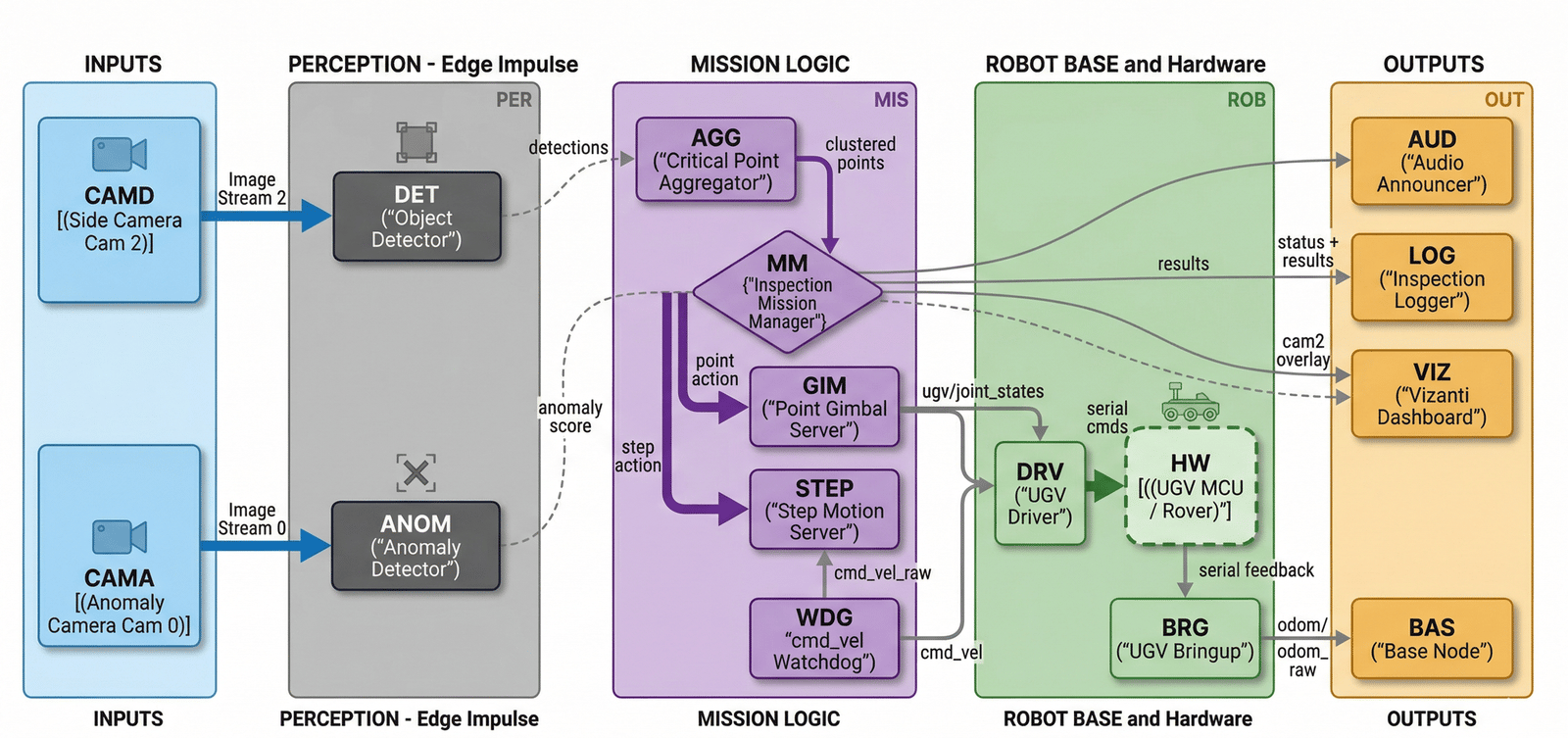
Full ROS 2 node architecture. Perception nodes feed the Mission Manager via a Critical Point Aggregator. Gimbal and motion servers execute actions, while a cmd_vel watchdog handles safety gating.
Key ROS interfaces:
Mission loop
The inspection behaviour is a repeatable move-inspect-move routine. The rover advances in short, controlled steps along an inspection path, runs the detector for a short time window, and aggregates detections into a stable set of candidate critical points. For each candidate, the gimbal turns to the target, the camera settles, and the close-up model produces an inspection score.- STEP advances the rover one position along the inspection path.
- DET runs the object detector on the wide-view camera.
- AGG aggregates detections into stable critical point candidates.
- For each candidate:
- GIM aims the gimbal at the target location.
- ANOM captures a close-up and produces an anomaly score or class result.
- LOG records the detection, position, score, timestamp, and model version.
- The mission manager decides whether to continue, retry, alert, or stop.
Integrating Edge Impulse models
Useedgeimpulse_ros when your detector is exported as a Linux .eim model and subscribes to a sensor_msgs/Image topic published by your wide-view camera driver.
Installation
Install ROS 2 message dependencies and OpenCV:Running the detector
Use the launch file for normal operation:ros2 run when you need to override individual parameters from the command line:
Output topics
Configuration
Common parameters:Building your inspection system
1. Define mission requirements
Before collecting data, define the inspection target and operational limits:- What is a critical point for the asset?
- What does abnormal look like operationally?
- What inspection distance, angle, lighting, and speed are acceptable?
- What should happen when confidence is low or a component cannot be inspected?
2. Design data collection
Capture two views with consistent conditions. Search view: wide camera- Capture multiple angles along the inspection path.
- Include expected lighting, motion blur, and partial occlusions.
- Label the target components or regions of interest.
- Capture high detail for anomaly detection.
- Keep framing consistent after the gimbal aims at a target.
- Include normal examples first, then expand with known defects or borderline cases.
3. Train two models in Edge Impulse
Detection model- Input: wide-view images.
- Output: bounding boxes for critical points.
- Optimize for: speed and recall.
- Input: close-up images.
- Output: anomaly score or binary/multiclass result.
- Optimize for: precision, repeatability, and explainable operator review.
4. Integrate with ROS 2
Keep inference as a standard ROS 2 component:- Publish standard message types where possible.
- Keep visualization as a consumer of topics, not as the owner of mission state.
- Keep safety separate from ML and mission logic.
- Version the model path and threshold values alongside the mission configuration.
5. Orchestrate the mission with Actions
Implement long-running behaviours as ROS 2 Actions:- Detect/Aggregate: Run detector and collect candidates.
- Point Gimbal: Move pan/tilt to a target.
- Capture/Inspect: Take a close-up and run inspection.
- Move: Advance the rover to the next position.
6. Add an independent safety layer
Safety should not depend on the model being correct.- Use a
/cmd_velwatchdog with a short timeout. - Keep emergency stop outside the mission manager.
- Gate motor driver commands independently of detection output.
- Use conservative speed limits during inspection.
- Add collision avoidance or protected operating zones where required.
7. Validate progressively
- Test both models on representative offline images.
- Run static camera tests with the robot powered but stationary.
- Run controlled low-speed tests in a safe environment.
- Review logs for repeatability, false positives, false negatives, and motion timing.
- Expand field tests gradually.
Visualization and control
Use Vizanti or a similar ROS 2 web UI for a portable operator interface. It runs in the browser and connects directly to the ROS 2 graph, which makes it useful for demos, field validation, and debugging.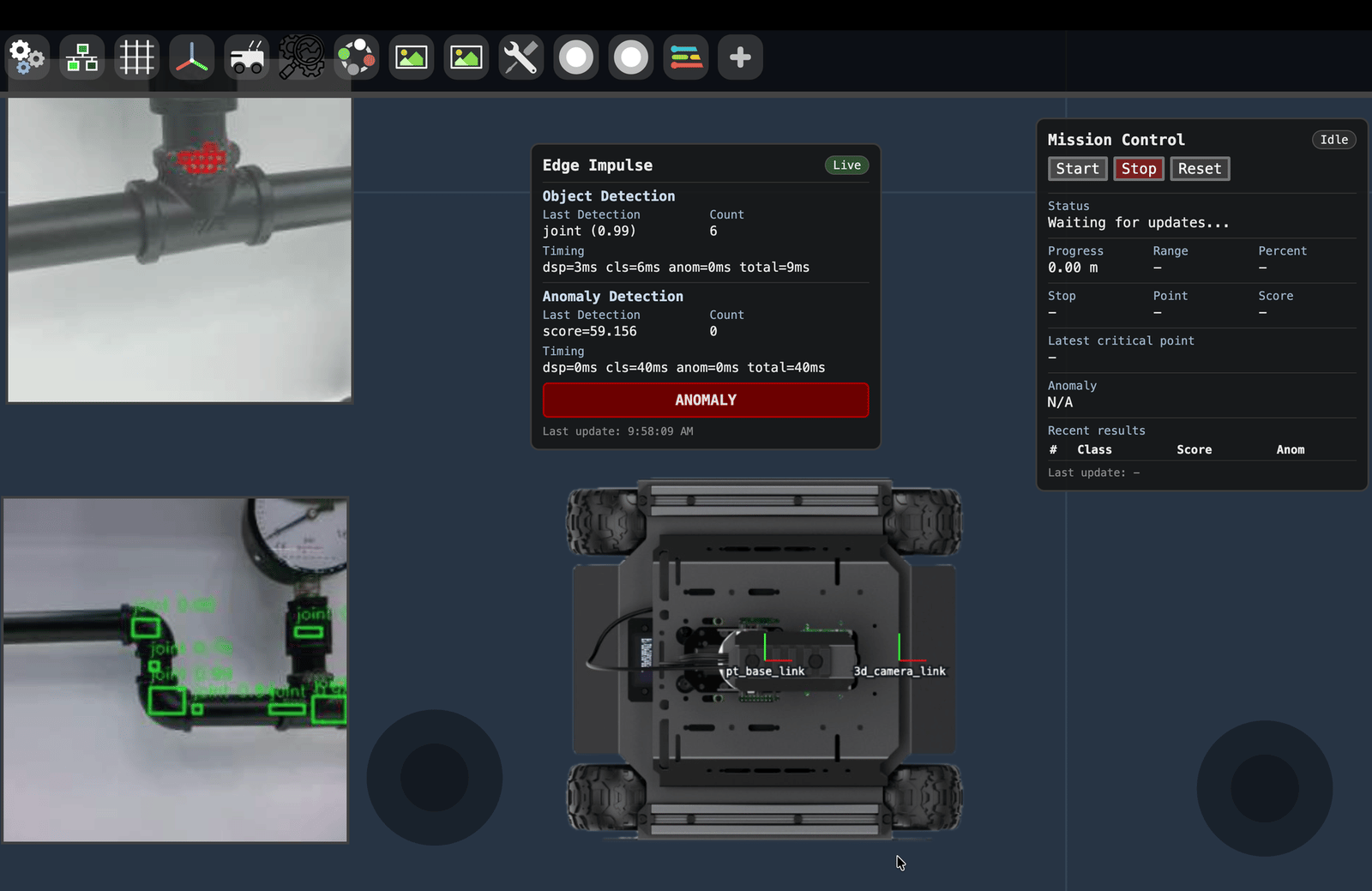
Vizanti operator dashboard showing live model overlays, rover state, and per-point inspection results.
- Live overlays: Detection bounding boxes on the wide-view feed and anomaly scores on the close-up feed.
- Mission timeline: What the rover is doing and when, including STEP, GIM, and ANOM actions.
- Inspection log: Per-point records with location, detection confidence, anomaly score, model version, and timestamp.
Deployment
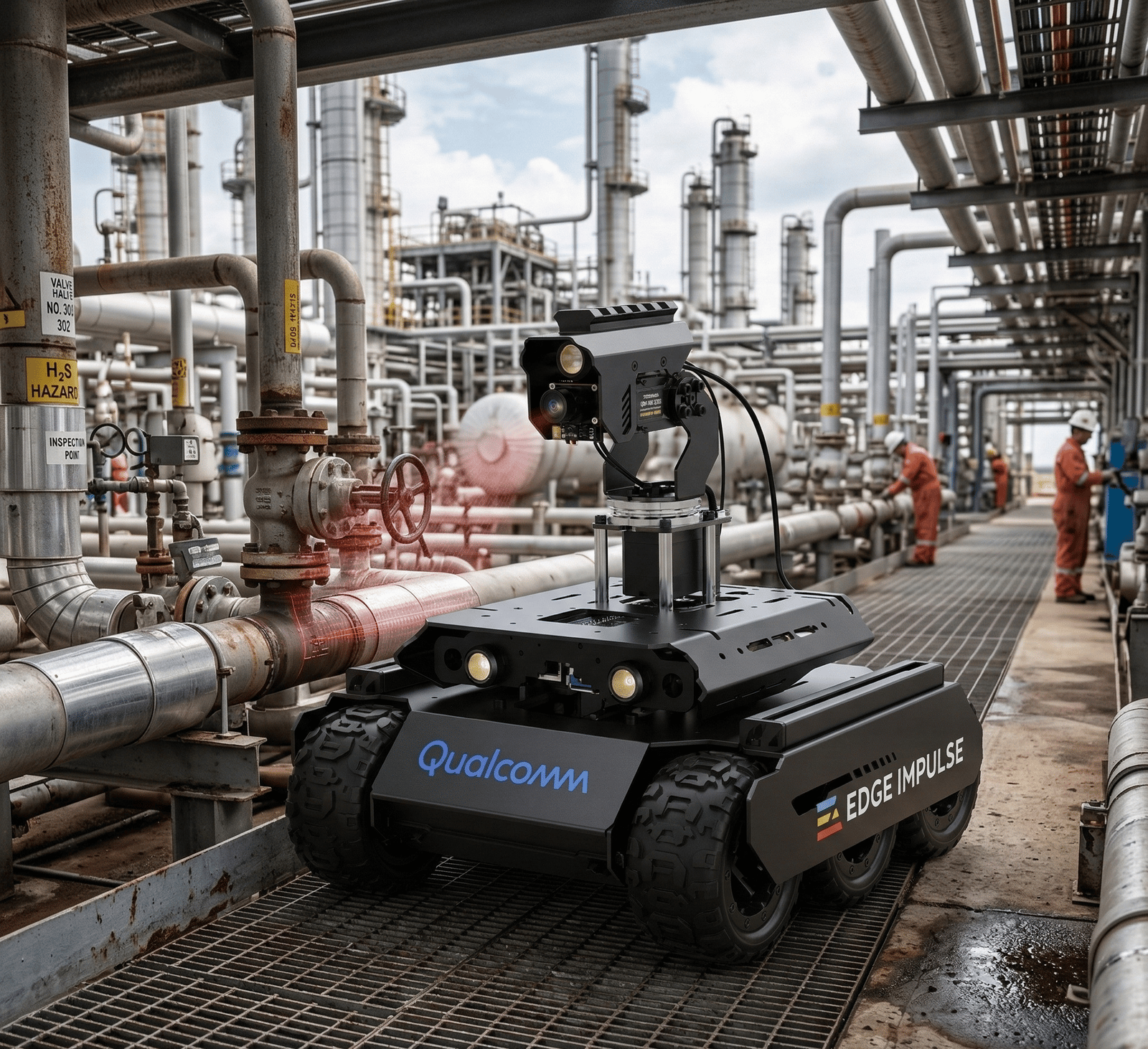
Robots operating in industrial environments where access, safety, and data consistency matter, the primary motivation for this architecture.
On-device inference
- Keep all inference local.
- Stream compact results only.
- Transmit imagery only when an operator or audit process needs it.
- Maintain on-site data storage for sensitive environments.
Safety
- Treat ML as advisory, not authoritative.
- Keep emergency stop and collision avoidance in independent layers.
- Test failure modes such as model failure, communications loss, stalled gimbal movement, and blocked motion.
Feedback loop
Log model scores, operator overrides, manual results, camera pose, and model version. Use those logs to improve datasets, thresholds, and mission policy over time.Getting started checklist
- Create an Edge Impulse project for the search detector.
- Collect a small dataset from the wide-view camera.
- Train and export the detection model as a Linux
.eimdeployment. - Create a second Edge Impulse project for close-up anomaly scoring or classification.
- Collect normal and abnormal close-up examples.
- Integrate the detector with
edgeimpulse_rosand verify/edgeimpulse_detector/detections. - Add gimbal aiming, inspection scoring, and structured logging.
- Test in a controlled environment before field deployment.
Additional resources
- A Look Inside my Edge AI Inspection Robot (ROS 2-Native): Moe Sani’s Embedded World build story and architecture walkthrough.
- edgeimpulse-ros GitHub
- Edge Impulse Linux SDK
- ROS 2 Documentation
- Vizanti web-based ROS 2 UI