

- Upload and relabel training data without touching the UI
- Trigger and monitor training jobs from the command line
- Export deployment artifacts (C++ library, Arduino, TFLite, and others)
- Query project metadata, sample lists, and job status
- Write bulk automation scripts for repetitive tasks like relabelling or batch uploads
agent-tools repository that any agent supporting the Agent Skills specification can load. The skill content is the same regardless of the agent; only the install path differs.
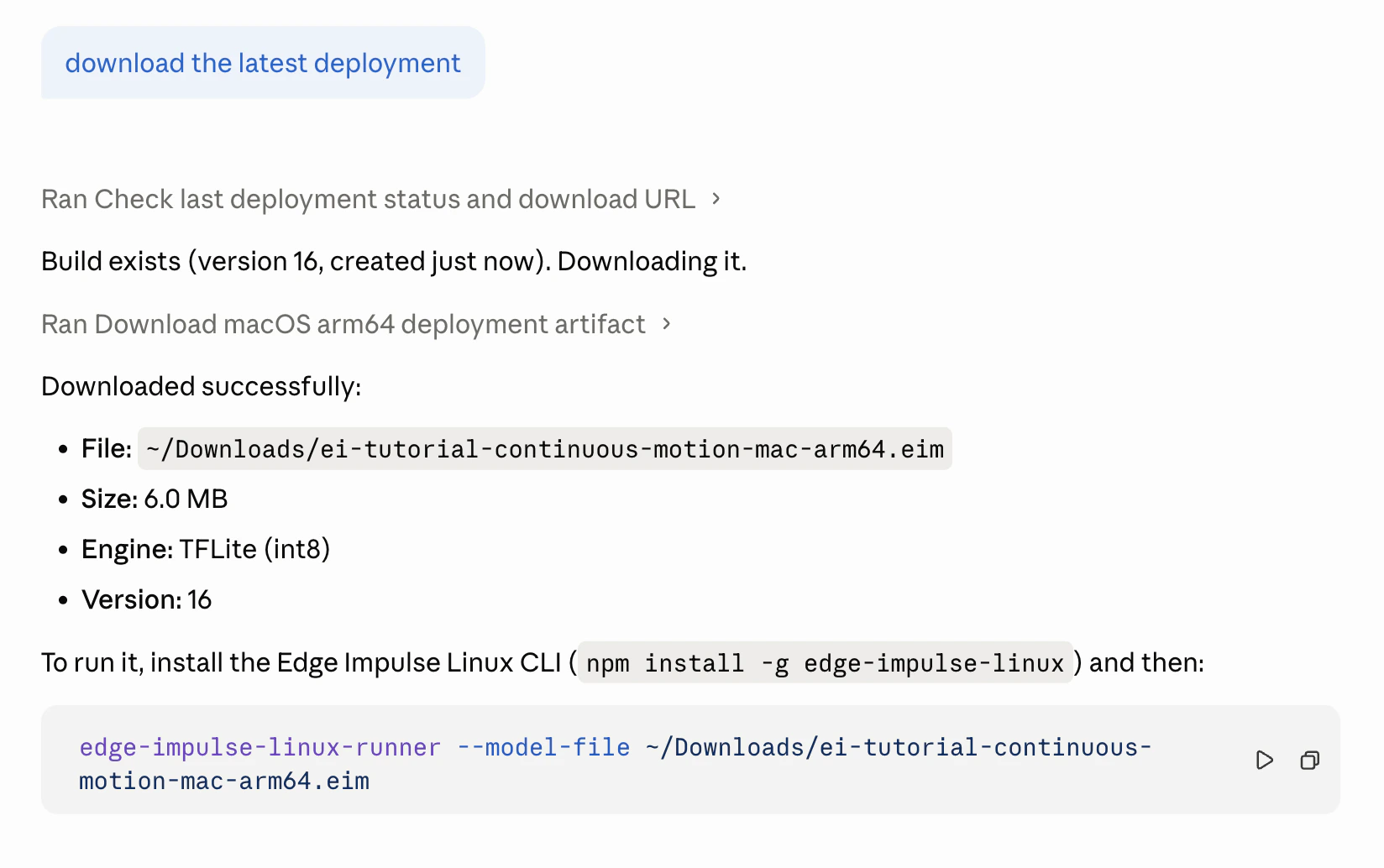
Claude Code using an Edge Impulse skill to download and run the latest deployment
Install from the agent-tools repository
The edgeimpulse/agent-tools repository is a catalog of Edge Impulse tools ready for installation and use in your agentic workflows. Its skills are reusable building blocks that help agents interact with Edge Impulse data, projects, deployments, and workflows, covering the Edge Impulse APIs, CLIs, and SDKs, along with deployment-focused companion skills for common hardware targets. Skills are versioned and maintained by Edge Impulse, and grouped by maturity: stable skills (backwards compatibility expected) and experimental skills (may change or be removed). See Agent Skills for an overview of the catalog; the repository’s README always reflects its current contents. The recommended way to install and manage skills is theskills npm package developed by Vercel. It detects which agents you have installed and copies each skill to the right location.
List all available skills:
Use the skills
Set your credentials
Set environment variables so your agent never needs to ask for credentials:Prompt the agent
Ask your agent to work with your Edge Impulse project. The agent loads a skill automatically when your prompt matches its description, or you can invoke a skill explicitly by name (with a slash command in Claude Code, for example):List all training samples labeled "unknown" in my Edge Impulse project and delete them
Upload every .wav file in ./data to my Edge Impulse project as testing samples with label "noise"
Start a training job for my Edge Impulse project and wait for it to finish, then show accuracy
Export a C++ library deployment from my Edge Impulse project and save it to ./build
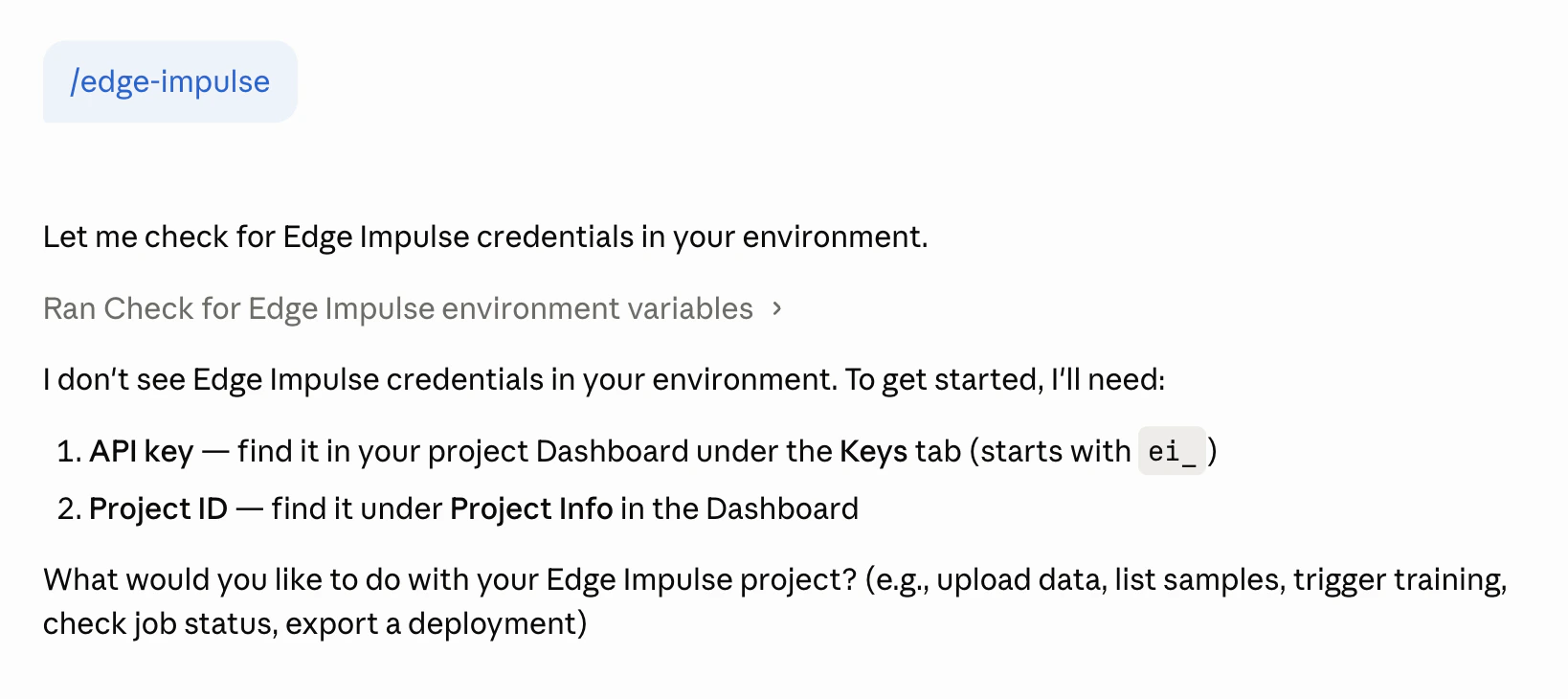
Claude Code running an Edge Impulse skill
Customize an installed skill
An installed skill is just a markdown file on disk (for Claude Code,.claude/skills/<skill-name>/SKILL.md in your project or ~/.claude/skills/<skill-name>/SKILL.md globally). Anything you add to it becomes part of the agent’s persistent context for every future session. If you find yourself making the same API calls repeatedly, such as listing samples, checking job status, or fetching project info, ask the agent to add those patterns directly to the skill file so it can handle them faster next time:
Read the installed Edge Impulse skill and add a section at the bottom with a ready-made Python snippet for listing all training samples grouped by label, since I use this at the start of every session.
Look at my last few Edge Impulse prompts and update the installed Edge Impulse skill with any patterns I use frequently that aren't already covered.
AGENTS.md if you want to keep pulling skill updates.Write your own skill
An Agent Skill is a markdown file with requiredname and description fields in YAML frontmatter, followed by the instructions the agent loads on demand:
Tips
- Ask for error handling. The Edge Impulse API returns
{ "success": false, "error": "..." }on failure. Ask the agent to check this field in every response. - Reference the OpenAPI spec for edge cases. For endpoints not covered by a skill, direct the agent to
https://studio.edgeimpulse.com/openapi.ymlfor the full schema.
API key security
Agents make it easy to accidentally spread credentials around: into prompts, generated scripts, transcripts, and commits. A few rules keep your Edge Impulse API keys safe:- Keep keys in environment variables, as shown in Set your credentials. Never paste an API key into a prompt, and never ask the agent to hard-code one into a script. Prompts and generated code end up in session transcripts, shell history, and version control.
- Keep keys out of files that get committed or shared. Skill files,
AGENTS.md/CLAUDE.md, and generated scripts are meant to be committed and shared with your team. Have them referenceEI_API_KEYrather than a literalei_...value. If you keep keys in a local.envfile, add it to.gitignore. - Scope keys as narrowly as possible. Use a project API key rather than an organization key when the agent only needs one project, and prefer a development project over production while you are experimenting with a new agent or skill.
- Rotate keys that may have leaked. If a key ends up in a transcript, log, or commit, revoke it under Dashboard → Keys in Edge Impulse Studio and create a new one. Treat any exposed key as compromised.
- Review what the agent runs. The key should only ever be sent in the
x-api-keyheader to Edge Impulse endpoints. If a generated script sends it anywhere else, stop and check before running it.
Next steps
- Follow the end-to-end Motion recognition tutorial to take a project from data collection through deployment using only natural language commands
- Create a companion skill for your target hardware so the agent can write application code alongside the API calls
- Browse the prompt library for ready-to-use prompts covering every stage of an Edge Impulse project
- Browse Studio API endpoints for the full endpoint reference