

jetbot_ros package with edgeimpulse_ros.
The JetBot launch file starts a v4l2_camera driver that publishes camera frames. edgeimpulse_ros subscribes to them and publishes detections. jetbot_ros handles motor control, teleoperation, and navigation. Because perception is a separate node, you can reuse it on other robots.
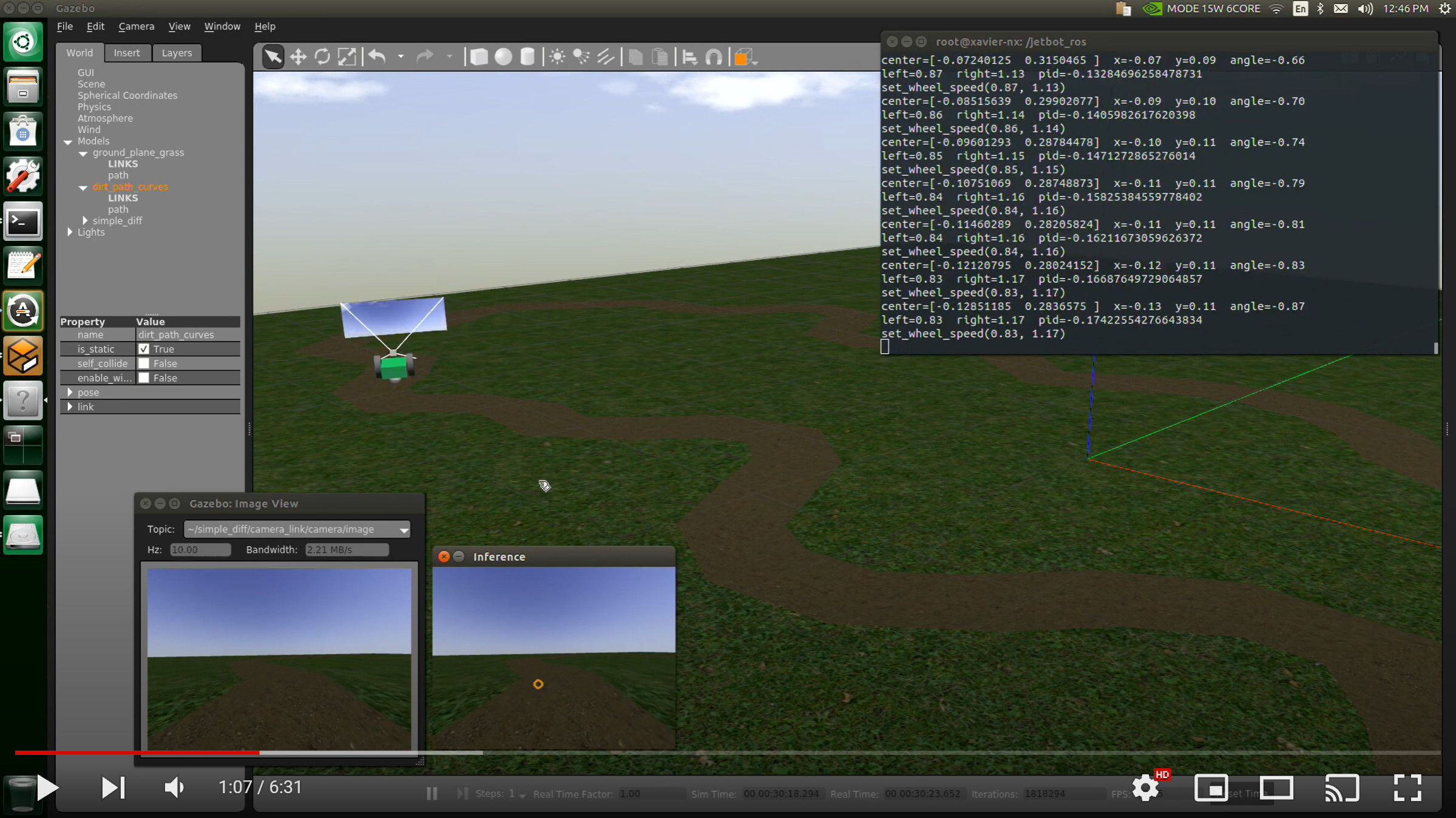
JetBot Gazebo development environment and simulated camera stream
What you’ll build
Object detection on the robot’s camera feed that publishes results to ROS 2, alongside motor control that a behavior node can drive.Prerequisites
- A Rubik Pi running Ubuntu 24.04 and ROS 2 Jazzy
- A SparkFun JetBot AI Kit v2.0 or another JetBot-class chassis with a SparkFun or Waveshare motor controller
- A USB camera connected to the Rubik Pi
- A Linux
.eimobject detection model exported from Edge Impulse Studio - Local copies of ei_jetbot_ros_rubikpi and edgeimpulse-ros
1. Provision the Rubik Pi
On the Rubik Pi, run the repository’s provisioner:vision_msgs, diagnostic_msgs, OpenCV, NumPy, PortAudio (for the SDK’s pyaudio dependency), and the JetBot hardware dependencies. If you use the SparkFun motor controller, check that the Qwiic driver is installed:
2. Build a shared ROS 2 workspace
The JetBot setup script links both packages into one workspace:3. Start motor control and object detection
The integrated launch file starts the motor node, av4l2_camera driver, and the edgeimpulse_ros detector. Give it the model path and the camera device:
motors_waveshare:
4. Inspect inference output
View the detections and diagnostics:
Don’t let detections drive the robot until they’re stable. When you add a behavior node, base each action on the confidence, label, and robot state rather than on every frame.
Motor and camera checks
Before you connect detections to motion, test the motors on their own. Start hardware control:Simulation notes
The repository includes Gazebo Classic worlds for navigation and data collection. Run them on an Ubuntu or WSL development machine with Gazebo Classic installed:image_topic at the Gazebo camera stream, but the repository only tests the detector with a real V4L2 camera.
Troubleshooting
Next steps
- Add a behavior node that subscribes to
/edgeimpulse_detector/detectionsand publishes/cmd_velcommands with safety checks. - Watch the FPS and latency on
/diagnosticsunder load. - Collect more training data from the camera’s final position.
- Test autonomous behavior at low speed before you increase it.