

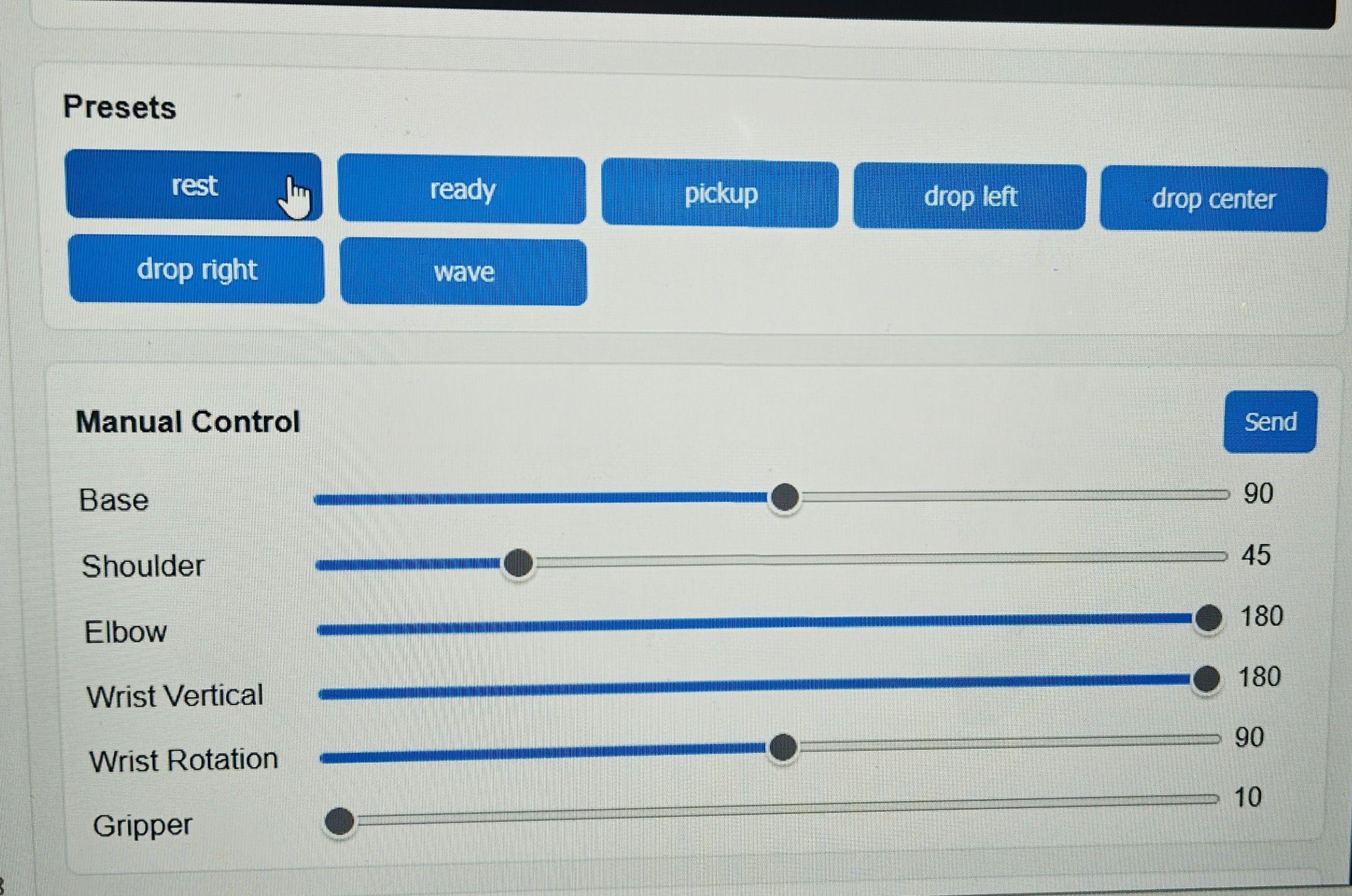
UNO Q Braccio control dashboard and named arm poses
What you’ll build
A ROS 2 pipeline that streams camera frames, runs Edge Impulse inference in the repository’sedge_impulse_vision node, publishes the detected label on /edge_impulse/label, and runs the matching pick-and-place sequence on the arm.
Prerequisites
- An Arduino UNO Q and a TinkerKit Braccio arm with an external 5 V servo power supply
- Ubuntu 24.04 with ROS 2 Jazzy, or WSL 2
- A local clone of unoq-braccio
- An MJPEG camera stream that the host can reach, usually from the UNO Q web or USB camera
- An Edge Impulse model runner command that takes an image path and prints one line of JSON
- Node.js and
npm, if you use the repository script that installs the Edge Impulse Linux tools
edgeimpulse_ros, as described in Alternative: run inference with edgeimpulse_ros. For background on edgeimpulse_ros, see Run Edge Impulse object detection with ROS 2.
1. Prepare the UNO Q and arm
Flash and test the arm before you connect it to a model. To flash the firmware over USB:app_lab/braccio_web_agent or app_lab/braccio_remote_agent on the UNO Q. The host connects to the UNO Q TCP server on port 8765.
Before you add vision, check that the arm moves safely through each named pose, using the repository’s dashboard or manual test commands.
2. Build the workspace and install the Edge Impulse tooling
Build the Braccio workspace first:npm and installs edge_impulse_linux, opencv-python, and the Edge Impulse Linux CLI. It doesn’t add edgeimpulse_ros to the workspace.
If the Edge Impulse CLI or
.eim tools need EDGE_IMPULSE_API_KEY, set it in your shell environment. Never commit it to scripts or repository files.3. Match model labels to workflows
The defaultedge_impulse/pick_place_workflows.yaml supports these labels:
The YAML file defines the steps, joint poses, and waits for each item. Edit it before you turn on live inference. Each detector label must match a YAML item exactly.
edge_impulse_vision publishes a label only when a result is above its min_confidence threshold. pick_place_executor ignores new labels while a sequence runs, so repeated detections don’t interrupt a motion.
4. Test a sequence without vision
To test the network connection and arm poses before the camera can trigger motion, publish a label by hand. Start the remote bridge:5. Launch the pick-and-place workflow
Start the UNO Q TCP bridge in one terminal:runner_template.py with your Edge Impulse model runner. app_lab/braccio_web_agent serves both the bridge on port 8765 and the camera stream on port 8080.
Alternative: run inference with edgeimpulse_ros
Instead of the runner command, you can run inference with the edgeimpulse_ros package through edge_impulse_ros_pick_place.launch.py. This launch file runs the edgeimpulse_ros detector on /braccio/camera/image_raw. A detection_label_bridge node converts the detector’s vision_msgs/Detection2DArray output to the /edge_impulse/label string that the executor reads, so the pick-and-place workflow doesn’t change.
Run this pipeline on a separate machine, or on the UNO Q in a Docker container.
- External host or VM
- On the UNO Q (Docker)
Clone and build In a second terminal, start the camera stream, the
edgeimpulse_ros into ros2_ws first, then start the arm bridge in one terminal:edgeimpulse_ros detector, the label bridge, and the executor:detection_label_bridge reads detections from detections_topic (default /edgeimpulse_detector/detections) and publishes a label only when the top score is above min_confidence (default 0.65). The executor, workflow YAML, and /edge_impulse/label topic are the same for both pipelines, so you can switch between them without changing the arm workflow.
Monitor the decision path
To check the inference output, selected labels, and arm commands, run each of these in its own terminal:/edge_impulse/detection carries the raw detection result as a JSON string. /edge_impulse/label carries the selected label, which the executor maps to a workflow. If no label arrives, or the label doesn’t match an item in edge_impulse/pick_place_workflows.yaml, the arm doesn’t move.
Test on macOS with a ROS 2 container
To test the build and the ROS 2 graph on macOS, run the workspace in aros:jazzy Docker container. On Apple silicon, the arm64 image runs natively.
Start a container with the Braccio repository and edgeimpulse_ros mounted in the same workspace. Replace the host paths with the locations of your clones:
/tmp, so your host checkout stays clean:
docker exec -it braccio-test bash, and run source /tmp/install/setup.bash in each. To test detection_label_bridge without hardware, run it in one shell:
score: 0.4 to check that the bridge publishes nothing below min_confidence. To test the full pipeline, run pick_place_executor with a workflow_file and watch /braccio/joint_command while you publish labels.
Troubleshooting
Next steps
- Retrain with images from the final camera position, lighting, and object distances.
- Replace the fixed pickup poses with positions calibrated for your table.
- Add a physical or ROS-level enable switch before you leave the arm running unattended.
- Log inference timing and decisions to check that the system responds fast enough for the motion sequence.