

- EIM file: a Linux executable that runs on the host with TensorRT and CUDA installed.
- Docker container: an inference container that includes CUDA and TensorRT, with an HTTP interface.
Requirements
- An x86_64 Linux host with an NVIDIA GPU that has one of the following compute capabilities: 7.5, 8.0, 8.6, 8.9, 9.0, 10.0, 10.3, 12.0, or 12.1. See CUDA GPUs to find your GPU’s compute capability.
- Ubuntu 22.04 or 24.04. For the EIM file, other x86_64 Linux distributions also work if they provide
glibc 2.35or later andGLIBCXX_3.4.30or later. - An impulse with an unquantized (float32) model. Quantized (int8) models don’t run on the GPU.
Instruction set architecturesIf you’re not sure about your instruction set architecture, run:
Installing dependencies
System packages
Install the build tools andwget:
NVIDIA driver
Both options need the NVIDIA driver on the host. The commands below add NVIDIA’s CUDA 13.2 local repository, which also provides the driver, then install the driver:- Ubuntu 22.04
- Ubuntu 24.04
CUDA and TensorRT (EIM file only)
The EIM file needs CUDA 13.x and TensorRT 10.x on the host. The Edge Impulse build uses CUDA 13.2 and TensorRT 10.16.1. The EIM file doesn’t use cuDNN, so you don’t need to install it. The local repository you added in the previous step also provides the CUDA 13.2 toolkit. To install it, run:~/.bashrc to keep them across sessions:
Edge Impulse Linux CLI (EIM file only)
To connect the host to Edge Impulse and run an EIM file, install the Linux CLI:NVIDIA Container Toolkit (Docker container only)
The other way to run your impulse is with Edge Impulse’s NVIDIA GPU (x86) Docker container also referred to as inference container. This inference container includes CUDA, TensorRT and the edge impulse linux CLI, so you don’t need to install them on the host. To pass the GPUs (from the host) through to the inference container, install the NVIDIA Container Toolkit on the host.Connecting to Edge Impulse
You only need this step to collect data from the host into your project. On a server, you’re more likely to collect data on other devices and use the host for inference only. In that case, skip to Deploying back to device.
--clean. To connect a different sensor, see Next steps.
Verifying that your device is connected
To verify the connection, go to your Edge Impulse project and click Devices. The host is listed there.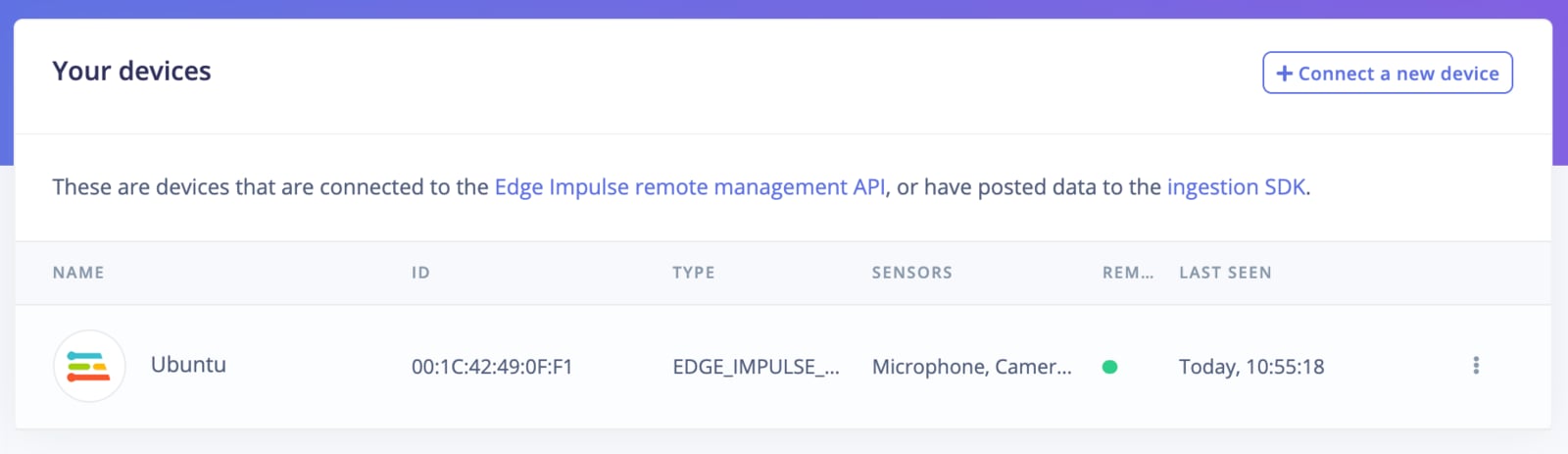
Device connected to Edge Impulse.
Next steps: building a machine learning model
With everything set up, you can build your first machine learning model with these tutorials:- Keyword spotting
- Sound recognition
- Image classification
- Object detection
- Object detection with centroids (FOMO)
Deploying back to device
Using an EIM file
On the Deployment page in Edge Impulse Studio, select NVIDIA GPU (x86) and build. Studio produces an.eim file that runs inference on the GPU with TensorRT. Copy it to the host, then run:
Running
edge-impulse-linux-runner without --model-file downloads the CPU build for x86_64 Linux, which doesn’t use the GPU..eim file with your favorite programming language.
Image model?
If you have an image model, you can see what your device sees from a browser on the same network. Find the “Want to see a feed of the camera and live classification in your browser” message in the console, then open the URL it shows. The page displays the camera feed and the classification results.Checking an EIM file
To print information about an.eim file, such as its input shape, labels, and parameters, run:
Using the Docker container
The container includes the runtime dependencies for the EIM file. The host only needs a supported GPU, the NVIDIA driver, and the NVIDIA Container Toolkit. On the Deployment page, select Docker container (NVIDIA GPU (x86)). Studio shows thedocker run command to start the container, with your project’s API key filled in. For example, this command runs your model with an HTTP server on port 1337:
--runtime=nvidia --gpus all flags pass the GPUs to the container. See Docker container for how to call the HTTP interface.
To run a quantized model on the CPU instead, use the standard Docker container deployment.