

Note: This devkit does not support stacking the shield directly. You’ll need to manually wire the IKS02A1 shield to the DK.If you prefer a different sensor, you can also use the Data forwarder, or modify the example firmware (built with nRF Connect SDK and Zephyr RTOS) to support any Zephyr-compatible accelerometers. For SoC details, see Nordic’s product page: nRF54LM20B.
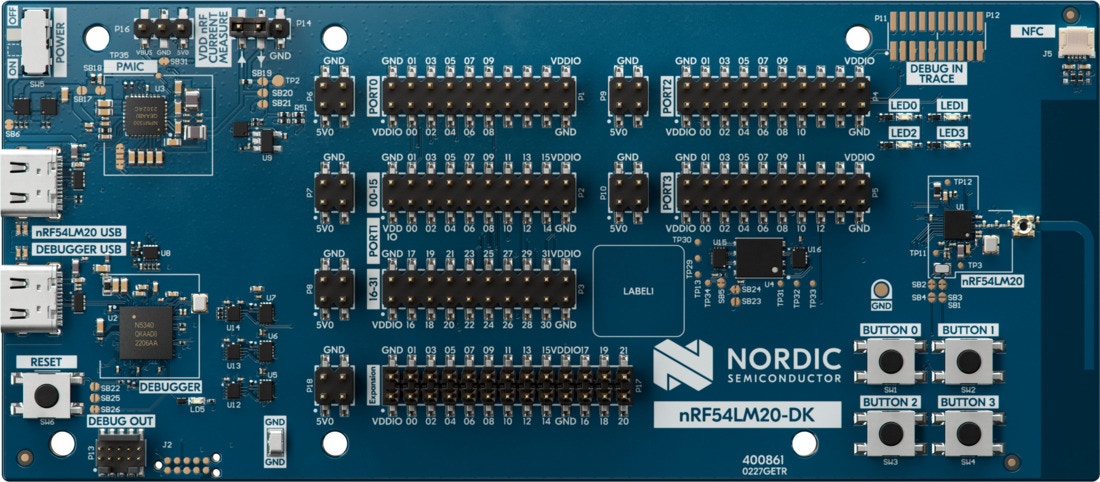
nRF54LM20 DK board
Connecting to Edge Impulse
Wiring the IKS02A1 MEMS sensor shield
The nRF54LM20 DK does not support direct stacking with the IKS02A1 shield. You must wire it manually. Use the following connections (select an I2CSDA/SCL pair that is available on your nRF54LM20 DK header and matches your firmware configuration):
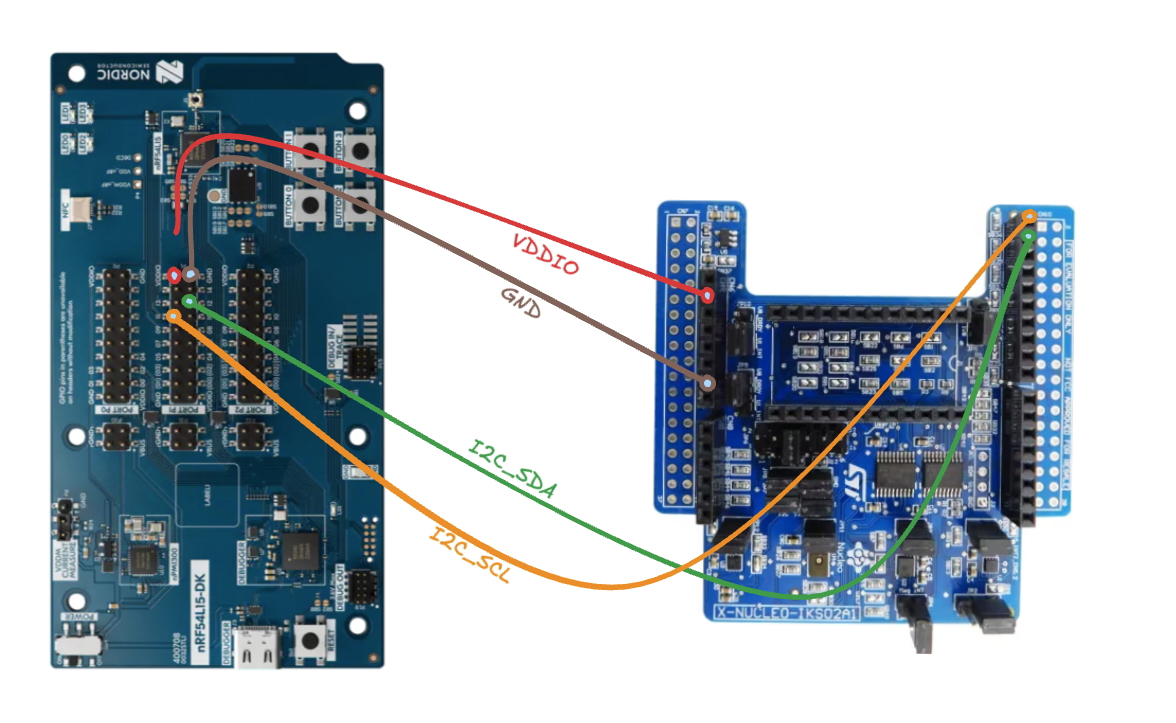
Wiring diagram (pins are the same for nRF54LM20 DK)
1. Connect the development board to your computer
Use a USB cable to connect the board to your computer.2. Download the latest Edge Impulse firmware
Download the latest Edge Impulse Nordic Semi nRF54LM20 DK firmware.3. Flash the Edge Impulse firmware
- Connect the board over USB and ensure it appears as a JLINK USB device.
- Install and open the nRF Connect for Desktop and open the Programmer application.
- Drag and drop the
nrf54lm20-dk-full.hexfirmware from the downloaded zip into the Programmer application. - Click Erase & Write and wait for the device to boot.
4. Link the device to your Edge Impulse project
Open a terminal and run:Deploying with Nordic Axon (nRF54LM20)
For this device family, Edge Impulse supports multiple deployment artifacts depending on how you want to run your model:- Nordic Axon NPU library: A zip with source files containing the Axon compiler output to run your model on Nordic Axon-enabled devices.
- Nordic Axon Linux CLI: A Linux binary containing both the Axon compiler output and a CLI to run the model on a simulator.
- Nordic nRF54LM20 DK: A firmware binary containing both the Edge Impulse data acquisition client and your full impulse.
Integrating the Nordic Axon NPU library (Zephyr/CMake)
- Extract the deployment zip into a folder in your application (e.g.
ei-modelat the root of your project). - Ensure your
CMakeLists.txtcontains the following lines:
ei-model/nordic-axon-model. Adjust the paths as necessary based on where you copied the files.