

Getting Started
Steps
- In your Edge Impulse project, choose Data acquisition > Synthetic data.
-
Select the ‘Huggingface RealVisXL_4.0 Synthetic Image Generator’ block, fill in your prompt and label, and hit Generate data.
You need a HuggingFace API Key/Access Token. See below to create one and set the permissions.
- Your synthetic data will show on the right side, for quick evaluation of your prompt.
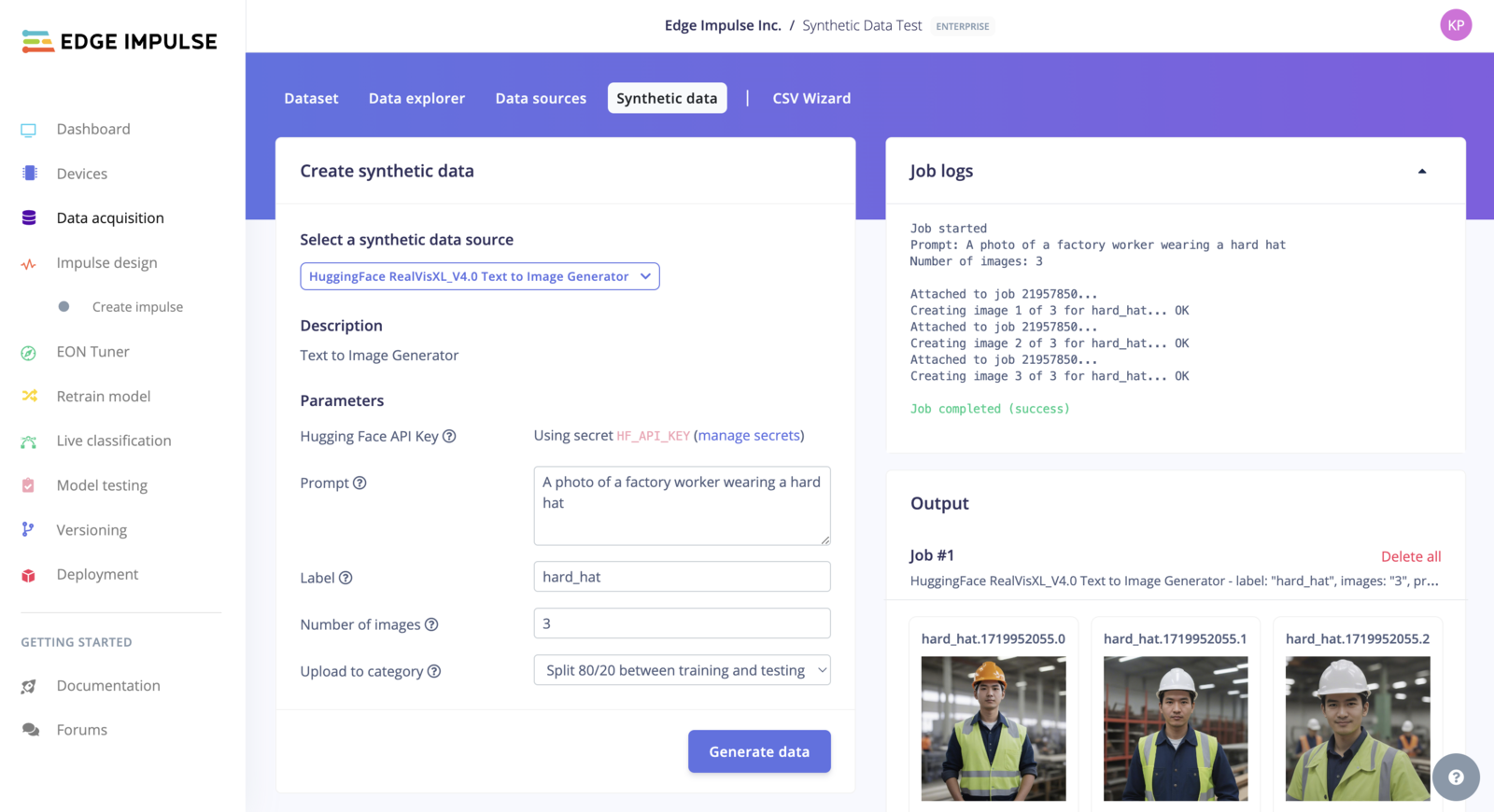
Synthetic Data
Generate an Access Token in Hugging Face
See https://huggingface.co/docs/hub/en/security-tokens for more information. To create an Access Token in the Hugging Face web interface, click on your avatar (top-right corner) and select Settings. Navigate to the Access Token view (left menu) and click on New token. Add a Name and for the Type use the “Fine-grained (custom)” option. Copy the newly generated Access Token Finally, add the following permissions:- Make calls to the serverless Inference API
- Make calls to Inference Endpoints
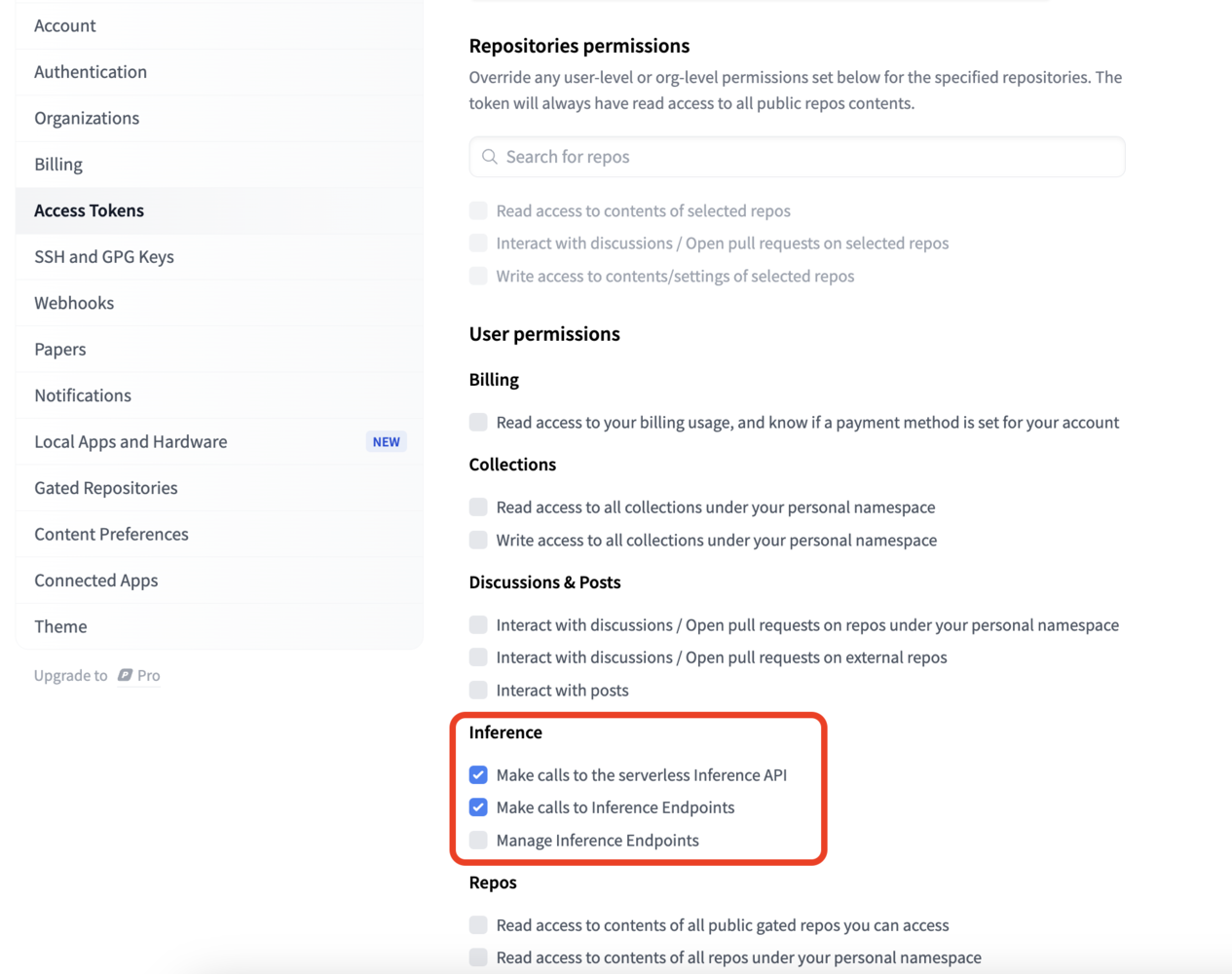
Hugging Face access token permissions
Limitations and warnings
- The model is still in the training phase. This is not the final version and may contain artifacts and perform poorly in some cases.
- The model can produce NSFW (Not Safe For Work) images!