

What you’ll build
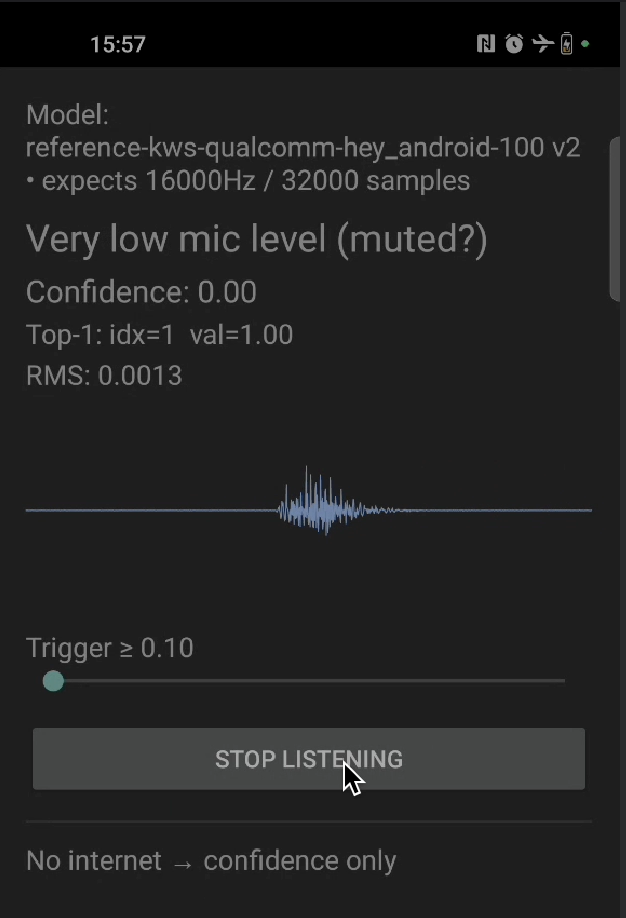
- Captures real-time audio from microphone
- Recognizes spoken keywords continuously
- Displays classification results with confidence scores
- Runs entirely on-device with low latency
Prerequisites
- Trained audio keyword spotting model
- Android Studio with NDK and CMake
- Android device with microphone (usb camera with a mic also works)
- Basic familiarity with Android development
1. Clone the repository
2. Download TensorFlow Lite libraries
3. Export your audio model
- In Edge Impulse Studio, go to Deployment
- Select Android (C++ library)
- Enable EON Compiler (recommended for audio)
- Click Build and download the
.zip
4. Integrate the model
- Extract the downloaded
.zipfile - Copy all files except
CMakeLists.txtto:
5. Configure audio permissions
Permissions are already set inAndroidManifest.xml:
6. Build and run
- Open in Android Studio
- Build → Make Project
- Connect your Android device
- Run the app
- Grant microphone permission when prompted
How it works
Audio capture
Ring buffer for continuous inference
Native inference
Result display
Troubleshooting
No microphone permission prompt
No microphone permission prompt
Confirm
<uses-permission android:name="android.permission.RECORD_AUDIO" /> is in AndroidManifest.xml and that you call ActivityCompat.requestPermissions on first launch. Grant the permission manually under Settings → Apps → … → Permissions if the system dialog never appears.Inference runs but no keyword is ever detected
Inference runs but no keyword is ever detected
- Verify the sample rate in
MainActivity.ktmatches the value reported byei_classifier_frequency()(16 kHz for most KWS models). - Confirm
EI_CLASSIFIER_SLICE_SIZEmatches the slice size you read from the microphone before eachrun_classifier_continuouscall. - Make sure your model was exported with EON Compiler enabled and that the labels in
ei_classifier_inferencing_categoriesmatch what you trained on.
Build fails with undefined symbol: aligned_alloc
Build fails with undefined symbol: aligned_alloc
The bundled full TensorFlow Lite runtime uses
aligned_alloc, which is only available from Android API 28 onwards. Bump minSdk to at least 28 in app/build.gradle.kts.App crashes on startup with UnsatisfiedLinkError
App crashes on startup with UnsatisfiedLinkError
The native library failed to load. Confirm
ndk { abiFilters += "arm64-v8a" } is set in app/build.gradle.kts and that download_tflite_libs.sh placed .a files in app/src/main/cpp/tflite/android64/.