

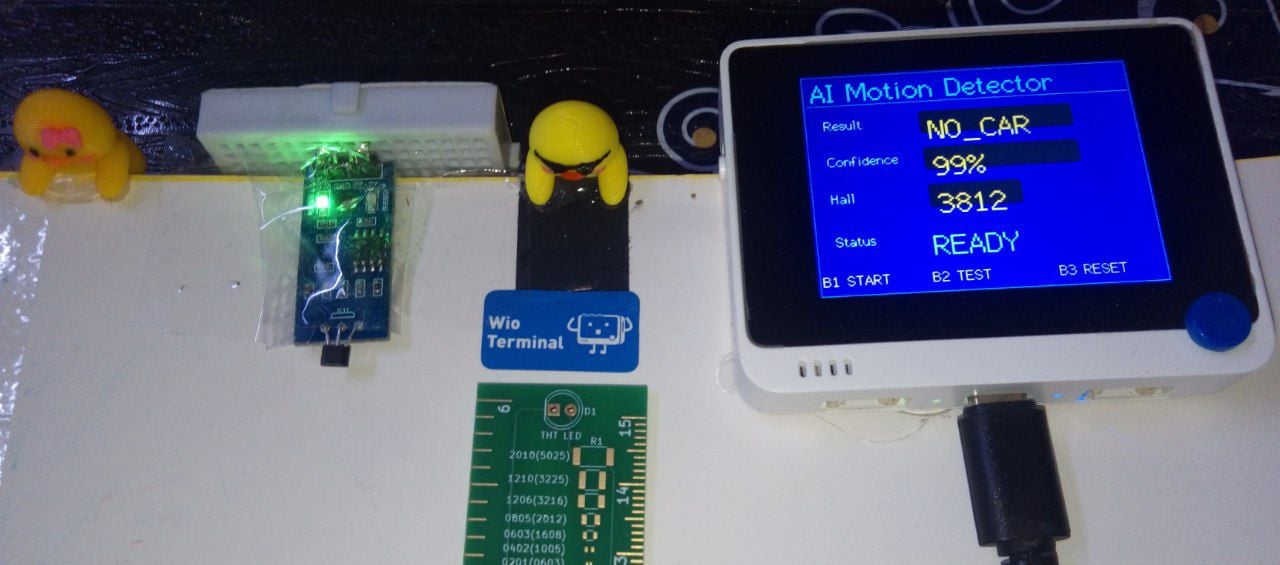
- Experiment 1 - Live demo — take 1
- Experiment 1 - Live demo — take 2
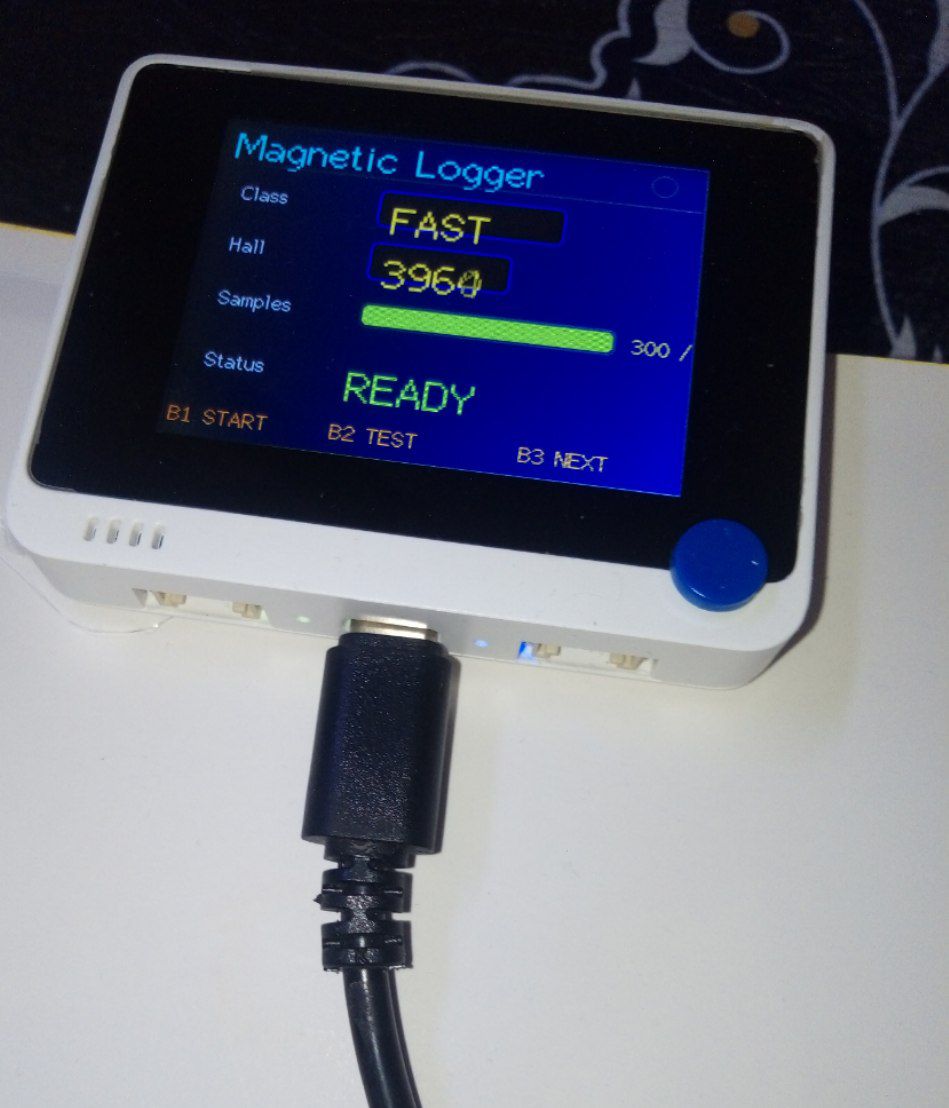
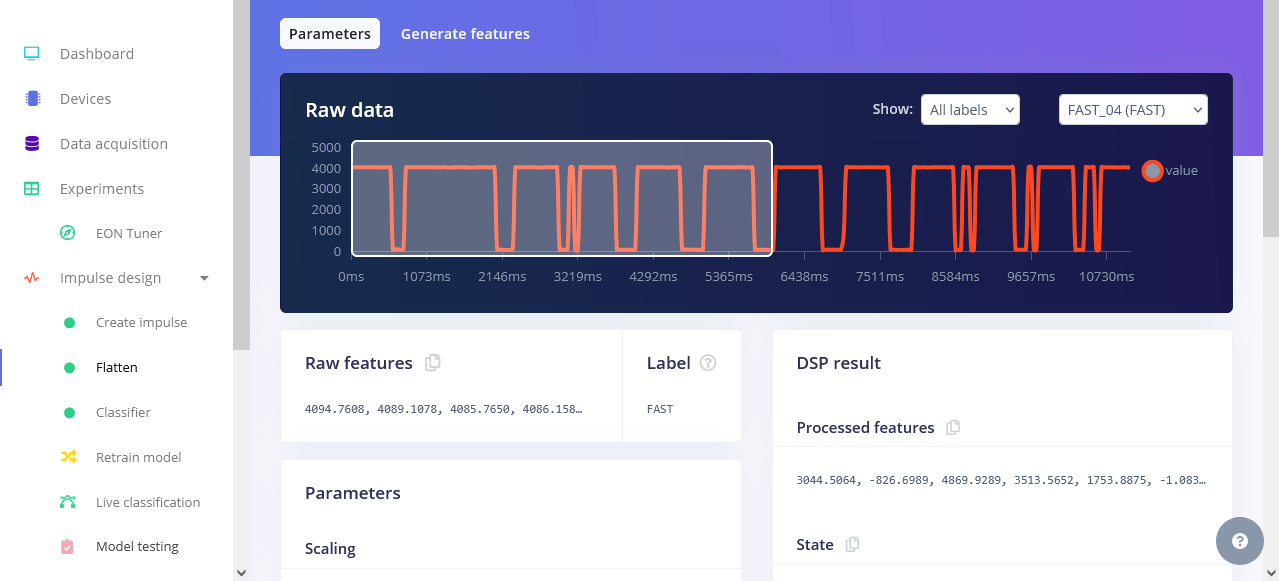
- Experiment 1 - FAST detection
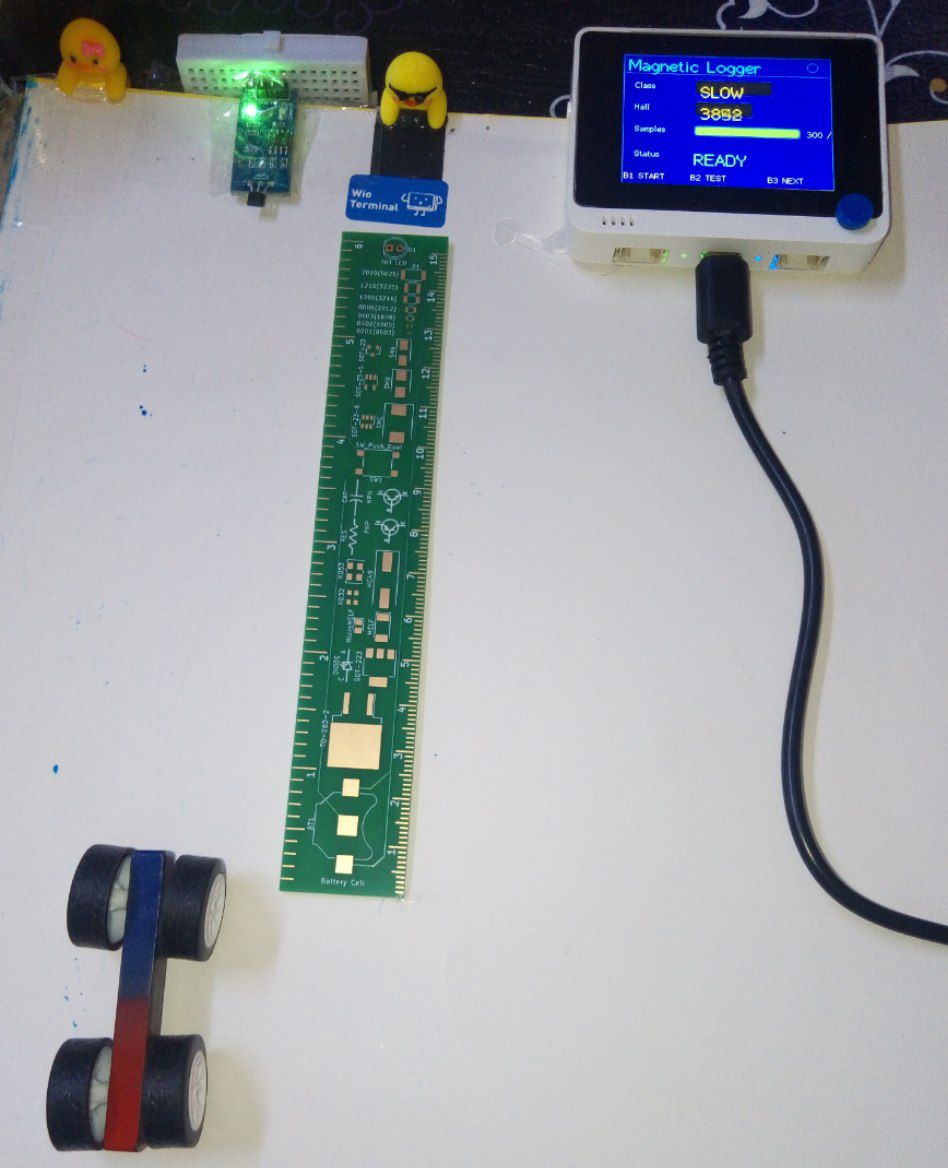
- Experiment 1 - SLOW / NO_CAR detection
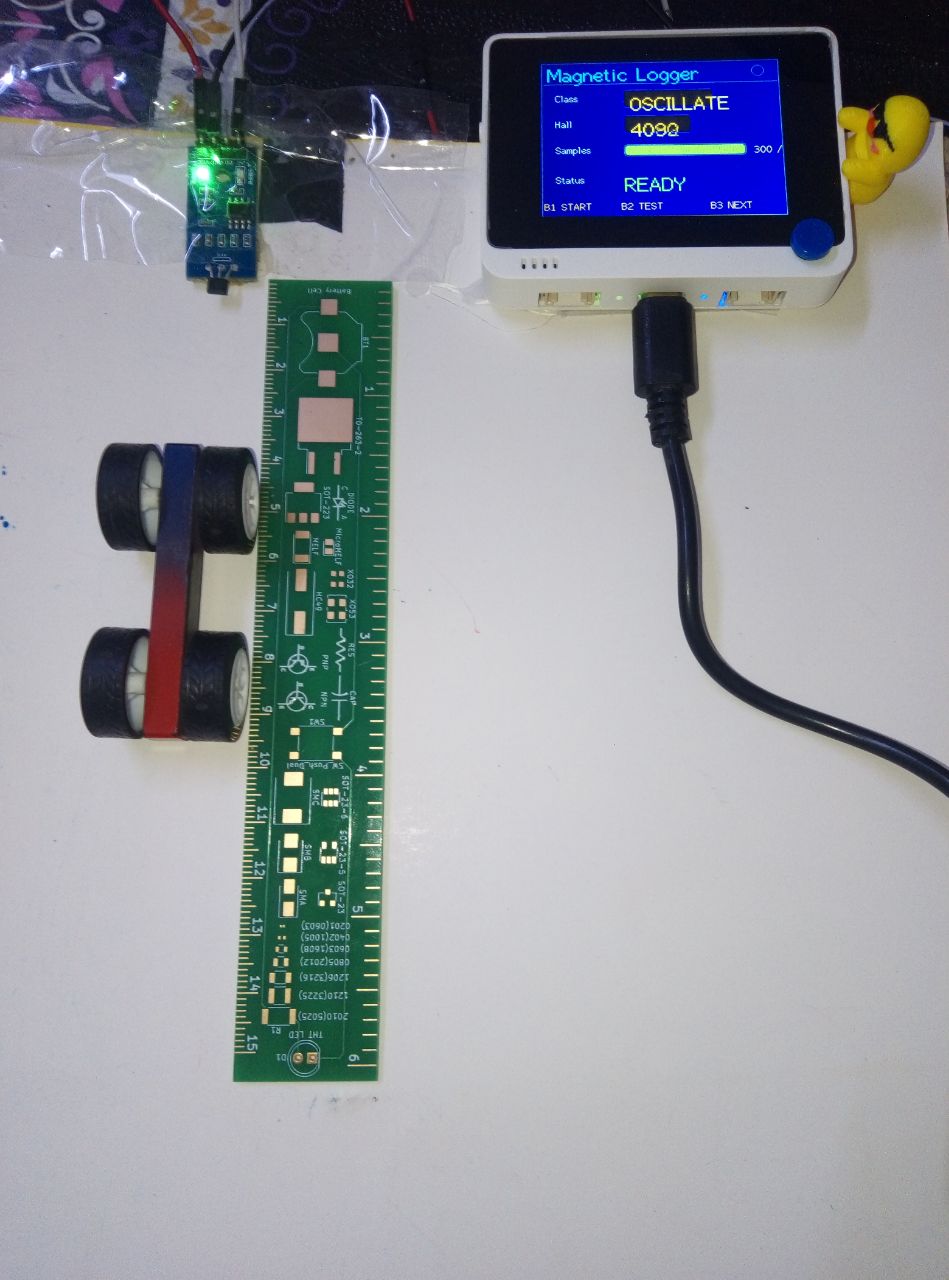
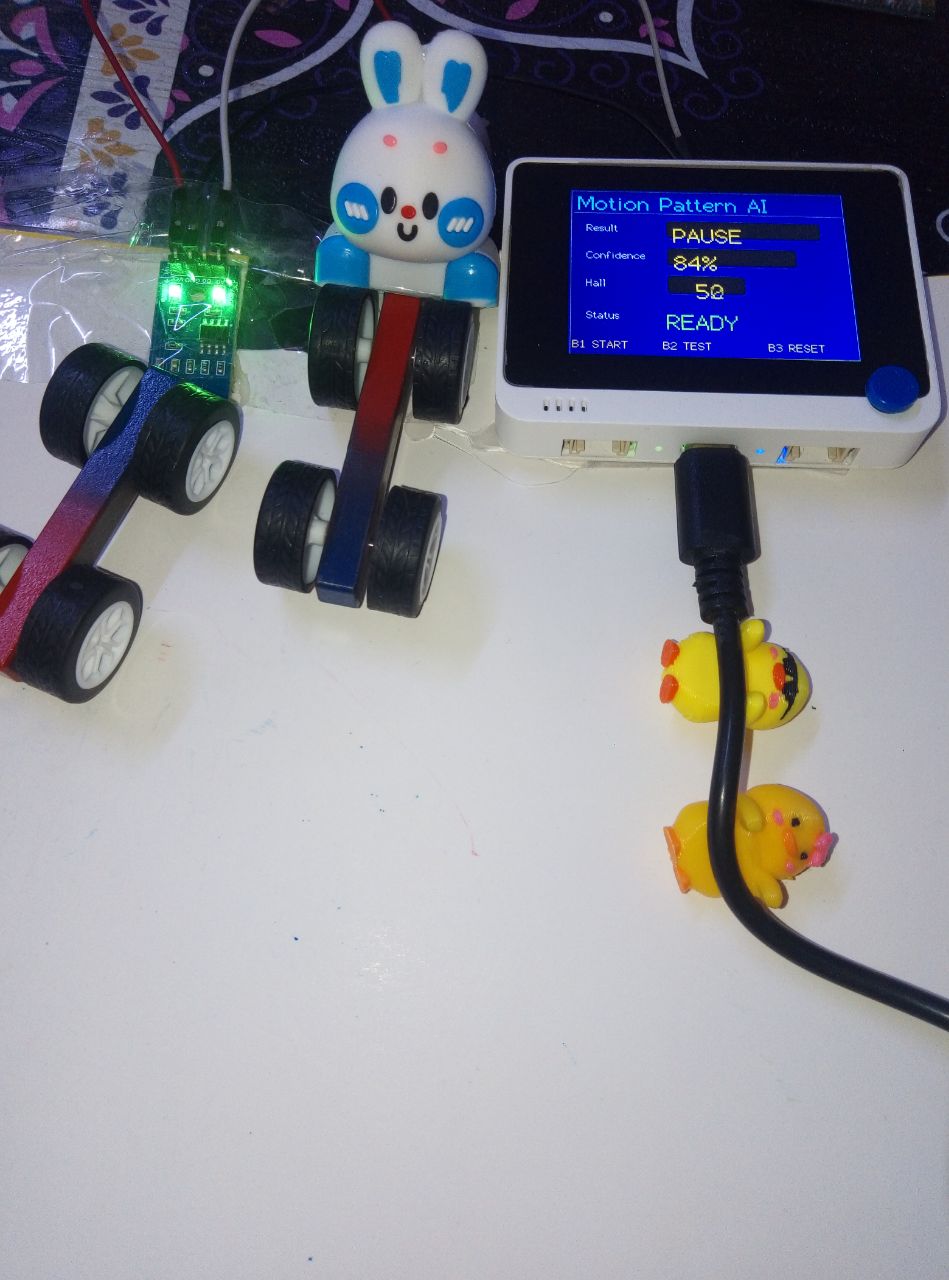
- Experiment 2 - Live demo
Introduction
What if a machine could understand motion without seeing it? This project explores whether a simple Hall-effect sensor can capture enough information about a moving object for a machine-learning model to recognize its motion — without any camera or computer vision. Using a Seeed Studio Wio Terminal, an A1302 linear Hall-effect sensor, and a small magnetic toy car, I recorded the magnetic field changes caused by the moving car.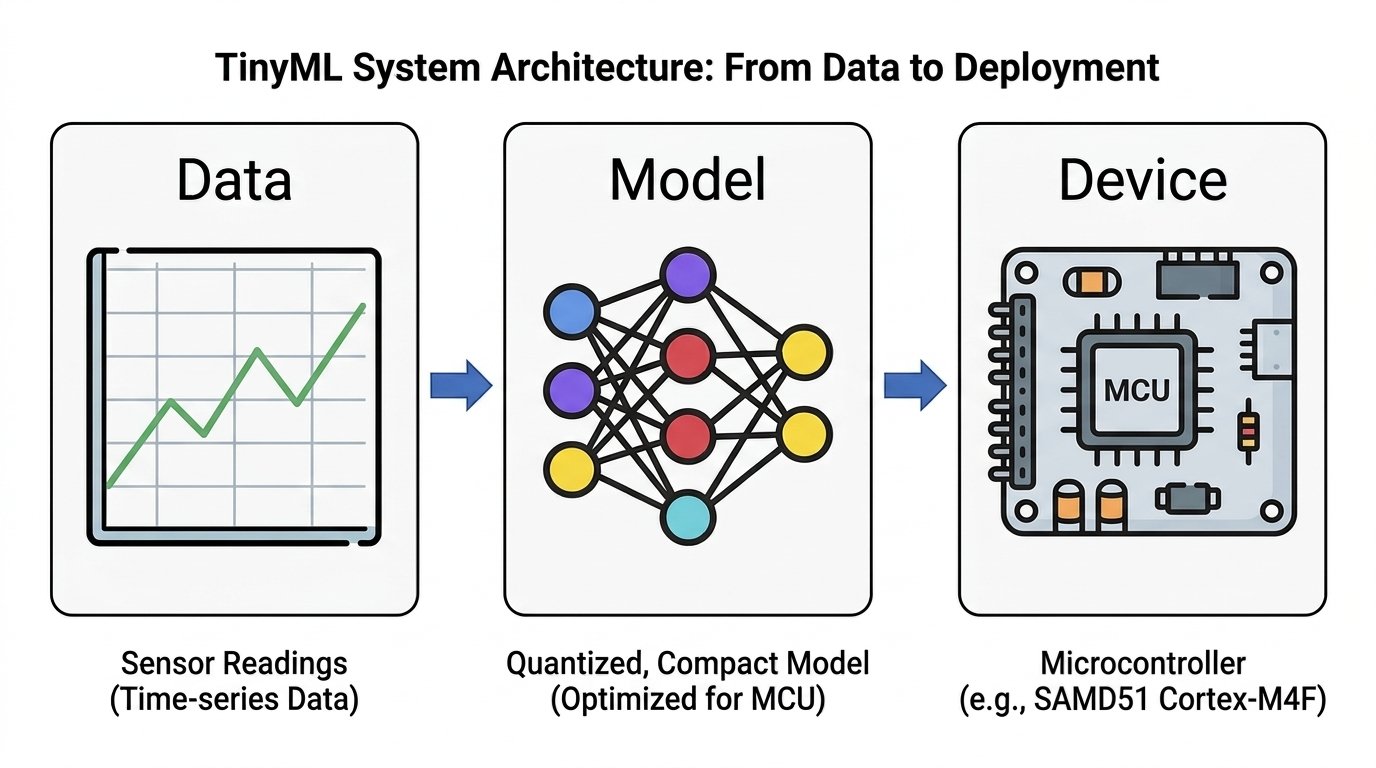
- Experiment 1: Classify motion speed (FAST / SLOW / NO_CAR) using statistical features.
- Experiment 2: Classify motion patterns (STRAIGHT / OSCILLATE / PAUSE) using a 1D CNN on raw signals.
Requirements
Hardware
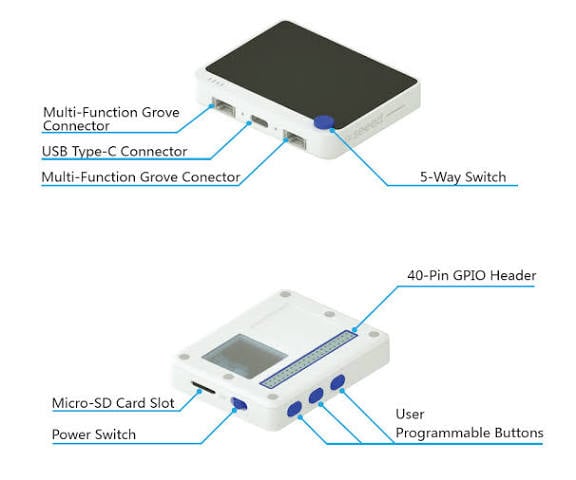
- 1 x Seeed Studio Wio Terminal (ARM Cortex-M4F, built-in LCD)
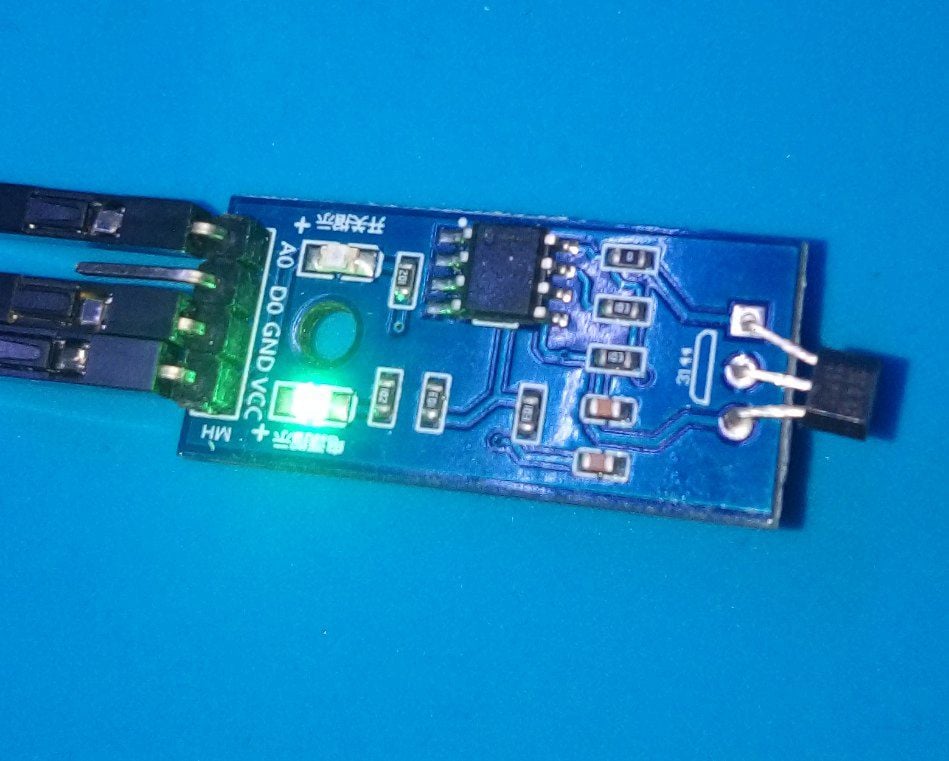
- 1 x A1302 Linear Hall-Effect Sensor
- 1 x Magnetic toy car (from a magnetic science kit)
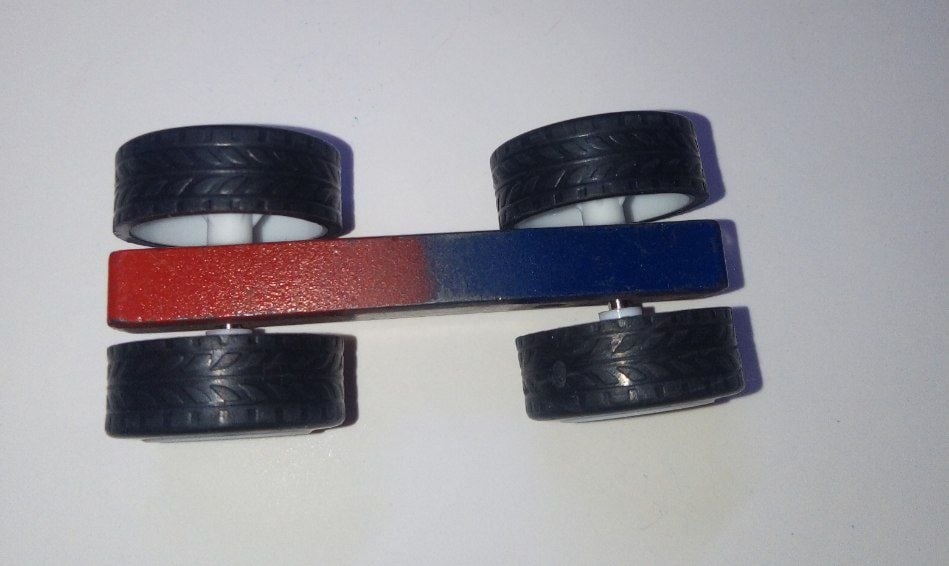
- 3 x Jumper wires
- 1 x USB-C cable
Software
- Edge Impulse Studio
- Arduino IDE (v1.8.19 recommended)
- Python 3 (for the data logger)
- TFT_eSPI library
How It Works
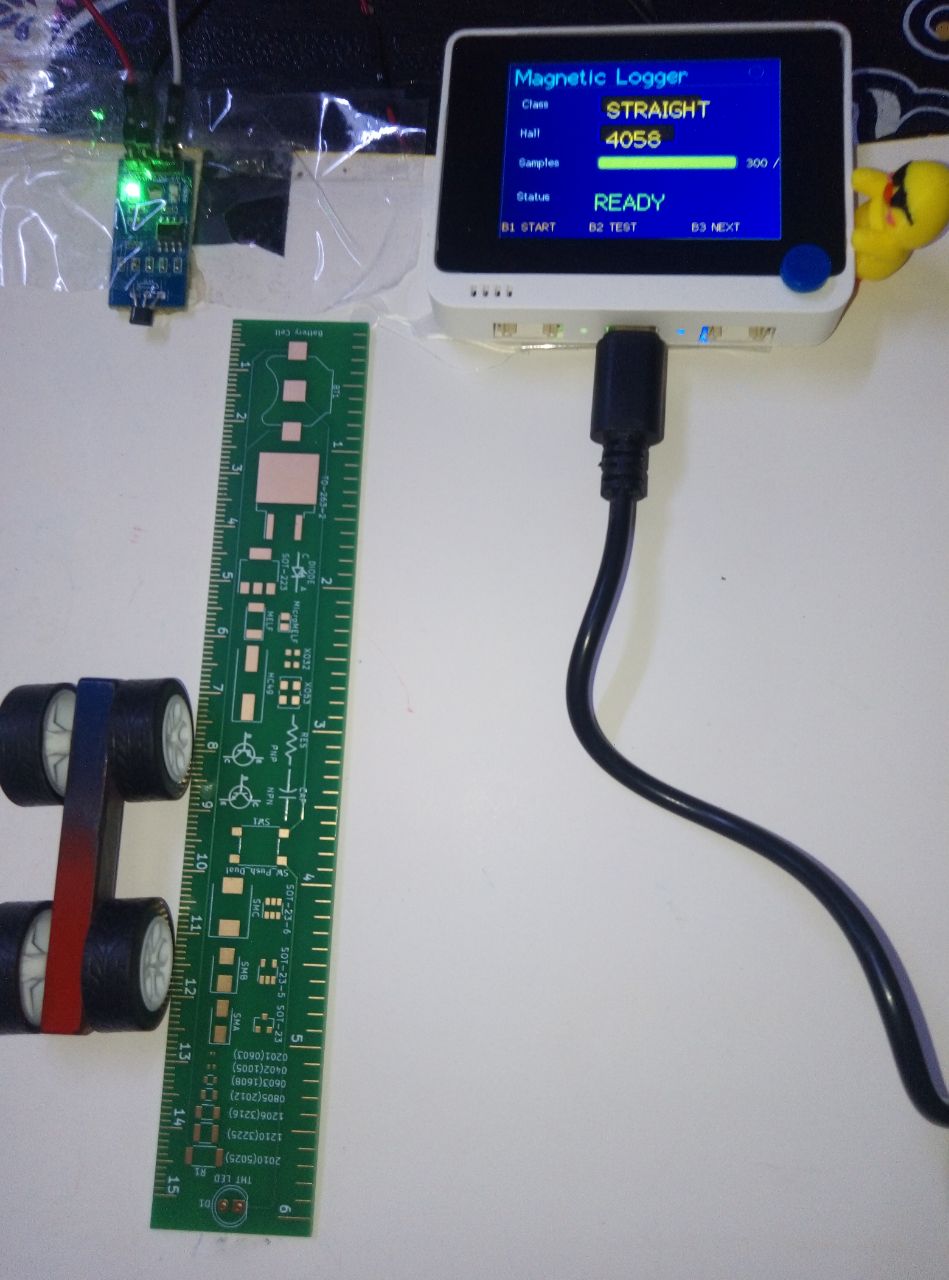
The A1302 Hall-effect sensor is connected to the Wio Terminal’s analog pin A0 (physical pin 13), powered at 3.3V for a wider ADC dynamic range. As the magnetic car moves near the sensor, the magnetic field changes, producing a time-varying analog signal.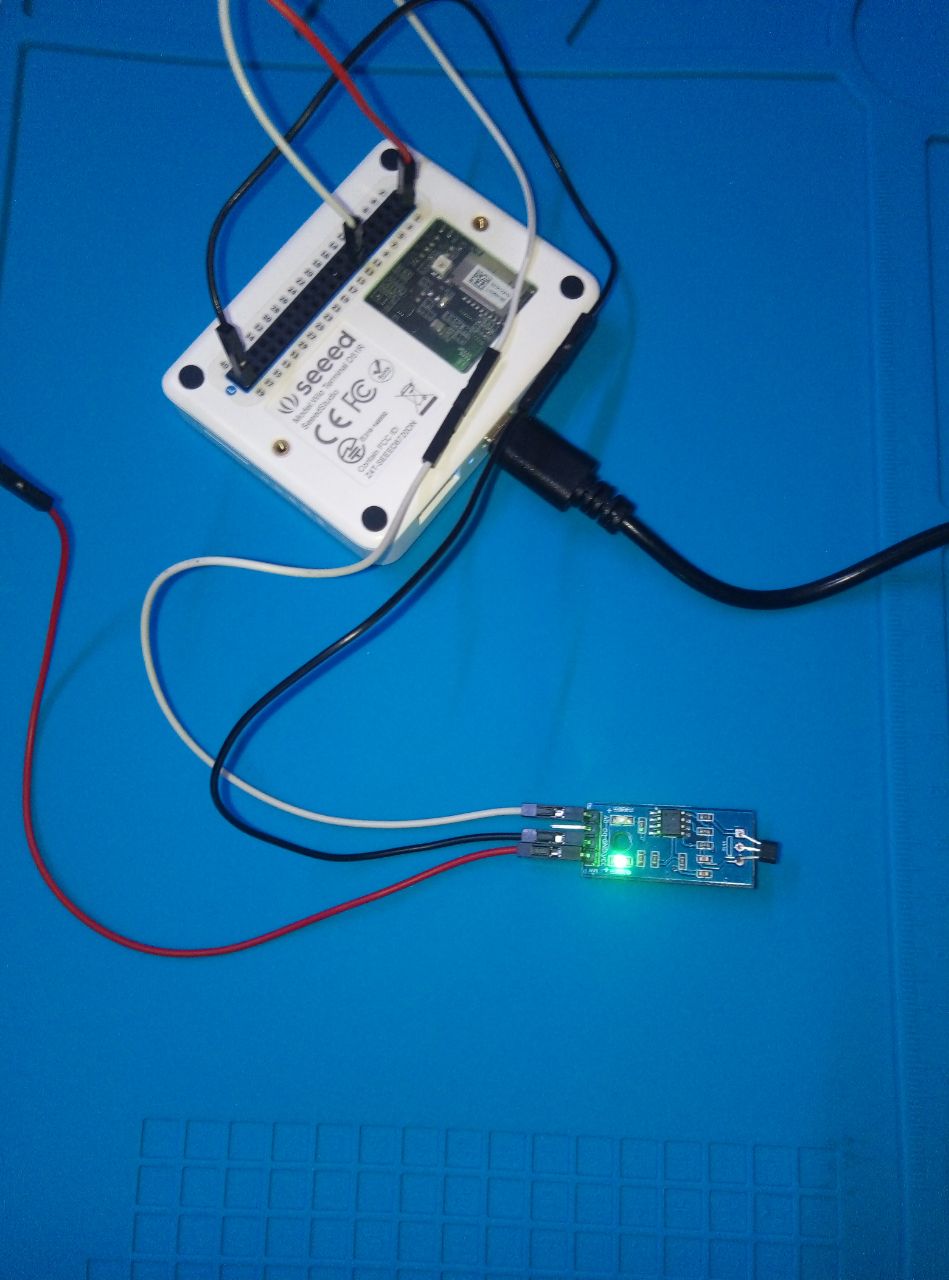
Data Preparation
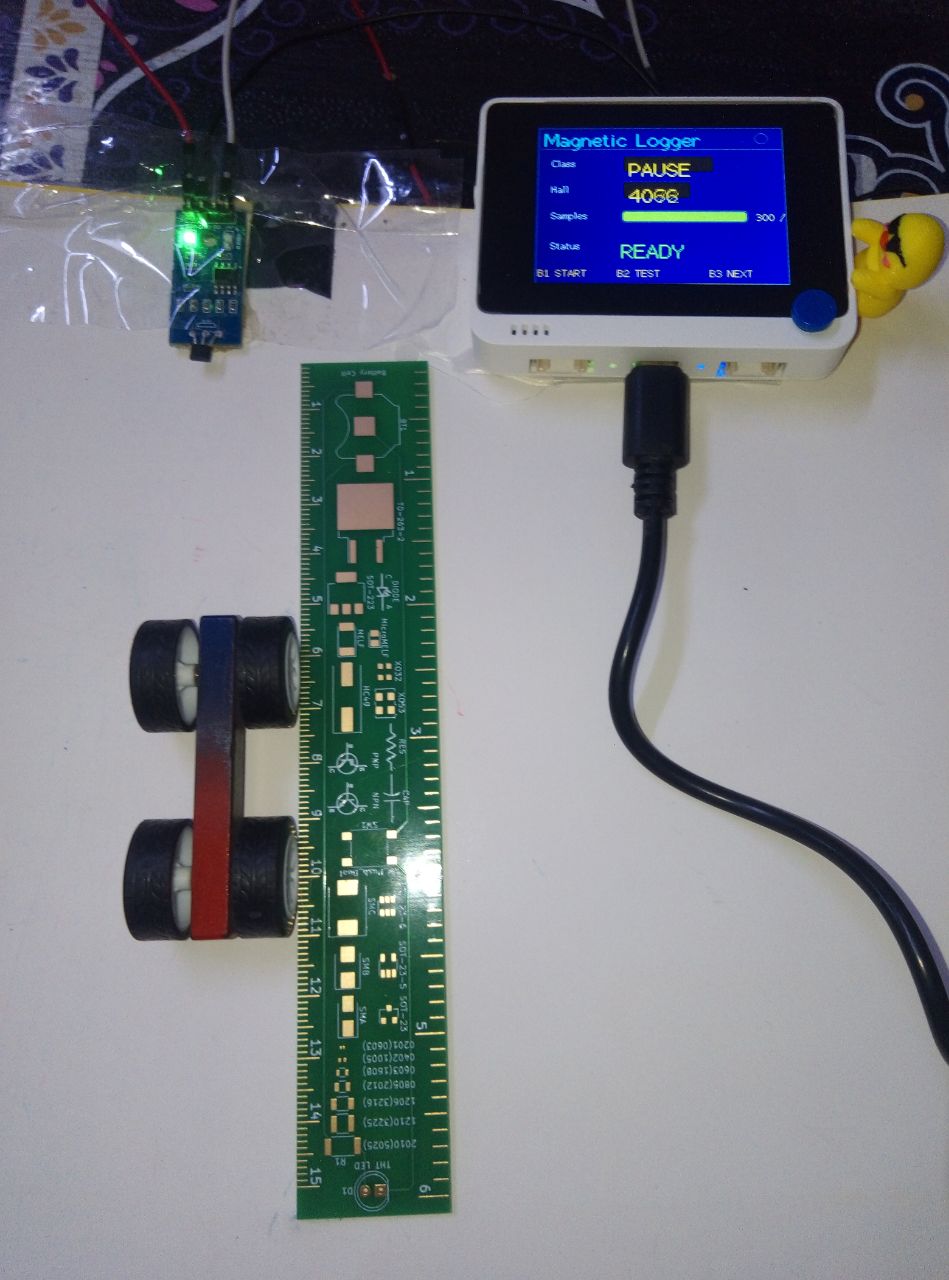
A Python script (logger.py) listens to the serial port and automatically saves each recording as a CSV file with the format timestamp, value. The dataset is organized into class-labeled folders.
Two separate data collection firmwares were used:
Experiment 1
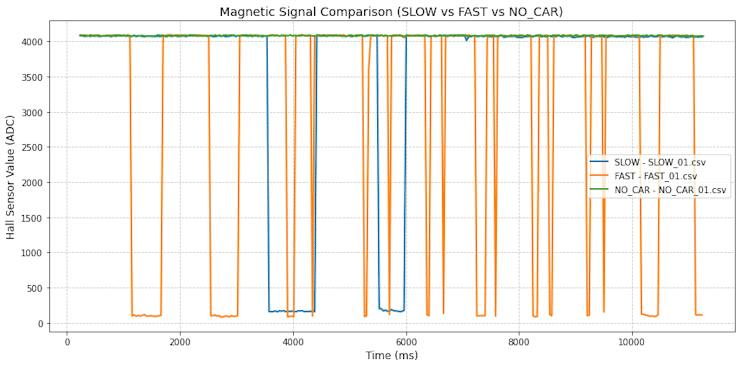
Records 600 samples (6 seconds at 100 Hz) for three classes:FAST: car moves rapidly past the sensorSLOW: car moves slowly past the sensorNO_CAR: no car present near the sensor
Experiment 2
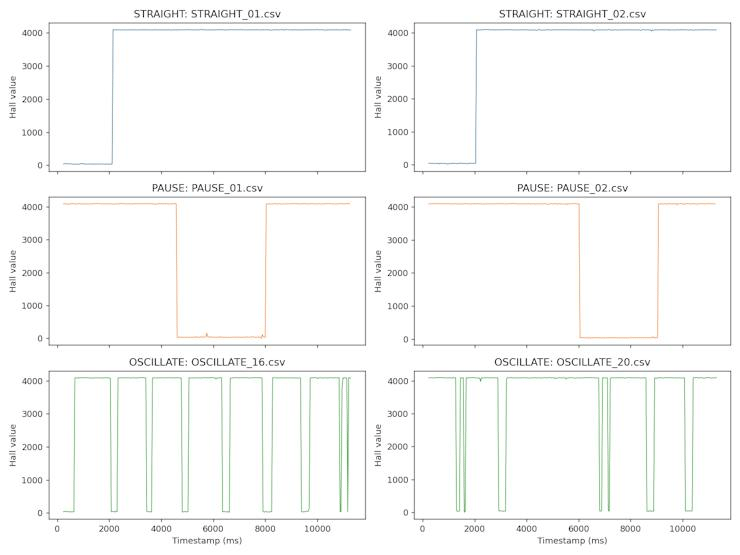
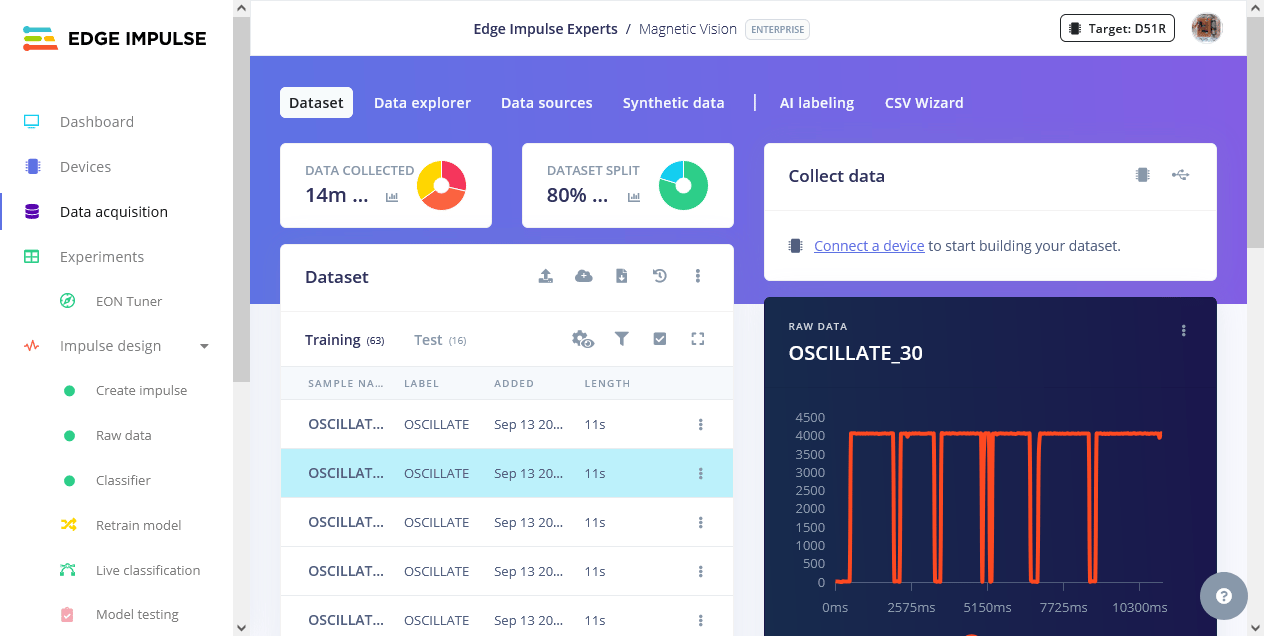
Records 300 samples (3 seconds at 100 Hz) for three classes:STRAIGHT: steady movement in one directionPAUSE: movement, brief pause, then continuationOSCILLATE: back-and-forth movement within the recording window
Building the ML Model
Experiment 1 — Speed Classification
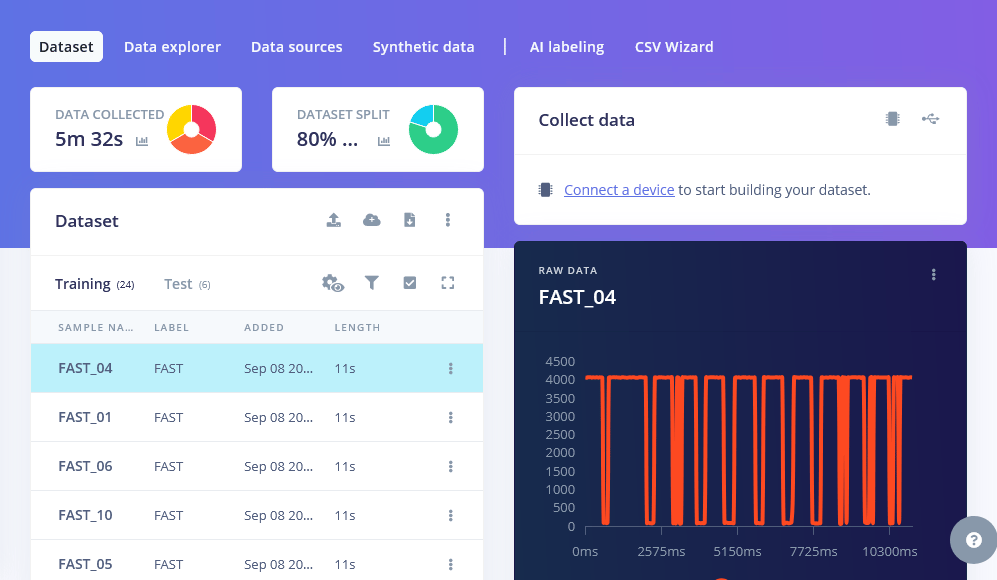
I designed an impulse with:- Window size: 6000 ms (6 seconds at 100 Hz)
- Processing block: Flatten — extracts 7 statistical features per window: Mean, Standard Deviation, Minimum, Maximum, RMS, Skewness, Kurtosis
- Learning block: Classification (Keras)

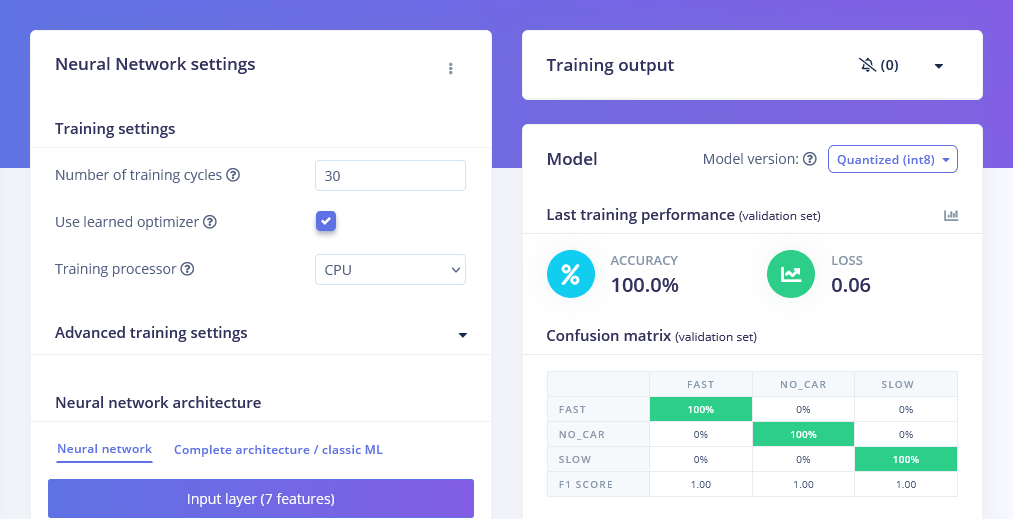
Neural network architecture
- Input: 7 features
- Dense (20 neurons, ReLU) → Dense (10 neurons, ReLU) → Dropout (0.2)
- Output: 3 classes, Softmax
Experiment 2 — Motion Pattern Classification
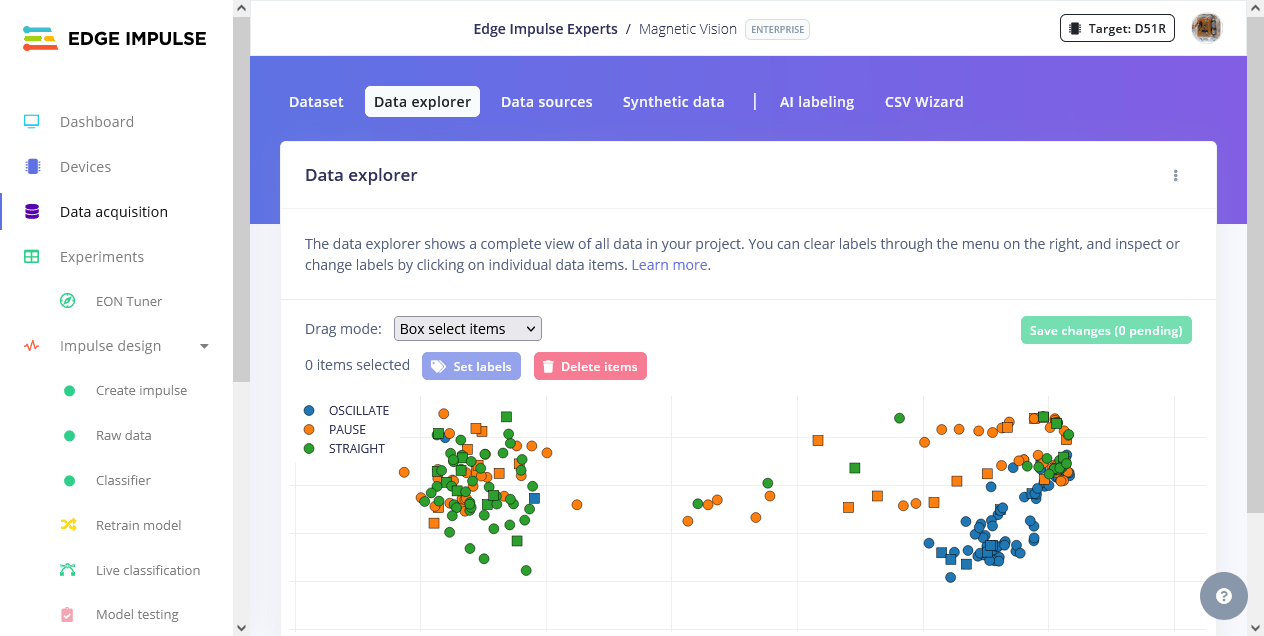
The sameFlatten approach was tested first, but it only reached 61.5% accuracy confirming that statistical features alone cannot distinguish temporal patterns.
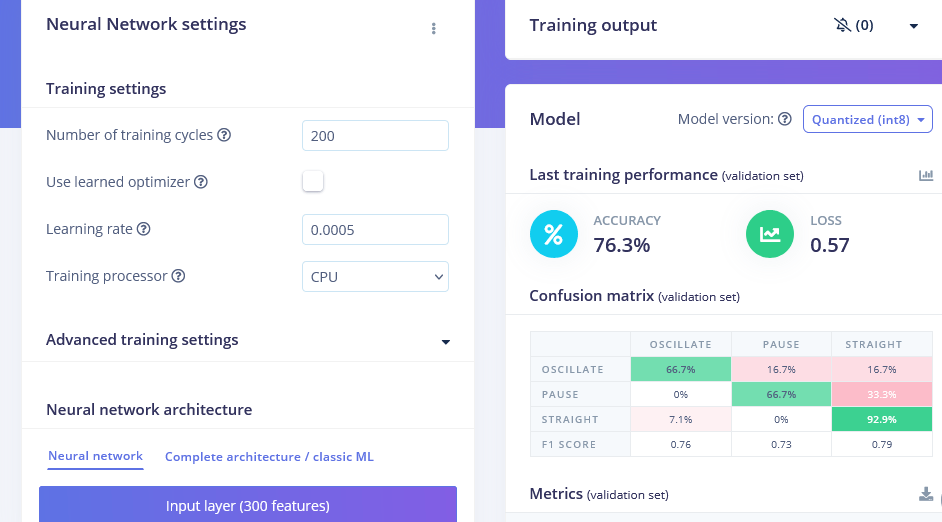
The approach was then changed to feed the raw 300-sample signal directly into a 1D Convolutional Neural Network.
- Window size: 3000 ms (3 seconds at 100 Hz)
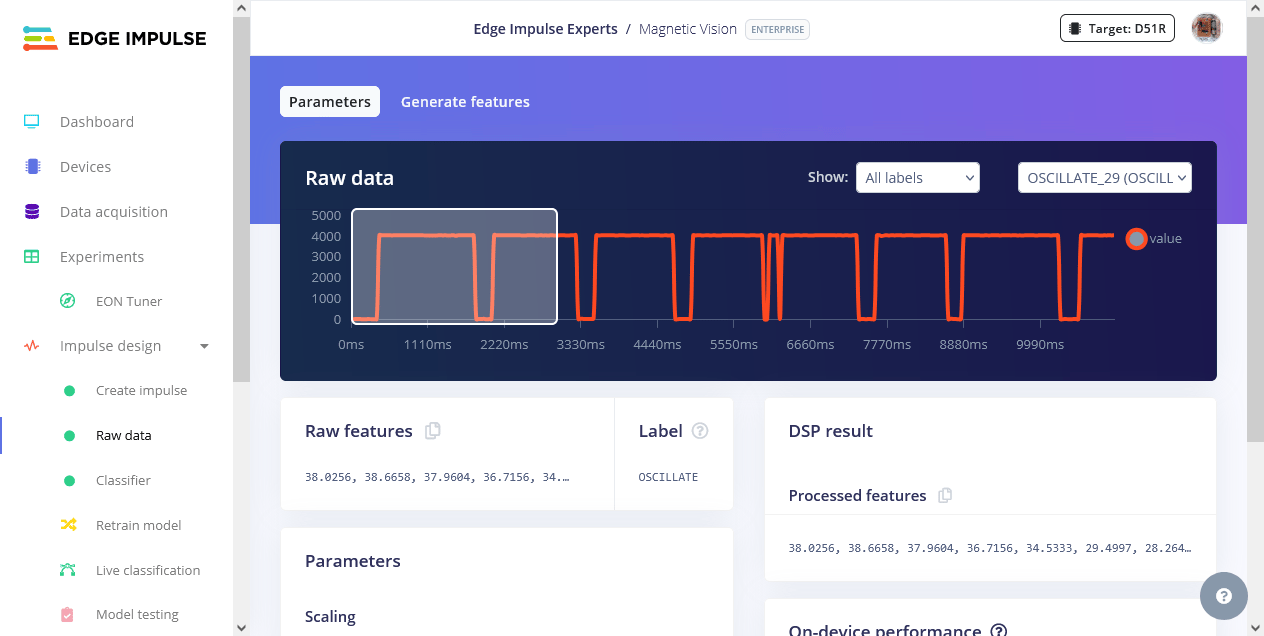
- Processing block: Raw Data (300 samples)
- Learning block: Classification (Keras with 1D CNN)

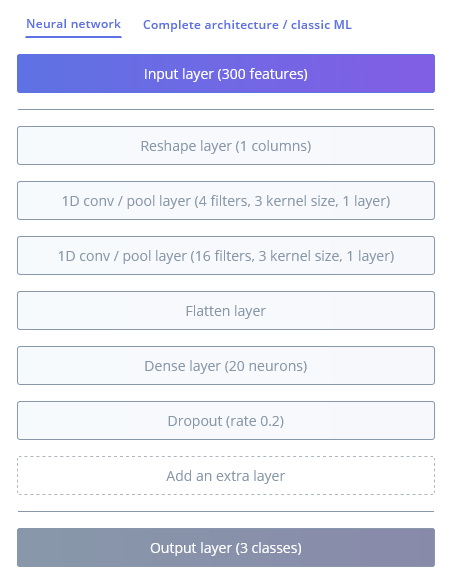
Neural network architecture
- Input: 300 samples → Reshape (300 × 1)
- 1D Conv/Pool (4 filters, kernel 3) → 1D Conv/Pool (16 filters, kernel 3)
- Flatten → Dense (20, ReLU) → Dropout (0.2)
- Output: 3 classes, Softmax
- Validation accuracy: 76.3%
- Test accuracy: 66.67%
Deploying the Model
Both models were deployed as quantized (Int8) Arduino libraries from the Edge Impulse Deployment page. The Wio Terminal runs the impulse entirely on-device:- Experiment 1 on-device performance:
< 1 msinference latency,< 2 KBRAM - Experiment 2 on-device performance:
5 msinference latency, 13.8 KB RAM, 68.5 KB Flash

Conclusion
This project demonstrates that not all motion-recognition problems are equally suited to simple statistical feature extraction. While Experiment 1 showed that speed classification can be solved almost perfectly with basic statistics (Flatten), Experiment 2 proved that pattern classification requires more sophisticated, temporally-aware modeling (1D CNN on raw signals).
This is a meaningful finding in its own right: it shows precisely when simple embedded ML techniques are sufficient, and when a problem’s underlying structure demands more advanced modeling. This is an important lesson for anyone building constrained, sensor-driven AI systems.
No camera. No images. Just a magnetic field, a sensor, and the right feature engineering.