

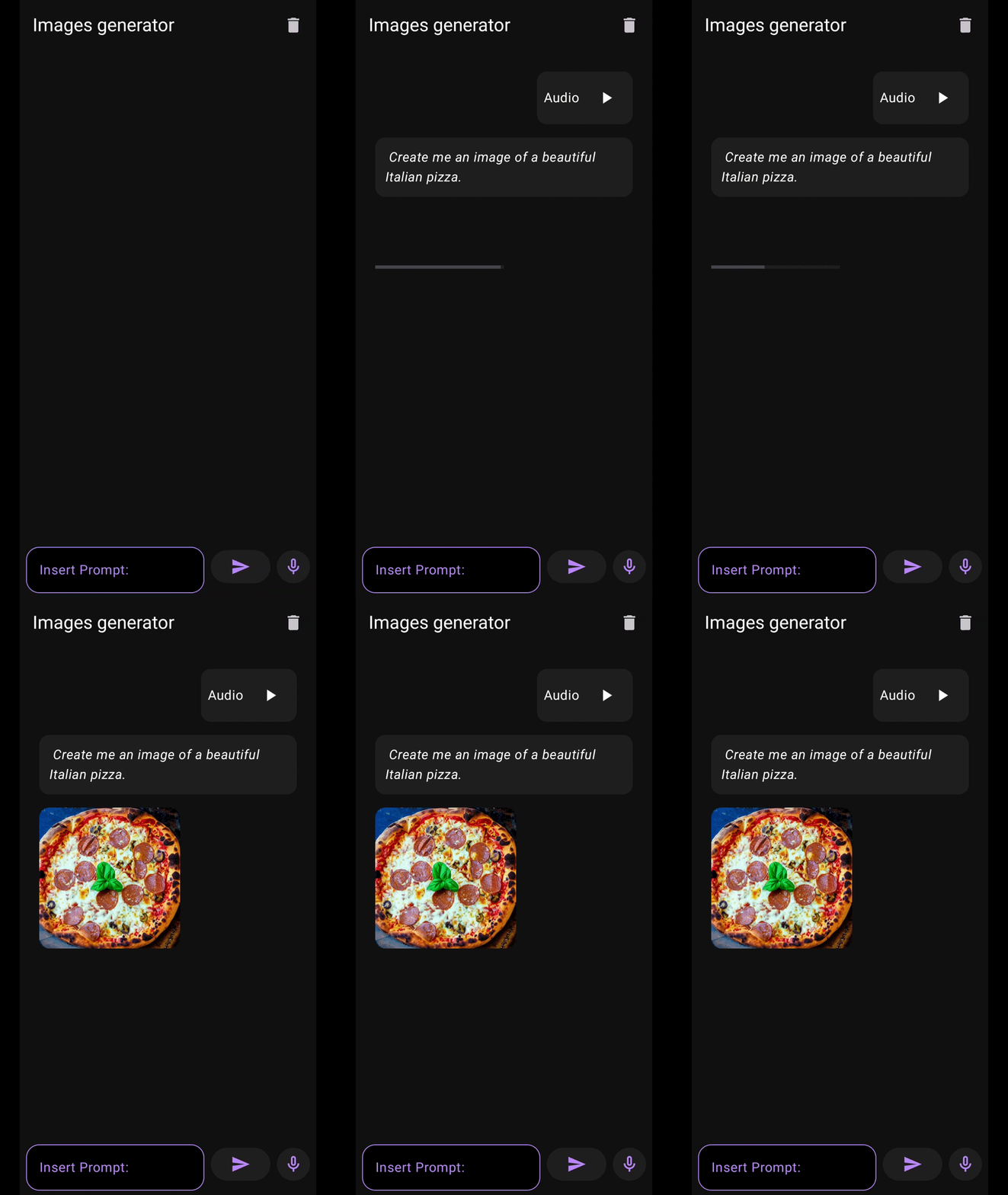
App demo showing speech input generating AI images
What you’ll build
An Android app that:- Records speech with the Android audio APIs
- Transcribes it with a Whisper model on the NPU
- Generates an image from the transcript with Stable Diffusion on the NPU
- Shows the prompts and images in a chat interface
Architecture overview
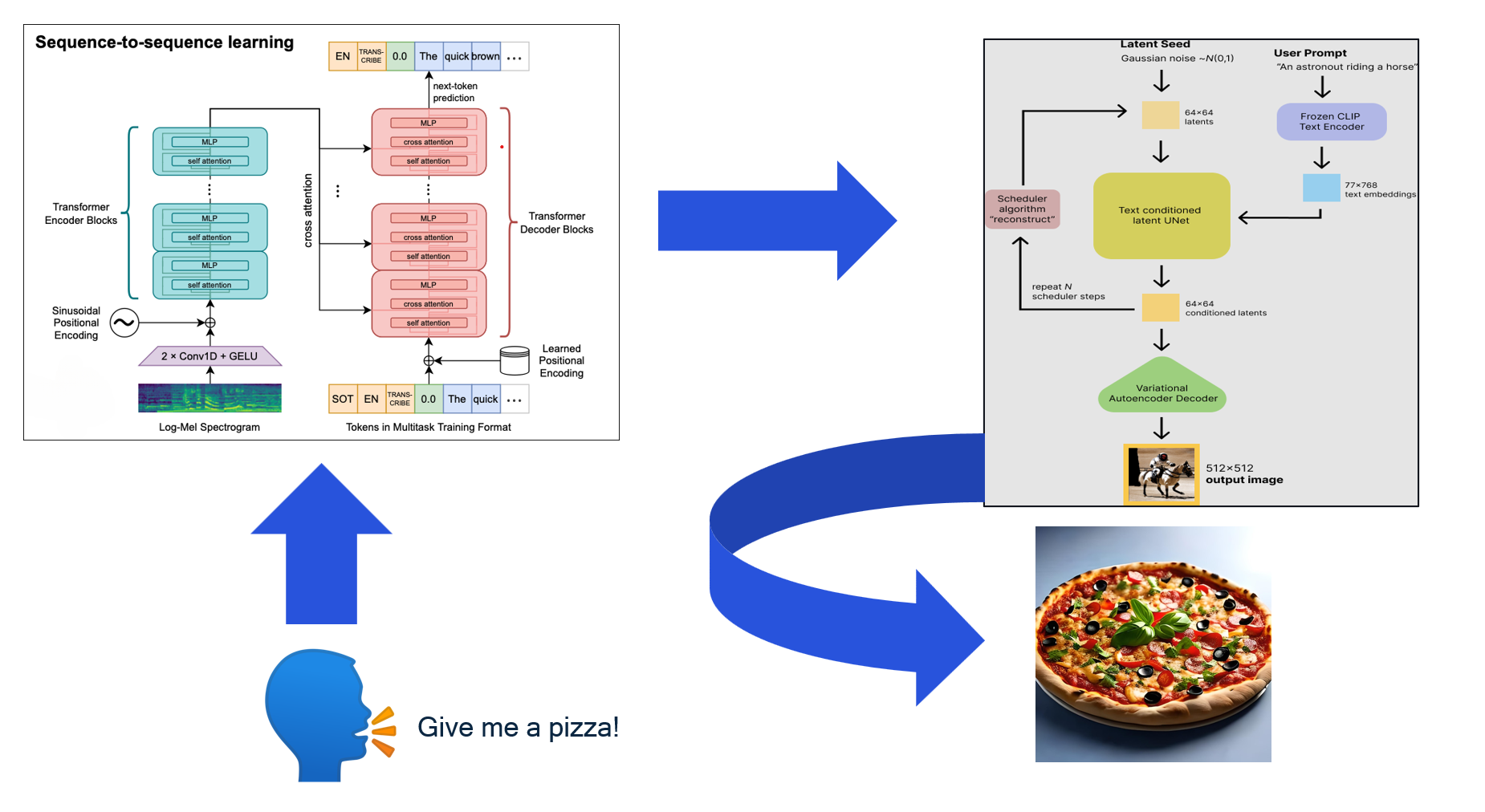
Application architecture with QNN acceleration
Prerequisites
- Android Studio 2024.3.1 or later
- Android NDK 27.2.12479018
- The latest stable Rust toolchain
- Qualcomm AI Engine Direct SDK 2.40.0
- Python 3.10, for the asset generation script
- A Snapdragon device with a Hexagon NPU and at least 500 MB of free storage for the models
Supported devices
The app is tested on Snapdragon 8 Elite. It needs a Hexagon NPU Gen 2 or later:1. Clone the repository
2. Set up the Qualcomm AI Engine Direct SDK
Download and extract the SDK, then pointQNN_SDK_ROOT at it:
3. Install Rust and the Android target
4. Compile Rust tokenization libraries
Build the Rusttokenizer and detokenizer libraries for Android:
5. Set up Android project dependencies
Copy QNN libraries
Create the JNI libraries folder:VXX and vXX with your Hexagon version, for example V79 for Snapdragon 8 Elite:
Copy QNN headers and utilities
Run the dependency resolution script:Download the remaining source files
6. Download AI model assets
Create the assets folder:Tokenizers
Stable Diffusion models
Downloadtext_encoder.bin, unet.bin, and vae_decoder.bin from Qualcomm Package Manager (you need a Qualcomm account), and put them in speech_to_image/app/src/main/assets/.
Whisper models
Audio processing assets
Generate embedding tokens
Run the Python script to generate the token files:t_emb_0.raw through t_emb_19.raw and tokens.raw in the assets directory.
7. Configure device for QNN
Push the HTP skeleton library to the device:8. Build and run
-
Check that
AndroidManifest.xmldeclares the microphone permission: -
In Android Studio, select File -> Open and open the
speech_to_imagefolder. - Build and run the app on your Snapdragon device, and grant the microphone permission when prompted.
- Tap the microphone button and speak a prompt.
Troubleshooting
Build fails with missing libraries or headers
Build fails with missing libraries or headers
- Check that all QNN and Rust libraries are in
jniLibs/arm64-v8a/. - Check that
resolveDependencies.shfinished without errors. - Check that your NDK and CMake versions match the prerequisites.
QNN initialization or model loading fails
QNN initialization or model loading fails
- Check that the device has a Hexagon NPU and that you pushed the skeleton library in step 7.
- Check that every asset file from step 6 is in the assets folder.
Generation is slower than expected
Generation is slower than expected
The device might be throttling because it’s hot. Let it cool down and try again.
No speech detected or poor transcription
No speech detected or poor transcription
- Check the microphone permission and the device’s audio settings.
- Whisper Tiny is the smallest Whisper model. A larger Whisper model transcribes more accurately.