

Excited? Train your first keyword spotting model in under 5 minutes with the getting started wizard.
To choose transfer learning as your learning block, go to create impulse and click on Add a Learning Block, and select Transfer Learning (Keyword Spotting).
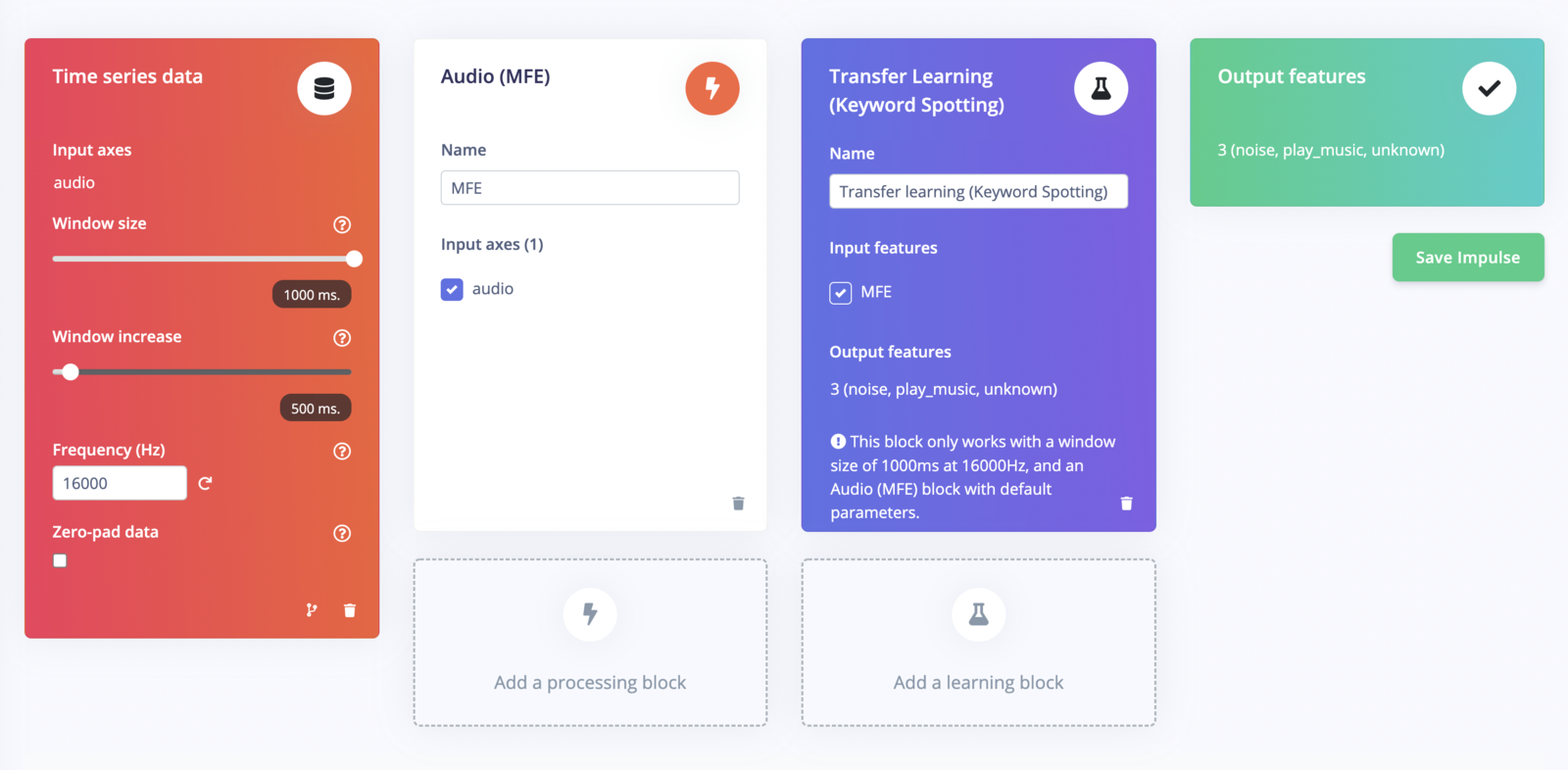
Impulse setup for keyword spotting.
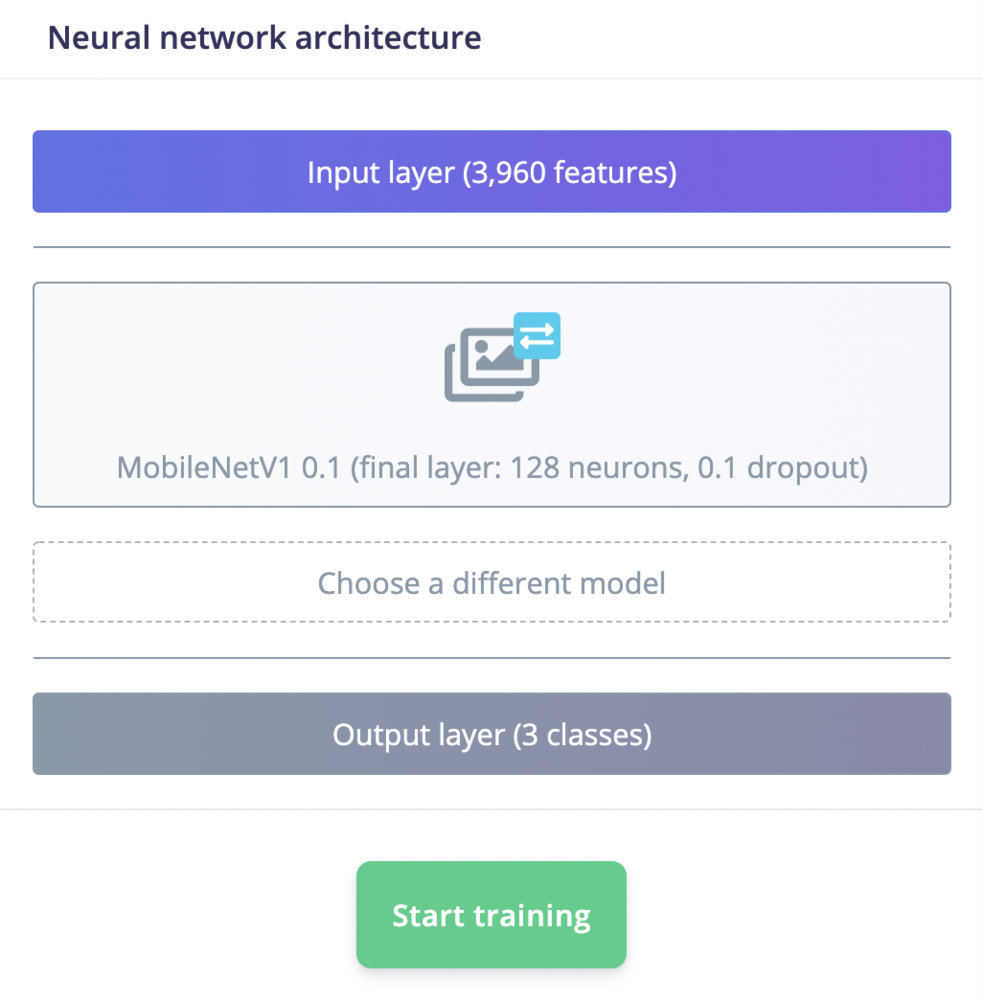
Choose different keyword spotting model.
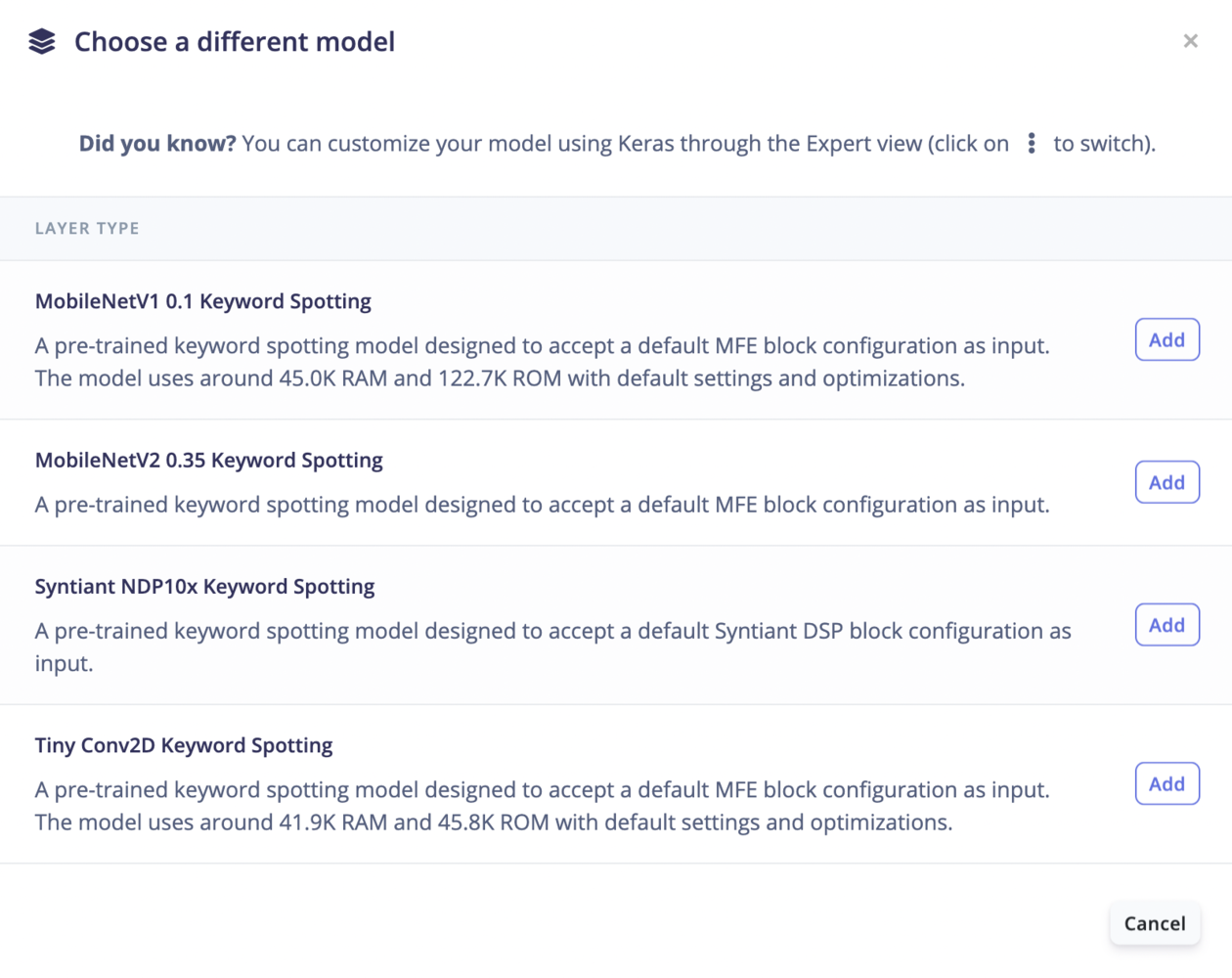
Available keyword spotting models.
Neural Network Settings
Before you start training your model, you need to set the following neural network configurations: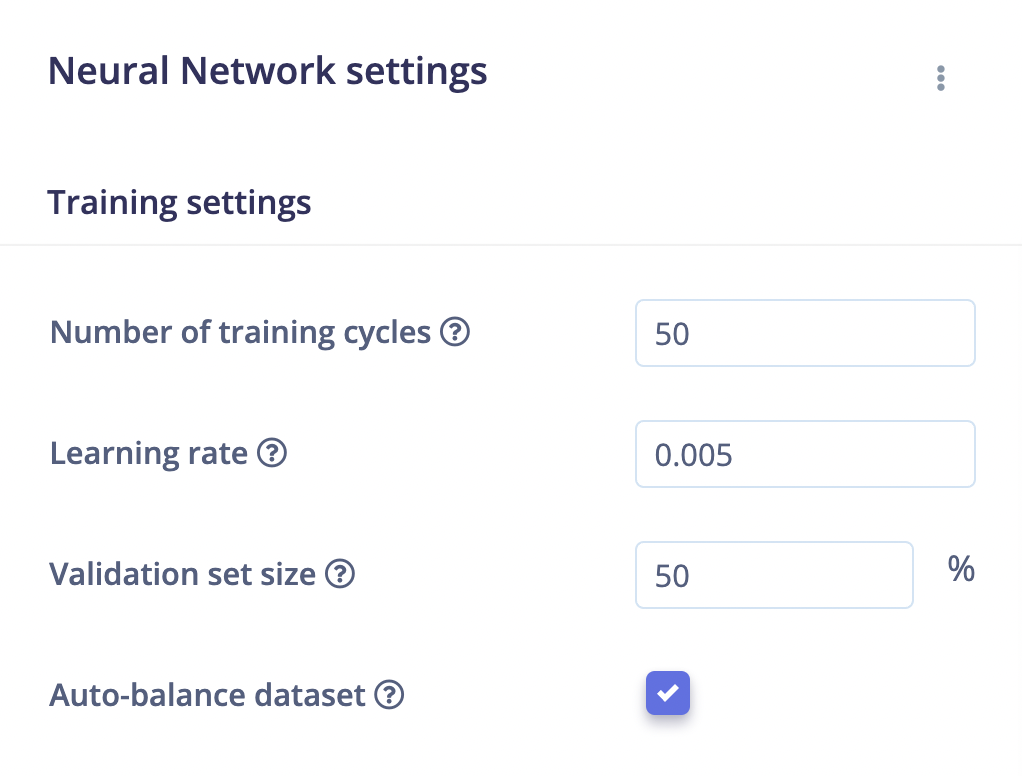
Neural Network settings.
- Number of training cycles: Each time the training algorithm makes one complete pass through all of the training data with back-propagation and updates the model’s parameters as it goes, it is known as an epoch or training cycle.
- Learning rate: The learning rate controls how much the models internal parameters are updated during each step of the training process. Or you can also see it as how fast the neural network will learn. If the network overfits quickly, you can reduce the learning rate
- Validation set size: The percentage of your training set held apart for validation, a good default is 20%.
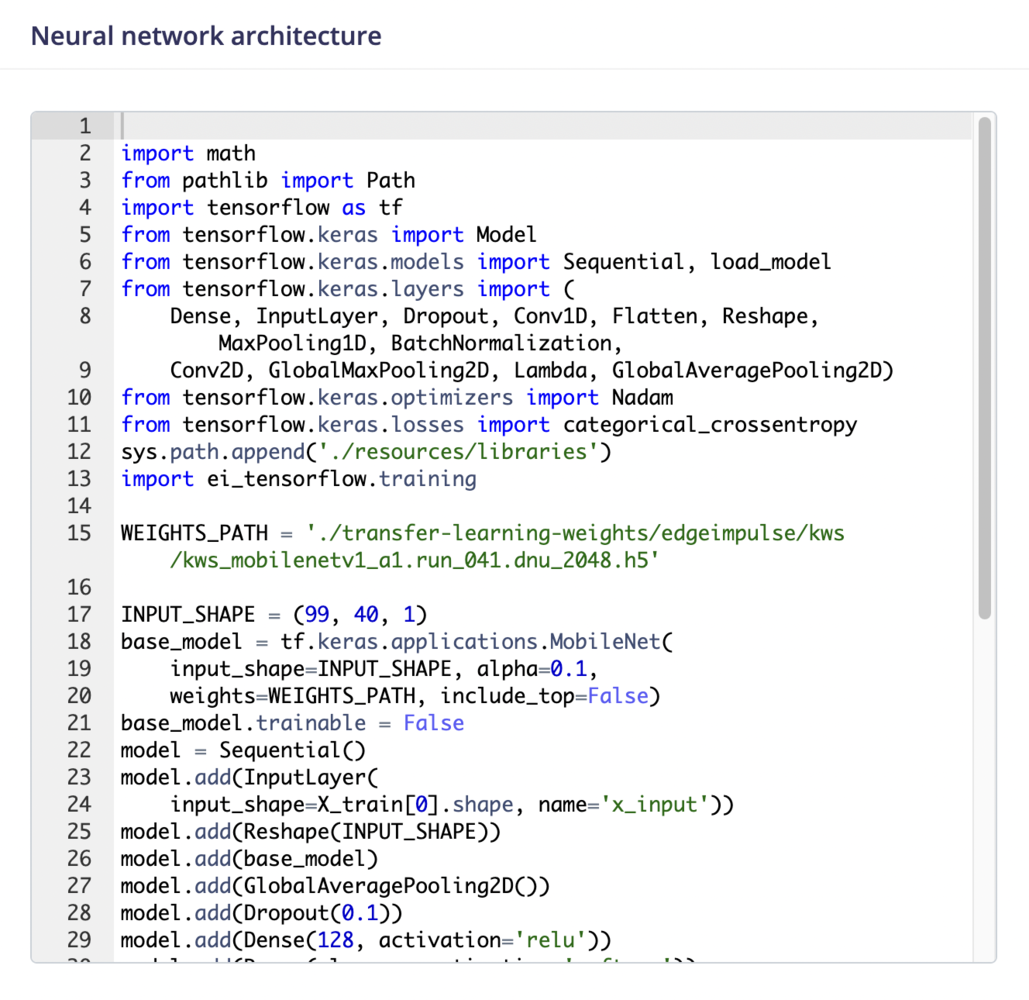
Expert mode.