

Installation
Node.js
Install the package via npm (also see the npm package page):Browser
For browser-based environments, you can include the API bindings directly from the Edge Impulse Studio CDN:- Development / Debugging:
https://studio.edgeimpulse.com/api-bindings/browser/edge-impulse-api.js - Minified Production Version:
https://studio.edgeimpulse.com/api-bindings/browser/edge-impulse-api.min.js - TypeScript Definition File:
https://studio.edgeimpulse.com/api-bindings/browser/edge-impulse-api.d.ts
Examples
Instantiating the Library
Node.js (via require)Authenticating
Before you can use the API bindings you’ll need to authenticate. Preferably do this through an API key.API Key
API Keys grant access to a single project.Username / Password (JWT)
Username and password authentication gives access to every project in your account. Where possible, use API keys instead. You can cache the JWT token (typically valid for 30 days, unless reconfigured by your enterprise administrator) to avoid putting your credentials directly in code.Calling API Functions
The following example lists active projects and retrieves project information.Running Jobs
Long-running API calls (such as retraining a network) return a job. Here is how you retrain a Keras model block, wait for the job to complete, and print the real-time logs:Browser Integration
Simple Browser Example
The following is a complete HTML and JavaScript example using the Edge Impulse API bindings bundle in the browser:Type-hinting
Node.js
The Node.js package already includes types, so if you’re using Node.js, you’ll automatically get TypeScript integration and type-hinting.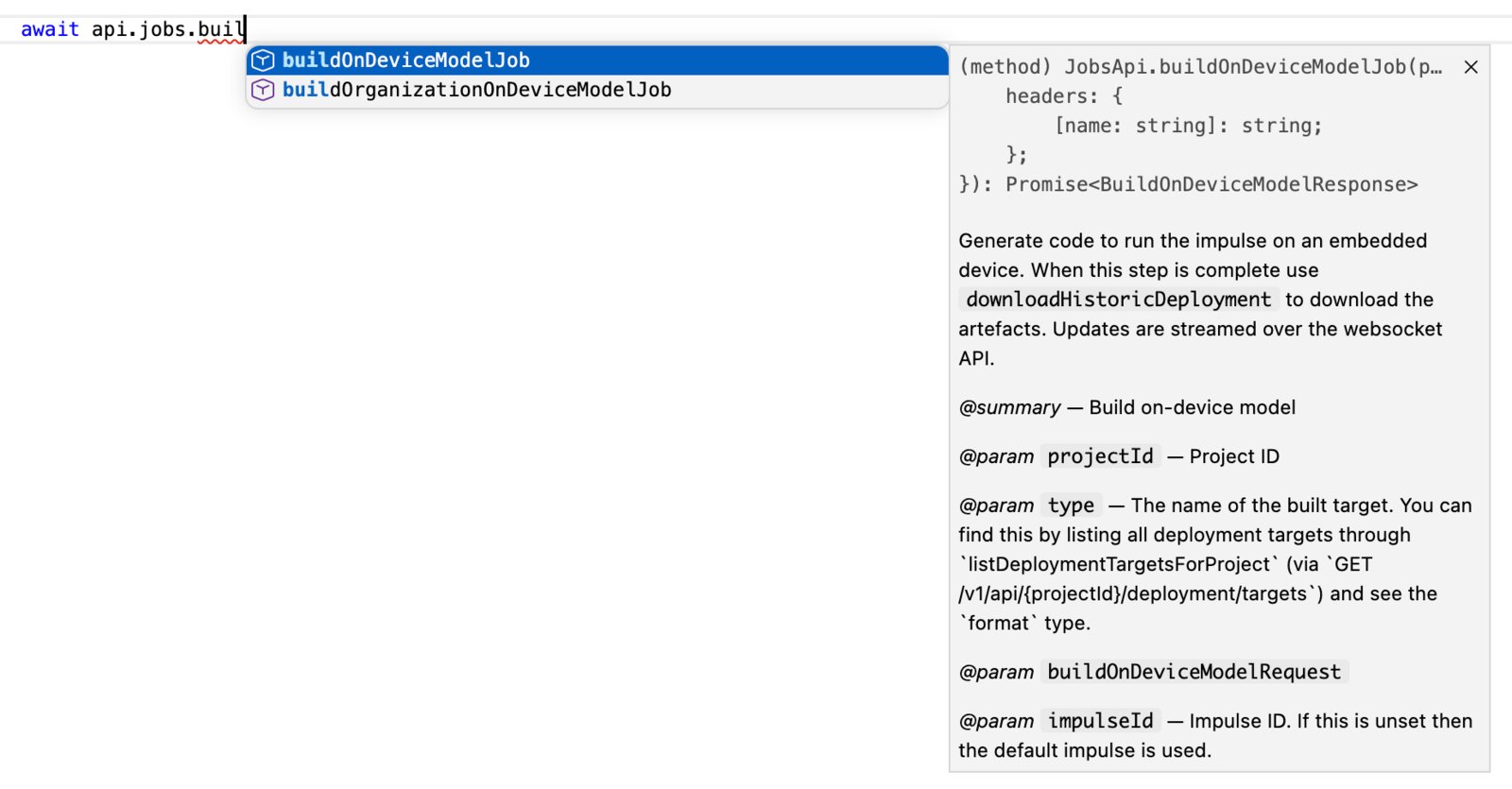
Type-hinting in Visual Studio Code using Node.js
Browser (inline <script> tags)
To get local type-hinting, download edge-impulse-api.d.ts, and reference it using a triple-slash directive at the top of your TypeScript file:
Browser (TypeScript project)
To get local type-hinting, download edge-impulse-api.d.ts, then add it to theincludes section of your tsconfig.json: