> ## Documentation Index
> Fetch the complete documentation index at: https://docs.edgeimpulse.com/llms.txt
> Use this file to discover all available pages before exploring further.
# Run Edge Impulse Vision on a JetBot with Rubik Pi
> Combine JetBot ROS 2 motor control on Qualcomm Rubik Pi with Edge Impulse Linux object detection.
# Run Edge Impulse Vision on a JetBot with Rubik Pi
This tutorial runs an Edge Impulse object-detection model on a JetBot-class robot using a Qualcomm Rubik Pi, Ubuntu 24.04, and ROS 2 Jazzy. It combines the robot-specific [`jetbot_ros`](https://github.com/edgeimpulse/ei_jetbot_ros_rubikpi) package with [`edgeimpulse_ros`](https://github.com/edgeimpulse/edgeimpulse-ros).
`edgeimpulse_ros` subscribes to a `sensor_msgs/Image` topic and publishes detections; the JetBot launch file starts a `v4l2_camera` driver to supply those frames. `jetbot_ros` provides motor control, teleoperation, navigation, and launch integration. Keeping these roles separate makes the same perception node reusable across different robot platforms.
 ## What you will build
You will run local object detection on the robot's camera feed, publish the results into ROS 2, and keep the mobile base control path available for robot-specific behavior nodes.
```mermaid theme={"system"}
flowchart LR
CAM["USB camera"] --> DRV["v4l2_camera"]
DRV --> IMG["/jetbot/camera/image_raw"]
IMG --> EI["edgeimpulse_ros"]
MODEL["Linux .eim model"] --> EI
EI --> DET["/edgeimpulse_detector/detections"]
EI --> DIAG["/diagnostics"]
DET --> BEHAVIOR["Robot behavior node"]
BEHAVIOR --> CMD["/cmd_vel"]
CMD --> MOTORS["JetBot motor controller"]
```
## Prerequisites
* A Rubik Pi running Ubuntu 24.04 and ROS 2 Jazzy.
* A SparkFun JetBot AI Kit v2.0 or compatible JetBot-class chassis with a SparkFun or Waveshare motor controller.
* A USB camera connected to the Rubik Pi.
* A Linux `.eim` object-detection model exported from Edge Impulse Studio.
* Local copies of [ei\_jetbot\_ros\_rubikpi](https://github.com/edgeimpulse/ei_jetbot_ros_rubikpi) and [edgeimpulse-ros](https://github.com/edgeimpulse/edgeimpulse-ros).
Read [Run Edge Impulse Object Detection with ROS 2](./edgeimpulse-ros2-integration) first for the shared model export, runtime, and topic details.
## 1. Provision the Rubik Pi
On the Rubik Pi, run the repository's provisioner:
```bash theme={"system"}
cd ~/jetbot_ros_rubikpi
sudo bash scripts/rubikpi_provision.sh
```
It installs the ROS 2 Jazzy base packages, V4L2 camera support, `vision_msgs`, `diagnostic_msgs`, OpenCV, NumPy, PortAudio (for the SDK's `pyaudio` dependency), and the JetBot hardware dependencies. For the SparkFun hardware path, confirm the Qwiic driver is available:
```bash theme={"system"}
python3 -c "import qwiic; print(qwiic.__file__)"
```
## 2. Build a shared ROS 2 workspace
The JetBot helper links both packages into the same workspace:
```bash theme={"system"}
cd ~/jetbot_ros_rubikpi
bash scripts/setup_edge_impulse_workspace.sh ~/jetbot_edgeimpulse_ws ~/jetbot_ros_rubikpi ~/edgeimpulse-ros
cd ~/jetbot_edgeimpulse_ws
source /opt/ros/jazzy/setup.bash
rosdep install --from-paths src --ignore-src -r -y
colcon build --symlink-install
source install/setup.bash
```
Install the Edge Impulse Linux SDK and the JetBot runtime requirements:
```bash theme={"system"}
sudo apt install -y ros-jazzy-vision-msgs ros-jazzy-diagnostic-msgs \
ros-jazzy-v4l2-camera python3-opencv python3-numpy portaudio19-dev
sudo python3 -m pip install --break-system-packages \
-r ~/jetbot_ros_rubikpi/requirements-edge-impulse.txt
```
The repository currently installs the Edge Impulse runtime into the system Python on Ubuntu 24.04 by using
## What you will build
You will run local object detection on the robot's camera feed, publish the results into ROS 2, and keep the mobile base control path available for robot-specific behavior nodes.
```mermaid theme={"system"}
flowchart LR
CAM["USB camera"] --> DRV["v4l2_camera"]
DRV --> IMG["/jetbot/camera/image_raw"]
IMG --> EI["edgeimpulse_ros"]
MODEL["Linux .eim model"] --> EI
EI --> DET["/edgeimpulse_detector/detections"]
EI --> DIAG["/diagnostics"]
DET --> BEHAVIOR["Robot behavior node"]
BEHAVIOR --> CMD["/cmd_vel"]
CMD --> MOTORS["JetBot motor controller"]
```
## Prerequisites
* A Rubik Pi running Ubuntu 24.04 and ROS 2 Jazzy.
* A SparkFun JetBot AI Kit v2.0 or compatible JetBot-class chassis with a SparkFun or Waveshare motor controller.
* A USB camera connected to the Rubik Pi.
* A Linux `.eim` object-detection model exported from Edge Impulse Studio.
* Local copies of [ei\_jetbot\_ros\_rubikpi](https://github.com/edgeimpulse/ei_jetbot_ros_rubikpi) and [edgeimpulse-ros](https://github.com/edgeimpulse/edgeimpulse-ros).
Read [Run Edge Impulse Object Detection with ROS 2](./edgeimpulse-ros2-integration) first for the shared model export, runtime, and topic details.
## 1. Provision the Rubik Pi
On the Rubik Pi, run the repository's provisioner:
```bash theme={"system"}
cd ~/jetbot_ros_rubikpi
sudo bash scripts/rubikpi_provision.sh
```
It installs the ROS 2 Jazzy base packages, V4L2 camera support, `vision_msgs`, `diagnostic_msgs`, OpenCV, NumPy, PortAudio (for the SDK's `pyaudio` dependency), and the JetBot hardware dependencies. For the SparkFun hardware path, confirm the Qwiic driver is available:
```bash theme={"system"}
python3 -c "import qwiic; print(qwiic.__file__)"
```
## 2. Build a shared ROS 2 workspace
The JetBot helper links both packages into the same workspace:
```bash theme={"system"}
cd ~/jetbot_ros_rubikpi
bash scripts/setup_edge_impulse_workspace.sh ~/jetbot_edgeimpulse_ws ~/jetbot_ros_rubikpi ~/edgeimpulse-ros
cd ~/jetbot_edgeimpulse_ws
source /opt/ros/jazzy/setup.bash
rosdep install --from-paths src --ignore-src -r -y
colcon build --symlink-install
source install/setup.bash
```
Install the Edge Impulse Linux SDK and the JetBot runtime requirements:
```bash theme={"system"}
sudo apt install -y ros-jazzy-vision-msgs ros-jazzy-diagnostic-msgs \
ros-jazzy-v4l2-camera python3-opencv python3-numpy portaudio19-dev
sudo python3 -m pip install --break-system-packages \
-r ~/jetbot_ros_rubikpi/requirements-edge-impulse.txt
```
The repository currently installs the Edge Impulse runtime into the system Python on Ubuntu 24.04 by using --break-system-packages. That matches the repo, but treat it as a dedicated robot-image or disposable development-machine workflow rather than a general-purpose Python setup.
## 3. Start motor control and object detection
The integrated launch file starts the motor node, a `v4l2_camera` driver, and the `edgeimpulse_ros` detector. Give it the model path and the camera device:
```bash theme={"system"}
cd ~/jetbot_edgeimpulse_ws
source /opt/ros/jazzy/setup.bash
source install/setup.bash
ros2 launch jetbot_ros jetbot_edge_impulse.launch.py \
motor_controller:=motors_sparkfun \
model_path:=/home/$USER/models/jetbot-detector.eim \
video_device:=/dev/video0
```
For a Waveshare motor board, install the required motor-driver package first:
```bash theme={"system"}
pip install Adafruit-MotorHAT
```
Then replace the motor executable:
```bash theme={"system"}
ros2 launch jetbot_ros jetbot_edge_impulse.launch.py \
motor_controller:=motors_waveshare \
model_path:=/home/$USER/models/jetbot-detector.eim \
video_device:=/dev/video0
```
The launch file already starts a v4l2\_camera driver on video\_device. Do not start a second camera driver on the same `/dev/video*` device at the same time. On the validated Rubik Pi camera path, use YUYV if MJPG causes an empty encoding or a cv\_bridge exception.
## 4. Inspect inference output
The detector publishes these topics:
```bash theme={"system"}
source ~/jetbot_edgeimpulse_ws/install/setup.bash
ros2 topic echo /edgeimpulse_detector/detections
ros2 run rqt_robot_monitor rqt_robot_monitor
```
| Topic | Purpose |
| ----------------------------------- | --------------------------------------------------------------------------- |
| `/edgeimpulse_detector/detections` | `vision_msgs/Detection2DArray` messages containing accepted bounding boxes. |
| `/edgeimpulse_detector/debug_image` | Annotated `sensor_msgs/Image` when `publish_debug_image:=true`. |
| `/diagnostics` | `diagnostic_msgs/DiagnosticArray` with FPS, latency, and model health. |
Keep the vision pipeline observational until detections are stable. A downstream behavior node should gate any autonomous action on confidence, label, and robot state rather than acting on every frame.
## Motor and camera checks
Before connecting detection output to autonomy, verify the base robot path independently.
Start normal hardware control:
```bash theme={"system"}
source ~/jetbot_edgeimpulse_ws/install/setup.bash
ros2 launch jetbot_ros jetbot_cpu.launch.py motor_controller:=motors_sparkfun
```
Then publish a short forward command and a stop:
```bash theme={"system"}
ros2 topic pub -1 /cmd_vel geometry_msgs/msg/Twist "{linear: {x: 0.05}, angular: {z: 0.0}}"
ros2 topic pub -1 /cmd_vel geometry_msgs/msg/Twist "{linear: {x: 0.0}, angular: {z: 0.0}}"
```
## Simulation notes
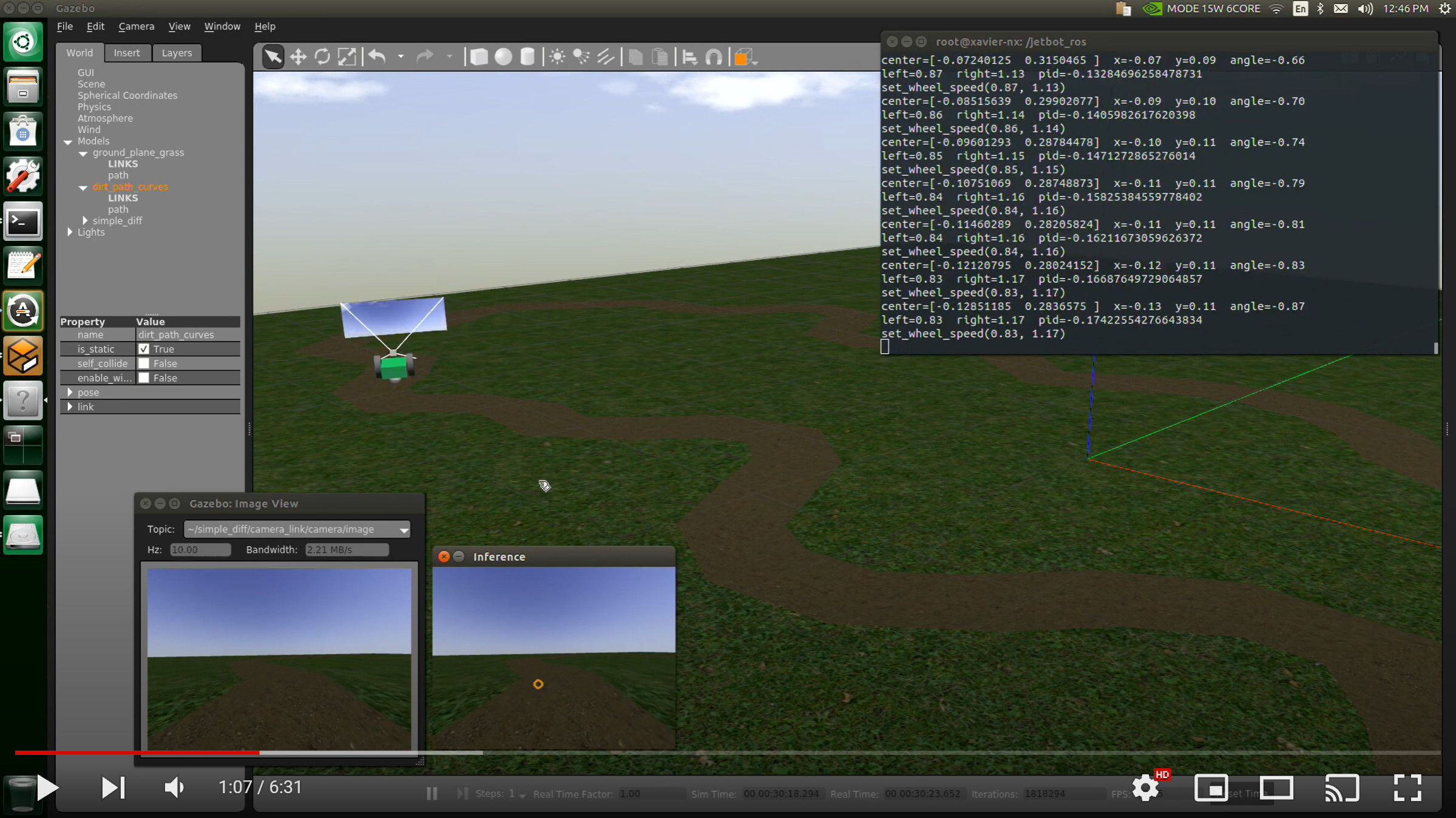
The repository includes Gazebo Classic worlds for navigation and data collection. Use them on an Ubuntu or WSL development machine where Gazebo Classic is available:
```bash theme={"system"}
ros2 launch jetbot_ros gazebo_world.launch.py
```
The current `edgeimpulse_ros` package subscribes to a `sensor_msgs/Image` topic, so it can in principle consume the Gazebo camera stream by pointing `image_topic` at it. This repo validates the detector against the real V4L2 camera path, so treat the Gazebo integration as unvalidated.
## Troubleshooting
| Symptom | Resolution |
| ---------------------------------- | ------------------------------------------------------------------------------------------------------------------------------------------------------------------------------------------------------------------- |
| `package 'jetbot_ros' not found` | Source `/opt/ros/jazzy/setup.bash` and `~/jetbot_edgeimpulse_ws/install/setup.bash`. |
| Camera device is busy | Stop any other camera client using the same `/dev/video*` device before starting the launch. |
| Qwiic module cannot be imported | Re-run the provisioner, or install the SparkFun Qwiic packages into the system Python ROS 2 uses. |
| Waveshare motor import fails | Install `Adafruit-MotorHAT` in the Python environment used by the motor node. |
| No detections | Verify the `.eim` path, `video_device`, model labels, and `confidence_threshold`; confirm the camera is publishing with `ros2 topic hz /jetbot/camera/image_raw` and inspect `/diagnostics` for inference activity. |
| Robot moves but vision is unstable | Keep autonomy disabled, collect images from the mounted camera, retrain or tune the model, and raise `confidence_threshold` before enabling behavior logic. |
## Next steps
* Add a behavior node that subscribes to `/edgeimpulse_detector/detections` and publishes guarded `/cmd_vel` commands.
* Watch `/diagnostics` (FPS and latency) under load to understand the inference budget.
* Collect additional training data from the final camera position.
* Validate any autonomous behavior at low speed before increasing robot velocity.