> ## Documentation Index
> Fetch the complete documentation index at: https://docs.edgeimpulse.com/llms.txt
> Use this file to discover all available pages before exploring further.
# Run Edge Impulse Object Detection with ROS 2
> Use edgeimpulse_ros to run a Linux .eim model on a ROS 2 image topic and publish vision_msgs detection messages.
# Run Edge Impulse Object Detection with ROS 2
[`edgeimpulse_ros`](https://github.com/edgeimpulse/edgeimpulse-ros) is a ROS 2 package that runs an Edge Impulse Linux `.eim` model and publishes the results as standard ROS 2 messages. In this series, it is the shared perception layer used by the JetBot on Rubik Pi tutorial and by generic rover-style inspection systems.
The UNO Q Braccio tutorial uses a different, repo-native Edge Impulse runner pipeline, so treat this page as the generic `edgeimpulse_ros` reference rather than the literal backend for every robot tutorial.
The node is a pure inference processor: it subscribes to a standard `sensor_msgs/Image` topic and publishes `vision_msgs` out. A separate camera driver supplies the frames, and the node does not control a robot. Those responsibilities stay in robot-specific ROS 2 packages.
## What you will build
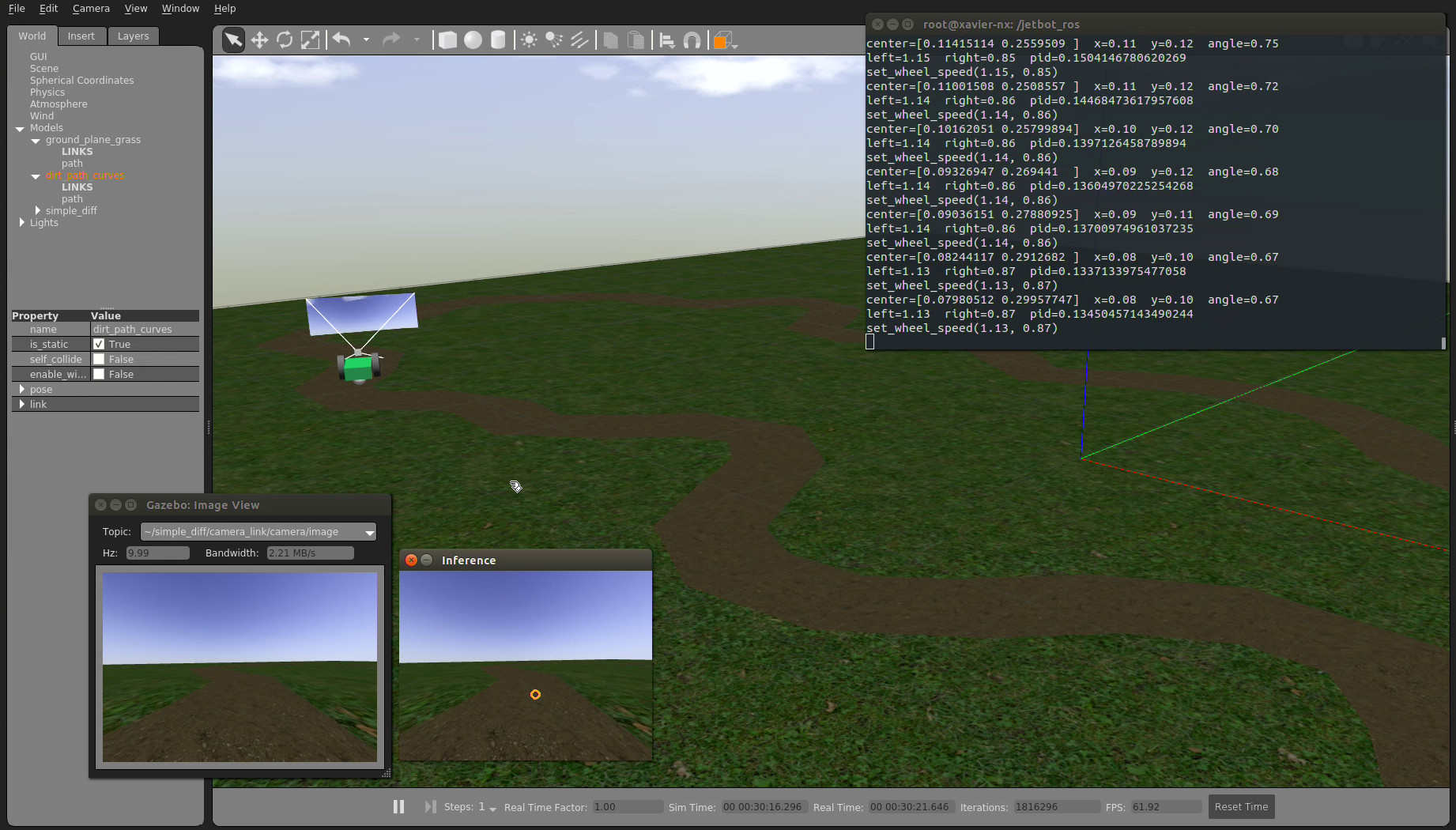
You will run a ROS 2 inference node that subscribes to a camera driver's image topic, runs local Edge Impulse inference, and publishes bounding boxes, latched label metadata, and diagnostics.
```mermaid theme={"system"}
flowchart LR
CAM["Camera driver
(e.g. v4l2_camera)"] --> IMG["/image
sensor_msgs/Image"]
IMG --> NODE["edgeimpulse_ros
edgeimpulse_detector"]
MODEL["Linux .eim model"] --> NODE
NODE --> DET["/edgeimpulse_detector/detections
Detection2DArray"]
NODE --> DBG["/edgeimpulse_detector/debug_image
Image"]
NODE --> DIAG["/diagnostics
DiagnosticArray"]
DET --> ROBOT["Robot-specific ROS 2 nodes"]
```
 ## Prerequisites
* A ROS 2 workspace on **Jazzy** or **Rolling** (which ship `vision_msgs` 4.x). The robot tutorials in this series use ROS 2 Jazzy on Ubuntu 24.04. Humble support is on the roadmap but not yet validated in CI.
* A camera driver that publishes a `sensor_msgs/Image` topic, such as `v4l2_camera` for a USB camera at `/dev/video*`.
* An [Edge Impulse account](https://edgeimpulse.com/signup) and a trained image project (object detection, classification, FOMO, or visual anomaly).
* A Linux `.eim` deployment downloaded from Edge Impulse Studio, matching your device architecture.
Install the system dependencies. Substitute your ROS distribution if you are not using Jazzy. On Ubuntu 24.04 the system Python is [externally managed (PEP 668)](https://peps.python.org/pep-0668/), so the SDK and `pyaudio` install into your user site with `--break-system-packages`:
```bash theme={"system"}
sudo apt update
sudo apt install -y ros-jazzy-vision-msgs ros-jazzy-diagnostic-msgs \
ros-jazzy-v4l2-camera \
python3-opencv python3-numpy portaudio19-dev
pip install --user --break-system-packages edge_impulse_linux pyaudio
```
The Edge Impulse Linux SDK imports `pyaudio` at load time even for image models, so `portaudio19-dev` is required to build it. Install the SDK into the same Python environment that ROS 2 uses to start the node, and do not clone the Linux Python SDK inside a colcon workspace; colcon can mistake it for a ROS package.
## 1. Export an Edge Impulse model
1. Train and test an **object detection** impulse in Edge Impulse Studio.
2. Open **Deployment** and select the Linux deployment.
3. Build and download the `.eim` file.
4. Copy the file to the inference host, for example `~/models/object-detector.eim`.
The model remains local to the host. Camera frames and inference results do not need to leave the device for this runtime path.
## 2. Build the package
Clone the package into a ROS 2 workspace and build it:
```bash theme={"system"}
mkdir -p ~/edgeimpulse_ws/src
cd ~/edgeimpulse_ws/src
git clone https://github.com/edgeimpulse/edgeimpulse-ros.git edgeimpulse_ros
cd ~/edgeimpulse_ws
source /opt/ros/jazzy/setup.bash
rosdep install --from-paths src --ignore-src -r -y
colcon build --symlink-install
source install/setup.bash
```
## 3. Run the detector
The node needs frames on an image topic. The quickest way to see it working is the bundled webcam demo, which also starts a `v4l2_camera` driver for you (needs `ros-$ROS_DISTRO-v4l2-camera`):
```bash theme={"system"}
source ~/edgeimpulse_ws/install/setup.bash
ros2 launch edgeimpulse_ros edgeimpulse_with_camera.launch.py \
model_path:=/home/$USER/models/object-detector.eim \
publish_debug_image:=true
```
If you already run a camera driver, point the standalone detector at its image topic instead:
```bash theme={"system"}
source ~/edgeimpulse_ws/install/setup.bash
ros2 launch edgeimpulse_ros edgeimpulse_detector.launch.py \
model_path:=/home/$USER/models/object-detector.eim \
image_topic:=/camera/image_raw \
image_qos:=sensor_data
```
To override individual parameters from the command line, use `ros2 run`:
```bash theme={"system"}
ros2 run edgeimpulse_ros edgeimpulse_detector --ros-args \
-p model_path:=/home/$USER/models/object-detector.eim \
-p image_topic:=/camera/image_raw \
-p image_qos:=sensor_data \
-p confidence_threshold:=0.5
```
`confidence_threshold` filters low-confidence boxes before publishing. The default `-1.0` uses the model's own threshold; set a value such as `0.5` to raise it when false positives are costly, or lower it while assessing recall in a controlled test.
## Outputs
Topics are published relative to the node, whose default namespace is `/edgeimpulse_detector`. Which result topics appear depends on the model type.
| Topic | Type | Purpose |
| ------------------ | --------------------------------- | -------------------------------------------------------------------------------- |
| `~/detections` | `vision_msgs/Detection2DArray` | Bounding boxes and class hypotheses (object detection, FOMO, visual anomaly). |
| `~/classification` | `vision_msgs/Classification` | Class scores for image-classification models. |
| `~/anomaly` | `std_msgs/Float32` | Peak anomaly score for models with an anomaly output. |
| `~/debug_image` | `sensor_msgs/Image` | Annotated overlay when `publish_debug_image:=true`. |
| `~/vision_info` | `vision_msgs/VisionInfo` | Latched model metadata (always published). |
| `~/label_info` | `vision_msgs/LabelInfo` | Latched label map (always published). |
| `/diagnostics` | `diagnostic_msgs/DiagnosticArray` | FPS, latency, dropped frames, and model health when `publish_diagnostics:=true`. |
Inspect the output in another terminal:
```bash theme={"system"}
source ~/edgeimpulse_ws/install/setup.bash
ros2 topic echo /edgeimpulse_detector/detections
ros2 topic echo /edgeimpulse_detector/debug_image
ros2 run rqt_robot_monitor rqt_robot_monitor
```
Each `Detection2DArray` contains every accepted bounding box in one frame, mapped back from the model input resolution to the original image pixels. For 2D detection, the pose and covariance fields exposed by `vision_msgs` are not meaningful; they are present because of the standard message definition.
## Useful parameters
| Parameter | Default | Description |
| ---------------------- | ------------: | ----------------------------------------------------------------------------------- |
| `model_path` | — | Required path to the `.eim` file. |
| `image_topic` | `image` | Input `sensor_msgs/Image` topic to subscribe to. |
| `image_transport` | `raw` | `raw` or `compressed` (uses `/compressed`). |
| `image_qos` | `sensor_data` | `sensor_data`, `reliable`, or `default`. Must match the publisher. |
| `resize_mode` | `auto` | `auto`, `squash`, `fit-shortest`, or `fit-longest`. `auto` uses the Studio setting. |
| `confidence_threshold` | `-1.0` | Minimum score to publish; `<0` uses the model's own threshold. |
| `publish_debug_image` | `false` | Publish an annotated debug image on `~/debug_image`. |
| `overlay_labels` | `true` | Draw class labels on detection boxes in the debug image. |
| `frame_id_override` | `""` | Override the source image `frame_id` when non-empty. |
| `publish_diagnostics` | `true` | Publish the `DiagnosticArray` on `/diagnostics`. |
| `warn_on_drop` | `false` | Log when stale frames are dropped (latest-frame-wins). |
A ready-to-edit parameter file ships at `config/edgeimpulse_detector.yaml` in the package.
## Troubleshooting
| Symptom | Resolution |
| ------------------------------------------------- | ---------------------------------------------------------------------------------------------------------------------------------------------------------------------------------------------------------------------- |
| `model_path` is required | Pass a readable `.eim` path with `-p model_path:=...`. |
| `dependency "pyaudio" is missing` | The SDK imports `pyaudio` even for image models: `sudo apt install portaudio19-dev && pip install --user --break-system-packages pyaudio`. |
| The Edge Impulse Linux SDK is required at runtime | Install the SDK into the interpreter ROS uses: `pip install --user --break-system-packages edge_impulse_linux`. |
| `Model file ... is not executable` | The `.eim` is a native binary; add the exec bit: `chmod +x /path/to/model.eim`. |
| No messages on `~/detections` | Confirm the camera driver is publishing with `ros2 topic hz `, and that `image_qos` matches the publisher (a `reliable` subscriber cannot receive from a `best_effort` publisher; `sensor_data` is safe). |
| Boxes look shifted or scaled | Set `resize_mode` to match the resize mode configured in the Studio for your impulse. |
| No detections | Confirm the model type, test it in the deployment environment, then adjust `confidence_threshold`. |
## Use it with a robot
After the detector is publishing stable messages, connect the output to robot-specific logic:
* Follow [Run Edge Impulse Vision on a JetBot with Rubik Pi](./wheeled-robot-ros2-integration) to combine detector output with JetBot motor control.
* Follow [Build a Mobile Inspection System with Edge Impulse and ROS 2](./wheeled-inspection-system) to design a rover-style inspection architecture with detection, anomaly scoring, and operator traceability.
* Follow [Run Edge Impulse Pick and Place with UNO Q Braccio](./robotic-arm-ros2-integration) for the current Braccio-specific runner pipeline and arm workflow.
For a new robot using `.eim` deployments, keep the same separation of concerns: run a camera driver, use `edgeimpulse_ros` for perception, then create a separate ROS 2 node that subscribes to `/edgeimpulse_detector/detections` and applies the robot's safety checks, state machine, and actuation logic.
## Next steps
* Validate the `.eim` model with the final camera, lighting, and object distance.
* Watch `/diagnostics` (FPS and latency) while the robot is under load.
* Add robot-specific gating before any autonomous motion.
* Package the launch file and parameters with the robot repository rather than modifying the generic detector node.
## Prerequisites
* A ROS 2 workspace on **Jazzy** or **Rolling** (which ship `vision_msgs` 4.x). The robot tutorials in this series use ROS 2 Jazzy on Ubuntu 24.04. Humble support is on the roadmap but not yet validated in CI.
* A camera driver that publishes a `sensor_msgs/Image` topic, such as `v4l2_camera` for a USB camera at `/dev/video*`.
* An [Edge Impulse account](https://edgeimpulse.com/signup) and a trained image project (object detection, classification, FOMO, or visual anomaly).
* A Linux `.eim` deployment downloaded from Edge Impulse Studio, matching your device architecture.
Install the system dependencies. Substitute your ROS distribution if you are not using Jazzy. On Ubuntu 24.04 the system Python is [externally managed (PEP 668)](https://peps.python.org/pep-0668/), so the SDK and `pyaudio` install into your user site with `--break-system-packages`:
```bash theme={"system"}
sudo apt update
sudo apt install -y ros-jazzy-vision-msgs ros-jazzy-diagnostic-msgs \
ros-jazzy-v4l2-camera \
python3-opencv python3-numpy portaudio19-dev
pip install --user --break-system-packages edge_impulse_linux pyaudio
```
The Edge Impulse Linux SDK imports `pyaudio` at load time even for image models, so `portaudio19-dev` is required to build it. Install the SDK into the same Python environment that ROS 2 uses to start the node, and do not clone the Linux Python SDK inside a colcon workspace; colcon can mistake it for a ROS package.
## 1. Export an Edge Impulse model
1. Train and test an **object detection** impulse in Edge Impulse Studio.
2. Open **Deployment** and select the Linux deployment.
3. Build and download the `.eim` file.
4. Copy the file to the inference host, for example `~/models/object-detector.eim`.
The model remains local to the host. Camera frames and inference results do not need to leave the device for this runtime path.
## 2. Build the package
Clone the package into a ROS 2 workspace and build it:
```bash theme={"system"}
mkdir -p ~/edgeimpulse_ws/src
cd ~/edgeimpulse_ws/src
git clone https://github.com/edgeimpulse/edgeimpulse-ros.git edgeimpulse_ros
cd ~/edgeimpulse_ws
source /opt/ros/jazzy/setup.bash
rosdep install --from-paths src --ignore-src -r -y
colcon build --symlink-install
source install/setup.bash
```
## 3. Run the detector
The node needs frames on an image topic. The quickest way to see it working is the bundled webcam demo, which also starts a `v4l2_camera` driver for you (needs `ros-$ROS_DISTRO-v4l2-camera`):
```bash theme={"system"}
source ~/edgeimpulse_ws/install/setup.bash
ros2 launch edgeimpulse_ros edgeimpulse_with_camera.launch.py \
model_path:=/home/$USER/models/object-detector.eim \
publish_debug_image:=true
```
If you already run a camera driver, point the standalone detector at its image topic instead:
```bash theme={"system"}
source ~/edgeimpulse_ws/install/setup.bash
ros2 launch edgeimpulse_ros edgeimpulse_detector.launch.py \
model_path:=/home/$USER/models/object-detector.eim \
image_topic:=/camera/image_raw \
image_qos:=sensor_data
```
To override individual parameters from the command line, use `ros2 run`:
```bash theme={"system"}
ros2 run edgeimpulse_ros edgeimpulse_detector --ros-args \
-p model_path:=/home/$USER/models/object-detector.eim \
-p image_topic:=/camera/image_raw \
-p image_qos:=sensor_data \
-p confidence_threshold:=0.5
```
`confidence_threshold` filters low-confidence boxes before publishing. The default `-1.0` uses the model's own threshold; set a value such as `0.5` to raise it when false positives are costly, or lower it while assessing recall in a controlled test.
## Outputs
Topics are published relative to the node, whose default namespace is `/edgeimpulse_detector`. Which result topics appear depends on the model type.
| Topic | Type | Purpose |
| ------------------ | --------------------------------- | -------------------------------------------------------------------------------- |
| `~/detections` | `vision_msgs/Detection2DArray` | Bounding boxes and class hypotheses (object detection, FOMO, visual anomaly). |
| `~/classification` | `vision_msgs/Classification` | Class scores for image-classification models. |
| `~/anomaly` | `std_msgs/Float32` | Peak anomaly score for models with an anomaly output. |
| `~/debug_image` | `sensor_msgs/Image` | Annotated overlay when `publish_debug_image:=true`. |
| `~/vision_info` | `vision_msgs/VisionInfo` | Latched model metadata (always published). |
| `~/label_info` | `vision_msgs/LabelInfo` | Latched label map (always published). |
| `/diagnostics` | `diagnostic_msgs/DiagnosticArray` | FPS, latency, dropped frames, and model health when `publish_diagnostics:=true`. |
Inspect the output in another terminal:
```bash theme={"system"}
source ~/edgeimpulse_ws/install/setup.bash
ros2 topic echo /edgeimpulse_detector/detections
ros2 topic echo /edgeimpulse_detector/debug_image
ros2 run rqt_robot_monitor rqt_robot_monitor
```
Each `Detection2DArray` contains every accepted bounding box in one frame, mapped back from the model input resolution to the original image pixels. For 2D detection, the pose and covariance fields exposed by `vision_msgs` are not meaningful; they are present because of the standard message definition.
## Useful parameters
| Parameter | Default | Description |
| ---------------------- | ------------: | ----------------------------------------------------------------------------------- |
| `model_path` | — | Required path to the `.eim` file. |
| `image_topic` | `image` | Input `sensor_msgs/Image` topic to subscribe to. |
| `image_transport` | `raw` | `raw` or `compressed` (uses `/compressed`). |
| `image_qos` | `sensor_data` | `sensor_data`, `reliable`, or `default`. Must match the publisher. |
| `resize_mode` | `auto` | `auto`, `squash`, `fit-shortest`, or `fit-longest`. `auto` uses the Studio setting. |
| `confidence_threshold` | `-1.0` | Minimum score to publish; `<0` uses the model's own threshold. |
| `publish_debug_image` | `false` | Publish an annotated debug image on `~/debug_image`. |
| `overlay_labels` | `true` | Draw class labels on detection boxes in the debug image. |
| `frame_id_override` | `""` | Override the source image `frame_id` when non-empty. |
| `publish_diagnostics` | `true` | Publish the `DiagnosticArray` on `/diagnostics`. |
| `warn_on_drop` | `false` | Log when stale frames are dropped (latest-frame-wins). |
A ready-to-edit parameter file ships at `config/edgeimpulse_detector.yaml` in the package.
## Troubleshooting
| Symptom | Resolution |
| ------------------------------------------------- | ---------------------------------------------------------------------------------------------------------------------------------------------------------------------------------------------------------------------- |
| `model_path` is required | Pass a readable `.eim` path with `-p model_path:=...`. |
| `dependency "pyaudio" is missing` | The SDK imports `pyaudio` even for image models: `sudo apt install portaudio19-dev && pip install --user --break-system-packages pyaudio`. |
| The Edge Impulse Linux SDK is required at runtime | Install the SDK into the interpreter ROS uses: `pip install --user --break-system-packages edge_impulse_linux`. |
| `Model file ... is not executable` | The `.eim` is a native binary; add the exec bit: `chmod +x /path/to/model.eim`. |
| No messages on `~/detections` | Confirm the camera driver is publishing with `ros2 topic hz `, and that `image_qos` matches the publisher (a `reliable` subscriber cannot receive from a `best_effort` publisher; `sensor_data` is safe). |
| Boxes look shifted or scaled | Set `resize_mode` to match the resize mode configured in the Studio for your impulse. |
| No detections | Confirm the model type, test it in the deployment environment, then adjust `confidence_threshold`. |
## Use it with a robot
After the detector is publishing stable messages, connect the output to robot-specific logic:
* Follow [Run Edge Impulse Vision on a JetBot with Rubik Pi](./wheeled-robot-ros2-integration) to combine detector output with JetBot motor control.
* Follow [Build a Mobile Inspection System with Edge Impulse and ROS 2](./wheeled-inspection-system) to design a rover-style inspection architecture with detection, anomaly scoring, and operator traceability.
* Follow [Run Edge Impulse Pick and Place with UNO Q Braccio](./robotic-arm-ros2-integration) for the current Braccio-specific runner pipeline and arm workflow.
For a new robot using `.eim` deployments, keep the same separation of concerns: run a camera driver, use `edgeimpulse_ros` for perception, then create a separate ROS 2 node that subscribes to `/edgeimpulse_detector/detections` and applies the robot's safety checks, state machine, and actuation logic.
## Next steps
* Validate the `.eim` model with the final camera, lighting, and object distance.
* Watch `/diagnostics` (FPS and latency) while the robot is under load.
* Add robot-specific gating before any autonomous motion.
* Package the launch file and parameters with the robot repository rather than modifying the generic detector node.