> ## Documentation Index
> Fetch the complete documentation index at: https://docs.edgeimpulse.com/llms.txt
> Use this file to discover all available pages before exploring further.
# Deployment
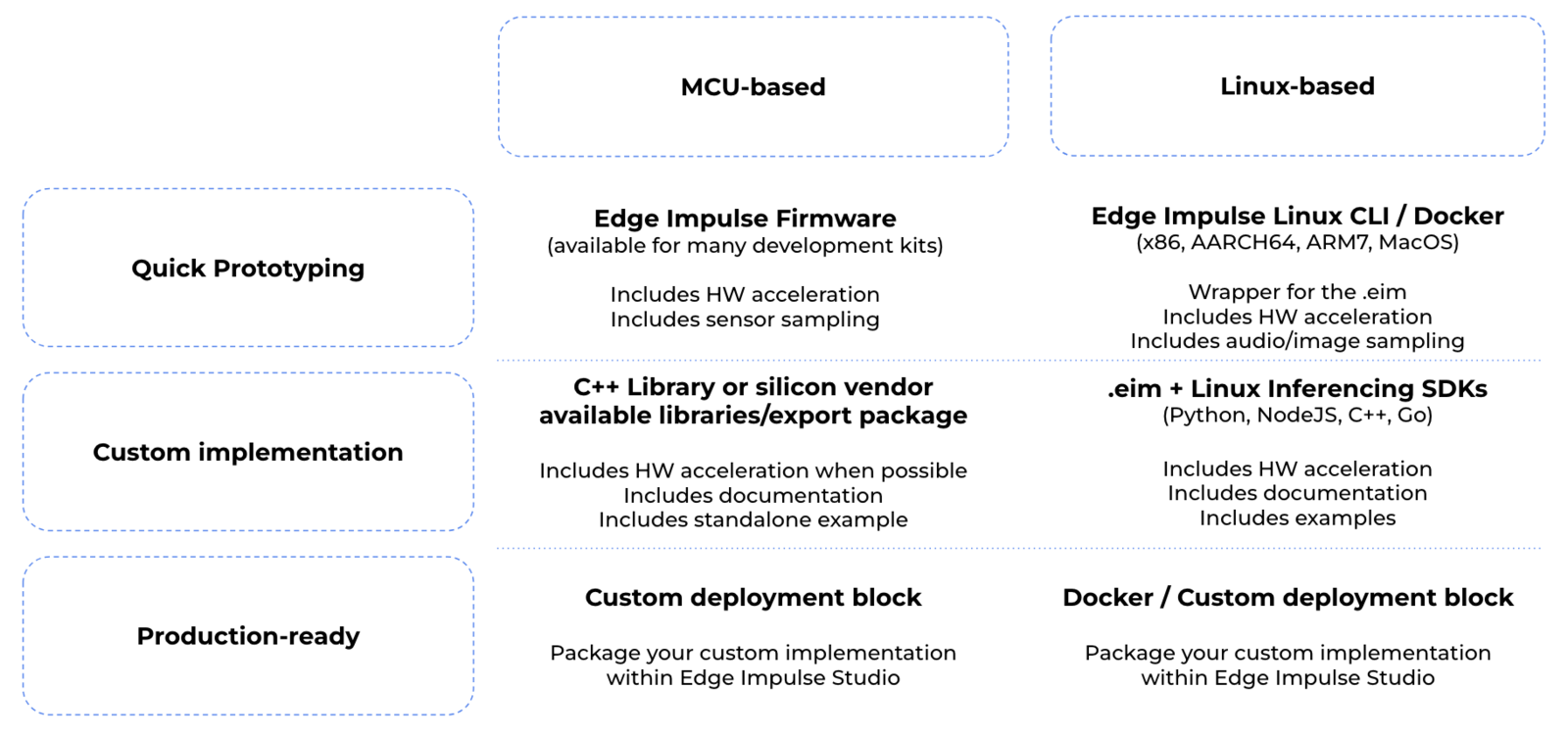
After training and validating your model, you can now deploy it to any edge device. This makes the model run without an internet connection, minimizes latency, and runs with minimal power consumption.
The **Deployment** page consists of a variety of deployment options to choose from depending on your target device. Regardless of whether you are using a [fully supported development board](/hardware) or not, you can deploy your impulse to any supported device. The C++ library and Edge Impulse SDK enable the model to run without an internet connection on the device, minimize latency, and with minimal power consumption.
 You can also select different [model optimization](/studio/projects/deployment#model-optimizations) options on the deployment page:
* Model version: Quantized (int8) vs unoptimized (float32) versions.
* Compiler options: TFLite vs [EON Compiler](/studio/projects/deployment/eon-compiler). The EON Compiler also comes with an extra option: EON Compiler (RAM optimized) to reduce the RAM even further when possible.
There are 6 main deployment options supported by Edge Impulse:
1. Deploy as a [customizable library](/studio/projects/deployment#deploy-as-a-customizable-library)
2. Deploy as a [pre-built firmware](/studio/projects/deployment#deploy-as-a-pre-built-firmware) (for fully supported development boards)
3. Deploy as a [Linux .eim binary](/studio/projects/deployment#deploy-as-a-linux-eim-binary)
4. Deploy as a [Docker container](/studio/projects/deployment#deploy-as-a-docker-container)
5. Deploy in your [web browser](/studio/projects/deployment#deploy-in-your-web-browser)
6. Create a [custom deployment block](/studio/organizations/custom-blocks/custom-deployment-blocks) (enterprise feature)
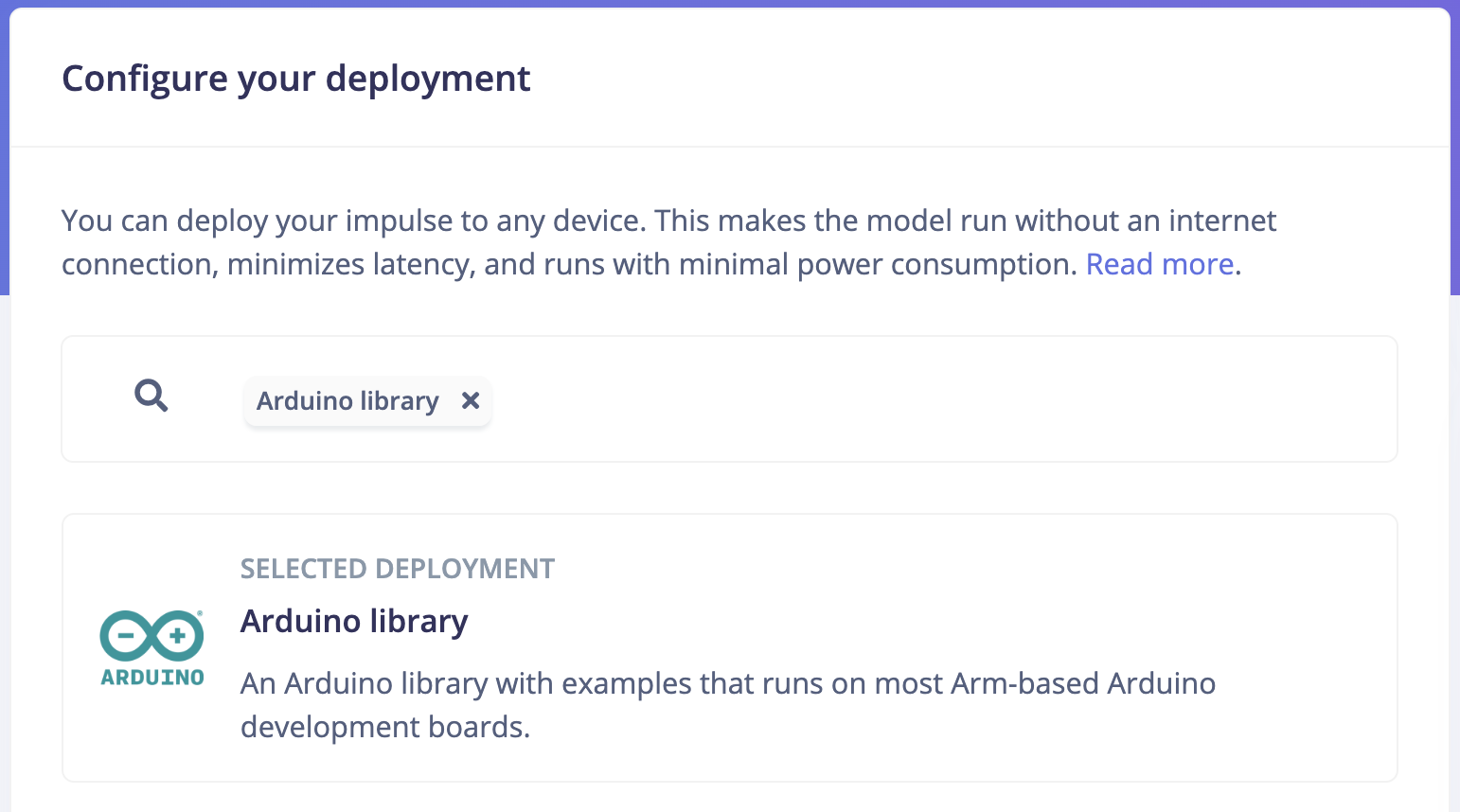
From the **Deployment** page, select the **Search deployment options** search box to select and configure a deployment option:
You can also select different [model optimization](/studio/projects/deployment#model-optimizations) options on the deployment page:
* Model version: Quantized (int8) vs unoptimized (float32) versions.
* Compiler options: TFLite vs [EON Compiler](/studio/projects/deployment/eon-compiler). The EON Compiler also comes with an extra option: EON Compiler (RAM optimized) to reduce the RAM even further when possible.
There are 6 main deployment options supported by Edge Impulse:
1. Deploy as a [customizable library](/studio/projects/deployment#deploy-as-a-customizable-library)
2. Deploy as a [pre-built firmware](/studio/projects/deployment#deploy-as-a-pre-built-firmware) (for fully supported development boards)
3. Deploy as a [Linux .eim binary](/studio/projects/deployment#deploy-as-a-linux-eim-binary)
4. Deploy as a [Docker container](/studio/projects/deployment#deploy-as-a-docker-container)
5. Deploy in your [web browser](/studio/projects/deployment#deploy-in-your-web-browser)
6. Create a [custom deployment block](/studio/organizations/custom-blocks/custom-deployment-blocks) (enterprise feature)
From the **Deployment** page, select the **Search deployment options** search box to select and configure a deployment option:
 ### Deploy as a customizable library
These deployment options let you turn your impulse into a fully optimized source code that can be further customized and integrated with your application. The customizable library packages all of your signal processing blocks, configuration and machine learning blocks into a single package with all available source code. Edge Impulse supports the following libraries (depending on your dataset's sensor type):
### Deploy as a customizable library
These deployment options let you turn your impulse into a fully optimized source code that can be further customized and integrated with your application. The customizable library packages all of your signal processing blocks, configuration and machine learning blocks into a single package with all available source code. Edge Impulse supports the following libraries (depending on your dataset's sensor type):
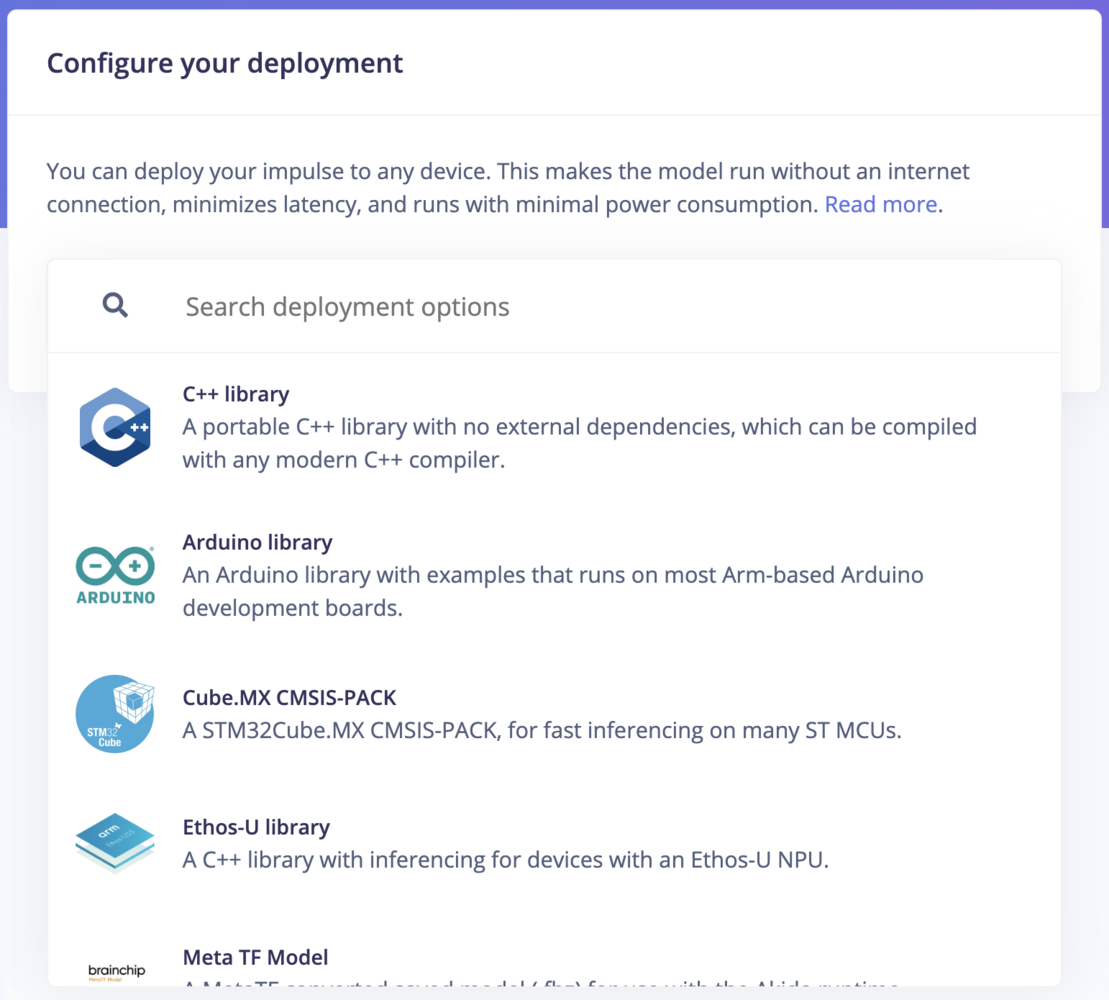 | **Library** | **Description** |
| ------------------------------- | ------------------------------------------------------------------------------------------------------------------------------------------------------------------------------------------- |
| **C++ Library** | A portable C++ library with no external dependencies, which can be compiled with any modern C++ compiler.[Learn more](/hardware/deployments/run-cpp-desktop) |
| **Arduino Library** | An Arduino library with examples that runs on most Arm-based Arduino development boards. [Learn more](/hardware/deployments/run-arduino-2-0) |
| **WebAssembly** | A WebAssembly package that can be run in browsers or other JavaScript environments. [Learn more](/hardware/deployments/run-webassembly-browser) |
| **Cube.MX CMSIS-PACK** | A CMSIS-PACK library for integrating Edge Impulse models with STM32CubeMX for STM MCUs. [Learn more](/hardware/deployments/run-cubemx) |
| **DRP-AI Library** | Generate machine learning models using DRP-AI TVM with the DRP-AI Translator for use on Renesas RZ/ products. [Learn more](https://www.renesas.com/en/software-tool/ai-accelerator-drp-ai) |
| **OpenMV Library** | An OpenMV library for vision-based projects, enabling efficient deployment on OpenMV cameras. [Learn more](/hardware/deployments/run-openmv) |
| **Ethos-U Library** | A C++ library for running machine learning models on Arm Ethos-U NPUs, optimized for low-power applications. [Learn more](https://github.com/ARM-software/ethos-n-driver-stack) |
| **Simplicity Studio Component** | A C/C++ library package with Simplicity Studio Component file (SLCC) for integration with Silicon Labs' tools. [Learn more](/hardware/deployments/run-cpp-silabs-thunderboard-sense-2) |
| **TensorRT Library** | A library optimized for running inference on the GPU of NVIDIA Jetson devices using TensorRT. [Learn more](https://docs.nvidia.com/deeplearning/tensorrt/developer-guide/index.html) |
| **TIDL-RT Library** | A deployment option for generating machine learning models to use with Texas Instruments Deep Learning Accelerator (TIDL) on TI processors. [Learn more](/hardware/boards/ti-sk-tda4vm) |
| **Tensai Flow Library** | A library using Tensai Flow for running inference in building custom applications. [Learn more](https://github.com/edgeimpulse/firmware-synaptics-ka10000) |
### Deploy as a pre-built firmware
For these deployment options, you can use a ready-to-go binary for your development board that bundles signal processing blocks, configuration and machine learning blocks into a single package. This option is available for [fully supported development boards](/hardware).
| **Library** | **Description** |
| ------------------------------- | ------------------------------------------------------------------------------------------------------------------------------------------------------------------------------------------- |
| **C++ Library** | A portable C++ library with no external dependencies, which can be compiled with any modern C++ compiler.[Learn more](/hardware/deployments/run-cpp-desktop) |
| **Arduino Library** | An Arduino library with examples that runs on most Arm-based Arduino development boards. [Learn more](/hardware/deployments/run-arduino-2-0) |
| **WebAssembly** | A WebAssembly package that can be run in browsers or other JavaScript environments. [Learn more](/hardware/deployments/run-webassembly-browser) |
| **Cube.MX CMSIS-PACK** | A CMSIS-PACK library for integrating Edge Impulse models with STM32CubeMX for STM MCUs. [Learn more](/hardware/deployments/run-cubemx) |
| **DRP-AI Library** | Generate machine learning models using DRP-AI TVM with the DRP-AI Translator for use on Renesas RZ/ products. [Learn more](https://www.renesas.com/en/software-tool/ai-accelerator-drp-ai) |
| **OpenMV Library** | An OpenMV library for vision-based projects, enabling efficient deployment on OpenMV cameras. [Learn more](/hardware/deployments/run-openmv) |
| **Ethos-U Library** | A C++ library for running machine learning models on Arm Ethos-U NPUs, optimized for low-power applications. [Learn more](https://github.com/ARM-software/ethos-n-driver-stack) |
| **Simplicity Studio Component** | A C/C++ library package with Simplicity Studio Component file (SLCC) for integration with Silicon Labs' tools. [Learn more](/hardware/deployments/run-cpp-silabs-thunderboard-sense-2) |
| **TensorRT Library** | A library optimized for running inference on the GPU of NVIDIA Jetson devices using TensorRT. [Learn more](https://docs.nvidia.com/deeplearning/tensorrt/developer-guide/index.html) |
| **TIDL-RT Library** | A deployment option for generating machine learning models to use with Texas Instruments Deep Learning Accelerator (TIDL) on TI processors. [Learn more](/hardware/boards/ti-sk-tda4vm) |
| **Tensai Flow Library** | A library using Tensai Flow for running inference in building custom applications. [Learn more](https://github.com/edgeimpulse/firmware-synaptics-ka10000) |
### Deploy as a pre-built firmware
For these deployment options, you can use a ready-to-go binary for your development board that bundles signal processing blocks, configuration and machine learning blocks into a single package. This option is available for [fully supported development boards](/hardware).
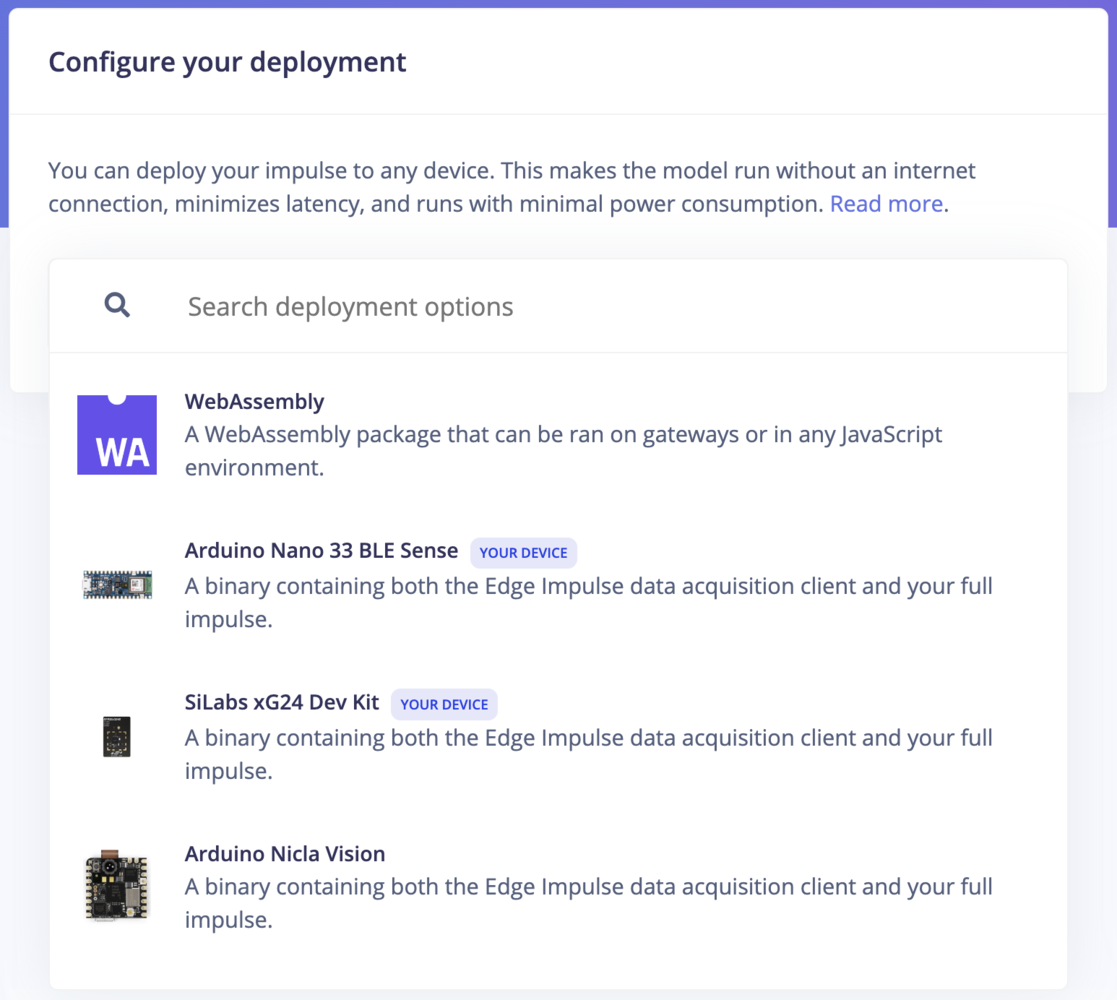 To deploy your model using ready-to-go binaries, select your target device and click "build". Flash the downloaded firmware to your device then run the following command:
```
edge-impulse-run-impulse
```
The impulse runner shows the results of your impulse running on your development board. This only applies to ready-to-go binaries built from the studio.
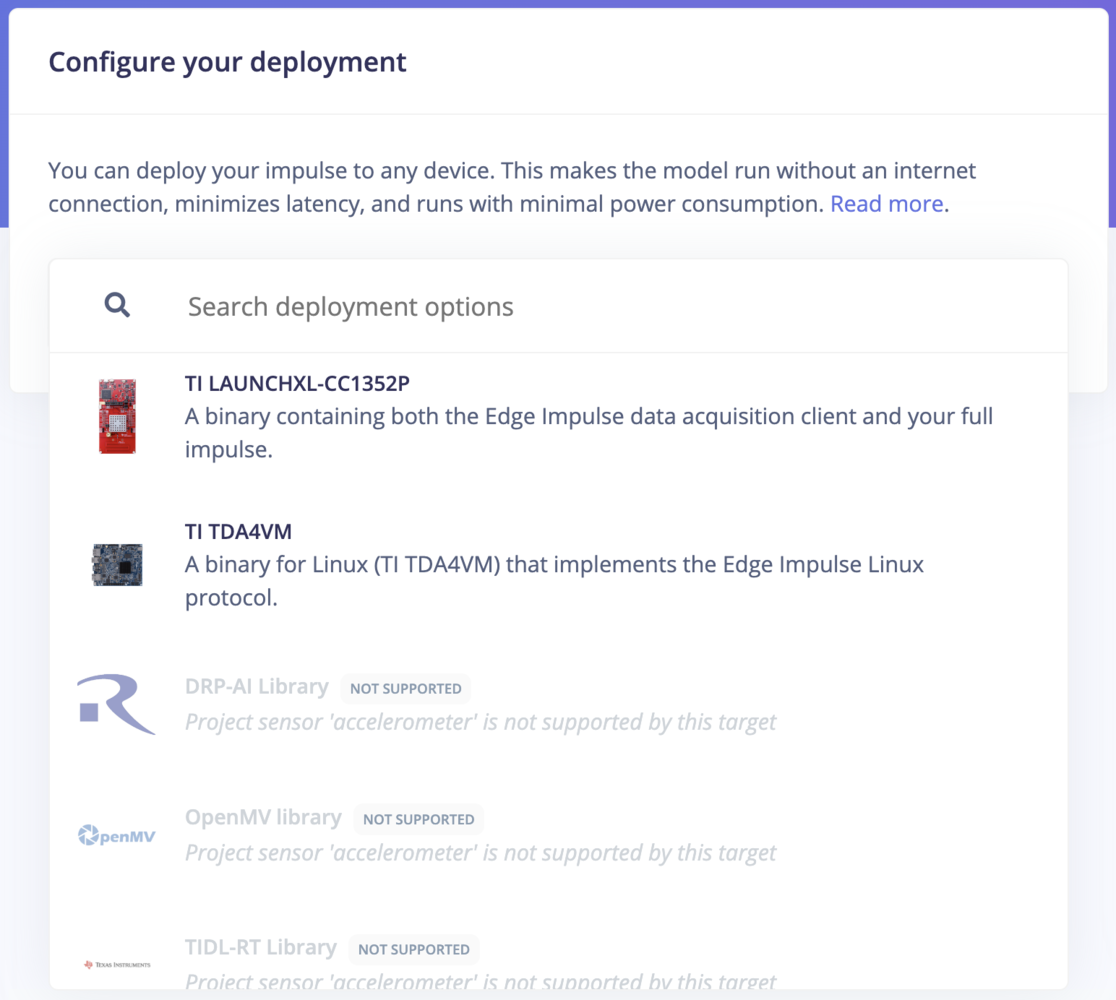
If your training and testing datasets include a sensor data type that is not supported by a deployment target, the search box will include these greyed out with a **Not supported** label:
To deploy your model using ready-to-go binaries, select your target device and click "build". Flash the downloaded firmware to your device then run the following command:
```
edge-impulse-run-impulse
```
The impulse runner shows the results of your impulse running on your development board. This only applies to ready-to-go binaries built from the studio.
If your training and testing datasets include a sensor data type that is not supported by a deployment target, the search box will include these greyed out with a **Not supported** label:
 ### Deploy as a Linux .eim binary
If you are developing for Linux-based devices, you can use Edge Impulse for Linux to deploy using an `.eim` binary. The Linux SDKs contain tools that let you collect data from sensors, microphones, and cameras, and can run impulses with full hardware acceleration - with easy integration points to write your own applications.
For a deep dive into deploying your impulse to Linux targets using Edge Impulse for Linux, you can visit the [Edge Impulse for Linux guides](/tools/libraries/sdks/inference/linux).
### Deploy as a Linux .eim binary
If you are developing for Linux-based devices, you can use Edge Impulse for Linux to deploy using an `.eim` binary. The Linux SDKs contain tools that let you collect data from sensors, microphones, and cameras, and can run impulses with full hardware acceleration - with easy integration points to write your own applications.
For a deep dive into deploying your impulse to Linux targets using Edge Impulse for Linux, you can visit the [Edge Impulse for Linux guides](/tools/libraries/sdks/inference/linux).
 ### Deploy as a Docker container
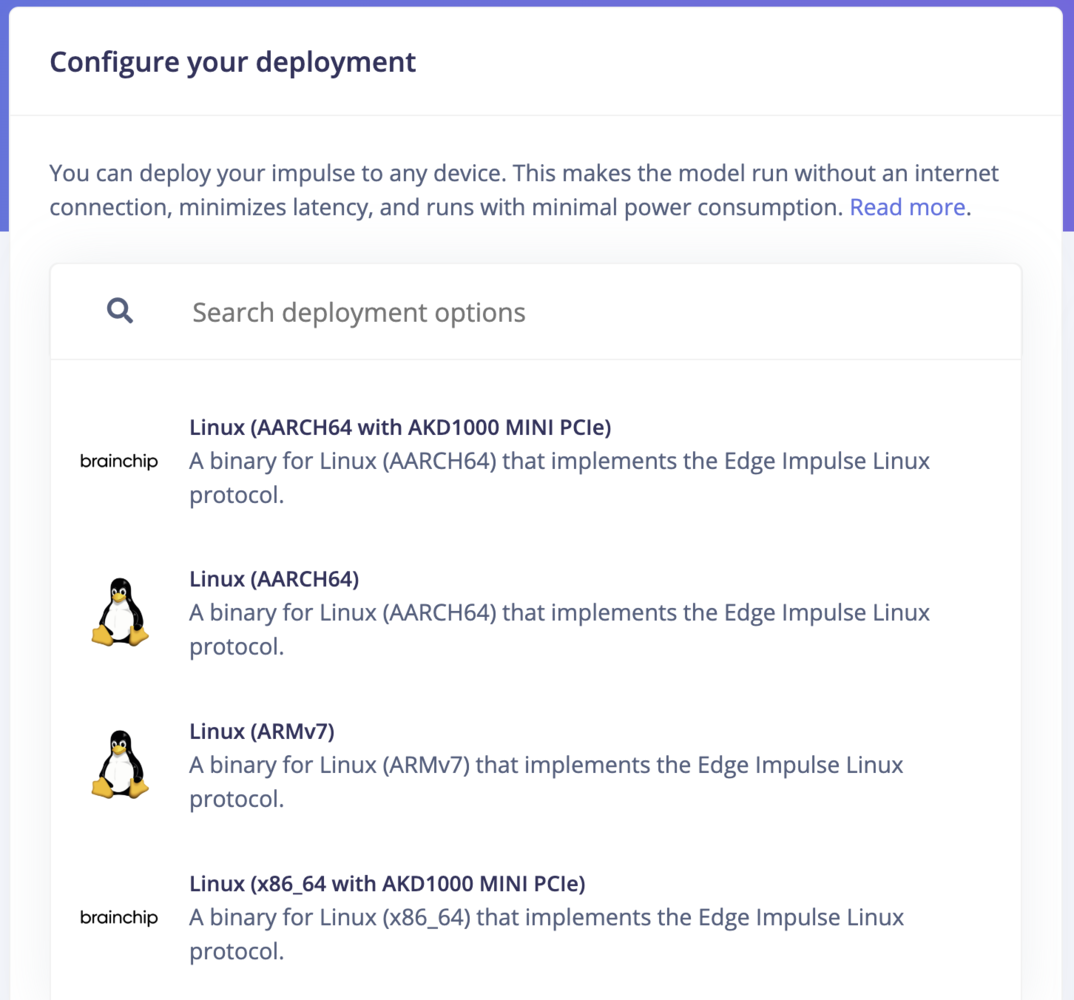
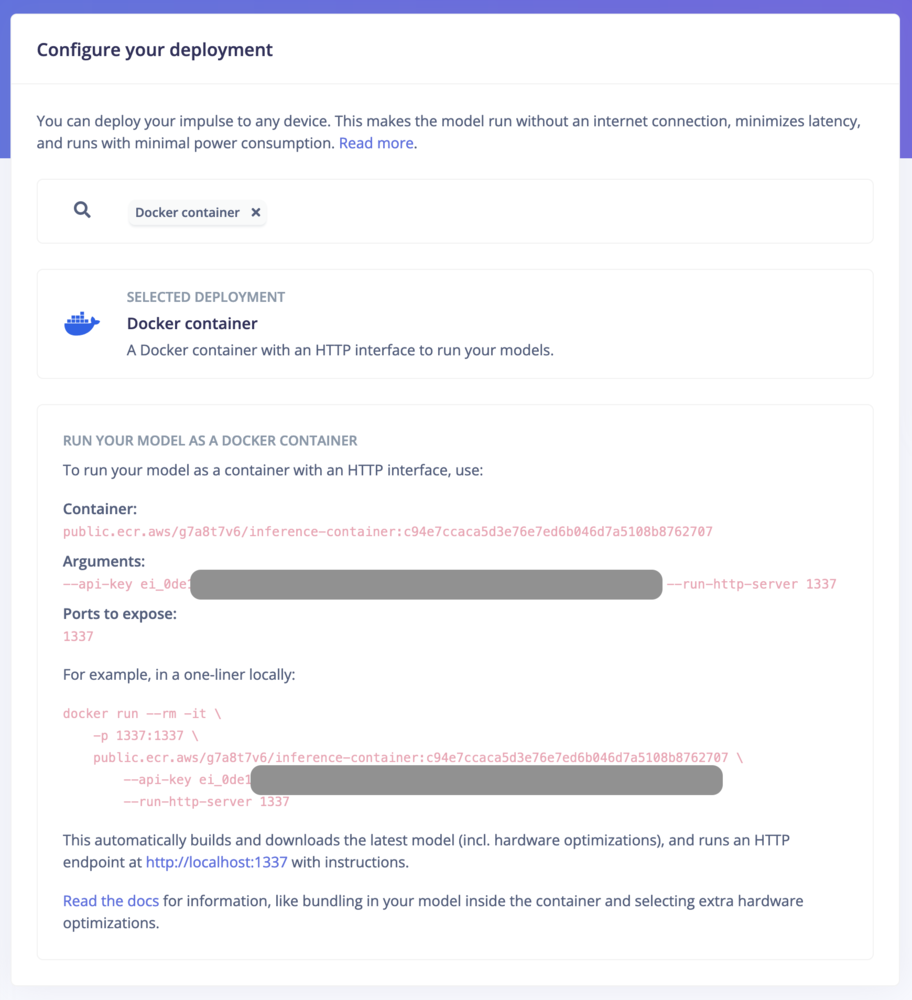
Deploying Edge Impulse models as a Docker container allows for packaging signal processing, configurations, and learning blocks into a single container that exposes an HTTP inference server. This method is ideal for environments supporting containerized workloads, facilitating deployment on gateways or in the cloud with full hardware acceleration for most Linux targets. Users can initiate deployment by selecting the "Docker container" option within the Deployment section of their Edge Impulse project.
See how to [run inference using a Docker container](/hardware/deployments/run-docker).
### Deploy as a Docker container
Deploying Edge Impulse models as a Docker container allows for packaging signal processing, configurations, and learning blocks into a single container that exposes an HTTP inference server. This method is ideal for environments supporting containerized workloads, facilitating deployment on gateways or in the cloud with full hardware acceleration for most Linux targets. Users can initiate deployment by selecting the "Docker container" option within the Deployment section of their Edge Impulse project.
See how to [run inference using a Docker container](/hardware/deployments/run-docker).
 ### Deploy to your web browser
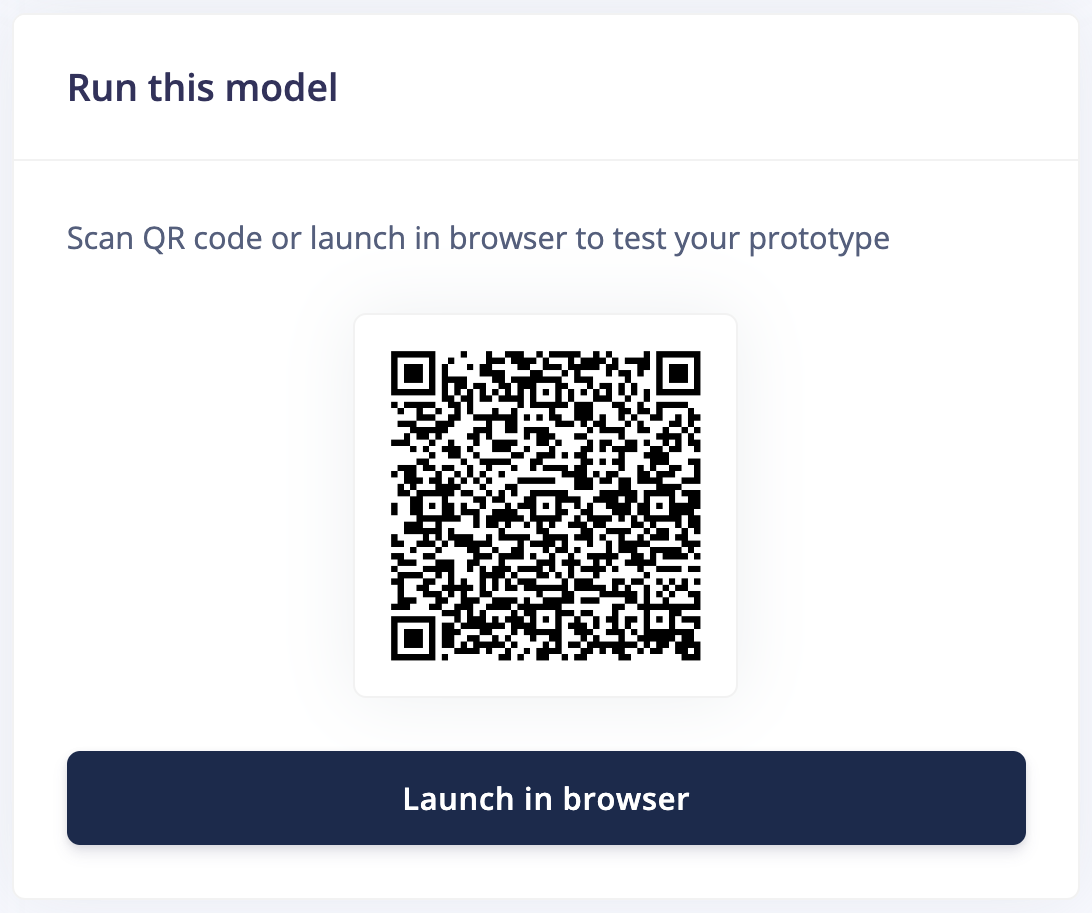
You can run your impulse directly in your web browser using your computer or mobile phone without the need of an additional app. To run on your computer, click **Launch in browser**. To run on your mobile phone, scan the QR code and click **Switch to classification mode**.
### Deploy to your web browser
You can run your impulse directly in your web browser using your computer or mobile phone without the need of an additional app. To run on your computer, click **Launch in browser**. To run on your mobile phone, scan the QR code and click **Switch to classification mode**.
 ### Latest build
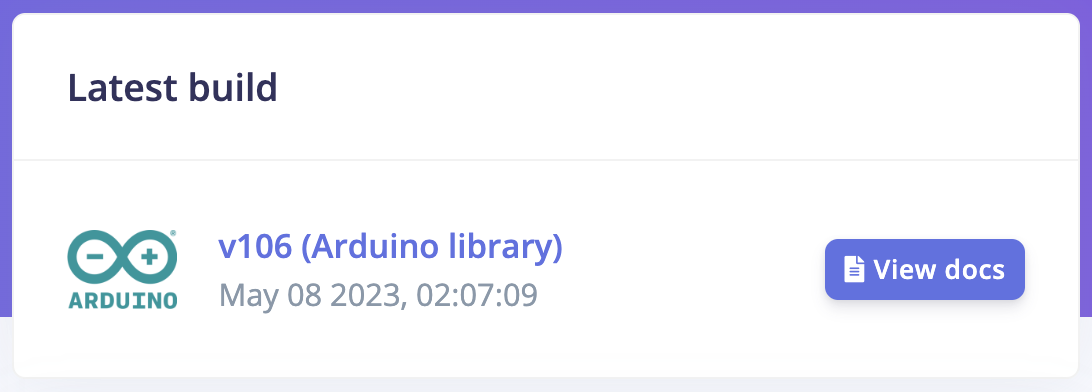
Download the most recent build from your project's deployment page under **Latest build**:
### Latest build
Download the most recent build from your project's deployment page under **Latest build**:
 ### Model optimizations
#### EON Compiler
When building your impulse for deployment, Edge Impulse gives you the option of adding another layer of optimization to your impulse using the [EON compiler](/studio/projects/deployment/eon-compiler).
The EON Compiler lets you run neural networks using less RAM, and saving flash resource, while retaining the same accuracy compared to LiteRT (previously Tensorflow Lite) for Microcontrollers.
Depending on your neural network architecture, we can also provide one extra layer of optimization with the [EON Compiler (RAM optimized)](/studio/projects/deployment/eon-compiler#eon-compiler-ram-optimized).
### Model optimizations
#### EON Compiler
When building your impulse for deployment, Edge Impulse gives you the option of adding another layer of optimization to your impulse using the [EON compiler](/studio/projects/deployment/eon-compiler).
The EON Compiler lets you run neural networks using less RAM, and saving flash resource, while retaining the same accuracy compared to LiteRT (previously Tensorflow Lite) for Microcontrollers.
Depending on your neural network architecture, we can also provide one extra layer of optimization with the [EON Compiler (RAM optimized)](/studio/projects/deployment/eon-compiler#eon-compiler-ram-optimized).
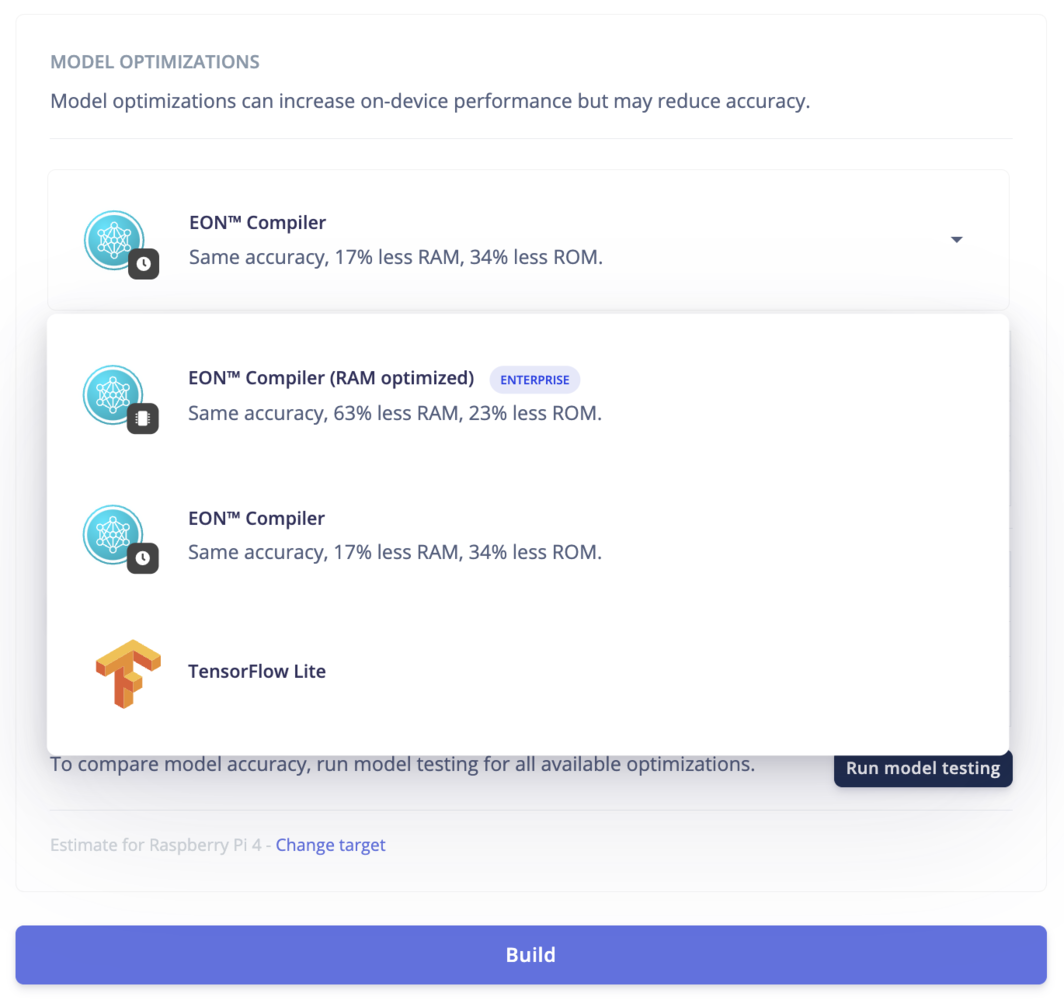 You can also select whether to run the unquantized float32 or the quantized int8 models. To compare model accuracy, run model testing in your project by clicking **Run model testing**.
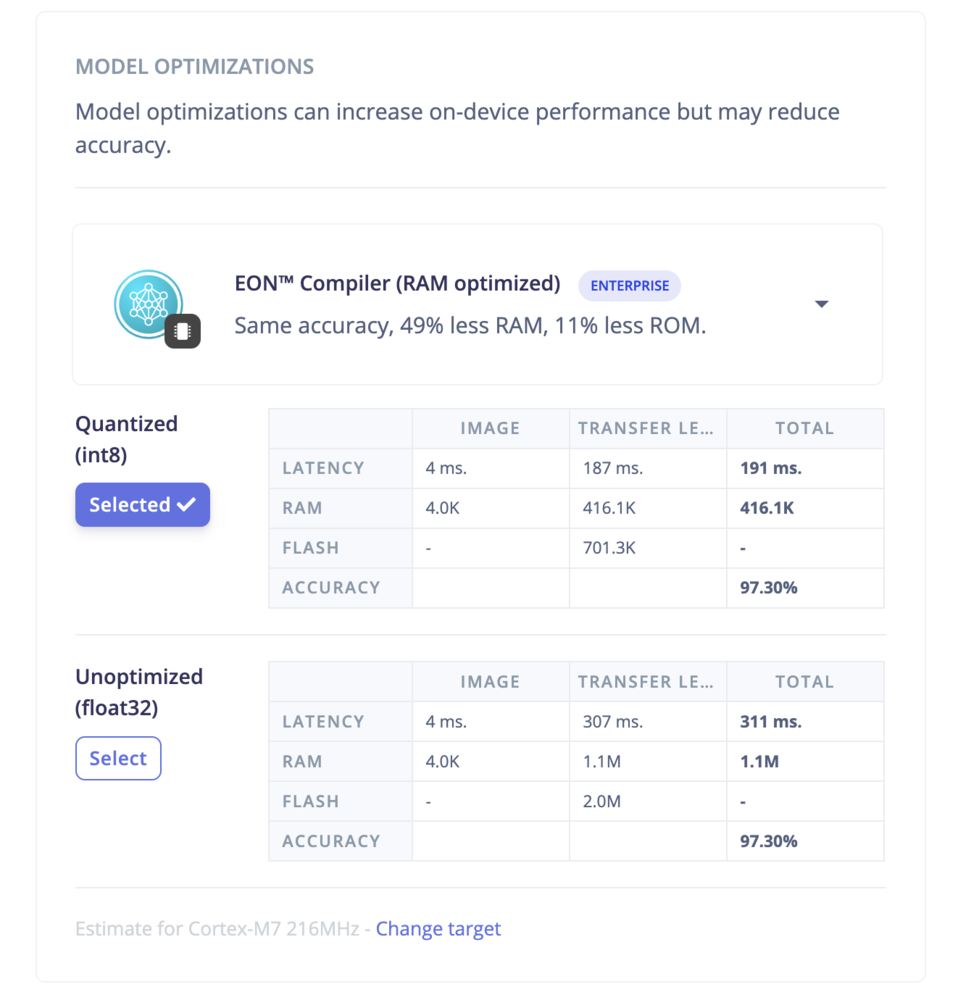 To have a peek at how your impulse would utilize compute resources of your target device, Edge Impulse also gives an estimate of latency, flash, and RAM to be consumed by your target device even before deploying your impulse locally. This can save you a lot of engineering time, and costs incurred by recurring iterations and experiments.