> ## Documentation Index
> Fetch the complete documentation index at: https://docs.edgeimpulse.com/llms.txt
> Use this file to discover all available pages before exploring further.
# API keys
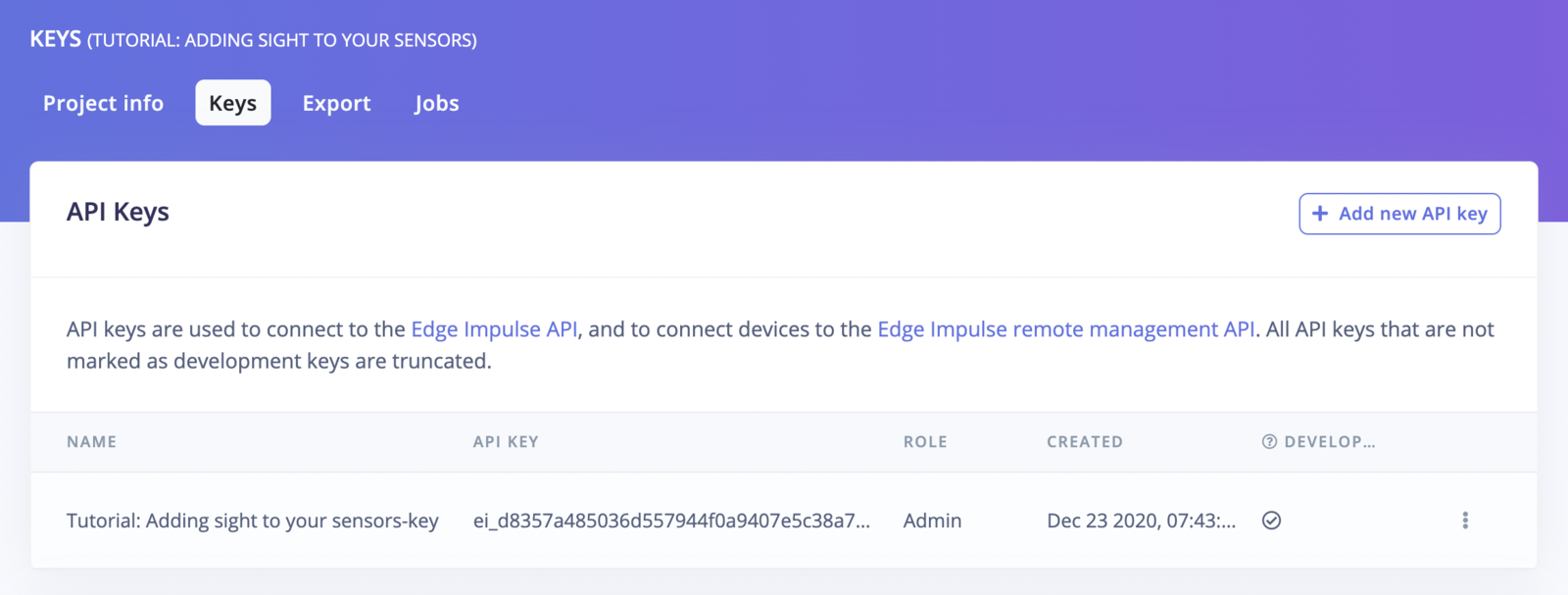
The **Keys** tab in your project's dashboard lets you manage the credentials used to authenticate programmatic access to your project. It contains two sections: **API Keys** and **HMAC Keys**.
 ## API keys
API keys authenticate requests to the [Edge Impulse Studio API](/apis/studio) and the [Edge Impulse remote management API](/apis/remote-management). They are scoped to a single project.
To create a new API key, click **+ Add new API key** and fill in the form:
## API keys
API keys authenticate requests to the [Edge Impulse Studio API](/apis/studio) and the [Edge Impulse remote management API](/apis/remote-management). They are scoped to a single project.
To create a new API key, click **+ Add new API key** and fill in the form:
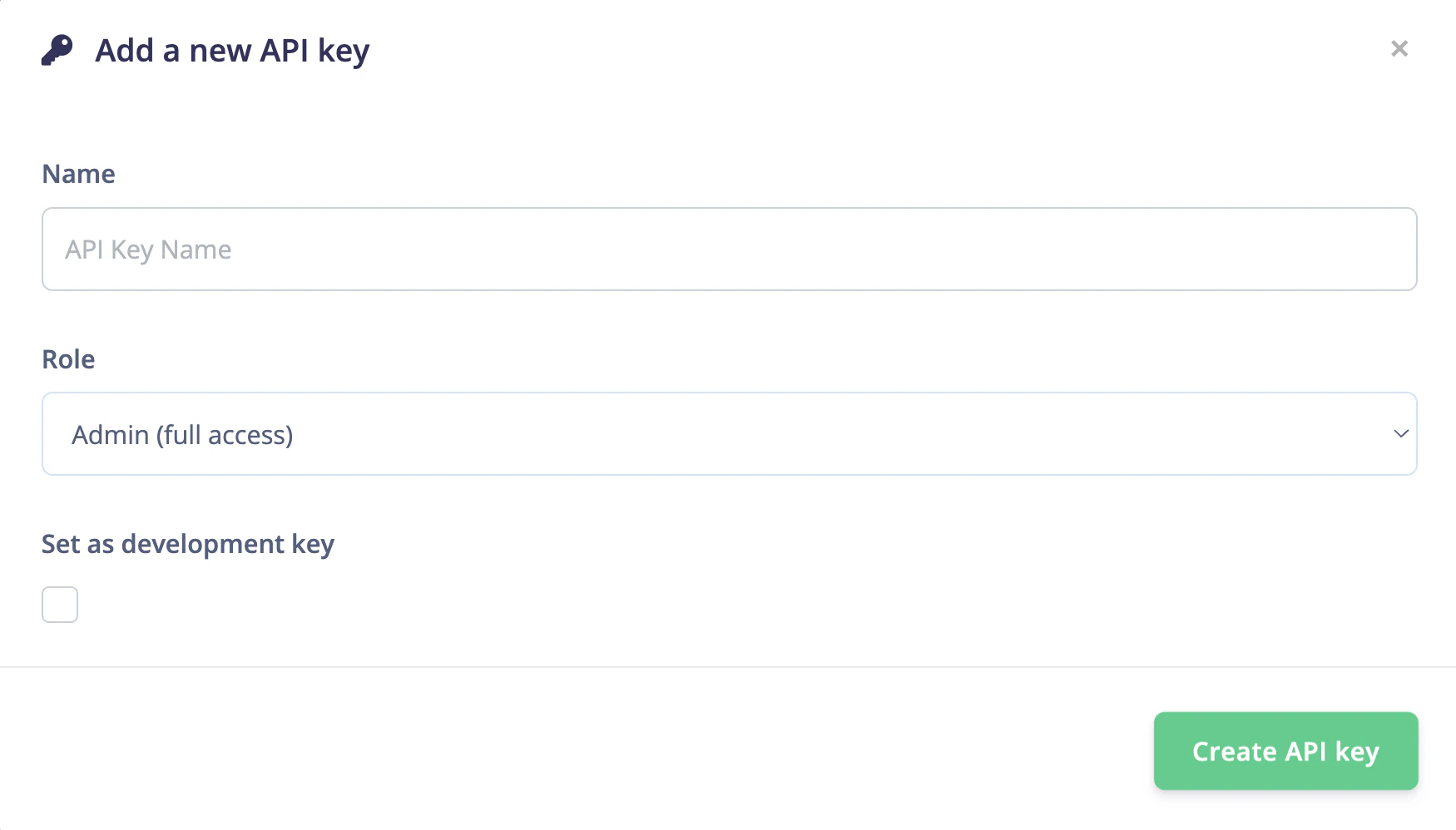 | Field | Description |
| -------------------------- | -------------------------------------------------------------------------------------------------- |
| **Name** | A human-readable label to identify the key (e.g. `ci-pipeline-key`). |
| **Role** | The permission level granted to this key. See [Roles](#roles) below. |
| **Set as development key** | When checked, marks the key as a development key. See [Development keys](#development-keys) below. |
Click **Create API key** to generate the key.
### Roles
| Field | Description |
| -------------------------- | -------------------------------------------------------------------------------------------------- |
| **Name** | A human-readable label to identify the key (e.g. `ci-pipeline-key`). |
| **Role** | The permission level granted to this key. See [Roles](#roles) below. |
| **Set as development key** | When checked, marks the key as a development key. See [Development keys](#development-keys) below. |
Click **Create API key** to generate the key.
### Roles
 | Role | Description |
| -------------------------- | -------------------------------------------------------------------------------------------------------------------- |
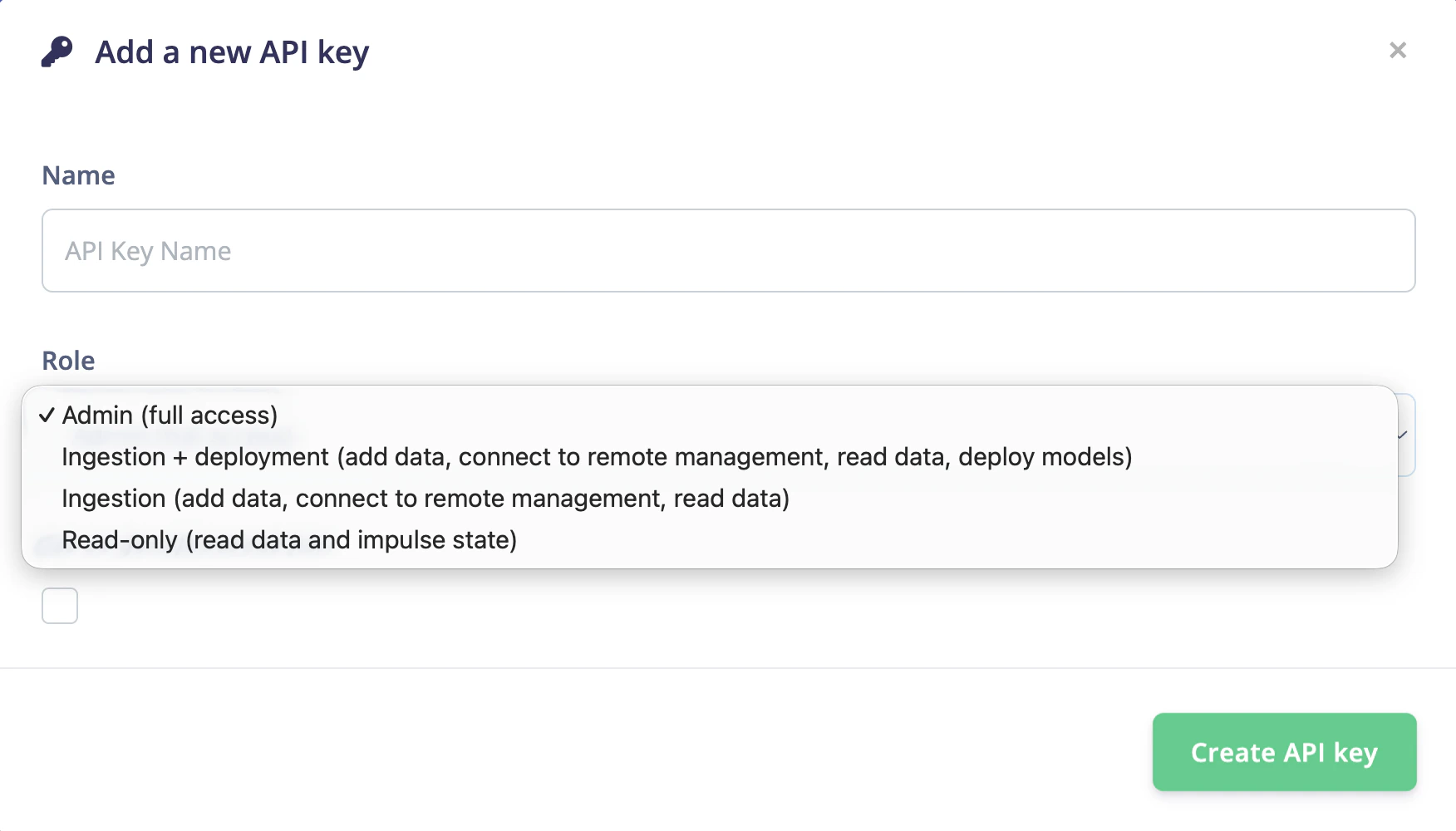
| **Admin (full access)** | Full access to all project API endpoints, including managing keys, project settings, data, training, and deployment. |
| **Ingestion + deployment** | Add data, connect to remote management, read data, and deploy models. |
| **Ingestion** | Add data, connect to remote management, and read data. |
| **Read-only** | Read data and impulse state only. |
### Development keys
The Edge Impulse CLI and other local tooling connect to your project using a **development key**. When you run `edge-impulse-daemon` or similar CLI commands, they look for a development key on the project — not just any API key.
Checking **Set as development key** also causes the key to be passed automatically to [custom deployment blocks](/studio/organizations/custom-blocks/custom-deployment-blocks#accessing-the-internet) that have the **privileged** flag enabled.
New projects do not get a development key automatically — if you plan to use the CLI, create one manually here.
If the CLI reports "You don't have any development keys set" when connecting to a new project, create a development key on this page and try again. Alternatively, upgrade to the latest CLI version.
## HMAC keys
HMAC keys are used to **sign data** sent to your project through the [ingestion API](/apis/ingestion). Signing data lets Edge Impulse verify the authenticity of incoming samples — confirming which device sent the data and when it was captured.
Data is signed using **HMAC-SHA256**. When you create a signed data file, the HMAC key is used alongside fields like `iat` (issued-at timestamp) and `device_name` to produce a signature that Edge Impulse can validate on ingestion.
To learn how to sign data with an HMAC key, see the [ingestion API documentation](/apis/ingestion).
| Role | Description |
| -------------------------- | -------------------------------------------------------------------------------------------------------------------- |
| **Admin (full access)** | Full access to all project API endpoints, including managing keys, project settings, data, training, and deployment. |
| **Ingestion + deployment** | Add data, connect to remote management, read data, and deploy models. |
| **Ingestion** | Add data, connect to remote management, and read data. |
| **Read-only** | Read data and impulse state only. |
### Development keys
The Edge Impulse CLI and other local tooling connect to your project using a **development key**. When you run `edge-impulse-daemon` or similar CLI commands, they look for a development key on the project — not just any API key.
Checking **Set as development key** also causes the key to be passed automatically to [custom deployment blocks](/studio/organizations/custom-blocks/custom-deployment-blocks#accessing-the-internet) that have the **privileged** flag enabled.
New projects do not get a development key automatically — if you plan to use the CLI, create one manually here.
If the CLI reports "You don't have any development keys set" when connecting to a new project, create a development key on this page and try again. Alternatively, upgrade to the latest CLI version.
## HMAC keys
HMAC keys are used to **sign data** sent to your project through the [ingestion API](/apis/ingestion). Signing data lets Edge Impulse verify the authenticity of incoming samples — confirming which device sent the data and when it was captured.
Data is signed using **HMAC-SHA256**. When you create a signed data file, the HMAC key is used alongside fields like `iat` (issued-at timestamp) and `device_name` to produce a signature that Edge Impulse can validate on ingestion.
To learn how to sign data with an HMAC key, see the [ingestion API documentation](/apis/ingestion).