> ## Documentation Index
> Fetch the complete documentation index at: https://docs.edgeimpulse.com/llms.txt
> Use this file to discover all available pages before exploring further.
# Offline SLMs for Edge AI Development — Part 1: Direct Inference with a Qwen LoRA Adapter
> Run a fine-tuned Qwen2.5-Coder LoRA adapter locally on a Raspberry Pi, Rubik Pi 3, or NVIDIA Jetson Orin to answer Edge Impulse docs and API questions without an internet connection.
Created By: Eoin Jordan
GitHub Repo: [https://github.com/eoinjordan/pi-openclaw-mcp-stack](https://github.com/eoinjordan/pi-openclaw-mcp-stack)
Hugging Face model: [eoinedge/edgeai-docs-embedding-qwen1.5-0.5b-instruct](https://huggingface.co/eoinedge/edgeai-docs-embedding-qwen1.5-0.5b-instruct)
## Introduction
Edge AI development often happens in environments with limited connectivity — on the factory floor, at a demo table, or embedded in a field device. When that happens, having the Edge Impulse documentation available to a local language model means you can still ask questions about the Studio API, deployment options, DSP blocks, and SDK usage without reaching the internet.
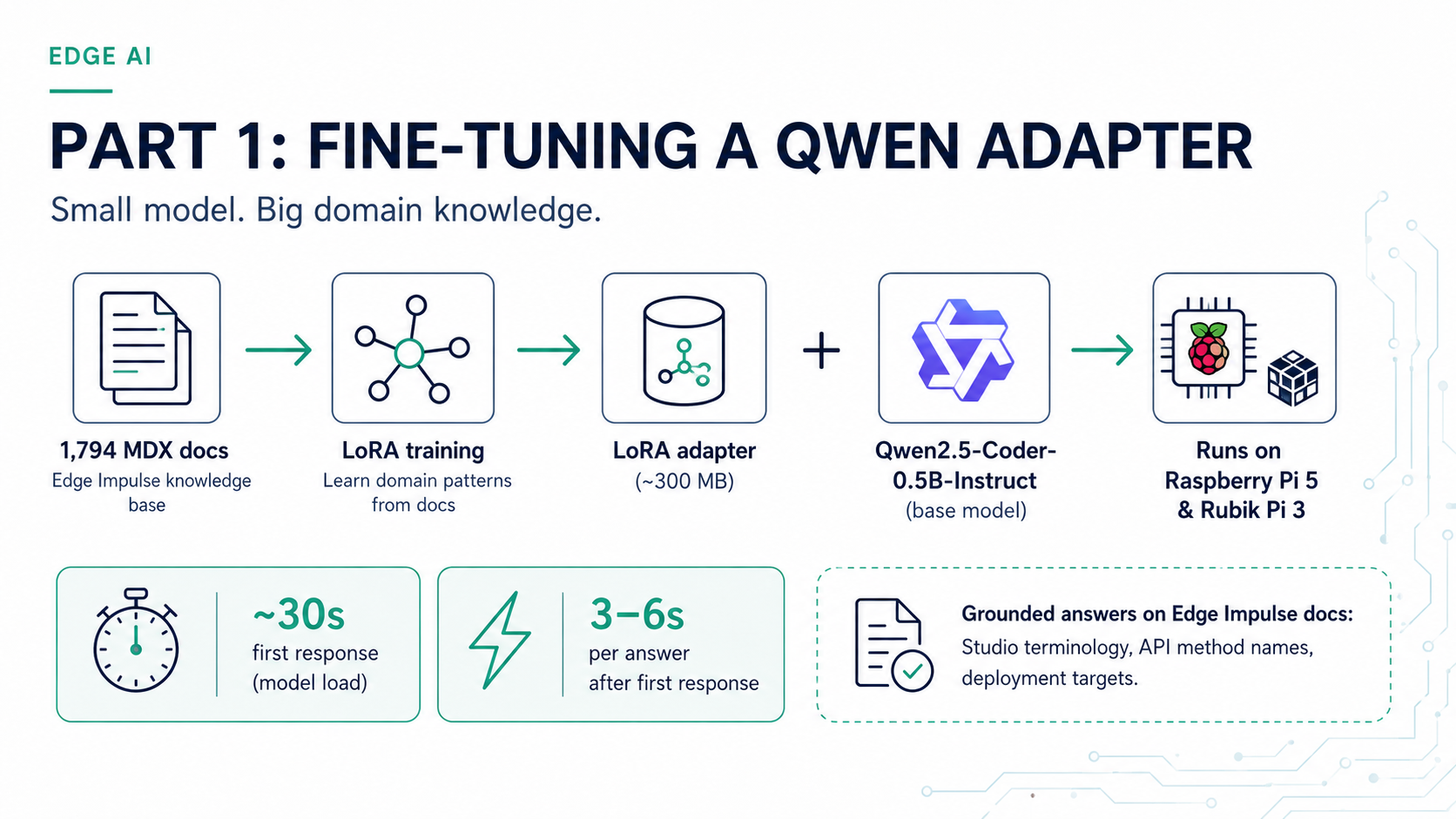
This project fine-tunes `Qwen/Qwen2.5-Coder-0.5B-Instruct` using LoRA (Low-Rank Adaptation) on 1,794 Edge Impulse documentation files. The resulting adapter ships on Hugging Face and can be loaded in a few lines of Python on any Linux device. This guide covers how to set it up and run it on two common platforms:
* **Raspberry Pi 4 / Pi 5** — the most accessible Linux edge device for developers
* **Thundercomm Rubik Pi 3** — a QCS6490-based board with 12 TOPS NPU and a Raspberry Pi-compatible form factor
The same workflow runs on any other QCS6490 device such as the [Qualcomm Dragonwing RB3 Gen 2 Dev Kit](/hardware/boards/qualcomm-rb3-gen-2-dev-kit)
 ## What the adapter covers
The adapter is trained on the full Edge Impulse documentation set as of mid-2026, covering:
* Studio projects, datasets, and data acquisition
* DSP and transformation blocks
* Learning and processing blocks
* Model deployment and edge inference
* Python SDK, REST API, and CLI tools
* Hardware board setup and deployment guides
It is a 0.5B parameter model, so responses are fast even on a CPU. For complex multi-step reasoning, pair it with a retrieval index (see [Part 2: RAG with FAISS](/projects/expert-network/rag-docs-assistant-faiss-qwen)).
## Hardware requirements
| Device | RAM | Storage | Notes |
| ------------------------ | ------------ | ---------- | ------------------------------------------- |
| Raspberry Pi 4 (4 GB+) | 4 GB min | 16 GB SD | CPU inference, \~2–4 s/response |
| Raspberry Pi 5 (8 GB) | 8 GB | 32 GB SD | Noticeably faster; recommended |
| Thundercomm Rubik Pi 3 | 8 GB LPDDR4x | 128 GB UFS | QCS6490, Ubuntu 24.04 or Qualcomm Linux |
| Any QCS6490 Linux device | 4 GB min | 16 GB min | Same steps as Rubik Pi 3 |
| NVIDIA Jetson Orin | 8 GB+ | 16 GB+ | CUDA detected automatically by `torch.cuda` |
## What the adapter covers
The adapter is trained on the full Edge Impulse documentation set as of mid-2026, covering:
* Studio projects, datasets, and data acquisition
* DSP and transformation blocks
* Learning and processing blocks
* Model deployment and edge inference
* Python SDK, REST API, and CLI tools
* Hardware board setup and deployment guides
It is a 0.5B parameter model, so responses are fast even on a CPU. For complex multi-step reasoning, pair it with a retrieval index (see [Part 2: RAG with FAISS](/projects/expert-network/rag-docs-assistant-faiss-qwen)).
## Hardware requirements
| Device | RAM | Storage | Notes |
| ------------------------ | ------------ | ---------- | ------------------------------------------- |
| Raspberry Pi 4 (4 GB+) | 4 GB min | 16 GB SD | CPU inference, \~2–4 s/response |
| Raspberry Pi 5 (8 GB) | 8 GB | 32 GB SD | Noticeably faster; recommended |
| Thundercomm Rubik Pi 3 | 8 GB LPDDR4x | 128 GB UFS | QCS6490, Ubuntu 24.04 or Qualcomm Linux |
| Any QCS6490 Linux device | 4 GB min | 16 GB min | Same steps as Rubik Pi 3 |
| NVIDIA Jetson Orin | 8 GB+ | 16 GB+ | CUDA detected automatically by `torch.cuda` |
 ## Setting up the Raspberry Pi
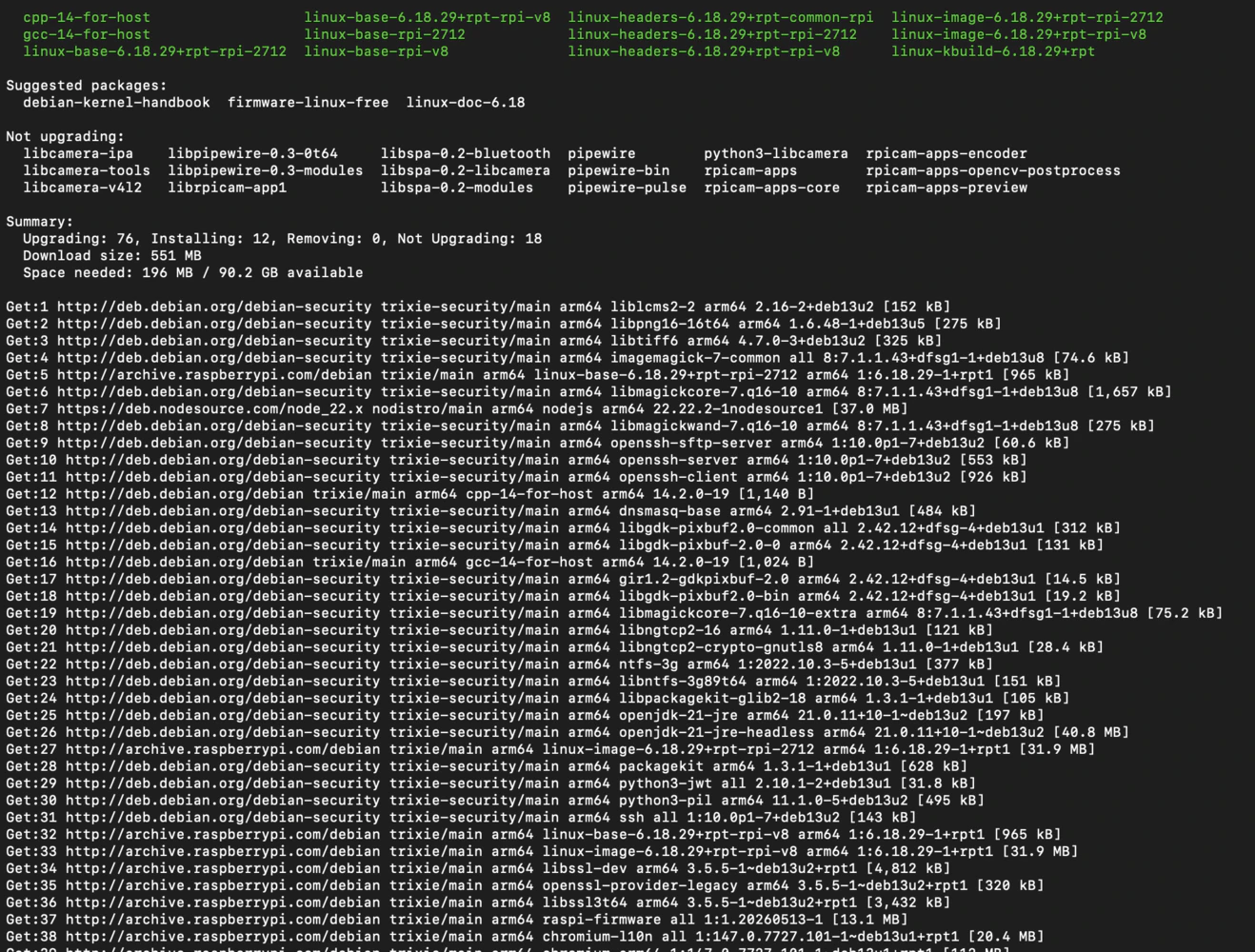
Flash **Raspberry Pi OS (64-bit Bookworm)** to an SD card using Raspberry Pi Imager, enable SSH during imaging, and boot the Pi. Then SSH in and run:
```bash theme={"system"}
sudo apt update && sudo apt upgrade -y
sudo apt install -y python3-pip python3-venv git
python3 -m venv ~/edgeai-llm
source ~/edgeai-llm/bin/activate
pip install torch torchvision --index-url https://download.pytorch.org/whl/cpu
pip install transformers peft sentence-transformers faiss-cpu
```
## Setting up the Raspberry Pi
Flash **Raspberry Pi OS (64-bit Bookworm)** to an SD card using Raspberry Pi Imager, enable SSH during imaging, and boot the Pi. Then SSH in and run:
```bash theme={"system"}
sudo apt update && sudo apt upgrade -y
sudo apt install -y python3-pip python3-venv git
python3 -m venv ~/edgeai-llm
source ~/edgeai-llm/bin/activate
pip install torch torchvision --index-url https://download.pytorch.org/whl/cpu
pip install transformers peft sentence-transformers faiss-cpu
```
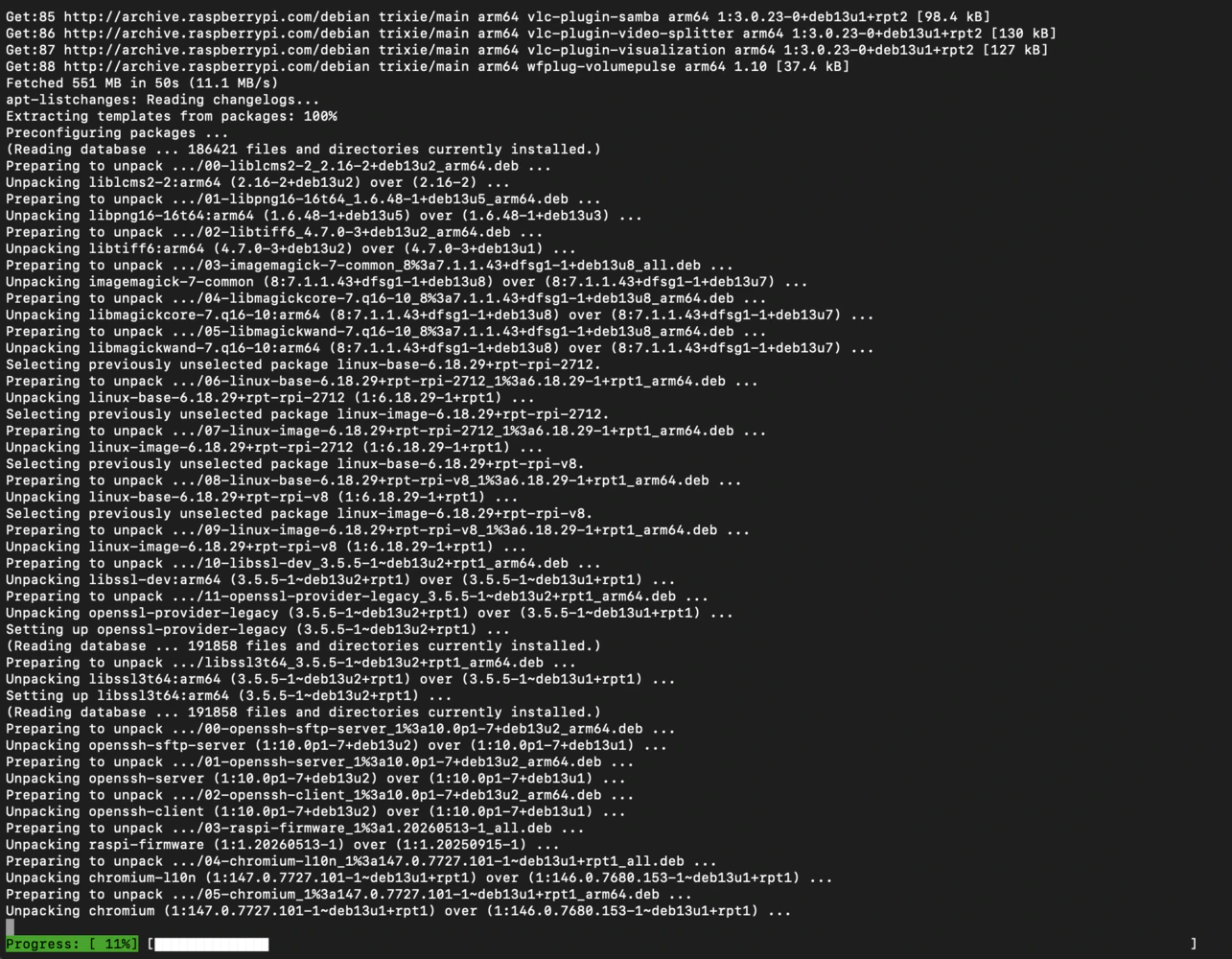 On a Pi 4, install the `cpu` PyTorch wheel. The full CUDA wheel will fail. On a Pi 5 with 8 GB RAM, inference is comfortable with `float32`. On a Pi 4 with 4 GB, add `--low-cpu-mem-usage` when loading the base model.
## Setting up the Rubik Pi 3 (QCS6490)
The Rubik Pi 3 ships with Ubuntu 24.04 or Qualcomm Linux. Log in with username `ubuntu` / password `ubuntu` (you may be prompted to change it on first boot), connect to your network with `sudo nmtui`, then reboot to sync the system clock. After rebooting:
```bash theme={"system"}
sudo apt update && sudo apt upgrade -y
sudo apt install -y python3-pip python3-venv git
python3 -m venv ~/edgeai-llm
source ~/edgeai-llm/bin/activate
pip install torch torchvision --index-url https://download.pytorch.org/whl/cpu
pip install transformers peft sentence-transformers faiss-cpu
```
The Rubik Pi 3's Adreno 643L GPU is not yet targeted by the standard PyTorch wheel, so CPU inference is used here too. The QCS6490's eight Kryo 670 cores handle the 0.5B model well at `float16`.
If you want to also use Edge Impulse on this board for model training and deployment, install the Edge Impulse Linux CLI after the steps above. See the [Thundercomm Rubik Pi 3 setup guide](/hardware/boards/thundercomm-rubikpi3) for full CLI installation instructions.
## Load the base model and adapter
With the virtual environment activated, save the following as `load_model.py` on your device:
```python theme={"system"}
import torch
from transformers import AutoModelForCausalLM, AutoTokenizer
from peft import PeftModel
BASE_MODEL = "Qwen/Qwen2.5-Coder-0.5B-Instruct"
ADAPTER = "eoinedge/edgeai-docs-embedding-qwen1.5-0.5b-instruct"
# ARM devices use CPU; this also works on any CUDA host
device = "cuda" if torch.cuda.is_available() else "cpu"
dtype = torch.float16 if device != "cpu" else torch.float32
tokenizer = AutoTokenizer.from_pretrained(BASE_MODEL)
base_model = AutoModelForCausalLM.from_pretrained(
BASE_MODEL,
torch_dtype=dtype,
low_cpu_mem_usage=True,
)
model = PeftModel.from_pretrained(base_model, ADAPTER)
model.eval()
if device != "cpu":
model = model.to(device)
```
On a Pi 4, install the `cpu` PyTorch wheel. The full CUDA wheel will fail. On a Pi 5 with 8 GB RAM, inference is comfortable with `float32`. On a Pi 4 with 4 GB, add `--low-cpu-mem-usage` when loading the base model.
## Setting up the Rubik Pi 3 (QCS6490)
The Rubik Pi 3 ships with Ubuntu 24.04 or Qualcomm Linux. Log in with username `ubuntu` / password `ubuntu` (you may be prompted to change it on first boot), connect to your network with `sudo nmtui`, then reboot to sync the system clock. After rebooting:
```bash theme={"system"}
sudo apt update && sudo apt upgrade -y
sudo apt install -y python3-pip python3-venv git
python3 -m venv ~/edgeai-llm
source ~/edgeai-llm/bin/activate
pip install torch torchvision --index-url https://download.pytorch.org/whl/cpu
pip install transformers peft sentence-transformers faiss-cpu
```
The Rubik Pi 3's Adreno 643L GPU is not yet targeted by the standard PyTorch wheel, so CPU inference is used here too. The QCS6490's eight Kryo 670 cores handle the 0.5B model well at `float16`.
If you want to also use Edge Impulse on this board for model training and deployment, install the Edge Impulse Linux CLI after the steps above. See the [Thundercomm Rubik Pi 3 setup guide](/hardware/boards/thundercomm-rubikpi3) for full CLI installation instructions.
## Load the base model and adapter
With the virtual environment activated, save the following as `load_model.py` on your device:
```python theme={"system"}
import torch
from transformers import AutoModelForCausalLM, AutoTokenizer
from peft import PeftModel
BASE_MODEL = "Qwen/Qwen2.5-Coder-0.5B-Instruct"
ADAPTER = "eoinedge/edgeai-docs-embedding-qwen1.5-0.5b-instruct"
# ARM devices use CPU; this also works on any CUDA host
device = "cuda" if torch.cuda.is_available() else "cpu"
dtype = torch.float16 if device != "cpu" else torch.float32
tokenizer = AutoTokenizer.from_pretrained(BASE_MODEL)
base_model = AutoModelForCausalLM.from_pretrained(
BASE_MODEL,
torch_dtype=dtype,
low_cpu_mem_usage=True,
)
model = PeftModel.from_pretrained(base_model, ADAPTER)
model.eval()
if device != "cpu":
model = model.to(device)
```
 The first run downloads the base model (\~1 GB) and the adapter (\~6 MB) from Hugging Face. On subsequent runs they are loaded from the local cache (`~/.cache/huggingface`).
## Ask a question
```python theme={"system"}
from transformers import pipeline
pipe = pipeline(
"text-generation",
model=model,
tokenizer=tokenizer,
device=-1, # -1 = CPU; set to 0 for CUDA
)
questions = [
"How do I use the Edge Impulse Python SDK to upload data?",
"What is a DSP block in Edge Impulse?",
"How do I deploy a model to an Arduino Nano 33 BLE Sense?",
"How do I call the Edge Impulse REST API to start a training job?",
]
for q in questions:
out = pipe(q, max_new_tokens=200, do_sample=False)
print(f"Q: {q}\nA: {out[0]['generated_text']}\n")
```
Typical response time on a Raspberry Pi 5 is 3–6 seconds per answer at `float32`. On the Rubik Pi 3 at `float16` it is roughly the same. The model has the full documentation vocabulary baked in, so answers about Studio workflows, SDK methods, and deployment targets are grounded in real documentation rather than general web knowledge.
## Best practices
* On a Raspberry Pi 4 with 4 GB RAM, close other services before loading the model to avoid OOM. Run `sudo systemctl stop` for any unused services.
* Validate generated code before deploying it to hardware or calling it against the Edge Impulse REST API.
## Related adapter: Arduino code generation
A companion adapter trained on Arduino documentation is available at [`eoinedge/arduino-qwen0.5-lora`](https://huggingface.co/eoinedge/arduino-qwen0.5-lora). It uses `Qwen/Qwen2.5-Coder-0.5B-Instruct` as its base model and is fine-tuned to write Arduino sketches, understand Arduino library APIs, and answer hardware-level questions. Load it using the same pattern:
```python theme={"system"}
BASE_MODEL = "Qwen/Qwen2.5-Coder-0.5B-Instruct"
ADAPTER = "eoinedge/arduino-qwen0.5-lora"
base_model = AutoModelForCausalLM.from_pretrained(BASE_MODEL, torch_dtype=dtype, low_cpu_mem_usage=True)
model = PeftModel.from_pretrained(base_model, ADAPTER)
```
Use this when you need to generate Edge Impulse inference sketches for Arduino Nano 33 BLE Sense or other Arduino targets offline — for example at a demo table without internet access. There is some overlap in the documentation covered by the two adapters, but the Arduino adapter is more focused on hardware-level questions and code generation, while the Edge AI docs adapter covers the full breadth of Studio and API topics.
## Related
**This series**
* [Offline SLMs for Edge AI Development — Part 2: Retrieval-Augmented Generation with FAISS](/projects/expert-network/rag-docs-assistant-faiss-qwen) — add a FAISS retrieval index on top of this adapter for grounded, up-to-date answers
* [Offline SLMs for Edge AI Development — Part 3: Agentic Coding with llama.cpp and OpenCode](/projects/expert-network/opencode-offline-coding-assistant) — serve GGUF models with llama-server and use OpenCode as an offline agentic coding assistant
## Reference
* Hugging Face model (Edge AI docs): [`eoinedge/edgeai-docs-embedding-qwen1.5-0.5b-instruct`](https://huggingface.co/eoinedge/edgeai-docs-embedding-qwen1.5-0.5b-instruct)
* Hugging Face model (Arduino): [`eoinedge/arduino-qwen0.5-lora`](https://huggingface.co/eoinedge/arduino-qwen0.5-lora)
* Full stack source: [eoinjordan/pi-openclaw-mcp-stack](https://github.com/eoinjordan/pi-openclaw-mcp-stack)
* Base model: `Qwen/Qwen2.5-Coder-0.5B-Instruct`
* Hardware guides: [Thundercomm Rubik Pi 3](/hardware/boards/thundercomm-rubikpi3) · [Raspberry Pi 5](/hardware/boards/raspberry-pi-5) · [Qualcomm RB3 Gen 2](/hardware/boards/qualcomm-rb3-gen-2-dev-kit) · [NVIDIA Jetson Orin](/hardware/boards/nvidia-jetson)
* Python libraries: `transformers`, `peft`, `torch`, `sentence-transformers`, `faiss-cpu`, `flask`
The first run downloads the base model (\~1 GB) and the adapter (\~6 MB) from Hugging Face. On subsequent runs they are loaded from the local cache (`~/.cache/huggingface`).
## Ask a question
```python theme={"system"}
from transformers import pipeline
pipe = pipeline(
"text-generation",
model=model,
tokenizer=tokenizer,
device=-1, # -1 = CPU; set to 0 for CUDA
)
questions = [
"How do I use the Edge Impulse Python SDK to upload data?",
"What is a DSP block in Edge Impulse?",
"How do I deploy a model to an Arduino Nano 33 BLE Sense?",
"How do I call the Edge Impulse REST API to start a training job?",
]
for q in questions:
out = pipe(q, max_new_tokens=200, do_sample=False)
print(f"Q: {q}\nA: {out[0]['generated_text']}\n")
```
Typical response time on a Raspberry Pi 5 is 3–6 seconds per answer at `float32`. On the Rubik Pi 3 at `float16` it is roughly the same. The model has the full documentation vocabulary baked in, so answers about Studio workflows, SDK methods, and deployment targets are grounded in real documentation rather than general web knowledge.
## Best practices
* On a Raspberry Pi 4 with 4 GB RAM, close other services before loading the model to avoid OOM. Run `sudo systemctl stop` for any unused services.
* Validate generated code before deploying it to hardware or calling it against the Edge Impulse REST API.
## Related adapter: Arduino code generation
A companion adapter trained on Arduino documentation is available at [`eoinedge/arduino-qwen0.5-lora`](https://huggingface.co/eoinedge/arduino-qwen0.5-lora). It uses `Qwen/Qwen2.5-Coder-0.5B-Instruct` as its base model and is fine-tuned to write Arduino sketches, understand Arduino library APIs, and answer hardware-level questions. Load it using the same pattern:
```python theme={"system"}
BASE_MODEL = "Qwen/Qwen2.5-Coder-0.5B-Instruct"
ADAPTER = "eoinedge/arduino-qwen0.5-lora"
base_model = AutoModelForCausalLM.from_pretrained(BASE_MODEL, torch_dtype=dtype, low_cpu_mem_usage=True)
model = PeftModel.from_pretrained(base_model, ADAPTER)
```
Use this when you need to generate Edge Impulse inference sketches for Arduino Nano 33 BLE Sense or other Arduino targets offline — for example at a demo table without internet access. There is some overlap in the documentation covered by the two adapters, but the Arduino adapter is more focused on hardware-level questions and code generation, while the Edge AI docs adapter covers the full breadth of Studio and API topics.
## Related
**This series**
* [Offline SLMs for Edge AI Development — Part 2: Retrieval-Augmented Generation with FAISS](/projects/expert-network/rag-docs-assistant-faiss-qwen) — add a FAISS retrieval index on top of this adapter for grounded, up-to-date answers
* [Offline SLMs for Edge AI Development — Part 3: Agentic Coding with llama.cpp and OpenCode](/projects/expert-network/opencode-offline-coding-assistant) — serve GGUF models with llama-server and use OpenCode as an offline agentic coding assistant
## Reference
* Hugging Face model (Edge AI docs): [`eoinedge/edgeai-docs-embedding-qwen1.5-0.5b-instruct`](https://huggingface.co/eoinedge/edgeai-docs-embedding-qwen1.5-0.5b-instruct)
* Hugging Face model (Arduino): [`eoinedge/arduino-qwen0.5-lora`](https://huggingface.co/eoinedge/arduino-qwen0.5-lora)
* Full stack source: [eoinjordan/pi-openclaw-mcp-stack](https://github.com/eoinjordan/pi-openclaw-mcp-stack)
* Base model: `Qwen/Qwen2.5-Coder-0.5B-Instruct`
* Hardware guides: [Thundercomm Rubik Pi 3](/hardware/boards/thundercomm-rubikpi3) · [Raspberry Pi 5](/hardware/boards/raspberry-pi-5) · [Qualcomm RB3 Gen 2](/hardware/boards/qualcomm-rb3-gen-2-dev-kit) · [NVIDIA Jetson Orin](/hardware/boards/nvidia-jetson)
* Python libraries: `transformers`, `peft`, `torch`, `sentence-transformers`, `faiss-cpu`, `flask`