> ## Documentation Index
> Fetch the complete documentation index at: https://docs.edgeimpulse.com/llms.txt
> Use this file to discover all available pages before exploring further.
# LLM-powered Doorbell - ESP32
Created By: Roni Bandini
Public Project Link: [https://studio.edgeimpulse.com/public/541658/latest](https://studio.edgeimpulse.com/public/541658/latest)
GitHub Repo: [https://github.com/ronibandini/aicamdoorbell](https://github.com/ronibandini/aicamdoorbell)
 ## Intro
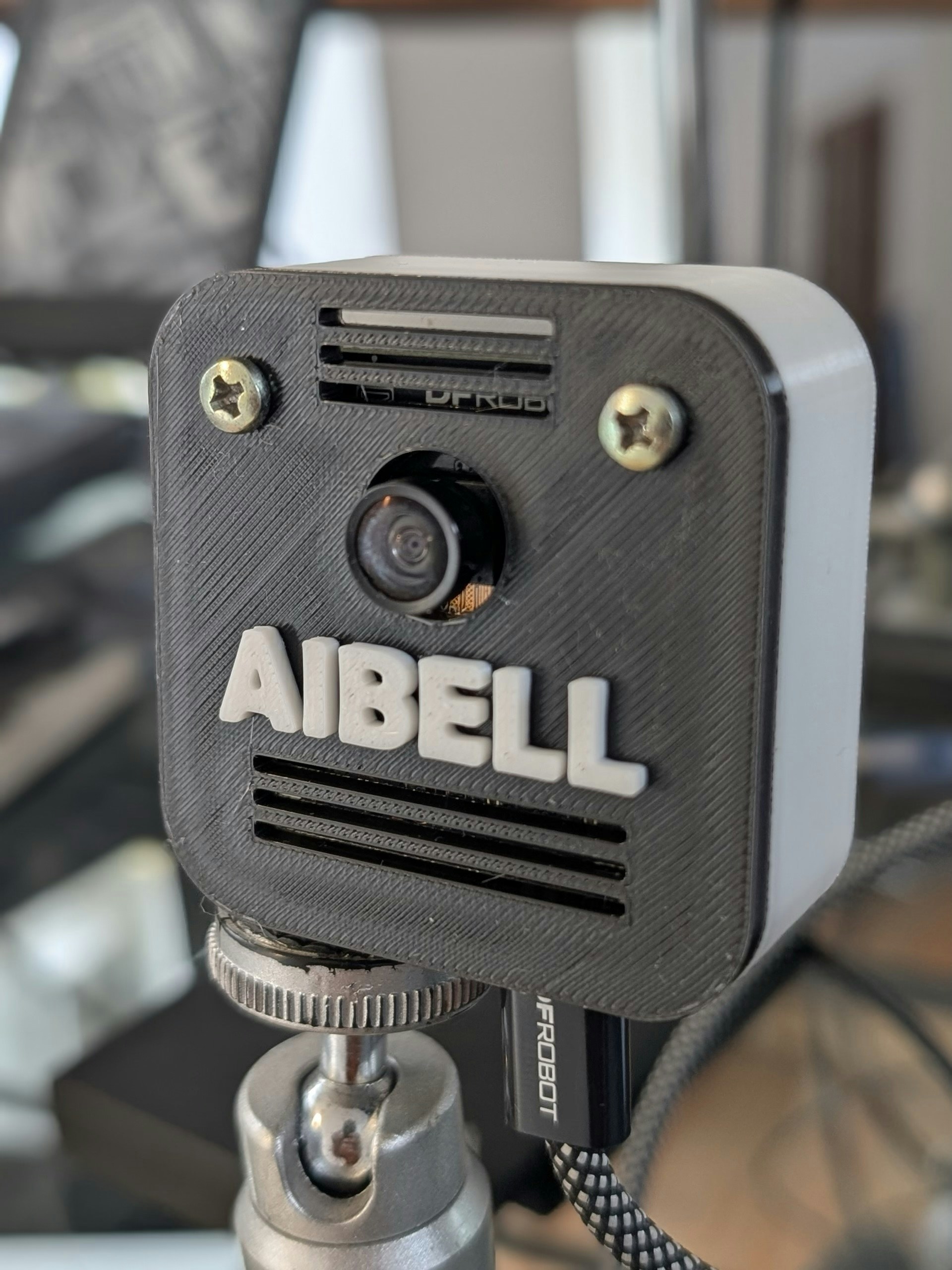
Build an AI-powered doorbell with computer vision face recognition, and LLM-based decision-making.
## Parts Required
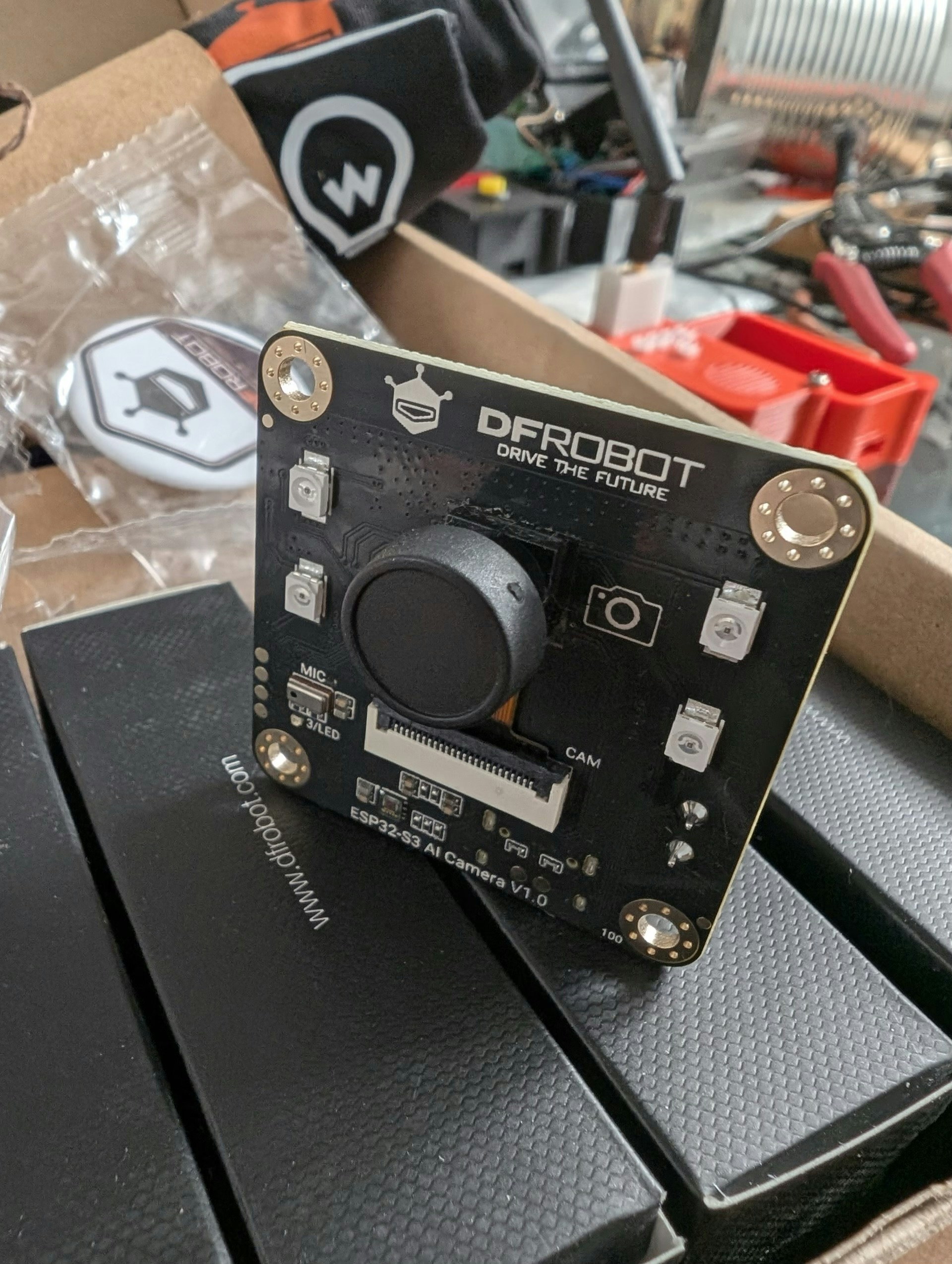
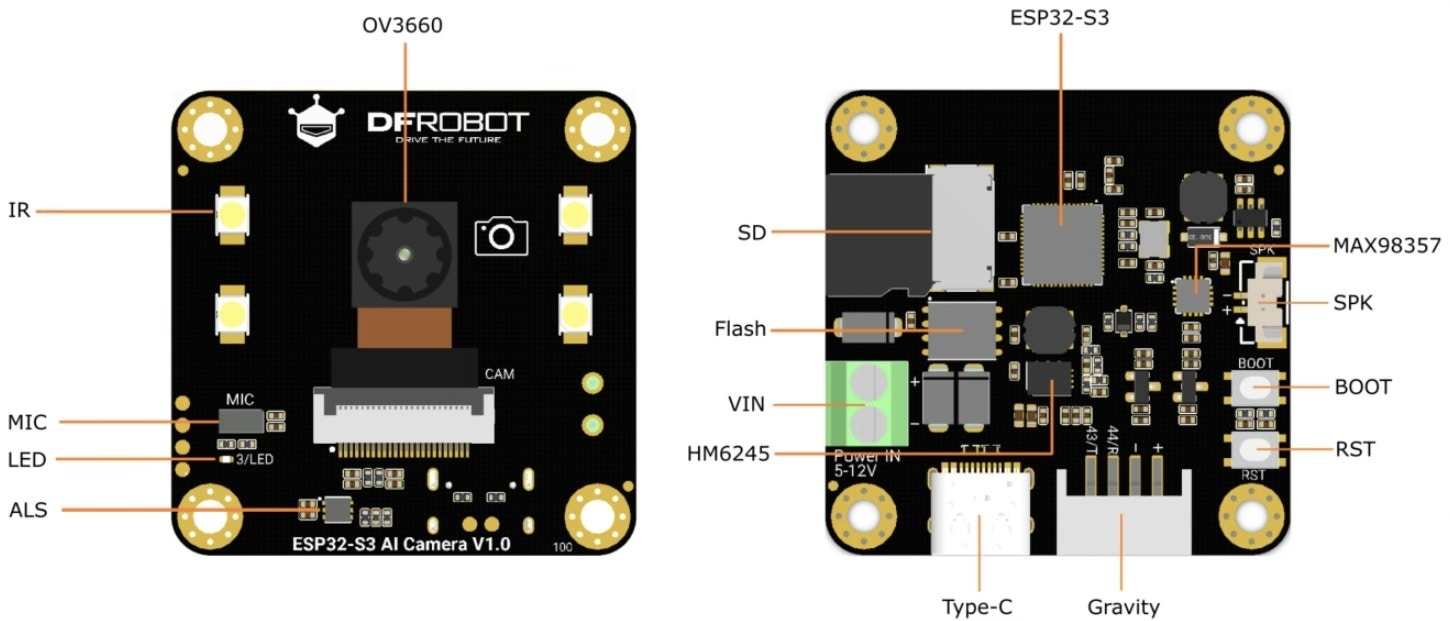
For this project, I use the ESP32S3 AI Camera module 1.0 (DFR1154) by DFRobot and a microSD card. The AI Camera Module is a 1.5" x 1.5" ESP32-based board featuring:
* A 2MP OV3660 wide IR camera
* Onboard I2S PDM microphone
* microSD card slot
* Built-in LEDs
* An amplifier and micro speaker
## Intro
Build an AI-powered doorbell with computer vision face recognition, and LLM-based decision-making.
## Parts Required
For this project, I use the ESP32S3 AI Camera module 1.0 (DFR1154) by DFRobot and a microSD card. The AI Camera Module is a 1.5" x 1.5" ESP32-based board featuring:
* A 2MP OV3660 wide IR camera
* Onboard I2S PDM microphone
* microSD card slot
* Built-in LEDs
* An amplifier and micro speaker
 ## Workflow
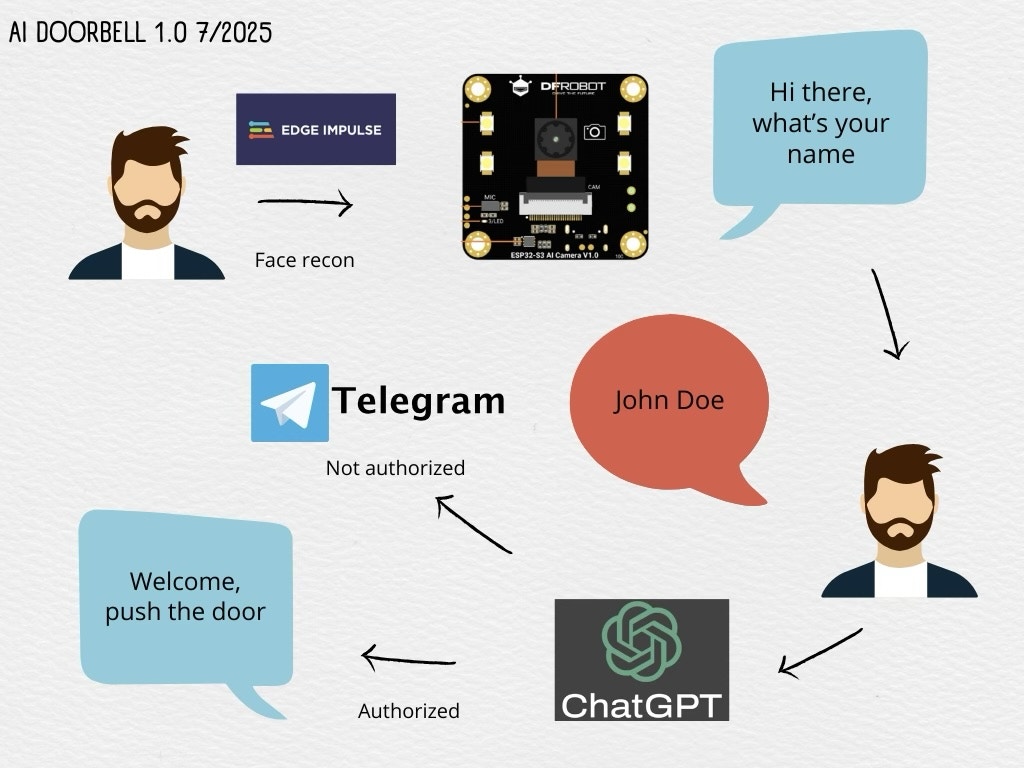
1. The module captures pictures at regular intervals.
2. Each picture is sent to a local ML model trained with Edge Impulse.
3. The model returns a score answering: "Does this picture contain a face?"
4. If the result passes a configurable threshold, a greeting is played asking for the visitor's name.
5. The visitor's answer is recorded and transcribed using OpenAI Whisper.
6. The transcription is sent to ChatGPT, which decides whether to open the door (via relay) or notify remotely via Telegram.
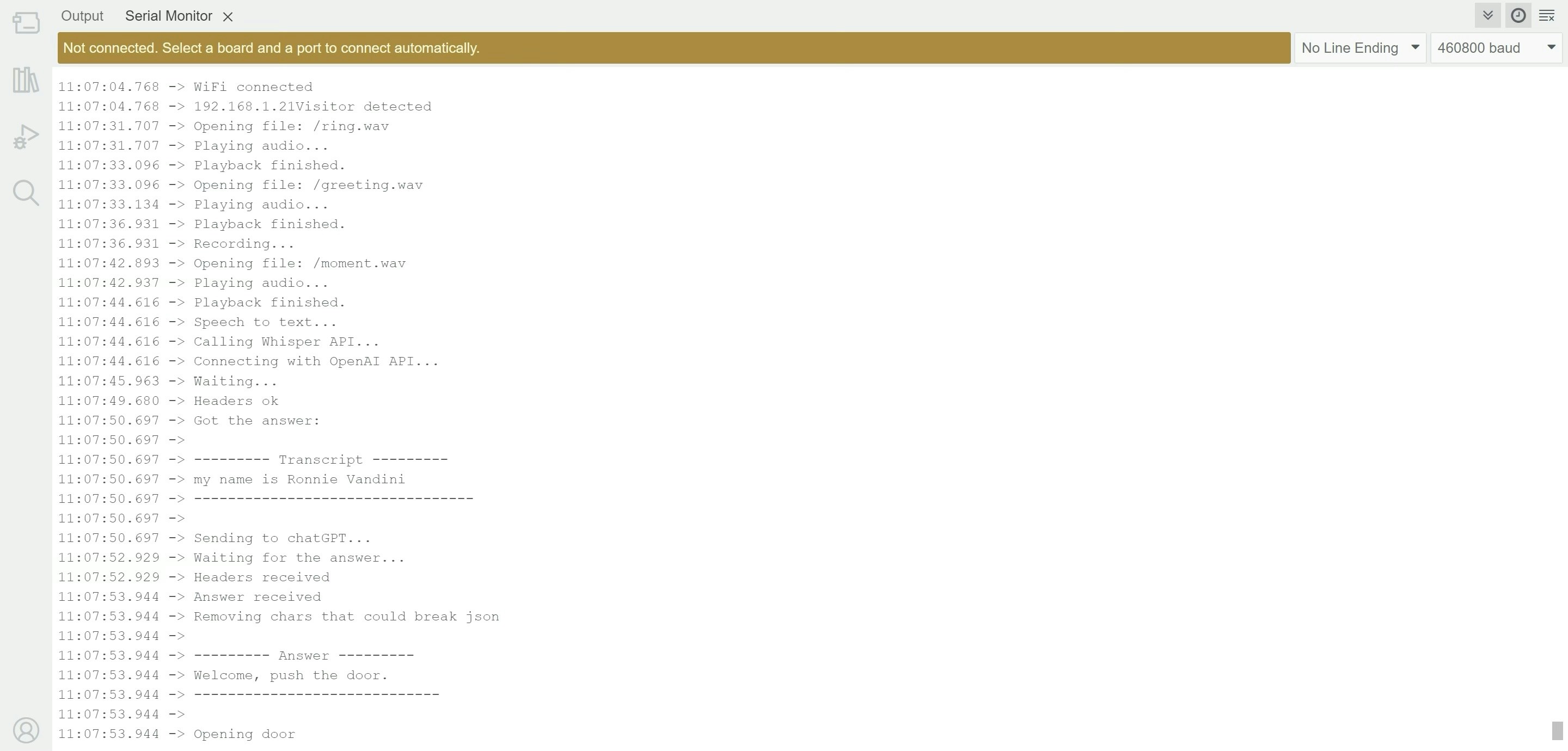
Using ChatGPT adds flexibility — for instance, my name was transcribed as Ronnie Bandini, but the LLM still recognized that I had an appointment. It also allows decision-making based on complex, unforeseen logic.
## Workflow
1. The module captures pictures at regular intervals.
2. Each picture is sent to a local ML model trained with Edge Impulse.
3. The model returns a score answering: "Does this picture contain a face?"
4. If the result passes a configurable threshold, a greeting is played asking for the visitor's name.
5. The visitor's answer is recorded and transcribed using OpenAI Whisper.
6. The transcription is sent to ChatGPT, which decides whether to open the door (via relay) or notify remotely via Telegram.
Using ChatGPT adds flexibility — for instance, my name was transcribed as Ronnie Bandini, but the LLM still recognized that I had an appointment. It also allows decision-making based on complex, unforeseen logic.
 ## Face Detection (Edge Impulse)
Why Edge Impulse? Because it simplifies the full ML workflow — data collection, labeling, training, testing, deployment — and even generates inference code and an optimized model for embedded systems.
### Steps:
1. Create a free developer account at Edge Impulse.
2. In the dashboard, ensure Bounding Boxes is selected as the labeling method.
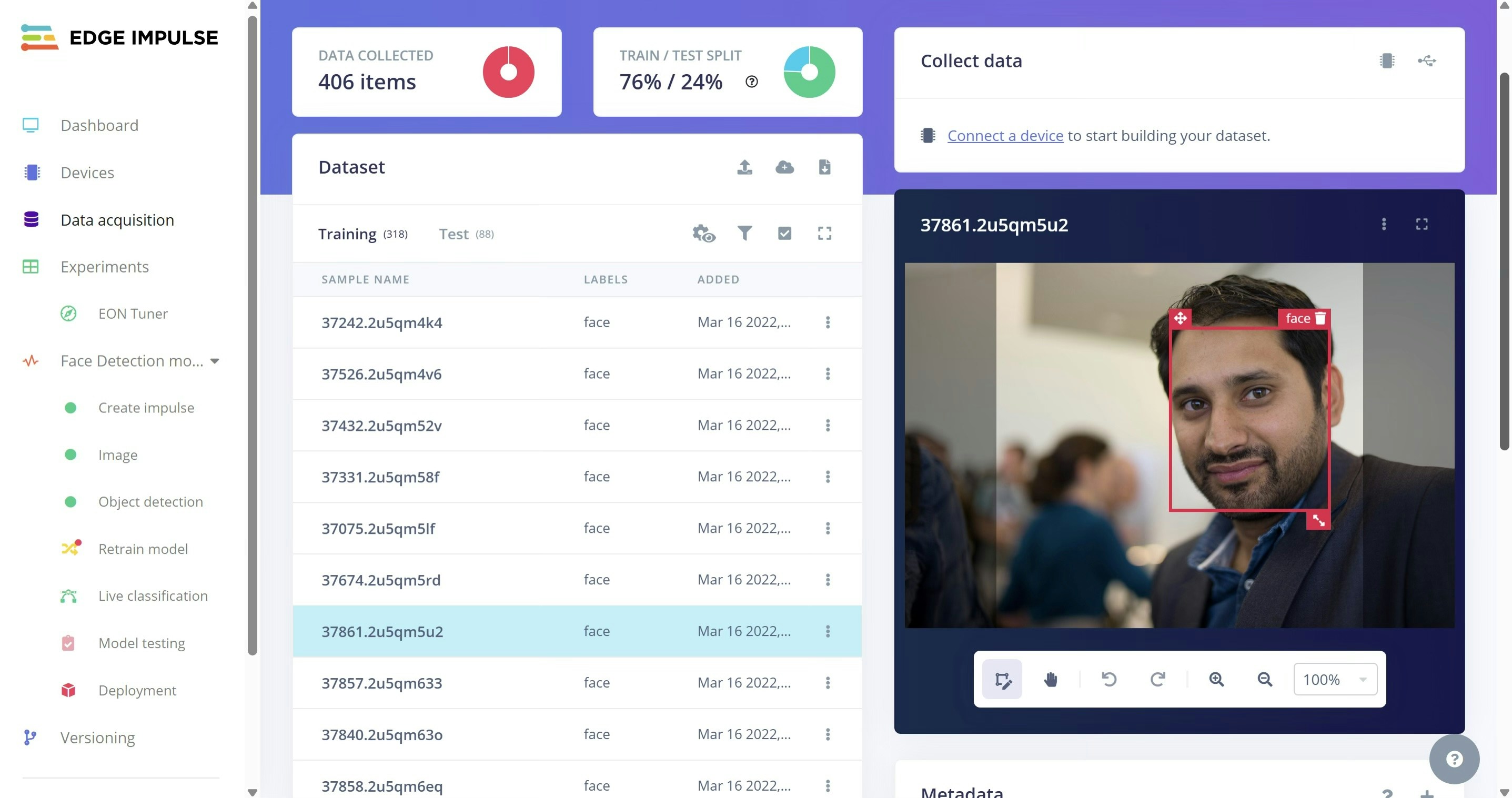
3. Upload \~100 images containing faces. Draw a square around each face and label it as "face"
## Face Detection (Edge Impulse)
Why Edge Impulse? Because it simplifies the full ML workflow — data collection, labeling, training, testing, deployment — and even generates inference code and an optimized model for embedded systems.
### Steps:
1. Create a free developer account at Edge Impulse.
2. In the dashboard, ensure Bounding Boxes is selected as the labeling method.
3. Upload \~100 images containing faces. Draw a square around each face and label it as "face"
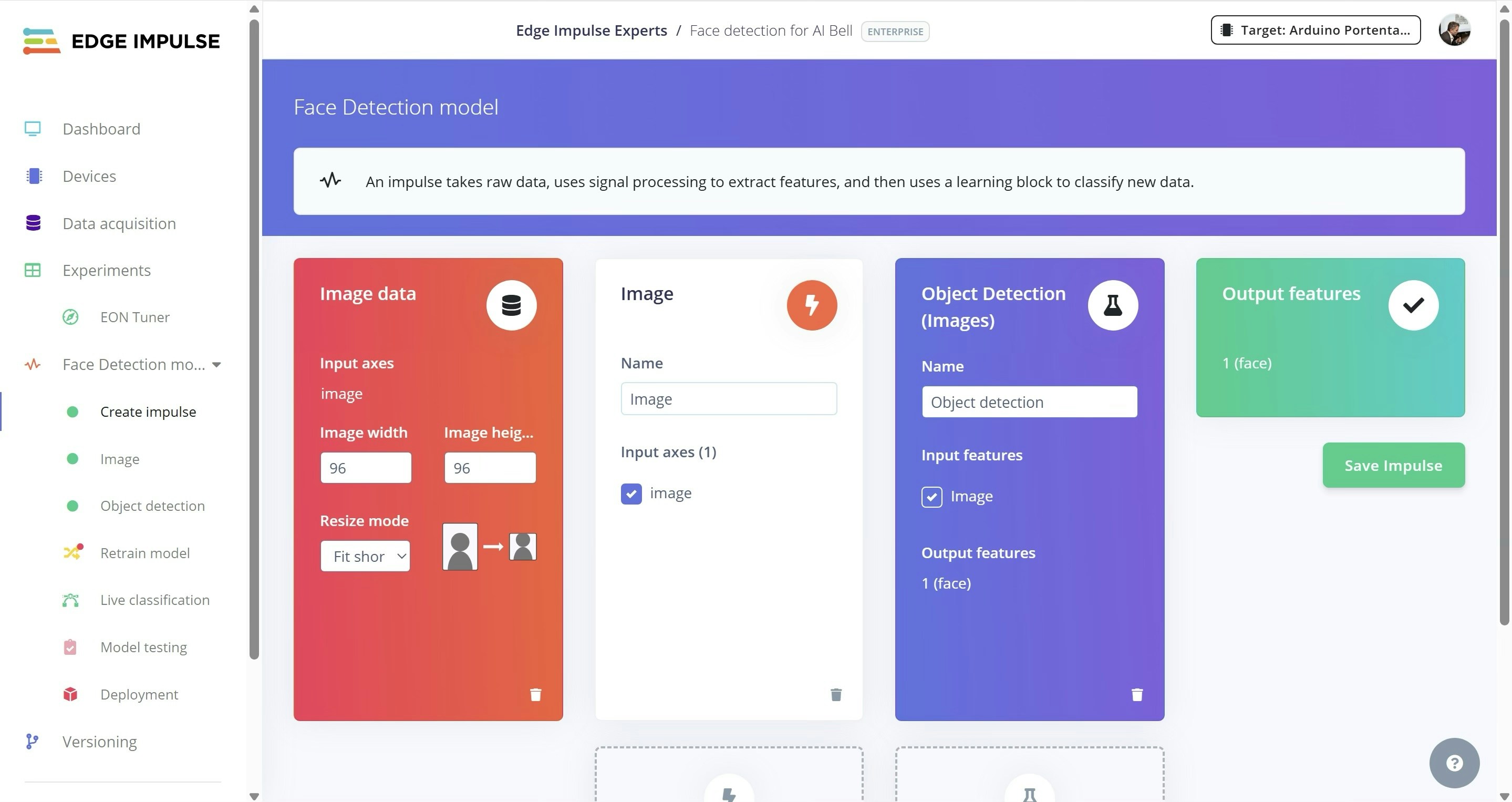
 4. Create an Impulse with:
* 96x96 px
* Object Detection
* 1 output feature
4. Create an Impulse with:
* 96x96 px
* Object Detection
* 1 output feature
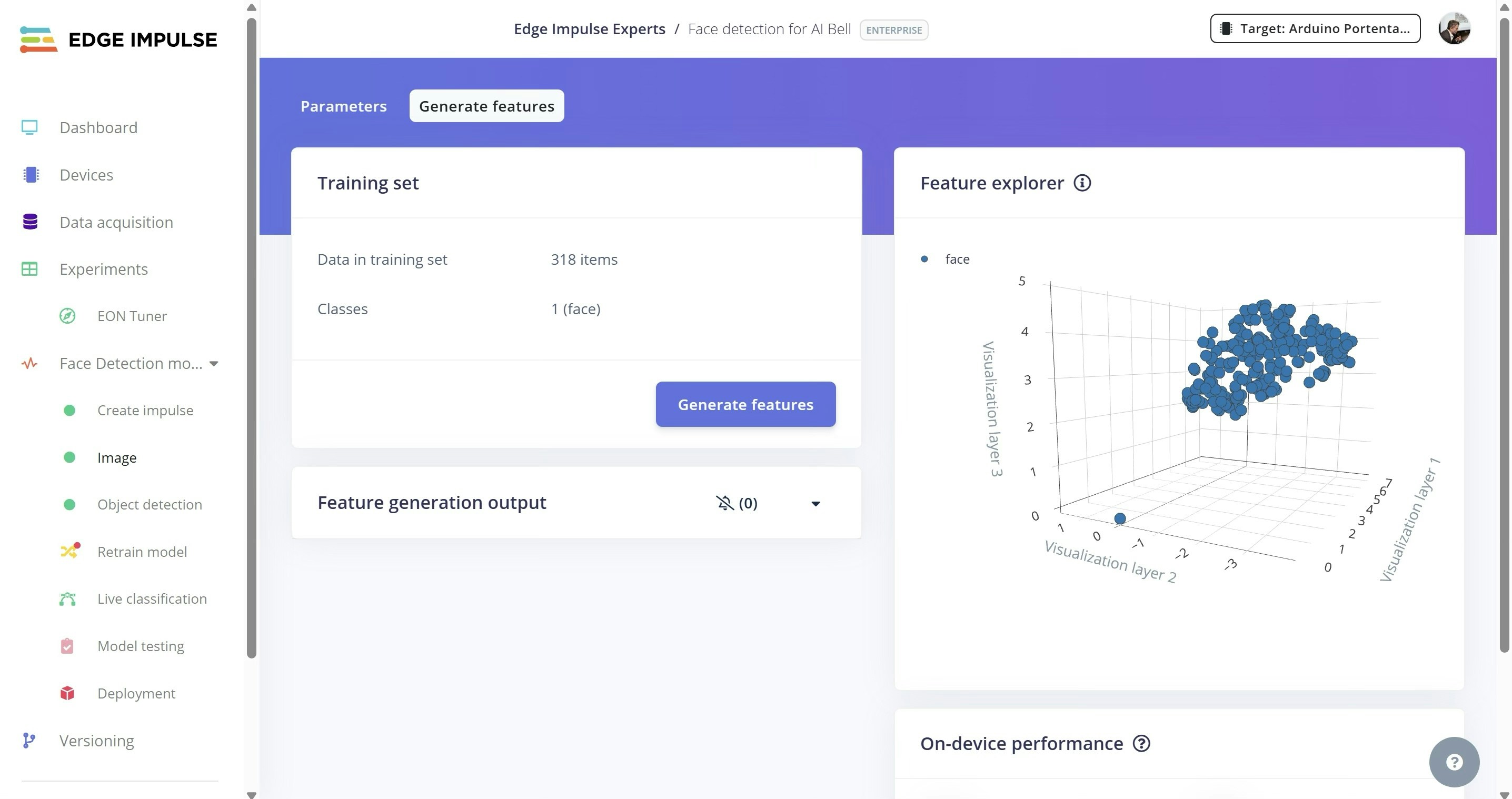
 5. Under Image, choose grayscale for color depth, then generate features.
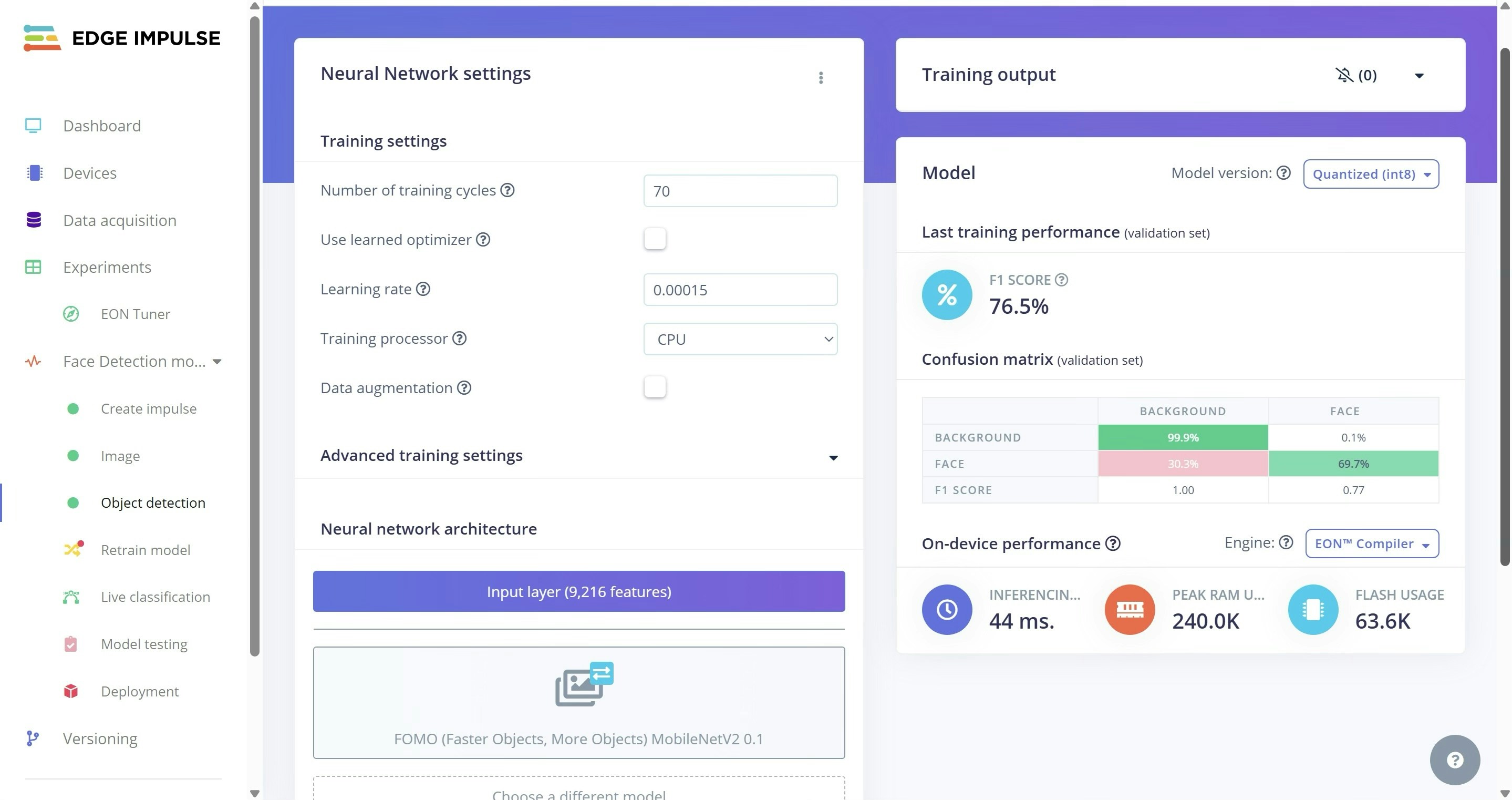
 6. Train the model. (In my case, 70 cycles and a learning rate of 0.00015 yielded a 0.77 F1 score — your mileage may vary.)
Note: You can skip training by cloning my project or using the provided trained model [https://github.com/ronibandini/aicamdoorbell/blob/main/Person\_Detection\_inferencing.zip](https://github.com/ronibandini/aicamdoorbell/blob/main/Person_Detection_inferencing.zip)
6. Train the model. (In my case, 70 cycles and a learning rate of 0.00015 yielded a 0.77 F1 score — your mileage may vary.)
Note: You can skip training by cloning my project or using the provided trained model [https://github.com/ronibandini/aicamdoorbell/blob/main/Person\_Detection\_inferencing.zip](https://github.com/ronibandini/aicamdoorbell/blob/main/Person_Detection_inferencing.zip)
 ## Model Deployment
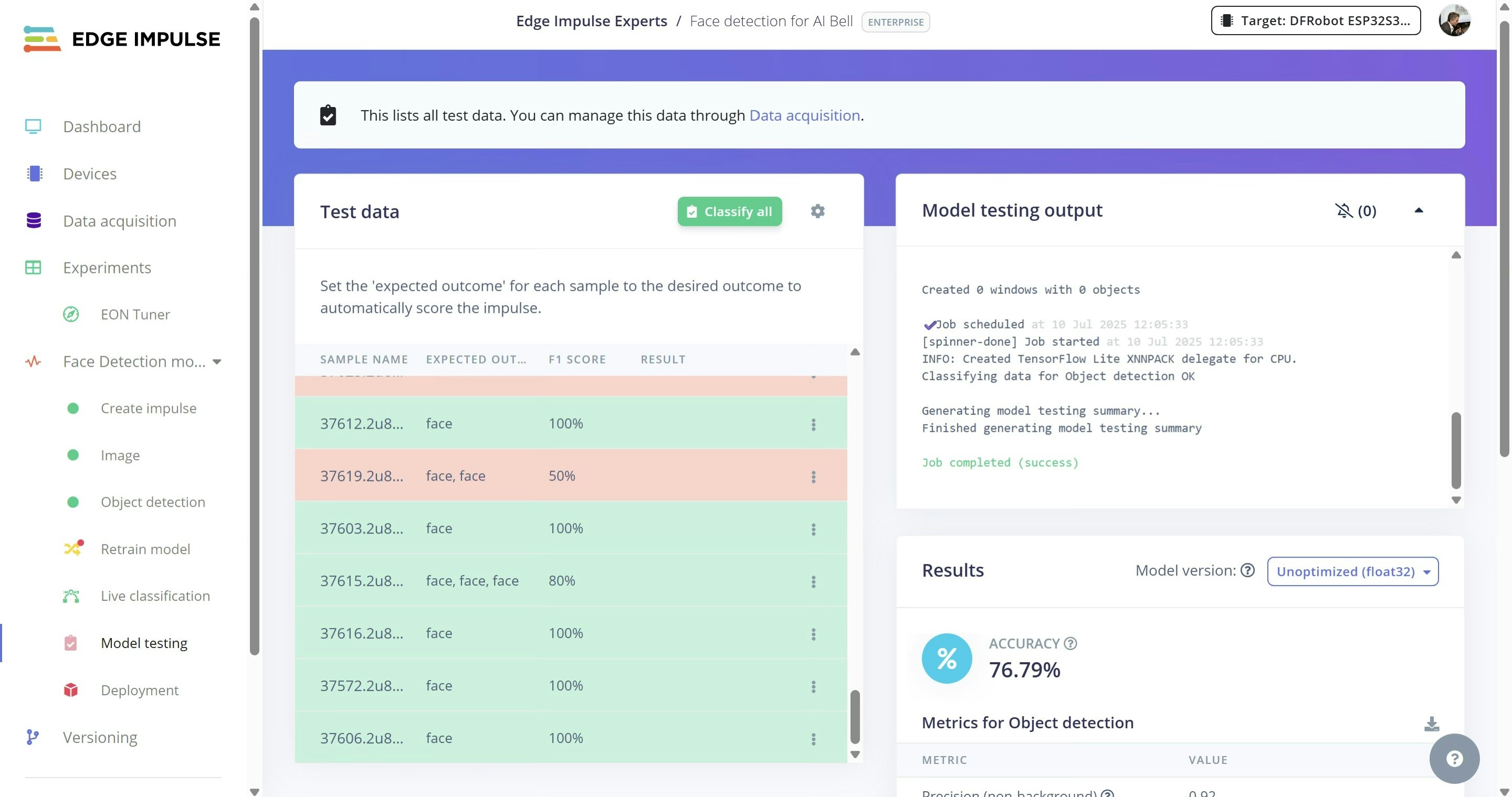
1. Test the model using unseen images that were set aside during data collection.
## Model Deployment
1. Test the model using unseen images that were set aside during data collection.
 2. On Deployment, choose an Arduino Library and click Build to download the trained model.
3. Unzip it into Documents/Arduino/libraries.
4. Replace `depthwise_conv.cpp` and `conv.cpp` in src/edge-impulse-sdk/tensorflow/lite/micro/kernels with files from [https://github.com/ronibandini/aicamdoorbell/tree/main/edgeimpulse](https://github.com/ronibandini/aicamdoorbell/tree/main/edgeimpulse)
5. Edit `aibell1.ino` to include the model header:
```
#include
```
## Audio Setup
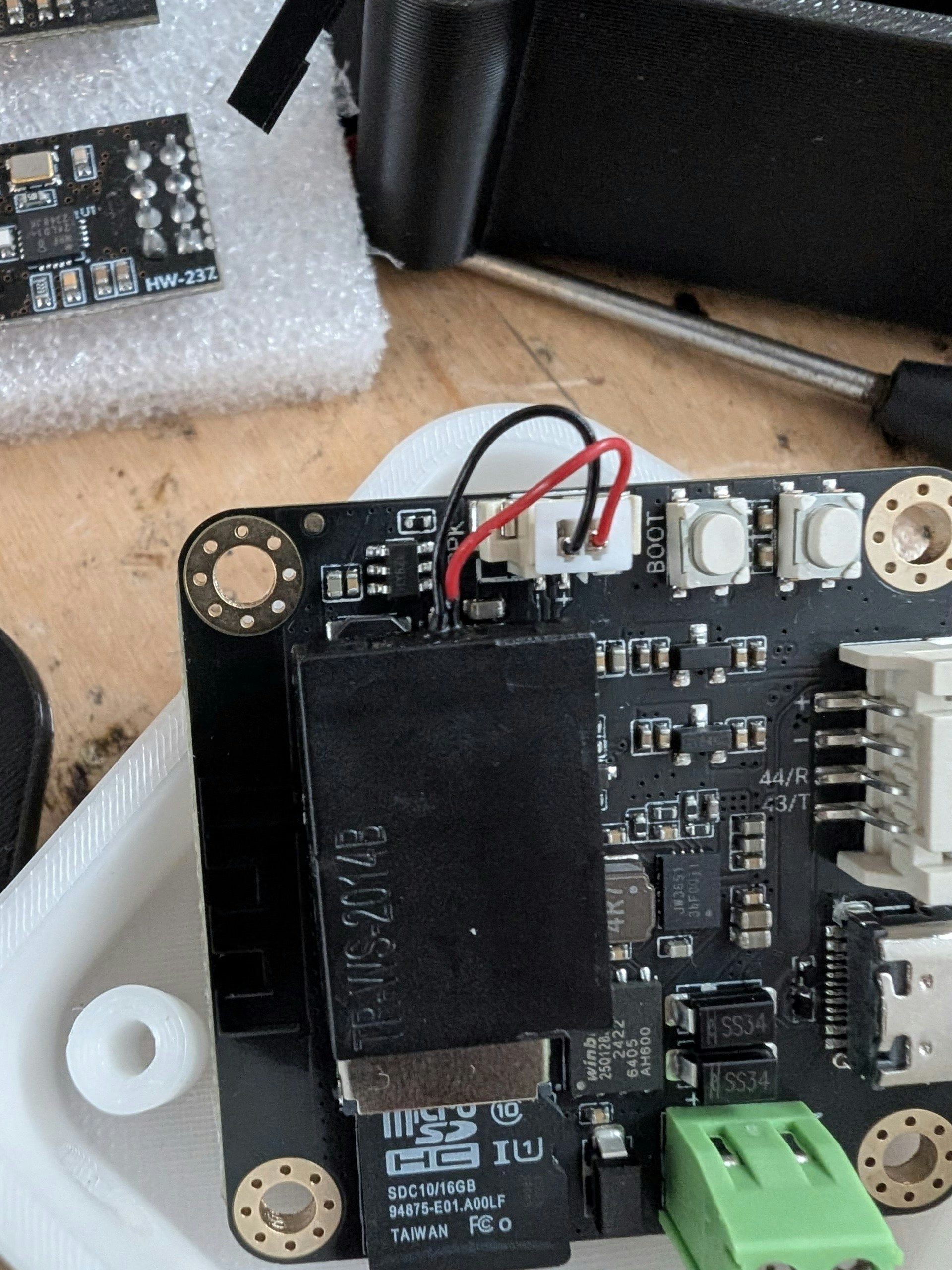
1. Connect the micro speaker to the connector
2. Copy WAV files to the microSD card and insert it into the AI Cam.
3. To customize audio, use [ElevenLabs TTS](https://elevenlabs.io/app/speech-synthesis/text-to-speech).
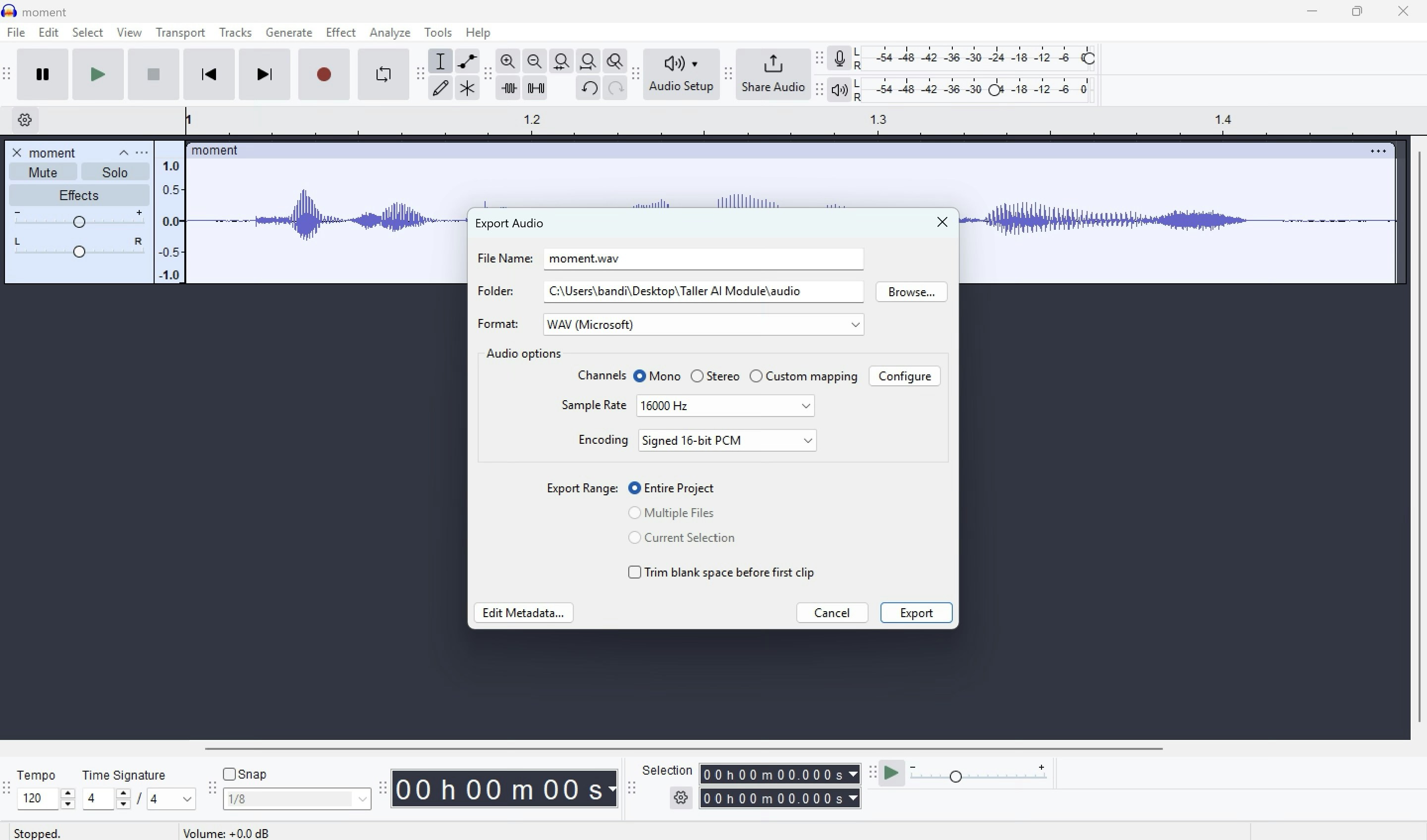
4. Export MP3 and convert to WAV, 16kHz.
2. On Deployment, choose an Arduino Library and click Build to download the trained model.
3. Unzip it into Documents/Arduino/libraries.
4. Replace `depthwise_conv.cpp` and `conv.cpp` in src/edge-impulse-sdk/tensorflow/lite/micro/kernels with files from [https://github.com/ronibandini/aicamdoorbell/tree/main/edgeimpulse](https://github.com/ronibandini/aicamdoorbell/tree/main/edgeimpulse)
5. Edit `aibell1.ino` to include the model header:
```
#include
```
## Audio Setup
1. Connect the micro speaker to the connector
2. Copy WAV files to the microSD card and insert it into the AI Cam.
3. To customize audio, use [ElevenLabs TTS](https://elevenlabs.io/app/speech-synthesis/text-to-speech).
4. Export MP3 and convert to WAV, 16kHz.
 ## Software Setup
1. Install the **Universal Telegram Bot** library in Arduino IDE.
2. Get an OpenAI API key (for Whisper and GPT) at: [https://platform.openai.com/settings/organization/api-keys](https://platform.openai.com/settings/organization/api-keys)
3. Get a Telegram bot token from: [https://core.telegram.org/bots/tutorial](https://core.telegram.org/bots/tutorial)
4. Edit the following in `aibell1.ino`:
```
threshold = 0.7; // face detection threshold
const char* ssid = "YOUR_SSID";
const char* password = "YOUR_PASS";
const char* openai_api_key = "sk-proj-…";
```
5. Edit system instructions:
```
systemMessage["content"] = "You are a receptionist at an office. Today, only Roni Bandini and John Smith are allowed to enter. If a visitor's name matches either of them — even with spelling variations — greet them with: "Welcome, push the door". For all other visitors, respond with: "Sorry, I cannot let you in.";
```
6. Upload Settings:
* Board: ESP32S3 Dev Module
* USB: Correct USB port
* Options: USB CDC On Boot
* Partition: 16MB Flash (3MB app, 9.9MB FS)
* Flash mode: QIO
* PSRAM: OPI
## Serial Monitor
## Software Setup
1. Install the **Universal Telegram Bot** library in Arduino IDE.
2. Get an OpenAI API key (for Whisper and GPT) at: [https://platform.openai.com/settings/organization/api-keys](https://platform.openai.com/settings/organization/api-keys)
3. Get a Telegram bot token from: [https://core.telegram.org/bots/tutorial](https://core.telegram.org/bots/tutorial)
4. Edit the following in `aibell1.ino`:
```
threshold = 0.7; // face detection threshold
const char* ssid = "YOUR_SSID";
const char* password = "YOUR_PASS";
const char* openai_api_key = "sk-proj-…";
```
5. Edit system instructions:
```
systemMessage["content"] = "You are a receptionist at an office. Today, only Roni Bandini and John Smith are allowed to enter. If a visitor's name matches either of them — even with spelling variations — greet them with: "Welcome, push the door". For all other visitors, respond with: "Sorry, I cannot let you in.";
```
6. Upload Settings:
* Board: ESP32S3 Dev Module
* USB: Correct USB port
* Options: USB CDC On Boot
* Partition: 16MB Flash (3MB app, 9.9MB FS)
* Flash mode: QIO
* PSRAM: OPI
## Serial Monitor
 ## Door Relay
The AI module doesn't have header pins, but you can still connect a relay using the Gravity cable, which exposes:
* VCC
* GND
* GPIO 44
* GPIO 43
## Door Relay
The AI module doesn't have header pins, but you can still connect a relay using the Gravity cable, which exposes:
* VCC
* GND
* GPIO 44
* GPIO 43
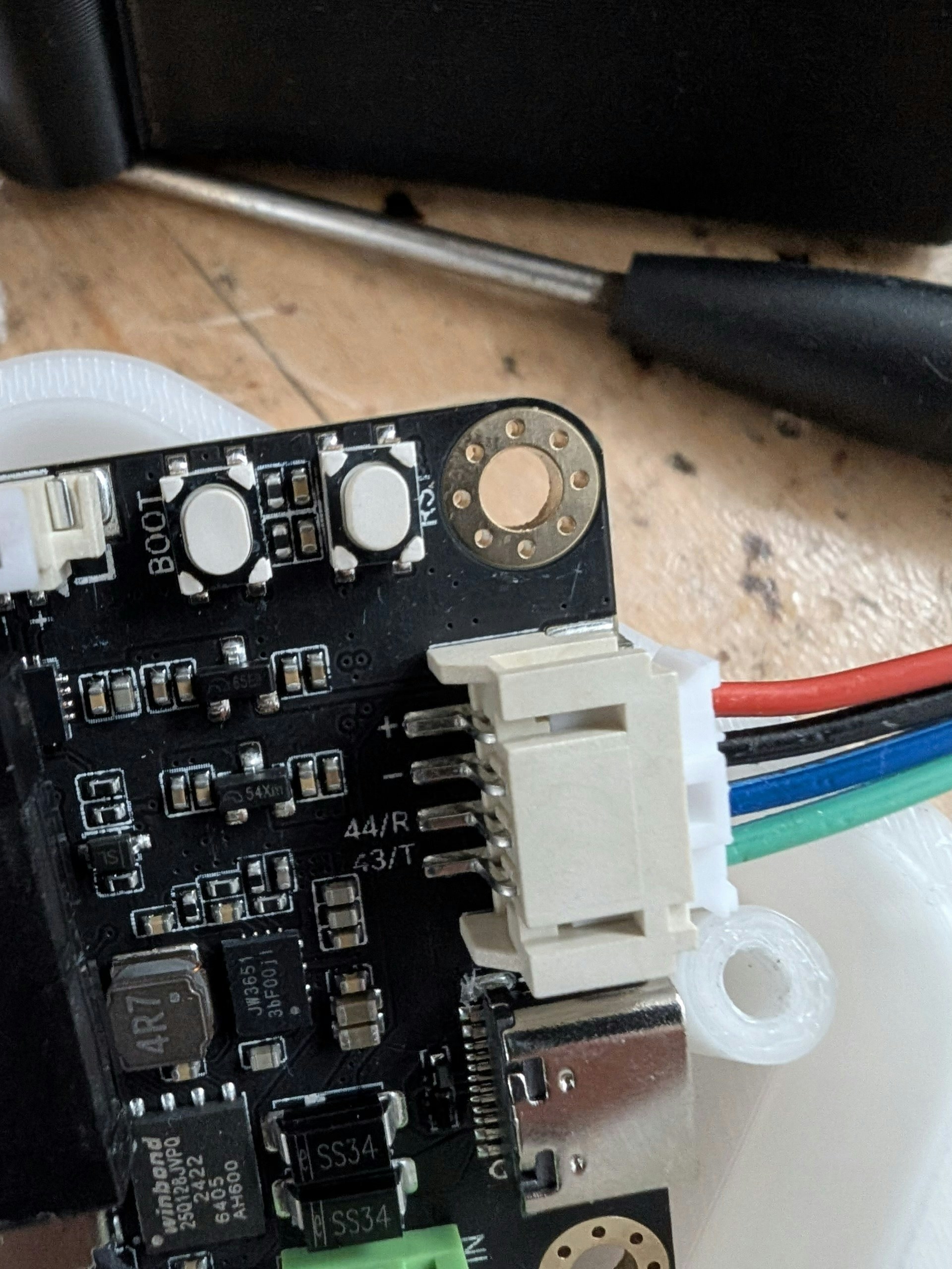 Use Dupont male-to-female cables to connect your relay — no soldering needed.
## Enclosure
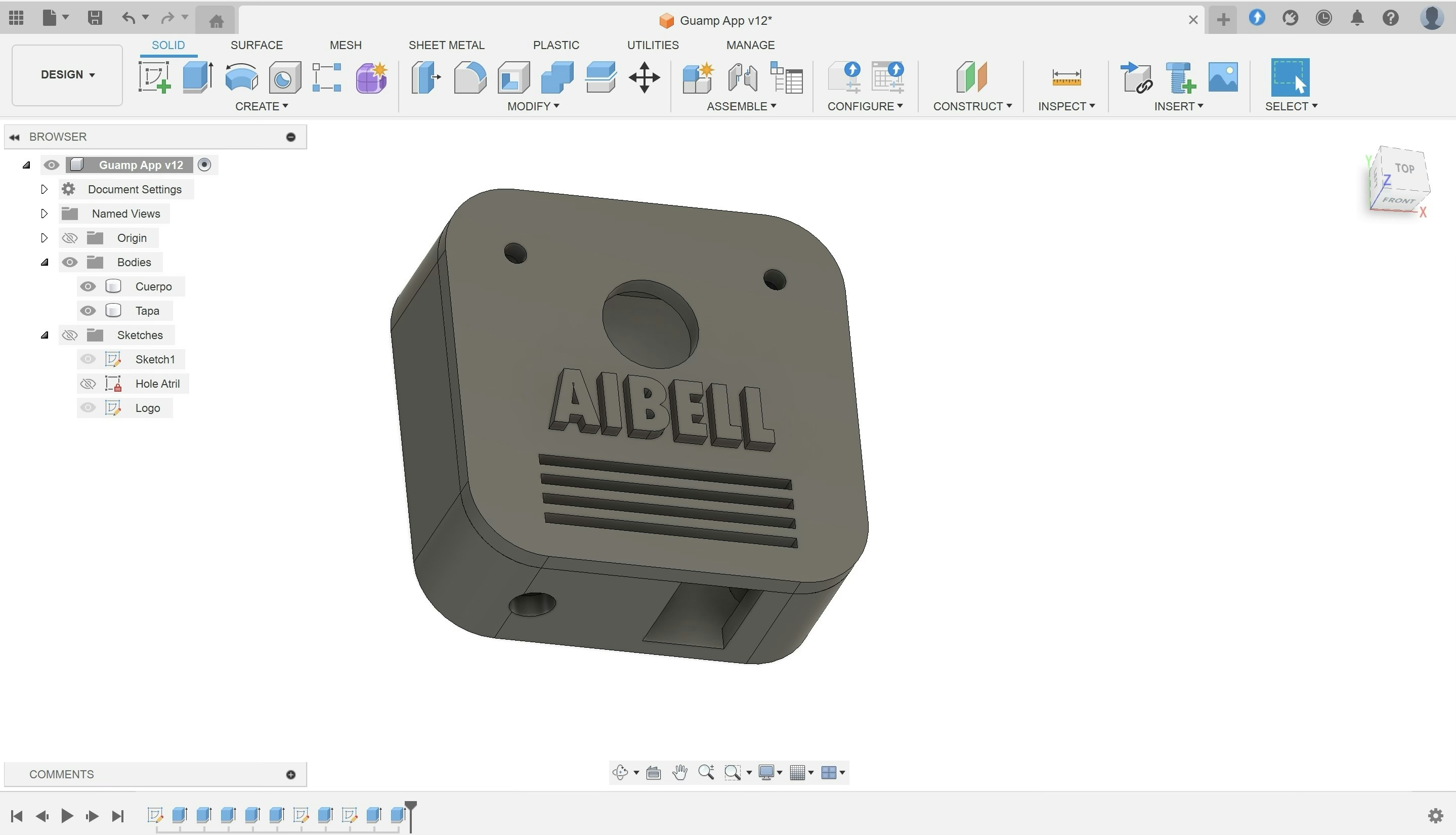
Download the 3D printable case from: [https://cults3d.com/en/3d-model/gadget/aibell](https://cults3d.com/en/3d-model/gadget/aibell)
Print in PLA. No supports needed.
Optional: Pause mid-print to change filament color for a custom cover.
Use Dupont male-to-female cables to connect your relay — no soldering needed.
## Enclosure
Download the 3D printable case from: [https://cults3d.com/en/3d-model/gadget/aibell](https://cults3d.com/en/3d-model/gadget/aibell)
Print in PLA. No supports needed.
Optional: Pause mid-print to change filament color for a custom cover.
 ## Final Notes
A tiny 1.5" x 1.5" board can:
* Run an embedded ML model
* Play WAV files
* Record audio
* Transcribe it with Whisper
* Query a remote LLM
* Control hardware (like a relay)
* Send notifications over Telegram
## Room for Improvement
* Replace fixed audio responses with dynamic ones using OpenAI TTS.
* Route transcriptions to [n8n](https://n8n.io/) to check:
\-- Calendar availability
\-- Authorized visitor list (e.g. Google Sheets)
\-- Complex workflows
## Links
ESP32S3 software and ML model: [https://github.com/ronibandini/aicamdoorbell](https://github.com/ronibandini/aicamdoorbell)
Edge Impulse Project: [https://studio.edgeimpulse.com/studio/541658](https://studio.edgeimpulse.com/studio/541658)
ESP32S3 AI Cam: [https://www.dfrobot.com/product-2899.html](https://www.dfrobot.com/product-2899.html)
## Contact
Roni Bandini
[https://www.linkedin.com/in/ronibandini](https://www.linkedin.com/in/ronibandini/)
[https://www.instagram.com/ronibandini](https://www.instagram.com/ronibandini)
[https://x.com/RoniBandini](https://x.com/RoniBandini)
## Final Notes
A tiny 1.5" x 1.5" board can:
* Run an embedded ML model
* Play WAV files
* Record audio
* Transcribe it with Whisper
* Query a remote LLM
* Control hardware (like a relay)
* Send notifications over Telegram
## Room for Improvement
* Replace fixed audio responses with dynamic ones using OpenAI TTS.
* Route transcriptions to [n8n](https://n8n.io/) to check:
\-- Calendar availability
\-- Authorized visitor list (e.g. Google Sheets)
\-- Complex workflows
## Links
ESP32S3 software and ML model: [https://github.com/ronibandini/aicamdoorbell](https://github.com/ronibandini/aicamdoorbell)
Edge Impulse Project: [https://studio.edgeimpulse.com/studio/541658](https://studio.edgeimpulse.com/studio/541658)
ESP32S3 AI Cam: [https://www.dfrobot.com/product-2899.html](https://www.dfrobot.com/product-2899.html)
## Contact
Roni Bandini
[https://www.linkedin.com/in/ronibandini](https://www.linkedin.com/in/ronibandini/)
[https://www.instagram.com/ronibandini](https://www.instagram.com/ronibandini)
[https://x.com/RoniBandini](https://x.com/RoniBandini)