> ## Documentation Index
> Fetch the complete documentation index at: https://docs.edgeimpulse.com/llms.txt
> Use this file to discover all available pages before exploring further.
# Querying clinical data
**Only available on the Enterprise plan**
This feature is only available on the Enterprise plan. Review our [plans and pricing](https://edgeimpulse.com/pricing) or sign up for our free [expert-led trial](https://edgeimpulse.com/expert-led-trial) today.
Organizational datasets contain a powerful query system which lets you explore and slice data. You control the query system through the 'Filter' text box, and you use a language which is very similar to SQL ([documentation](https://github.com/agershun/alasql/wiki/Sql)).
For example, here are some queries that you can make:
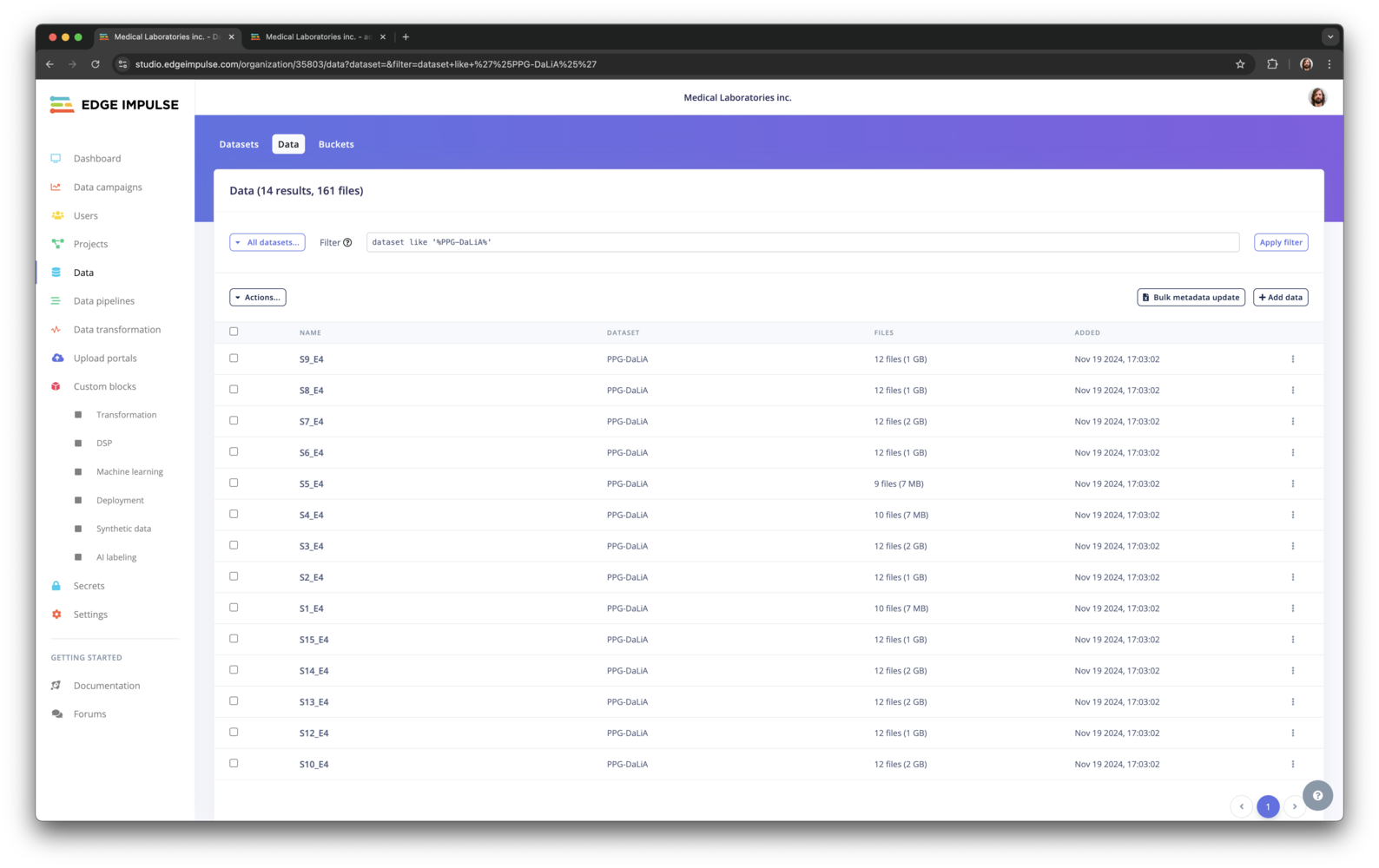
* `dataset like '%PPG%'` - returns all items and files from the study.
* `bucket_name = 'edge-impulse-health-reference-design' AND -- labels sitting,walking` - returns data whose label is 'sitting' and 'walking, and that is stored in the 'edge-impulse-health-reference-design' bucket.
* `metadata->>'ei_check' = 0` - return data that have a metadata field 'ei\_check' which is '0'.
* `created > DATE('2022-08-01')` - returns all data that was created after Aug 1, 2022.
After you've created a filter, you can select one or more data items, and select **Actions...>Download selected** to create a ZIP file with the data files. The file count reflects the number of files returned by the filter.
 The previous queries all returned all files for a data item. But you can also query files through the same filter. In that case the data item will be returned, but only with the files selected. For example:
* `file_name LIKE '%.png'` - returns all files that end with `.png`.
The previous queries all returned all files for a data item. But you can also query files through the same filter. In that case the data item will be returned, but only with the files selected. For example:
* `file_name LIKE '%.png'` - returns all files that end with `.png`.
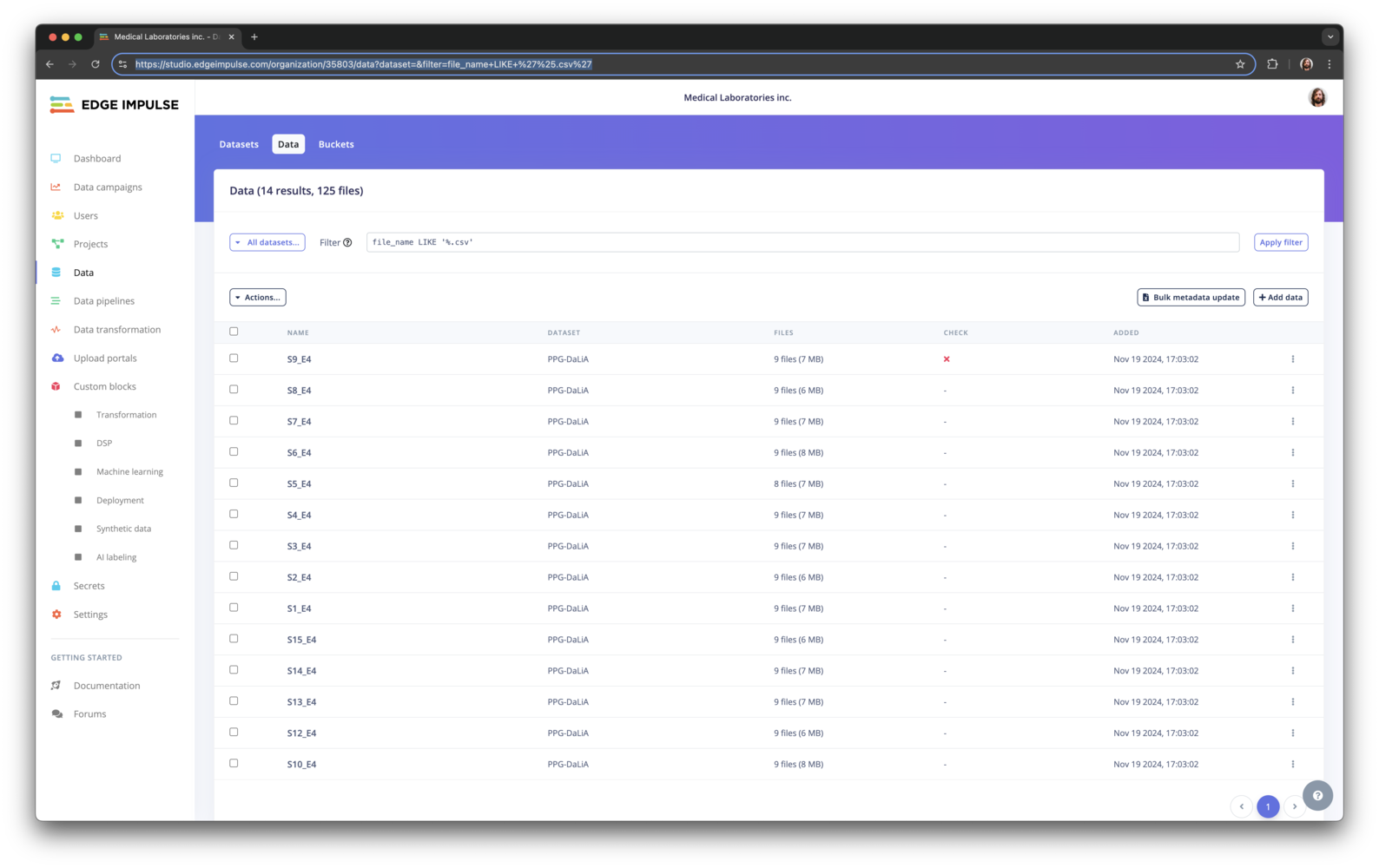 If you have an interesting query that you'd like to share with your colleagues, you can just share the URL. The query is already added to it automatically.
### All available fields
These are all the available fields in the query interface:
* `dataset` - Dataset.
* `bucket_id` - Bucket ID.
* `bucket_name` - Bucket name.
* `bucket_path` - Path of the data item within the bucket.
* `id` - Data item ID.
* `name` - Data item name.
* `total_file_count` - Number of files for the data item.
* `total_file_size` - Total size of all files for the data item.
* `created` - When the data item was created.
* `metadata->key` - Any item listed under 'metadata'.
* `file_name` - Name of a file.
* `file_names` - All filenames in the data item, that you can use in conjunction with `CONTAINS`. E.g. find all items with file X, but not file Y: `file_names CONTAINS 'x' AND not file_names CONTAINS 'y'`.
If you have an interesting query that you'd like to share with your colleagues, you can just share the URL. The query is already added to it automatically.
### All available fields
These are all the available fields in the query interface:
* `dataset` - Dataset.
* `bucket_id` - Bucket ID.
* `bucket_name` - Bucket name.
* `bucket_path` - Path of the data item within the bucket.
* `id` - Data item ID.
* `name` - Data item name.
* `total_file_count` - Number of files for the data item.
* `total_file_size` - Total size of all files for the data item.
* `created` - When the data item was created.
* `metadata->key` - Any item listed under 'metadata'.
* `file_name` - Name of a file.
* `file_names` - All filenames in the data item, that you can use in conjunction with `CONTAINS`. E.g. find all items with file X, but not file Y: `file_names CONTAINS 'x' AND not file_names CONTAINS 'y'`.