> ## Documentation Index
> Fetch the complete documentation index at: https://docs.edgeimpulse.com/llms.txt
> Use this file to discover all available pages before exploring further.
# What is Edge Impulse?
Edge Impulse is the leading edge AI platform for collecting data, training models, and deploying them to your edge computing devices. It provides an end-to-end framework that easily plugs into your edge MLOps workflow.
Previously, we looked at [edge MLOps](/knowledge/courses/edge-ai-fundamentals/what-is-edge-mlops) and how it can be used to standardized your edge AI lifecycle. This time, we introduce Edge Impulse as a platform for building edge AI solutions and edge MLOps pipelines.
## Edge AI lifecycle
Edge Impulse helps with every step along the edge AI lifecycle, from collecting data, extracting features, designing machine learning (ML) models, training and testing those models, and deploying the models to end devices.
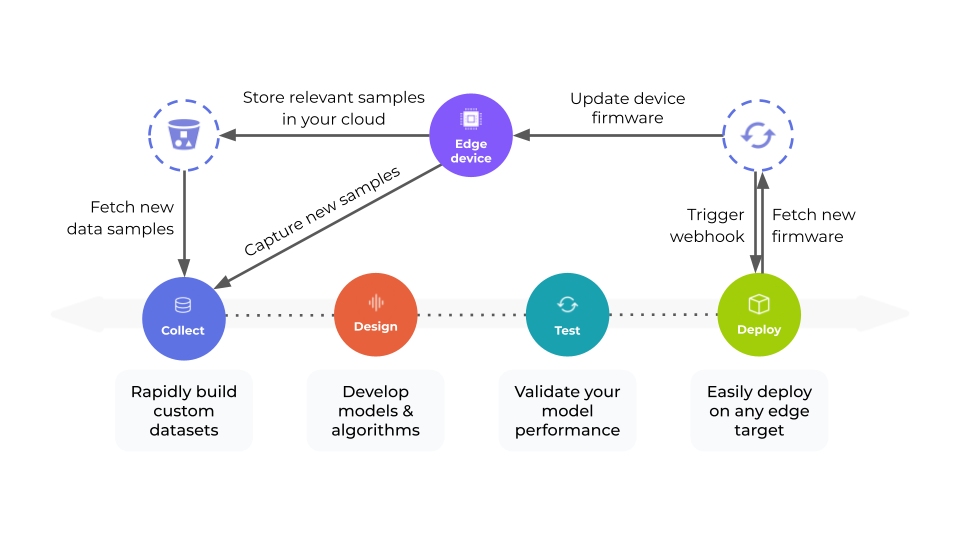 Edge Impulse easily plugs into other machine learning frameworks so that you can scale and customize your model or pipeline as needed.
Note that while we have some [pre-compiled software for supported boards](/hardware) to help you get started, we offer a variety of ways to [collect data](/studio/projects/data-acquisition). In many cases, data collection requires customized software (and sometimes custom hardware). This data can easily be stored in a third-party location, such as an [AWS S3 bucket](https://docs.aws.amazon.com/AmazonS3/latest/userguide/UsingBucket.html). From there, data can be [fetched](/studio/projects/data-acquisition/data-sources) and [transformed using custom blocks](/studio/organizations/custom-blocks/custom-transformation-blocks).
Deployment can also be tricky, as edge devices can vary in their processing power, operating system (or lack thereof), and supported languages. As a result, Edge Impulse offers a number of [deployment options](/studio/projects/deployment) that you can build your application around. In most cases, these deployed options come as open-source libraries that make interacting with the models easy.
Finally, all aspects of Edge Impulse can be scripted using a [web API](/apis/studio). This allows you complete the [MLOps loop](/knowledge/concepts/lifecycle/lifecycle-management) by monitoring models and triggering new data collection, model training, and redeployment as needed.
## Edge Impulse Studio
Edge Impulse Studio is a web-based tool with a graphical interface to help you collect data, build an impulse, and deploy it to an end device.
Data can be stored, sorted, and labeled using the *data acquisition* tool.
Edge Impulse easily plugs into other machine learning frameworks so that you can scale and customize your model or pipeline as needed.
Note that while we have some [pre-compiled software for supported boards](/hardware) to help you get started, we offer a variety of ways to [collect data](/studio/projects/data-acquisition). In many cases, data collection requires customized software (and sometimes custom hardware). This data can easily be stored in a third-party location, such as an [AWS S3 bucket](https://docs.aws.amazon.com/AmazonS3/latest/userguide/UsingBucket.html). From there, data can be [fetched](/studio/projects/data-acquisition/data-sources) and [transformed using custom blocks](/studio/organizations/custom-blocks/custom-transformation-blocks).
Deployment can also be tricky, as edge devices can vary in their processing power, operating system (or lack thereof), and supported languages. As a result, Edge Impulse offers a number of [deployment options](/studio/projects/deployment) that you can build your application around. In most cases, these deployed options come as open-source libraries that make interacting with the models easy.
Finally, all aspects of Edge Impulse can be scripted using a [web API](/apis/studio). This allows you complete the [MLOps loop](/knowledge/concepts/lifecycle/lifecycle-management) by monitoring models and triggering new data collection, model training, and redeployment as needed.
## Edge Impulse Studio
Edge Impulse Studio is a web-based tool with a graphical interface to help you collect data, build an impulse, and deploy it to an end device.
Data can be stored, sorted, and labeled using the *data acquisition* tool.
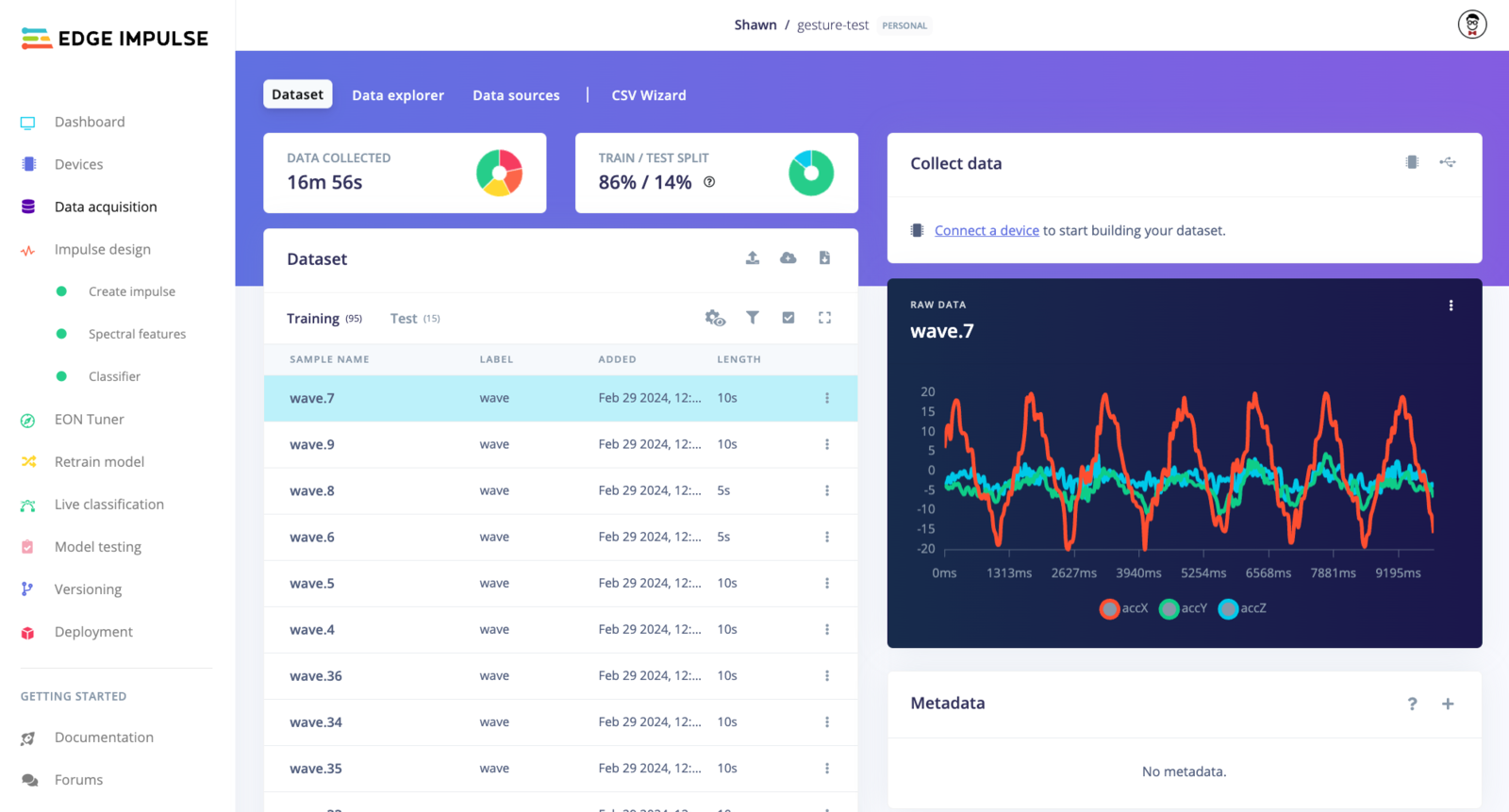 From there, an *impulse* can be created that includes one or more feature extraction methods along with a machine learning model.
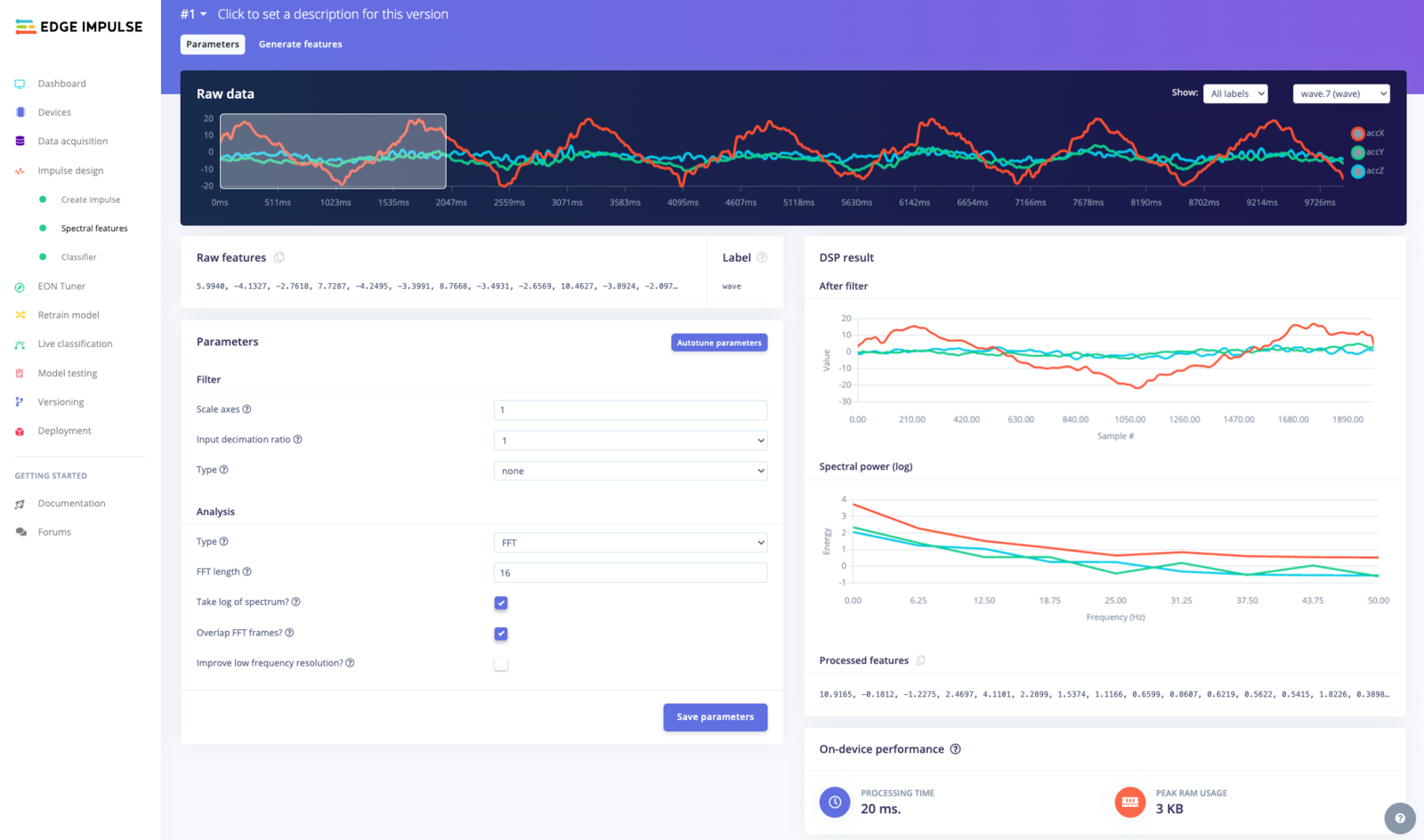
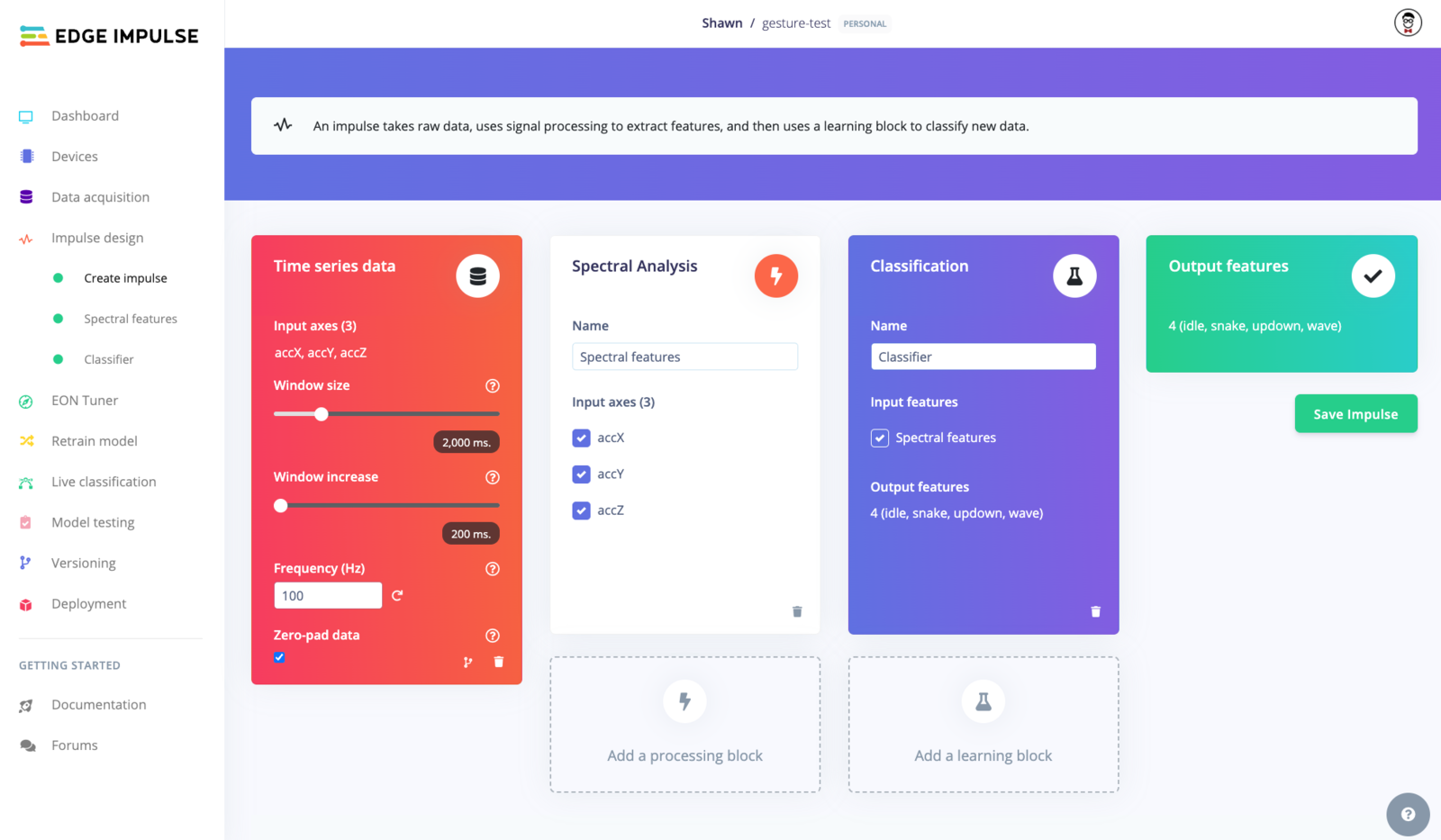 A number of off-the-shelf feature extraction methods can be used and modified to suit the needs of your particular project. You can also design your own feature extraction method using a [custom processing block](/studio/organizations/custom-blocks/custom-processing-blocks).
 Next, you can train a machine learning model (including classification, regression, or anomaly detection) using a learning block. A number of pre-made learning blocks can be used, but you can also create your own [custom learning block](/studio/organizations/custom-blocks/custom-learning-blocks) or use the [expert mode](/studio/projects/learning-blocks/expert-mode) to modify the ML training code.
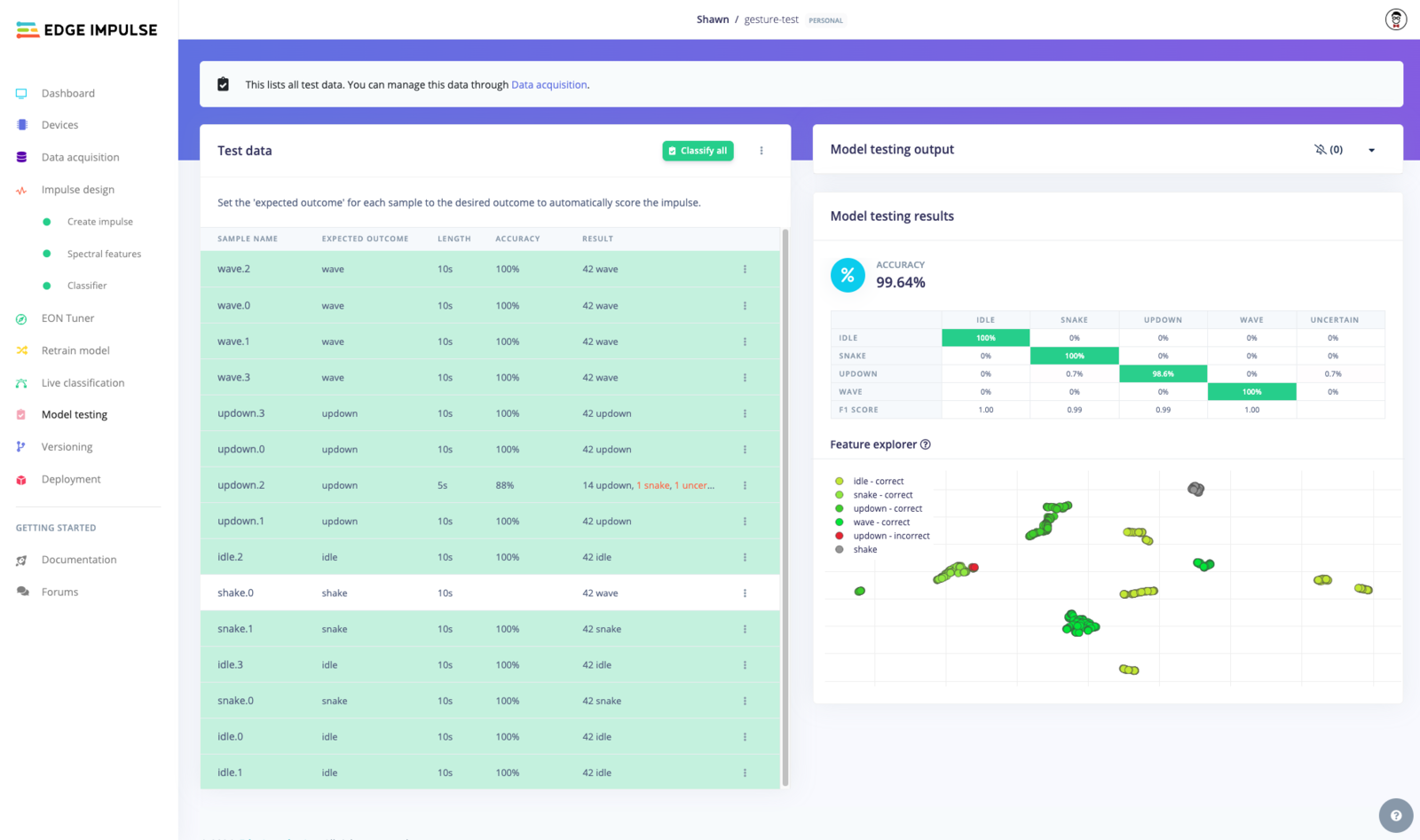
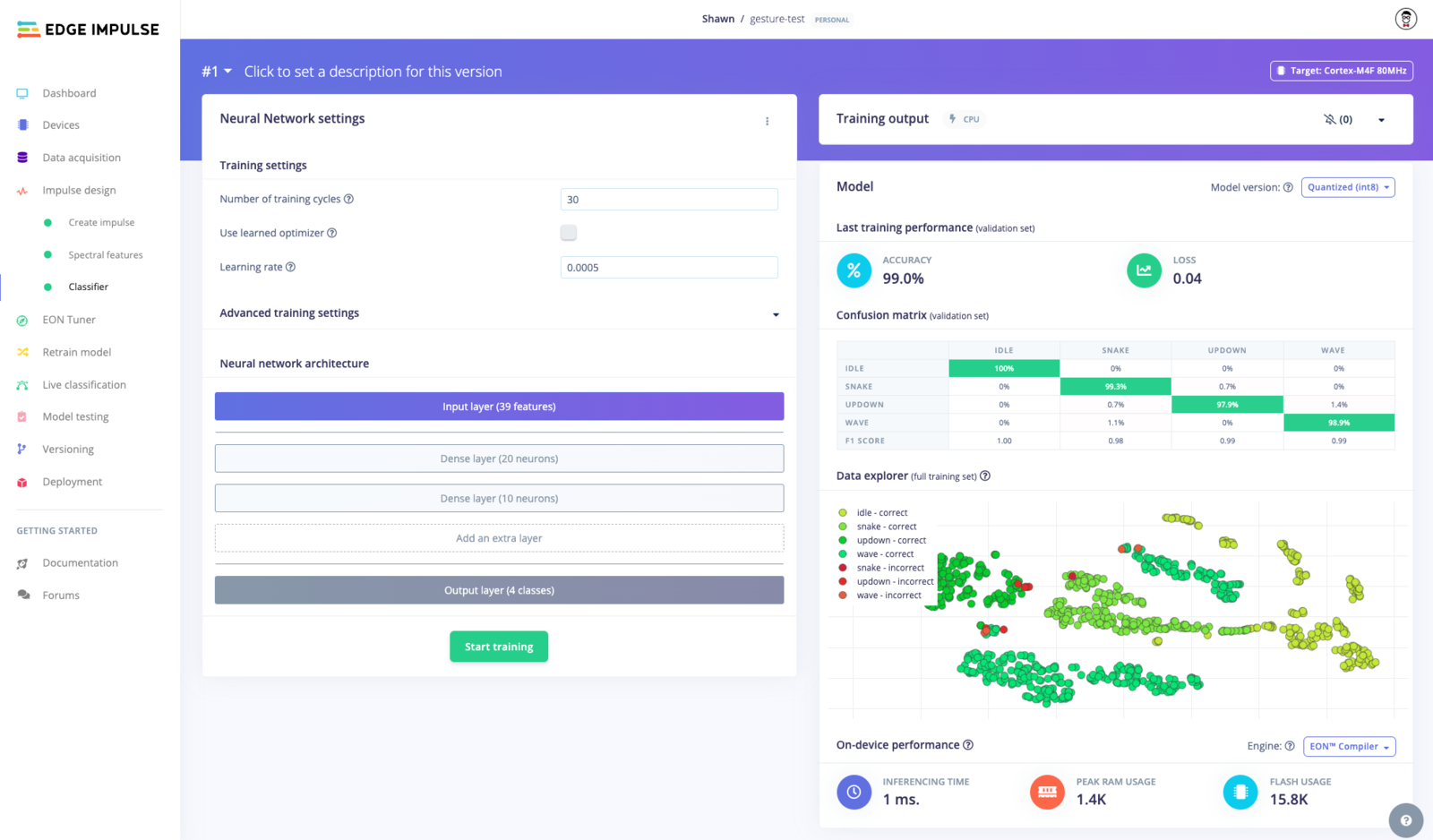 Once trained, the models can be tested using a holdout set or by connecting your device to ingest live data.
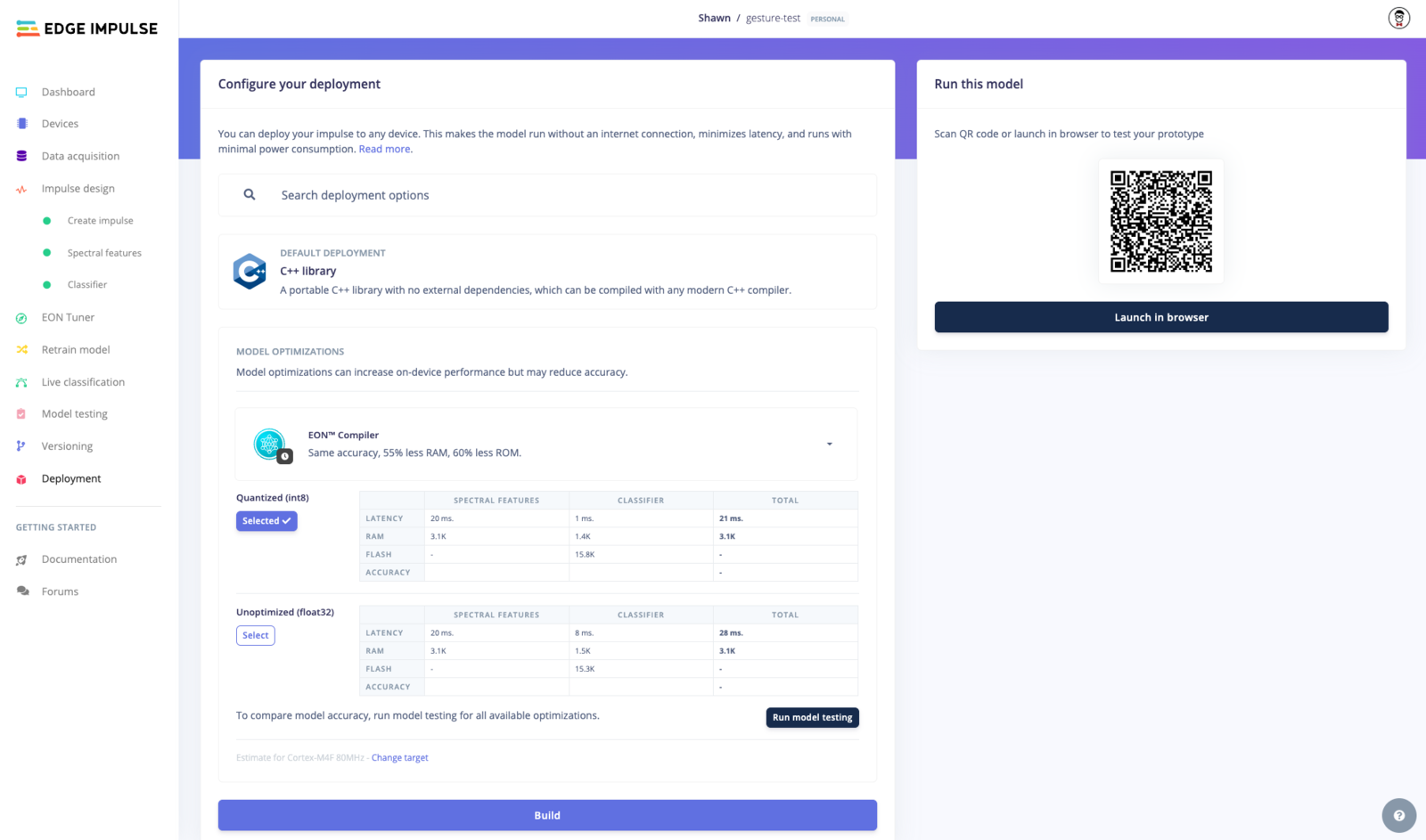
 Finally, your full impulse can be [deployed in a variety of formats](/studio/projects/deployment), including a C++ library, Linux process (controlled via Python, Node.js, Go, C++, and others), Docker container, WebAssembly executable, or a pre-built firmware for supported hardware.
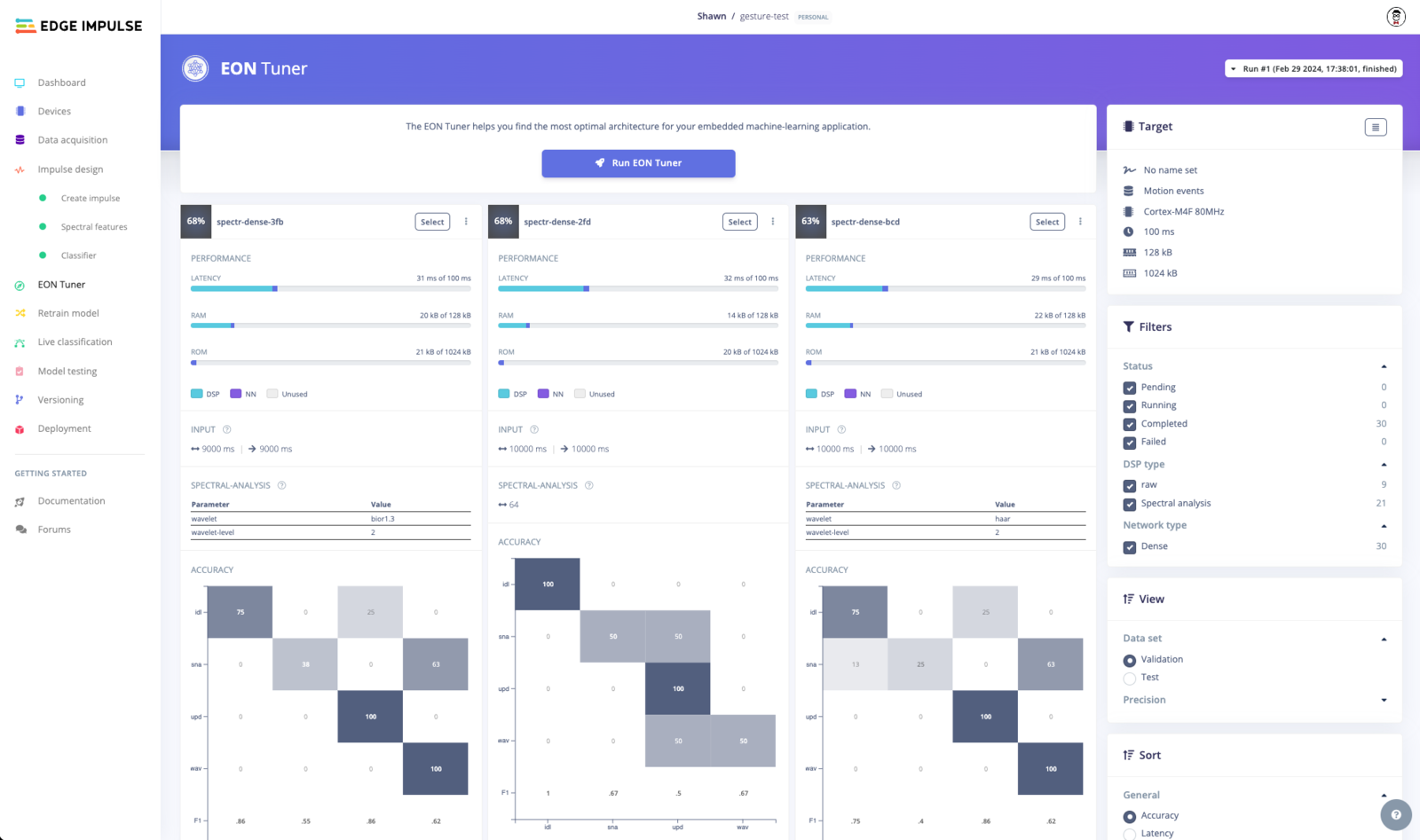
 Edge Impulse includes advanced features like the autoML tool known as [EON Tuner](/studio/projects/eon-tuner) to try various impulse configurations to determine the best combination of blocks.
 As mentioned previously, you can script all aspects of Studio using the [web API](/apis/studio), which allows you to construct full MLOps pipelines.
## Enterprise features
**Only available on the Enterprise plan**
This feature is only available on the Enterprise plan. Review our [plans and pricing](https://edgeimpulse.com/pricing) or sign up for our free [expert-led trial](https://edgeimpulse.com/expert-led-trial) today.
Edge Impulse has a number of enterprise features to help you build full edge ML pipelines and scale your deployments. First, you have access to faster performance and more training time to create larger and more complex models.
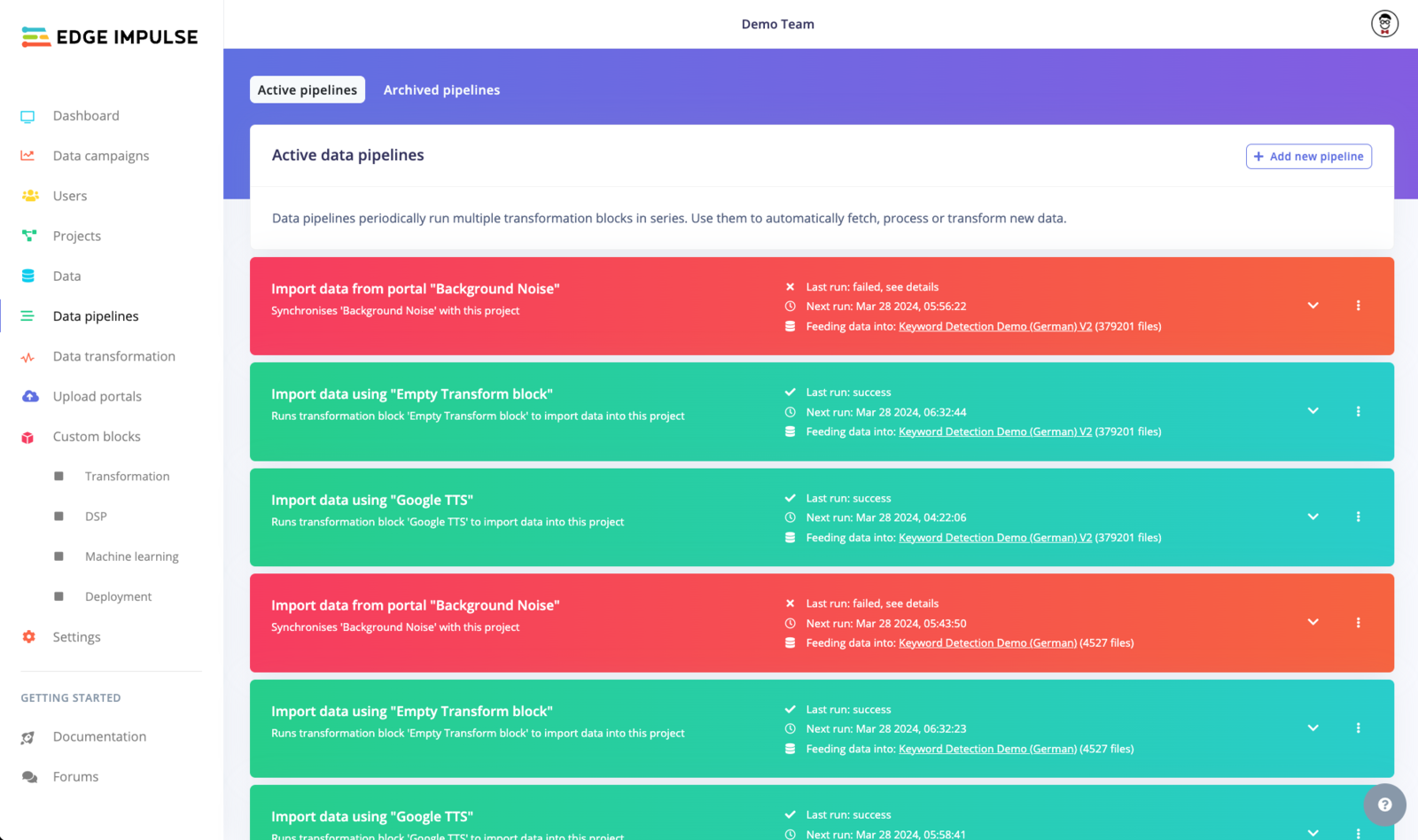
You also gain access to an [organization](/studio/organizations/dashboard) to easily monitor and maintain projects along with [automated data pipelines](/studio/organizations/data-pipelines), which allow you to configure and run transformation blocks in sequence to extract, transform, and load (ETL) data from a variety of sources.
As mentioned previously, you can script all aspects of Studio using the [web API](/apis/studio), which allows you to construct full MLOps pipelines.
## Enterprise features
**Only available on the Enterprise plan**
This feature is only available on the Enterprise plan. Review our [plans and pricing](https://edgeimpulse.com/pricing) or sign up for our free [expert-led trial](https://edgeimpulse.com/expert-led-trial) today.
Edge Impulse has a number of enterprise features to help you build full edge ML pipelines and scale your deployments. First, you have access to faster performance and more training time to create larger and more complex models.
You also gain access to an [organization](/studio/organizations/dashboard) to easily monitor and maintain projects along with [automated data pipelines](/studio/organizations/data-pipelines), which allow you to configure and run transformation blocks in sequence to extract, transform, and load (ETL) data from a variety of sources.
 You can look through this [health machine learning example design](/knowledge/guides/reference-designs/health-reference-design) to see how data is captured, stored, loaded, and transformed from production servers using Edge Impulse tools.
## Getting started
One of the fastest ways to try Edge Impulse is to follow this guided tour of [creating your own keyword spotting model in 5 minutes](https://studio.edgeimpulse.com/studio/profile/projects?createNewProject=1\&tutorial=kws) or our [computer vision walkthrough](https://studio.edgeimpulse.com/studio/profile/projects?createNewProject=1\&tutorial=cv). No programming experience is required!
Even though Edge Impulse works well for beginners and students, it is highly extensible for experts and engineers alike. The following guides can help you get started depending on your background:
* [For beginners](/knowledge/guides/getting-started-for-beginners)
* [For embedded engineers](/knowledge/guides/getting-started-for-embedded-engineers)
* [For machine learning practitioners](/knowledge/guides/getting-started-for-ml-practitioners)
## Quiz
Test your knowledge on Edge Impulse with the following quiz:
You can look through this [health machine learning example design](/knowledge/guides/reference-designs/health-reference-design) to see how data is captured, stored, loaded, and transformed from production servers using Edge Impulse tools.
## Getting started
One of the fastest ways to try Edge Impulse is to follow this guided tour of [creating your own keyword spotting model in 5 minutes](https://studio.edgeimpulse.com/studio/profile/projects?createNewProject=1\&tutorial=kws) or our [computer vision walkthrough](https://studio.edgeimpulse.com/studio/profile/projects?createNewProject=1\&tutorial=cv). No programming experience is required!
Even though Edge Impulse works well for beginners and students, it is highly extensible for experts and engineers alike. The following guides can help you get started depending on your background:
* [For beginners](/knowledge/guides/getting-started-for-beginners)
* [For embedded engineers](/knowledge/guides/getting-started-for-embedded-engineers)
* [For machine learning practitioners](/knowledge/guides/getting-started-for-ml-practitioners)
## Quiz
Test your knowledge on Edge Impulse with the following quiz: