> ## Documentation Index
> Fetch the complete documentation index at: https://docs.edgeimpulse.com/llms.txt
> Use this file to discover all available pages before exploring further.
# Synthetic data
Synthetic datasets are a collection of data artificially generated rather than being collected from real-world observations or measurements. They are created using algorithms, simulations, or mathematical models to mimic the characteristics and patterns of real data. Synthetic datasets are a valuable tool to generate data for experimentation, testing, and development when obtaining real data is challenging, costly, or undesirable.
You might want to generate synthetic datasets for several reasons:
**Cost Efficiency:** Creating synthetic data can be more cost-effective and efficient than collecting large volumes of real data, especially in resource-constrained environments.
**Data Augmentation:** Synthetic datasets allow users to augment their real-world data with variations, which can improve model robustness and performance.
**Data Diversity:** Synthetic datasets enable the inclusion of uncommon or rare scenarios, enriching model training with a wider range of potential inputs.
**Privacy and Security:** When dealing with sensitive data, synthetic datasets provide a way to train models without exposing real information, enhancing privacy and security.
You can generate synthetic data directly from Edge Impulse using the **Synthetic Data** tab in the **Data acquisition** view. This tab provides a user-friendly interface to generate synthetic data for your projects. You can create synthetic datasets using a variety of tools and models.
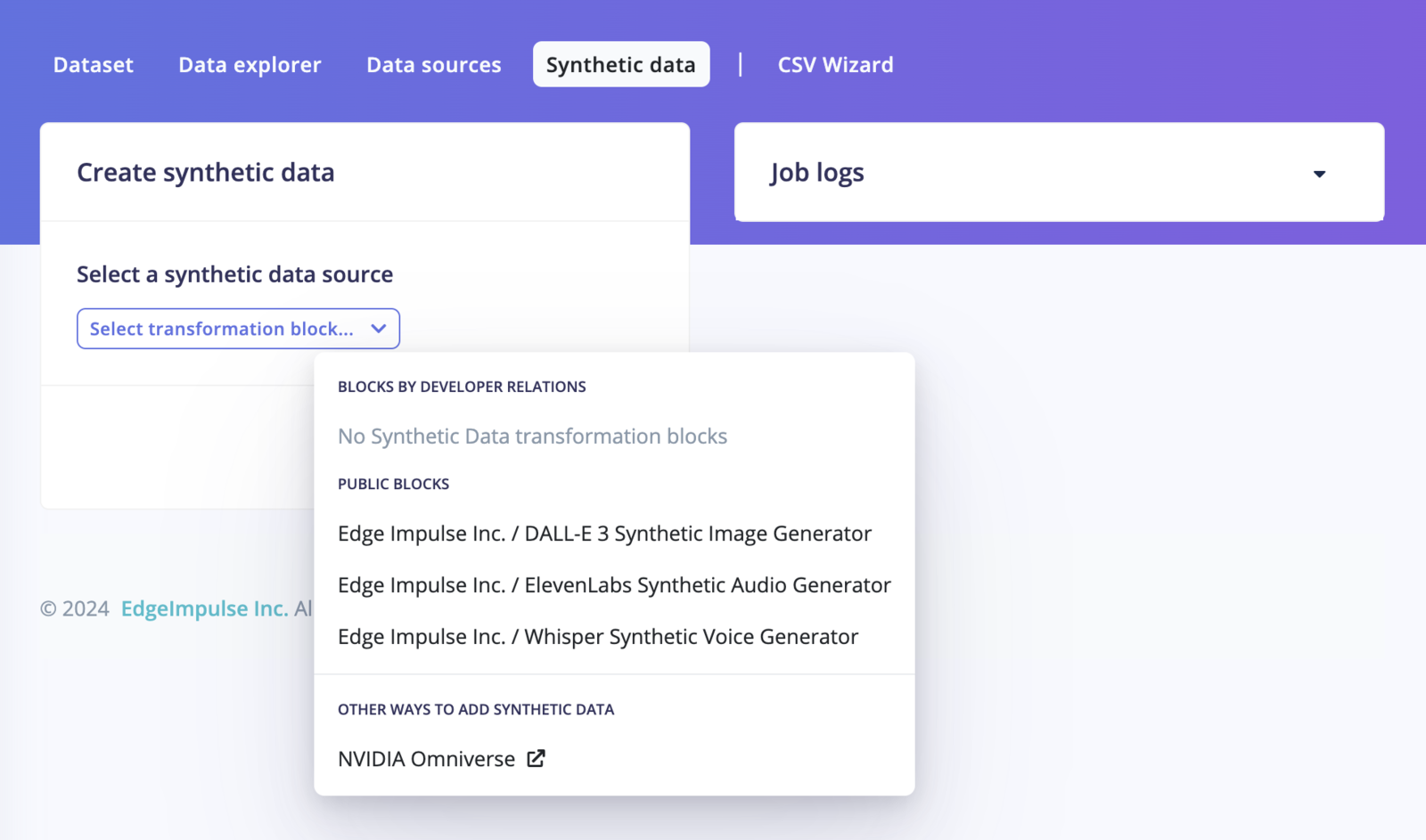 We have put together the following tutorials to help you get started with synthetic datasets generation:
## Using integrated models directly available inside Edge Impulse Studio
* **DALL-E Image Generation Block:** Generate image datasets using Dall·E using the [DALL-E model](/tutorials/topics/data/generate-image-data-dall-e).
* **Whisper Keyword Spotting Generation Block:** Generate keyword-spotting datasets using the [Whisper model](/tutorials/topics/data/generate-keyword-data-google-tts). Ideal for keyword spotting and speech recognition applications.
Note that you will need an API Key/Access Token from the different providers to run the model used to generate the synthetic data.
If you want to create your own synthetic data block, see [Custom synthetic data blocks](/studio/organizations/custom-blocks/custom-synthetic-data-blocks).
## Other tutorials
* [Generate image datasets using Dall·E](/tutorials/topics/data/generate-image-data-dall-e) (Jupyter Notebook and Transformation block source code available).
* [Generate keyword-spotting datasets](/tutorials/topics/data/generate-keyword-data-google-tts) (Jupyter Notebook source code available).
* [Generate physics simulation datasets](/tutorials/topics/data/generate-time-series-data-pybullet) (Jupyter Notebook source code available).
* [Generate synthetic datasets using NVIDIA Omniverse](/tutorials/integrations/nvidia-omniverse).
We have put together the following tutorials to help you get started with synthetic datasets generation:
## Using integrated models directly available inside Edge Impulse Studio
* **DALL-E Image Generation Block:** Generate image datasets using Dall·E using the [DALL-E model](/tutorials/topics/data/generate-image-data-dall-e).
* **Whisper Keyword Spotting Generation Block:** Generate keyword-spotting datasets using the [Whisper model](/tutorials/topics/data/generate-keyword-data-google-tts). Ideal for keyword spotting and speech recognition applications.
Note that you will need an API Key/Access Token from the different providers to run the model used to generate the synthetic data.
If you want to create your own synthetic data block, see [Custom synthetic data blocks](/studio/organizations/custom-blocks/custom-synthetic-data-blocks).
## Other tutorials
* [Generate image datasets using Dall·E](/tutorials/topics/data/generate-image-data-dall-e) (Jupyter Notebook and Transformation block source code available).
* [Generate keyword-spotting datasets](/tutorials/topics/data/generate-keyword-data-google-tts) (Jupyter Notebook source code available).
* [Generate physics simulation datasets](/tutorials/topics/data/generate-time-series-data-pybullet) (Jupyter Notebook source code available).
* [Generate synthetic datasets using NVIDIA Omniverse](/tutorials/integrations/nvidia-omniverse).