> ## Documentation Index
> Fetch the complete documentation index at: https://docs.edgeimpulse.com/llms.txt
> Use this file to discover all available pages before exploring further.
# Run Qualcomm IM SDK GStreamer pipeline
The [Qualcomm IM SDK GStreamer plugins](https://docs.qualcomm.com/bundle/publicresource/topics/80-70014-50/architecture.html) interact with Qualcomm IM SDK multimedia components to build multimedia or AI/ML use cases.
The Qualcomm IM SDK hides the complexity of the hardware within the plugin architecture and provides APIs to applications. Using this framework, you can create applications without accessing low-level platform libraries and hardware details, which can vary across platforms.
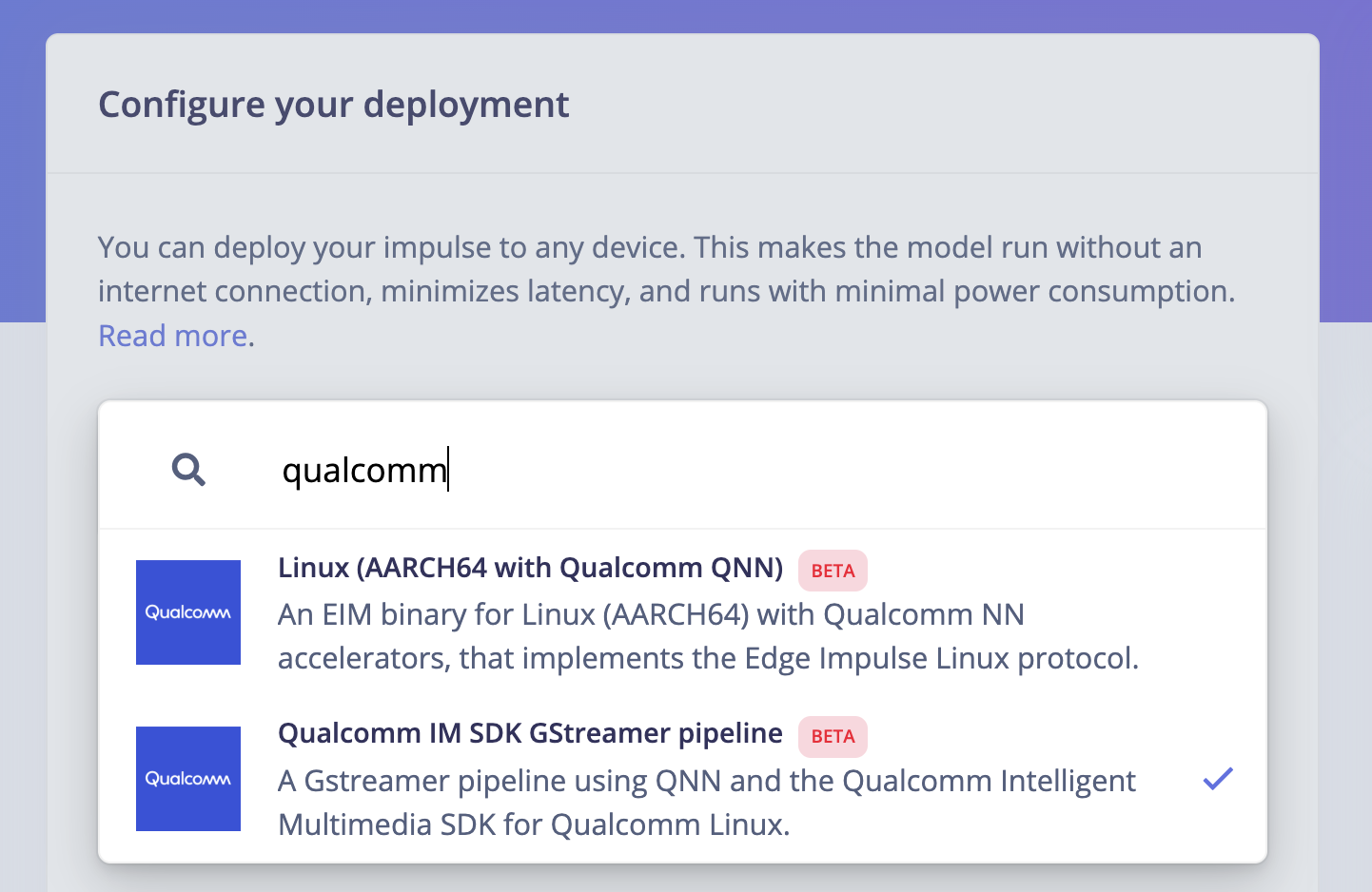
You can select the **Qualcomm IM SDK GStreamer pipeline** deployment option directly in your project's [Deployments](/studio/projects/deployment) page:
 Only YOLO-based models are supported using this deployment option.
When selecting this option, you will obtain a `.zip` folder with a directory structure like the following:
```
.
├── README.md
├── bin
│ └── edge-impulse-object-detection
├── edge-impulse-object-detection-config.json
├── imsdk-demo-app
│ ├── CMakeLists.txt
│ ├── Dockerfile
│ ├── README.md
│ ├── build.sh
│ ├── include
│ │ ├── gst_sample_apps_pipeline.h
│ │ └── gst_sample_apps_utils.h
│ └── source
│ ├── gst_sample_apps_utils.c
│ └── main.c
├── model.labels
├── model.tflite
├── run-camera-pipeline.sh
└── run-file-pipeline.sh
5 directories, 15 files
```
This folder contains example pipelines and applications to run Edge Impulse models using the Qualcomm Intelligent Multimedia SDK GStreamer plugins.
These example pipelines have been tested on the [Qualcomm Dragonwing™ RB3 Gen 2 Development Kit](/hardware/boards/qualcomm-rb3-gen-2-dev-kit).
## Gstreamer pipeline using a camera
Start via:
```
./run-camera-pipeline.sh
```
This renders both the camera feed from the RB3's built-in camera plus the inference result (bounding boxes) to the screen connected over HDMI.
## Gstreamer pipeline using a video file
Start via:
```
./run-file-pipeline.sh --in-file myvideo.mp4 --out-file myvideo-annotated.mp4
```
This takes an mp4 video file in, and writes a new video file with both the input video stream, plus the inference result (bounding boxes).
## Prebuilt `edge-impulse-object-detection` demo app
Run the application via:
```
export XDG_RUNTIME_DIR=/dev/socket/weston && export WAYLAND_DISPLAY=wayland-1
./bin/edge-impulse-object-detection --config-file=edge-impulse-object-detection-config.json
```
This app renders both the camera feed from the RB3's built-in camera plus the inference result (bounding boxes) to the screen connected over HDMI.
## Custom application with the IM SDK C++ SDK
We've included a demo application based on [gst-ai-object-detection](https://git.codelinaro.org/clo/le/platform/vendor/qcom-opensource/gst-plugins-qti-oss/-/tree/imsdk.lnx.2.0.0.r1-rel/gst-sample-apps/gst-ai-object-detection) in `imsdk-demo-app/`. To build:
1. Build the application (will be built using Docker):
```
cd imsdk-demo-app
sh build.sh
```
2. Run the application:
```
export XDG_RUNTIME_DIR=/dev/socket/weston && export WAYLAND_DISPLAY=wayland-1
# make sure to go back to the root folder
cd ..
./imsdk-demo-app/build/edge-impulse-object-detection --config-file=edge-impulse-object-detection-config.json
```
## Additional resources
* [Qualcomm Linux](https://www.qualcomm.com/developer/software/qualcomm-linux)
* [Qualcomm GST plugins](https://docs.qualcomm.com/bundle/publicresource/topics/80-70014-50/qim-sdk-plugins.html)
Only YOLO-based models are supported using this deployment option.
When selecting this option, you will obtain a `.zip` folder with a directory structure like the following:
```
.
├── README.md
├── bin
│ └── edge-impulse-object-detection
├── edge-impulse-object-detection-config.json
├── imsdk-demo-app
│ ├── CMakeLists.txt
│ ├── Dockerfile
│ ├── README.md
│ ├── build.sh
│ ├── include
│ │ ├── gst_sample_apps_pipeline.h
│ │ └── gst_sample_apps_utils.h
│ └── source
│ ├── gst_sample_apps_utils.c
│ └── main.c
├── model.labels
├── model.tflite
├── run-camera-pipeline.sh
└── run-file-pipeline.sh
5 directories, 15 files
```
This folder contains example pipelines and applications to run Edge Impulse models using the Qualcomm Intelligent Multimedia SDK GStreamer plugins.
These example pipelines have been tested on the [Qualcomm Dragonwing™ RB3 Gen 2 Development Kit](/hardware/boards/qualcomm-rb3-gen-2-dev-kit).
## Gstreamer pipeline using a camera
Start via:
```
./run-camera-pipeline.sh
```
This renders both the camera feed from the RB3's built-in camera plus the inference result (bounding boxes) to the screen connected over HDMI.
## Gstreamer pipeline using a video file
Start via:
```
./run-file-pipeline.sh --in-file myvideo.mp4 --out-file myvideo-annotated.mp4
```
This takes an mp4 video file in, and writes a new video file with both the input video stream, plus the inference result (bounding boxes).
## Prebuilt `edge-impulse-object-detection` demo app
Run the application via:
```
export XDG_RUNTIME_DIR=/dev/socket/weston && export WAYLAND_DISPLAY=wayland-1
./bin/edge-impulse-object-detection --config-file=edge-impulse-object-detection-config.json
```
This app renders both the camera feed from the RB3's built-in camera plus the inference result (bounding boxes) to the screen connected over HDMI.
## Custom application with the IM SDK C++ SDK
We've included a demo application based on [gst-ai-object-detection](https://git.codelinaro.org/clo/le/platform/vendor/qcom-opensource/gst-plugins-qti-oss/-/tree/imsdk.lnx.2.0.0.r1-rel/gst-sample-apps/gst-ai-object-detection) in `imsdk-demo-app/`. To build:
1. Build the application (will be built using Docker):
```
cd imsdk-demo-app
sh build.sh
```
2. Run the application:
```
export XDG_RUNTIME_DIR=/dev/socket/weston && export WAYLAND_DISPLAY=wayland-1
# make sure to go back to the root folder
cd ..
./imsdk-demo-app/build/edge-impulse-object-detection --config-file=edge-impulse-object-detection-config.json
```
## Additional resources
* [Qualcomm Linux](https://www.qualcomm.com/developer/software/qualcomm-linux)
* [Qualcomm GST plugins](https://docs.qualcomm.com/bundle/publicresource/topics/80-70014-50/qim-sdk-plugins.html)