> ## Documentation Index
> Fetch the complete documentation index at: https://docs.edgeimpulse.com/llms.txt
> Use this file to discover all available pages before exploring further.
# RAKwireless WisBlock
#### Community board
This is a community board by RAKwireless and is not maintained by Edge Impulse. For support, head to the [RAKwireless homepage](https://www.rakwireless.com/) or the [RAKwireless forums](https://forum.rakwireless.com/).
The RAKwireless WisBlock is a modular development system that lets you combine different cores and sensors to easily construct your next Internet of Things (IoT) device. The following WisBlock cores work with Edge Impulse:
* RAK11200 (ESP32)
* RAK4631 (nRF52840)
* RAK11310 (RP2040)
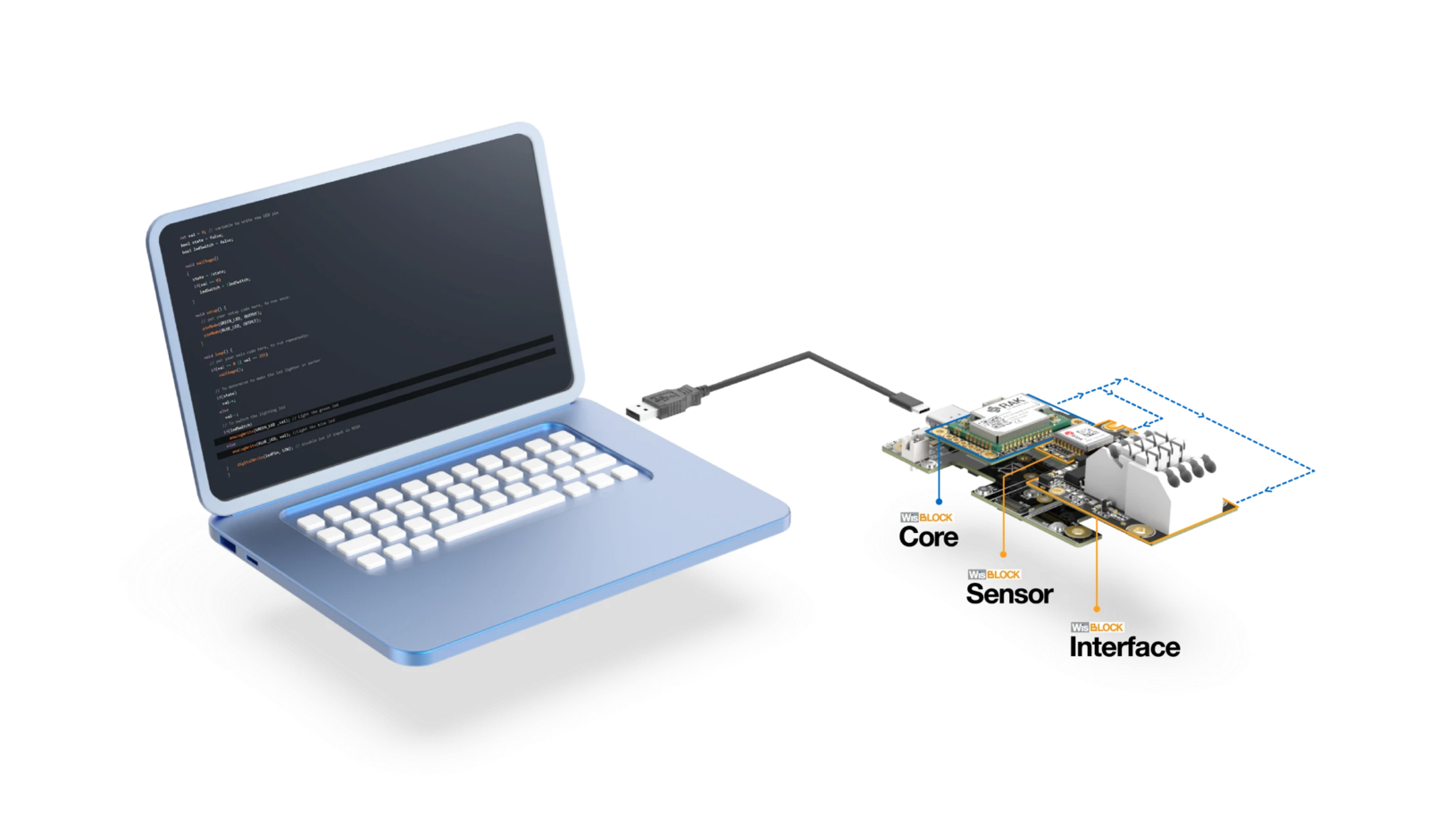 RAKwireless has created an [in-depth tutorial](https://docs.rakwireless.com/Knowledge-Hub/Learn/Getting-Started-with-WisBlock-and-Edge-Impulse/) on how to get started using the WisBlock with Edge Impulse, including collecting raw data from a 3-axis accelerometer or a microphone, training a machine learning, and deploying the model to the WisBlock core.
A WisBlock starter kit can be found in the [RAKwireless store](https://store.rakwireless.com/products/wisblock-starter-kit?variant=41786582925510).
### Installing dependencies
Install the following software:
* [Edge Impulse CLI](/tools/clis/edge-impulse-cli/installation)
* [Arduino IDE](https://www.arduino.cc/en/software)
* [Visual Studio Code](https://code.visualstudio.com/)
### Connecting to Edge Impulse
Follow the guide for your particular core to collect data, train a machine learning model, and deploy it to your WisBlock:
* [RAK11200 (ESP32) Edge Impulse Guide](https://learn.rakwireless.com/hc/en-us/articles/26743421199383-How-To-Get-Started-with-WisBlock-and-Edge-Impulse#rak11200-data-uploading)
* [RAK11310 (RP2040) Edge Impulse Guide](https://learn.rakwireless.com/hc/en-us/articles/26743421199383-How-To-Get-Started-with-WisBlock-and-Edge-Impulse#rak11310-data-uploading)
* [RAK4631 (nRF52840) Edge Impulse Guide](https://learn.rakwireless.com/hc/en-us/articles/26743421199383-How-To-Get-Started-with-WisBlock-and-Edge-Impulse#rak4631-data-uploading)
By the end of the guide, you should have machine learning inference running locally on your WisBlock!
RAKwireless has created an [in-depth tutorial](https://docs.rakwireless.com/Knowledge-Hub/Learn/Getting-Started-with-WisBlock-and-Edge-Impulse/) on how to get started using the WisBlock with Edge Impulse, including collecting raw data from a 3-axis accelerometer or a microphone, training a machine learning, and deploying the model to the WisBlock core.
A WisBlock starter kit can be found in the [RAKwireless store](https://store.rakwireless.com/products/wisblock-starter-kit?variant=41786582925510).
### Installing dependencies
Install the following software:
* [Edge Impulse CLI](/tools/clis/edge-impulse-cli/installation)
* [Arduino IDE](https://www.arduino.cc/en/software)
* [Visual Studio Code](https://code.visualstudio.com/)
### Connecting to Edge Impulse
Follow the guide for your particular core to collect data, train a machine learning model, and deploy it to your WisBlock:
* [RAK11200 (ESP32) Edge Impulse Guide](https://learn.rakwireless.com/hc/en-us/articles/26743421199383-How-To-Get-Started-with-WisBlock-and-Edge-Impulse#rak11200-data-uploading)
* [RAK11310 (RP2040) Edge Impulse Guide](https://learn.rakwireless.com/hc/en-us/articles/26743421199383-How-To-Get-Started-with-WisBlock-and-Edge-Impulse#rak11310-data-uploading)
* [RAK4631 (nRF52840) Edge Impulse Guide](https://learn.rakwireless.com/hc/en-us/articles/26743421199383-How-To-Get-Started-with-WisBlock-and-Edge-Impulse#rak4631-data-uploading)
By the end of the guide, you should have machine learning inference running locally on your WisBlock!