> ## Documentation Index
> Fetch the complete documentation index at: https://docs.edgeimpulse.com/llms.txt
> Use this file to discover all available pages before exploring further.
# MistyWest MistySOM RZ/V2L
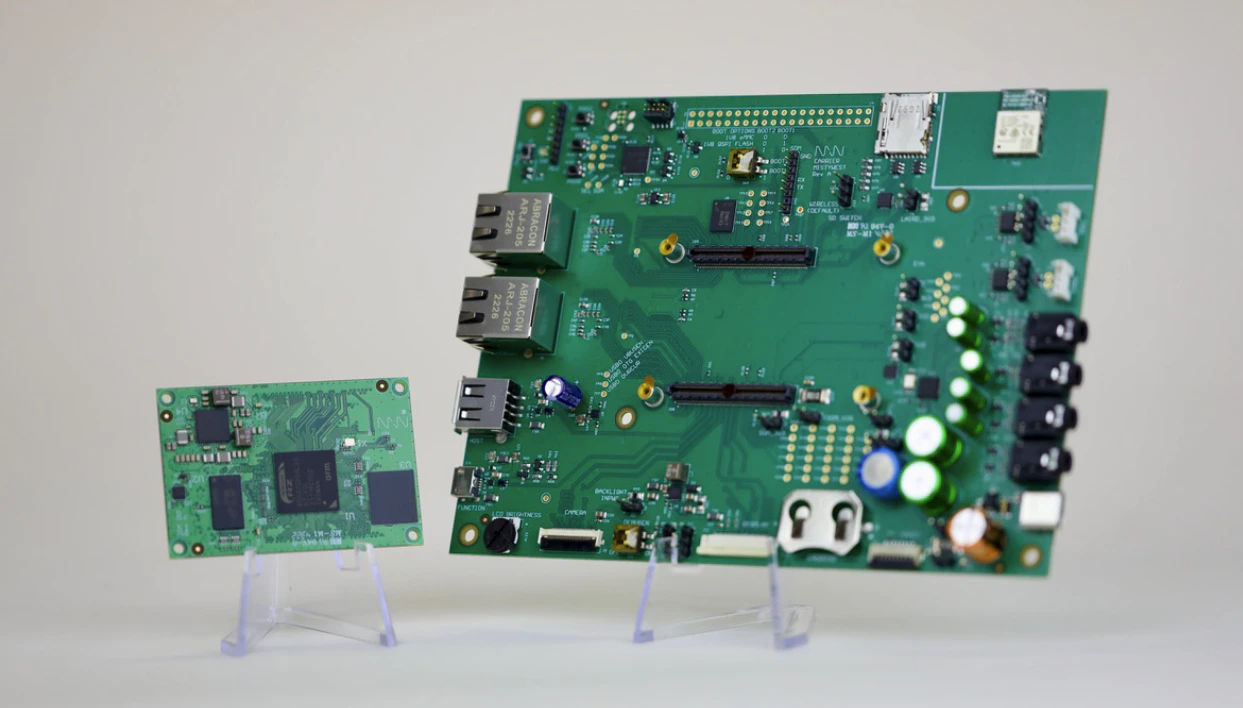
[MistySOM-V2L](https://www.mistywest.com/mistysom/) (MW-V2L-E32G-D2G-I-WX-V0) is built around the Renesas RZ/V2L, offering the same capabilities as the RZ/G2L but with a power efficient NPU, making it suitable for low power object detection and classification. The MistySOM-V2L is built from the ground up to enable battery powered computer vision. It is ruggedized for industrial temperatures and offers long term (10 year) firmware support via a CIP kernel based Linux BSP. Available separately is the MistyCarrier (MW-V2L-G2L-I-WWB-V0) board, providing a platform that allows easy accessibility to a variety of interfaces.
The NPU of the MistySOM-V2L enables Jetson Nano-like performance for embedded video applications while using 50% less power, and supports multiple AI frameworks (ONNX, PyTorch,
TensorFlow, etc), with the ability to offload processing to the CPU if required.
The MistySOM-V2L is capable of running some versions of YOLO at >20FPS without a heatsink, and images and video can be captured through the 4 lane MIPI-CSI interface and with the onboard codec efficiently h.264 encoded. It includes a dual core Cortex-A55 and a single core Cortex-M33 CPU.
 ### Connecting to Edge Impulse
Please visit the [MistySOM wiki](https://wiki.mistysom.com/) to find related documentation on how to use MistySOM with Edge Impulse. You can also contact MistyWest directly at [mistysom@mistywest.com](mailto:mistysom@mistywest.com) for a support representative. If the above wiki link requests a certificate when navigating to the site, just click Cancel and the wiki will load correctly.
### Connecting to Edge Impulse
Please visit the [MistySOM wiki](https://wiki.mistysom.com/) to find related documentation on how to use MistySOM with Edge Impulse. You can also contact MistyWest directly at [mistysom@mistywest.com](mailto:mistysom@mistywest.com) for a support representative. If the above wiki link requests a certificate when navigating to the site, just click Cancel and the wiki will load correctly.